
Circuit Documentation
Summary of the Circuit
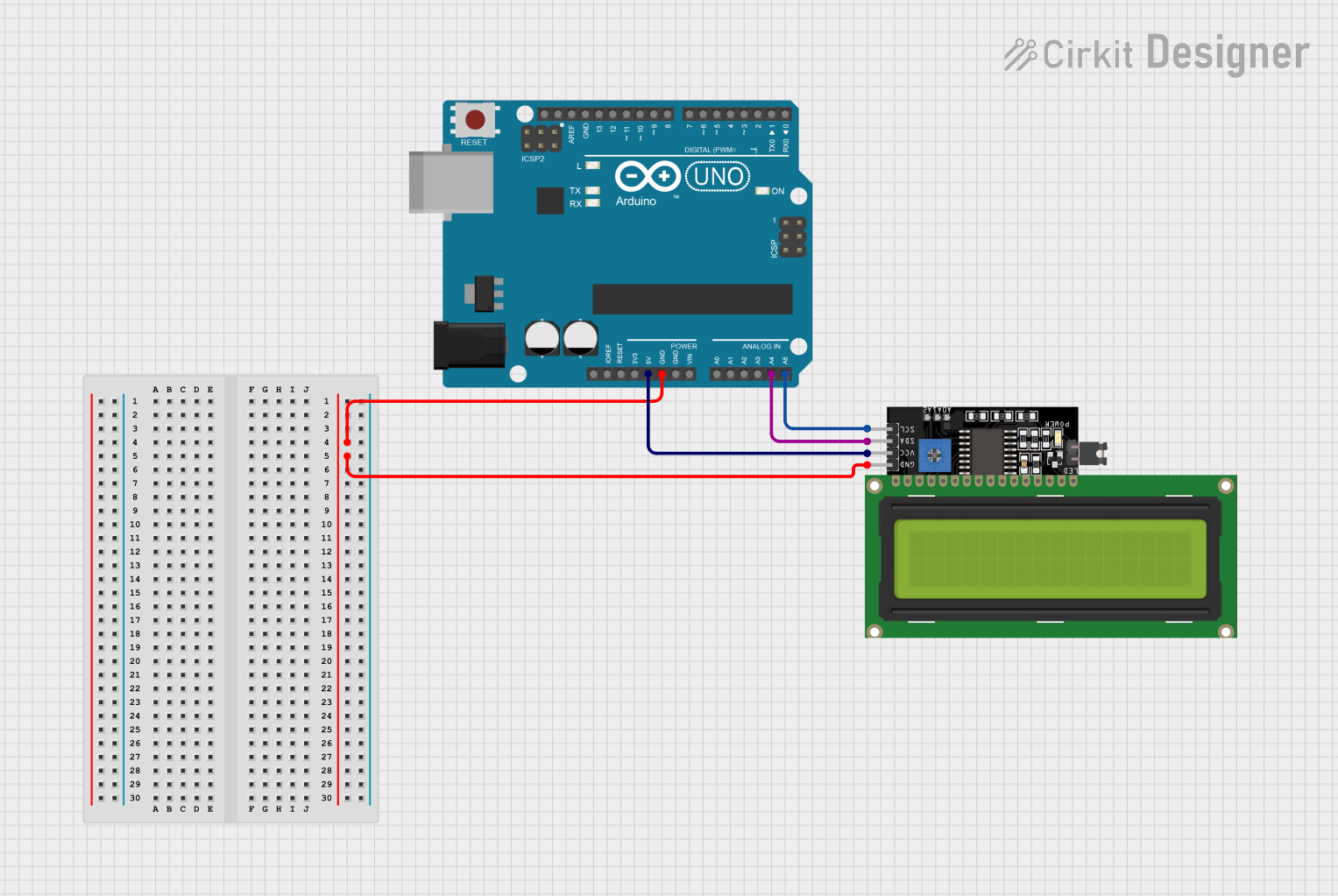
This circuit integrates an Arduino UNO microcontroller with a 16x4 LCD Display that communicates via the I2C protocol. The Arduino UNO powers the LCD display and facilitates the communication over the I2C bus, allowing text messages to be displayed on the LCD. The circuit is designed to display a "Hello, World!" message on the LCD upon initialization.
Component List
Arduino UNO
- Description: A microcontroller board based on the ATmega328P.
- Pins Used:
GND- Ground5V- 5V Power SupplyA4- I2C Data (SDA)A5- I2C Clock (SCL)
LCD Display 16x4 I2C
- Description: A 16x4 character LCD display with an I2C interface.
- Pins Used:
SCL- I2C ClockSDA- I2C DataVCC- Power Supply (5V)GND- Ground
Wiring Details
Arduino UNO
GNDconnected to LCD Display 16x4 I2CGND5Vconnected to LCD Display 16x4 I2CVCCA4connected to LCD Display 16x4 I2CSDAA5connected to LCD Display 16x4 I2CSCL
LCD Display 16x4 I2C
SCLconnected to Arduino UNOA5SDAconnected to Arduino UNOA4VCCconnected to Arduino UNO5VGNDconnected to Arduino UNOGND
Documented Code
Arduino UNO Code
/*
 * Arduino with LCD I2C Display
 * This code initializes the LCD display and prints a message on it.
 */

#include <Wire.h>
#include <LiquidCrystal_I2C.h>

// Set the LCD address to 0x27 for a 16 chars and 4 line display
LiquidCrystal_I2C lcd(0x27, 16, 4);

void setup() {
  // Initialize the LCD
  lcd.begin();
  // Turn on the backlight
  lcd.backlight();
  // Print a message to the LCD
  lcd.setCursor(0, 0);
  lcd.print("Hello, World!");
}

void loop() {
  // Nothing to do here
}
Filename: sketch.ino
(Note: The provided code is identical for both the Arduino UNO and the LCD Display 16x4 I2C. However, the actual code should only be uploaded to the Arduino UNO, as the LCD Display does not have user-uploadable code space. The code snippet above is intended for the Arduino UNO microcontroller.)