
Arduino Nano-Based Orientation Detection System with ADXXL335 Accelerometer and Loudspeaker
View and Edit Project In Cirkit Designer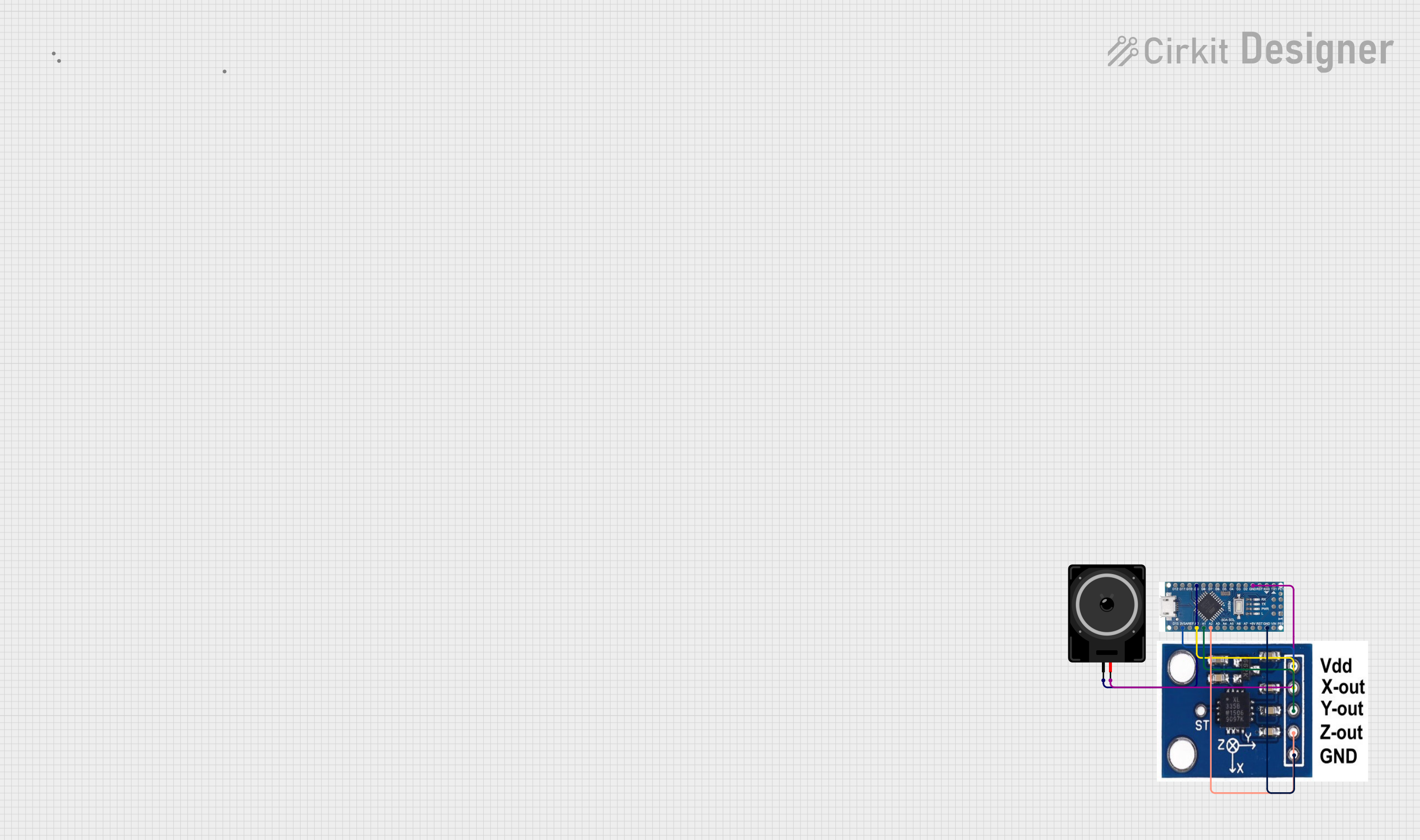
Circuit Documentation
Summary
This circuit is designed to read data from an ADXXL335 accelerometer and detect changes in orientation. When a change in orientation is detected, it triggers a loudspeaker to play a sound indicating "Incoming stair". The circuit uses an Arduino Nano microcontroller to process the accelerometer data and control the loudspeaker.
Component List
Loudspeaker
- Description: A device that converts electrical signals into sound.
- Pins: pin1, pin2
Arduino Nano
- Description: A small, complete, and breadboard-friendly microcontroller board based on the ATmega328.
- Pins: D12, D11, D10, D9, D8, D7, D6, D5, D4, D3, D2, GND, D13, 3V3, AREF, A0, A1, A2, A3, A4 sda, A5 scl, A6, A7, 5V, RST, VIN, RX0, TX1, 13, 11, 12
ADXXL335 Accelerometer
- Description: A 3-axis accelerometer that measures acceleration in the X, Y, and Z directions.
- Pins: VCC, X-OUT, Y-OUT, Z-OUT, GND
Wiring Details
Loudspeaker
- pin1 is connected to D9 on the Arduino Nano.
- pin2 is connected to GND on the Arduino Nano.
Arduino Nano
- D9 is connected to pin1 on the Loudspeaker.
- GND is connected to pin2 on the Loudspeaker.
- 3V3 is connected to VCC on the ADXXL335 Accelerometer.
- A0 is connected to X-OUT on the ADXXL335 Accelerometer.
- A1 is connected to Y-OUT on the ADXXL335 Accelerometer.
- A2 is connected to Z-OUT on the ADXXL335 Accelerometer.
- GND is connected to GND on the ADXXL335 Accelerometer.
ADXXL335 Accelerometer
- VCC is connected to 3V3 on the Arduino Nano.
- X-OUT is connected to A0 on the Arduino Nano.
- Y-OUT is connected to A1 on the Arduino Nano.
- Z-OUT is connected to A2 on the Arduino Nano.
- GND is connected to GND on the Arduino Nano.
Code Documentation
/*
 * This Arduino sketch reads data from an ADXXL335 accelerometer and detects
 * changes in orientation. When a change in orientation is detected, it
 * triggers a loudspeaker to play a sound indicating 'Incoming stair'.
 */

#include <Wire.h>

// Pin definitions
const int speakerPin = 9;
const int xPin = A0;
const int yPin = A1;
const int zPin = A2;

// Threshold for detecting orientation change
const int threshold = 200;

void setup() {
  pinMode(speakerPin, OUTPUT);
  Serial.begin(9600);
}

void loop() {
  int xValue = analogRead(xPin);
  int yValue = analogRead(yPin);
  int zValue = analogRead(zPin);

  Serial.print("X: ");
  Serial.print(xValue);
  Serial.print(" Y: ");
  Serial.print(yValue);
  Serial.print(" Z: ");
  Serial.println(zValue);

  if (abs(xValue - 512) > threshold || abs(yValue - 512) > threshold ||
      abs(zValue - 512) > threshold) {
    playSound();
  }

  delay(500); // Delay to avoid excessive serial output
}

void playSound() {
  tone(speakerPin, 1000, 500); // Play a 1kHz tone for 500ms
  delay(500); // Wait for the tone to finish
}
This code reads the X, Y, and Z values from the ADXXL335 accelerometer and prints them to the serial monitor. If any of the values deviate from the center value (512) by more than the threshold (200), it triggers the playSound function, which plays a 1kHz tone for 500ms on the loudspeaker.