
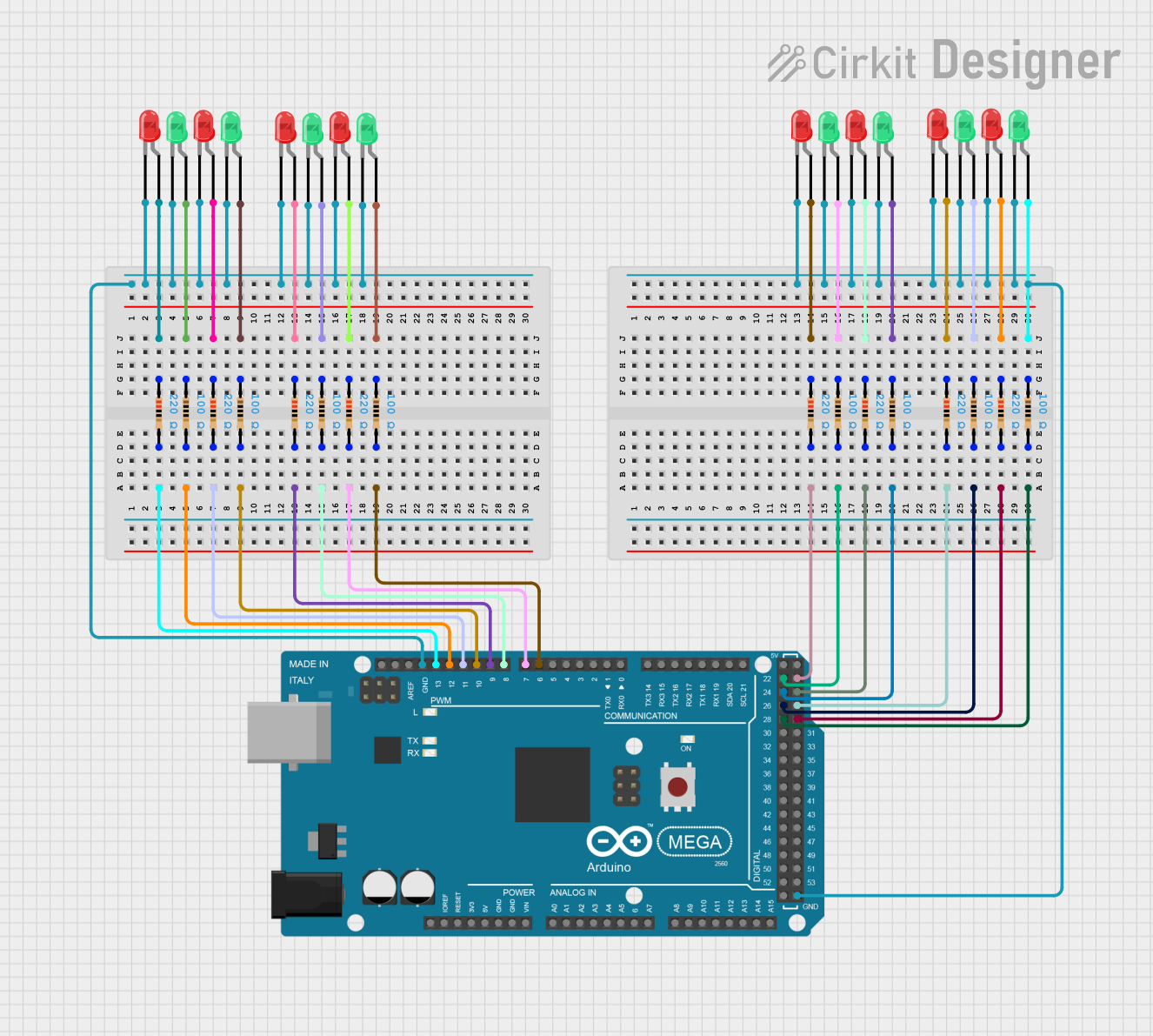
Circuit Documentation
Summary
The circuit in question appears to be a microcontroller-driven LED array, utilizing an Arduino Mega 2560 to control multiple LEDs through digital output pins. The LEDs are arranged in pairs of red and green, each pair being connected to a resistor to limit the current. The cathodes of the LEDs are connected to the ground (GND) of the Arduino, while the anodes are connected to digital pins through the resistors. The resistors are of two values, 100 Ohms and 220 Ohms, to set appropriate current limits for the LEDs.
Component List
Microcontroller
- Arduino Mega 2560: A microcontroller board based on the ATmega2560, with numerous digital input/output pins, analog inputs, and other features suitable for complex projects.
LEDs
- LED: Two Pin (red): A standard red LED with two pins, an anode, and a cathode.
- LED: Two Pin (green): A standard green LED with two pins, an anode, and a cathode.
Resistors
- Resistor (100 Ohms): A resistor with a resistance of 100 Ohms, used to limit the current through the LEDs.
- Resistor (220 Ohms): A resistor with a resistance of 220 Ohms, used to limit the current through the LEDs.
Wiring Details
Arduino Mega 2560
- Digital pins (D23, D22, D25, D24, D27, D26, D29, D28, D6 PWM, D7 PWM, D8 PWM, D9 PWM, D10 PWM, D11 PWM, D12 PWM, D13 PWM) are connected to the resistors.
- GND pin is connected to the cathodes of all LEDs.
LEDs
- Red LEDs: Anodes are connected to one end of the resistors, cathodes are connected to GND.
- Green LEDs: Anodes are connected to one end of the resistors, cathodes are connected to GND.
Resistors
- One end of each resistor is connected to an Arduino digital pin, the other end is connected to the anode of an LED.
Documented Code
Arduino Mega 2560
The provided code for the Arduino Mega 2560 is a template with empty setup and loop functions. Additional code is required to control the LEDs.
void setup() {
  // put your setup code here, to run once:

}

void loop() {
  // put your main code here, to run repeatedly:

}
The second code file named "documentation" is empty and does not contain any code or comments.