
How to Use infuse heater: Examples, Pinouts, and Specs
 Design with infuse heater in Cirkit Designer
Introduction
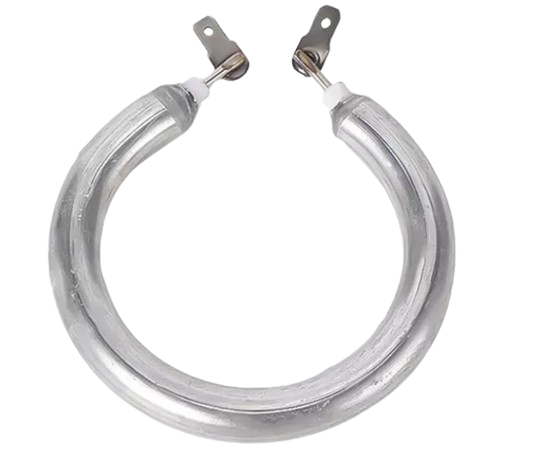
The Infuse Heater (Manufacturer Part ID: heat) by Sparkfruit Electronics is a specialized device designed to heat liquids or materials to precise temperatures. It is commonly used in applications such as infusion, extraction, and temperature-controlled processes in culinary, laboratory, and industrial settings. Its compact design and efficient heating capabilities make it an ideal choice for both professional and hobbyist use.
Explore Projects Built with infuse heater
 Open Project in Cirkit Designer
 Open Project in Cirkit Designer
 Open Project in Cirkit Designer
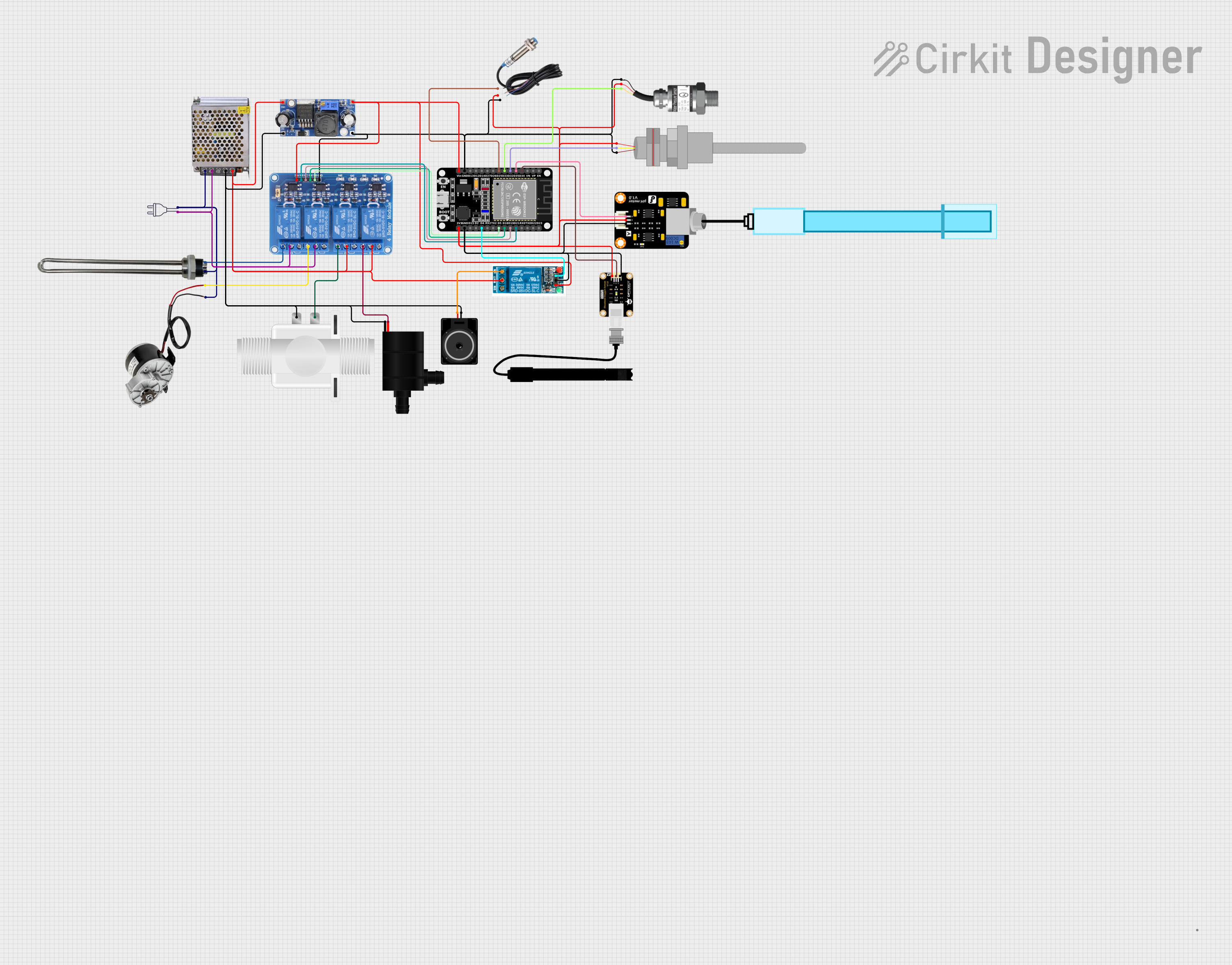 Open Project in Cirkit Designer
Explore Projects Built with infuse heater
Open Project in Cirkit DesignerOpen Project in Cirkit DesignerOpen Project in Cirkit DesignerOpen Project in Cirkit DesignerCommon Applications
- Culinary: Infusing oils, teas, or other liquids with flavors.
- Laboratory: Heating solutions for chemical reactions or extractions.
- Industrial: Controlled heating for small-scale manufacturing processes.
- DIY Projects: Custom temperature-controlled systems for hobbyists.
Technical Specifications
Key Technical Details
| Parameter | Value |
|---|---|
| Operating Voltage | 12V DC |
| Power Rating | 50W |
| Temperature Range | 25°C to 150°C |
| Heating Element Type | Nichrome wire |
| Dimensions | 50mm x 50mm x 10mm |
| Weight | 30g |
| Thermal Protection | Built-in thermal cutoff switch |
| Connector Type | 2-pin JST |
Pin Configuration and Descriptions
| Pin Number | Pin Name | Description |
|---|---|---|
| 1 | VCC | Positive power supply (12V DC) |
| 2 | GND | Ground connection |
Usage Instructions
How to Use the Infuse Heater in a Circuit
- Power Supply: Connect the
VCCpin to a 12V DC power source and theGNDpin to the ground of the power supply. - Temperature Control: Use a compatible temperature controller or a microcontroller with a temperature sensor to regulate the heater's output.
- Mounting: Secure the heater to the desired surface using thermal adhesive or screws, ensuring good thermal contact for efficient heat transfer.
- Safety: Ensure proper ventilation and avoid direct contact with the heating surface during operation.
Important Considerations and Best Practices
- Thermal Management: Use a heat sink or thermal paste if necessary to improve heat dissipation.
- Power Supply: Ensure the power supply can deliver at least 50W to avoid underpowering the heater.
- Temperature Monitoring: Always use a temperature sensor to prevent overheating and ensure precise control.
- Safety Precautions: Avoid operating the heater near flammable materials and always disconnect power before handling.
Example: Using the Infuse Heater with an Arduino UNO
Below is an example of how to control the Infuse Heater using an Arduino UNO and a relay module for switching.
Circuit Diagram
- Connect the
VCCandGNDpins of the heater to the relay module's output terminals. - Connect the relay module's control pin to Arduino pin 7.
- Use a thermistor or temperature sensor (e.g., DS18B20) to monitor the temperature.
Arduino Code
// Include the necessary libraries for temperature sensor
#include <OneWire.h>
#include <DallasTemperature.h>

// Define pin connections
#define RELAY_PIN 7 // Relay module control pin
#define TEMP_SENSOR_PIN 2 // DS18B20 data pin

// Initialize OneWire and DallasTemperature objects
OneWire oneWire(TEMP_SENSOR_PIN);
DallasTemperature sensors(&oneWire);

// Define target temperature in Celsius
const float targetTemperature = 80.0;

void setup() {
  pinMode(RELAY_PIN, OUTPUT); // Set relay pin as output
  digitalWrite(RELAY_PIN, LOW); // Ensure relay is off initially
  sensors.begin(); // Initialize temperature sensor
  Serial.begin(9600); // Start serial communication
}

void loop() {
  sensors.requestTemperatures(); // Request temperature readings
  float currentTemperature = sensors.getTempCByIndex(0); // Get temperature in Celsius

  Serial.print("Current Temperature: ");
  Serial.println(currentTemperature);

  // Control the heater based on the target temperature
  if (currentTemperature < targetTemperature) {
    digitalWrite(RELAY_PIN, HIGH); // Turn on the heater
  } else {
    digitalWrite(RELAY_PIN, LOW); // Turn off the heater
  }

  delay(1000); // Wait for 1 second before the next reading
}
Troubleshooting and FAQs
Common Issues and Solutions
Heater Not Heating:
- Cause: Insufficient power supply.
- Solution: Verify that the power supply provides 12V DC and at least 50W.
Overheating:
- Cause: Lack of temperature control.
- Solution: Use a temperature sensor and controller to regulate the heater.
Uneven Heating:
- Cause: Poor thermal contact with the surface.
- Solution: Ensure the heater is securely mounted with thermal adhesive or screws.
Relay Not Switching:
- Cause: Incorrect wiring or insufficient current to the relay.
- Solution: Double-check the relay connections and ensure the Arduino pin can drive the relay.
FAQs
Q: Can I use a higher voltage power supply?
A: No, the heater is designed for 12V DC. Using a higher voltage may damage the component.Q: Is the heater waterproof?
A: No, the heater is not waterproof. Avoid exposing it to liquids.Q: Can I use the heater without a temperature controller?
A: It is not recommended, as this may lead to overheating and damage.Q: What is the lifespan of the heater?
A: The heater is rated for approximately 10,000 hours of operation under normal conditions.