
How to Use Cytron MDD20A motor driver: Examples, Pinouts, and Specs
 Design with Cytron MDD20A motor driver in Cirkit Designer
Introduction
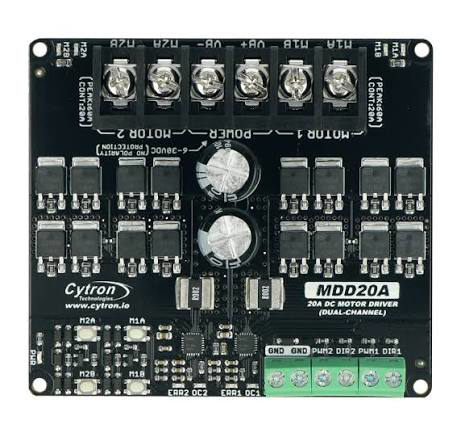
The Cytron MDD20A is a robust dual-channel motor driver designed to control two DC motors with a maximum continuous current of 20A per channel. It supports Pulse Width Modulation (PWM) for precise speed control and direction management, making it ideal for robotics, automation systems, and other motor control applications. Its compact design and ease of use make it a popular choice for hobbyists and professionals alike.
Explore Projects Built with Cytron MDD20A motor driver
 Open Project in Cirkit Designer
 Open Project in Cirkit Designer
 Open Project in Cirkit Designer
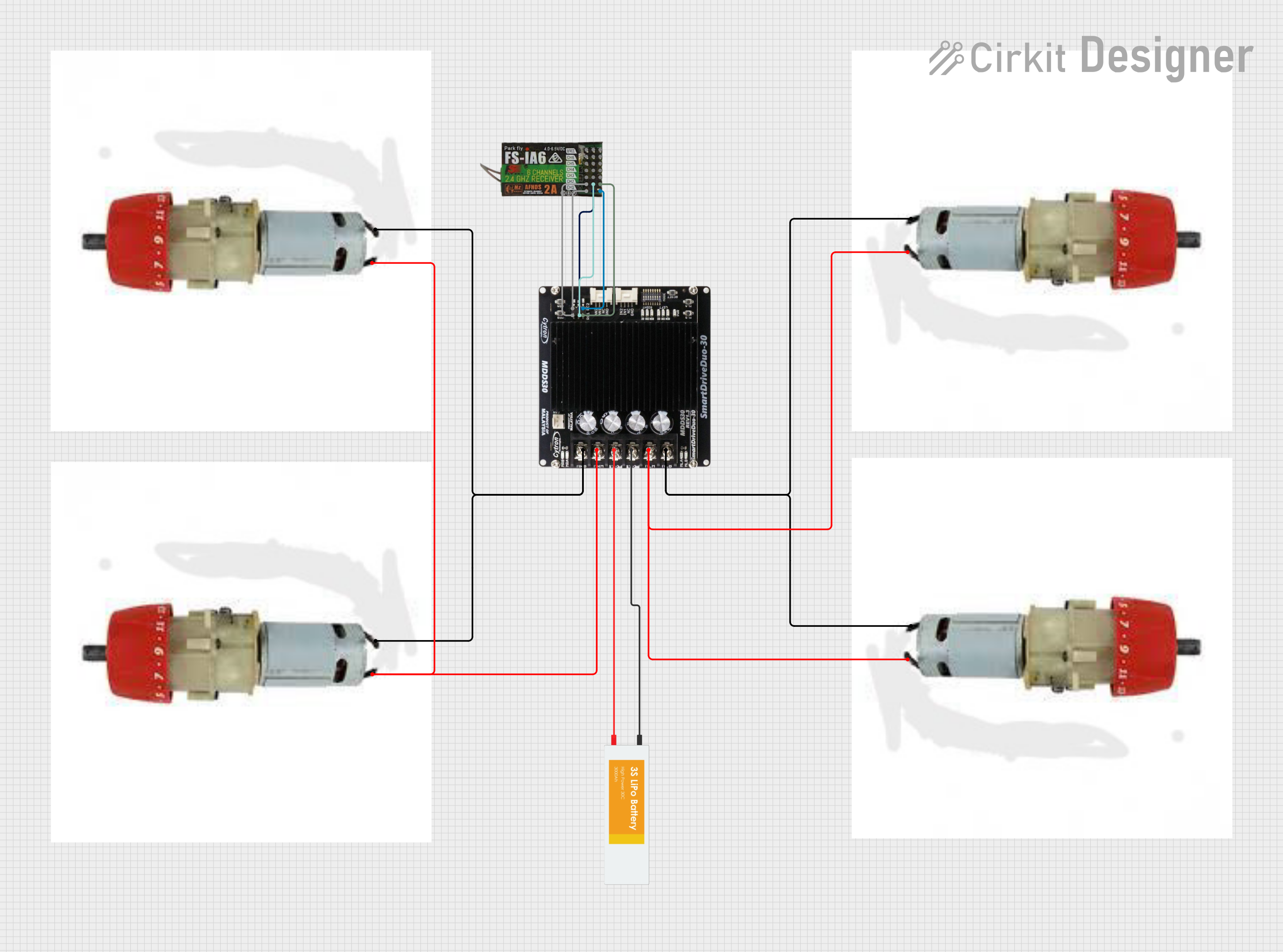 Open Project in Cirkit Designer
Explore Projects Built with Cytron MDD20A motor driver
Open Project in Cirkit DesignerOpen Project in Cirkit DesignerOpen Project in Cirkit DesignerOpen Project in Cirkit DesignerCommon Applications
- Robotics (e.g., mobile robots, robotic arms)
- Automated conveyor systems
- Electric vehicles and carts
- Industrial motor control
- DIY projects requiring high-current motor control
Technical Specifications
Below are the key technical details of the Cytron MDD20A motor driver:
| Parameter | Specification |
|---|---|
| Operating Voltage Range | 7V to 30V DC |
| Continuous Current (per channel) | 20A |
| Peak Current (per channel) | 30A (for 10 seconds) |
| Control Input | PWM, Direction, and Brake signals |
| PWM Frequency Range | 1kHz to 20kHz |
| Logic Voltage Level | 3.3V or 5V compatible |
| Overcurrent Protection | Yes |
| Overtemperature Protection | Yes |
| Dimensions | 84mm x 62mm x 25mm |
| Weight | 80g |
Pin Configuration and Descriptions
The Cytron MDD20A features two sets of motor control pins (Channel A and Channel B) and a power input section. Below is the pin configuration:
Motor Control Pins
| Pin Name | Description |
|---|---|
| PWM A | PWM input for Channel A (controls motor speed for Motor A) |
| DIR A | Direction control input for Channel A (HIGH for forward, LOW for reverse) |
| BRAKE A | Brake input for Channel A (HIGH to stop the motor, LOW to release the brake) |
| PWM B | PWM input for Channel B (controls motor speed for Motor B) |
| DIR B | Direction control input for Channel B (HIGH for forward, LOW for reverse) |
| BRAKE B | Brake input for Channel B (HIGH to stop the motor, LOW to release the brake) |
Power and Motor Terminals
| Pin Name | Description |
|---|---|
| VM | Motor power supply input (7V to 30V DC) |
| GND | Ground connection |
| MOTOR A+ | Positive terminal for Motor A |
| MOTOR A- | Negative terminal for Motor A |
| MOTOR B+ | Positive terminal for Motor B |
| MOTOR B- | Negative terminal for Motor B |
Usage Instructions
Connecting the Cytron MDD20A
- Power Supply: Connect a DC power supply (7V to 30V) to the
VMandGNDterminals. Ensure the power supply can handle the current requirements of your motors. - Motor Connections: Connect the DC motors to the
MOTOR A+,MOTOR A-,MOTOR B+, andMOTOR B-terminals. - Control Signals: Use a microcontroller (e.g., Arduino UNO) to send PWM, direction, and brake signals to the respective control pins (
PWM A,DIR A,BRAKE A,PWM B,DIR B,BRAKE B).
Example Arduino Code
Below is an example of how to control two DC motors using the Cytron MDD20A and an Arduino UNO:
// Define control pins for Motor A
#define PWM_A 9       // PWM pin for Motor A
#define DIR_A 8       // Direction pin for Motor A
#define BRAKE_A 7     // Brake pin for Motor A

// Define control pins for Motor B
#define PWM_B 10      // PWM pin for Motor B
#define DIR_B 12      // Direction pin for Motor B
#define BRAKE_B 11    // Brake pin for Motor B

void setup() {
  // Set motor control pins as outputs
  pinMode(PWM_A, OUTPUT);
  pinMode(DIR_A, OUTPUT);
  pinMode(BRAKE_A, OUTPUT);
  pinMode(PWM_B, OUTPUT);
  pinMode(DIR_B, OUTPUT);
  pinMode(BRAKE_B, OUTPUT);

  // Initialize motors (release brakes)
  digitalWrite(BRAKE_A, LOW);
  digitalWrite(BRAKE_B, LOW);
}

void loop() {
  // Example: Run Motor A forward at 50% speed
  digitalWrite(DIR_A, HIGH);  // Set direction to forward
  analogWrite(PWM_A, 128);    // Set speed (128 = 50% duty cycle)

  // Example: Run Motor B backward at 75% speed
  digitalWrite(DIR_B, LOW);   // Set direction to reverse
  analogWrite(PWM_B, 192);    // Set speed (192 = 75% duty cycle)

  delay(5000);                // Run motors for 5 seconds

  // Stop both motors
  digitalWrite(BRAKE_A, HIGH); // Engage brake for Motor A
  digitalWrite(BRAKE_B, HIGH); // Engage brake for Motor B

  delay(2000);                // Wait for 2 seconds

  // Release brakes and repeat
  digitalWrite(BRAKE_A, LOW);
  digitalWrite(BRAKE_B, LOW);
}
Important Considerations
- Ensure the power supply voltage matches the motor's operating voltage.
- Use appropriate heat sinks or cooling mechanisms if operating near the maximum current limit.
- Avoid reversing motor direction abruptly at high speeds to prevent damage to the motor or driver.
- Use fuses or circuit breakers for additional protection in high-current applications.
Troubleshooting and FAQs
Common Issues and Solutions
Motors not running:
- Verify that the power supply is connected and providing the correct voltage.
- Check the control signal connections (PWM, DIR, BRAKE) to ensure they are properly wired.
- Ensure the brake pins (
BRAKE AandBRAKE B) are set to LOW.
Motor runs in the wrong direction:
- Swap the motor's connections (
MOTOR A+andMOTOR A-orMOTOR B+andMOTOR B-). - Alternatively, invert the logic on the direction pins (
DIR AorDIR B).
- Swap the motor's connections (
Driver overheating:
- Ensure the current draw of the motors does not exceed 20A per channel.
- Add a heat sink or active cooling to the driver.
PWM signal not working:
- Confirm that the PWM frequency is within the supported range (1kHz to 20kHz).
- Check the microcontroller's PWM pin configuration.
FAQs
Q: Can I use the MDD20A with a 3.3V microcontroller?
A: Yes, the MDD20A is compatible with both 3.3V and 5V logic levels.
Q: What happens if the motor draws more than 20A?
A: The MDD20A has built-in overcurrent protection, which will temporarily disable the driver to prevent damage.
Q: Can I control only one motor with the MDD20A?
A: Yes, you can use only one channel (A or B) if your application requires controlling a single motor.
Q: Is the MDD20A suitable for stepper motors?
A: No, the MDD20A is designed for DC motors and is not compatible with stepper motors.
By following this documentation, you can effectively integrate the Cytron MDD20A motor driver into your projects for reliable and efficient motor control.