
How to Use HS-P03 HS-P03 3.7V lithium battery charging and discharging module: Examples, Pinouts, and Specs
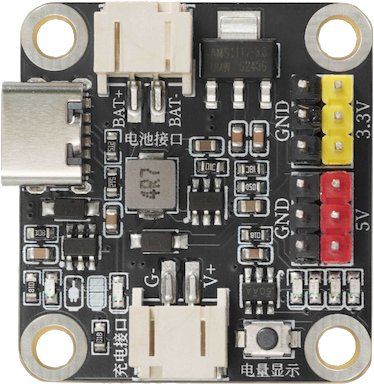
 Design with HS-P03 HS-P03 3.7V lithium battery charging and discharging module in Cirkit Designer
Introduction
The HS-P03 is a compact and efficient module designed by HelloStem for charging and discharging 3.7V lithium-ion or lithium-polymer batteries. It integrates essential safety features such as overcharge, over-discharge, and short-circuit protection, ensuring the longevity and reliability of your battery. This module is ideal for applications requiring a stable and safe power supply, such as portable electronics, IoT devices, and DIY projects.
Explore Projects Built with HS-P03 HS-P03 3.7V lithium battery charging and discharging module
 Open Project in Cirkit Designer
 Open Project in Cirkit Designer
 Open Project in Cirkit Designer
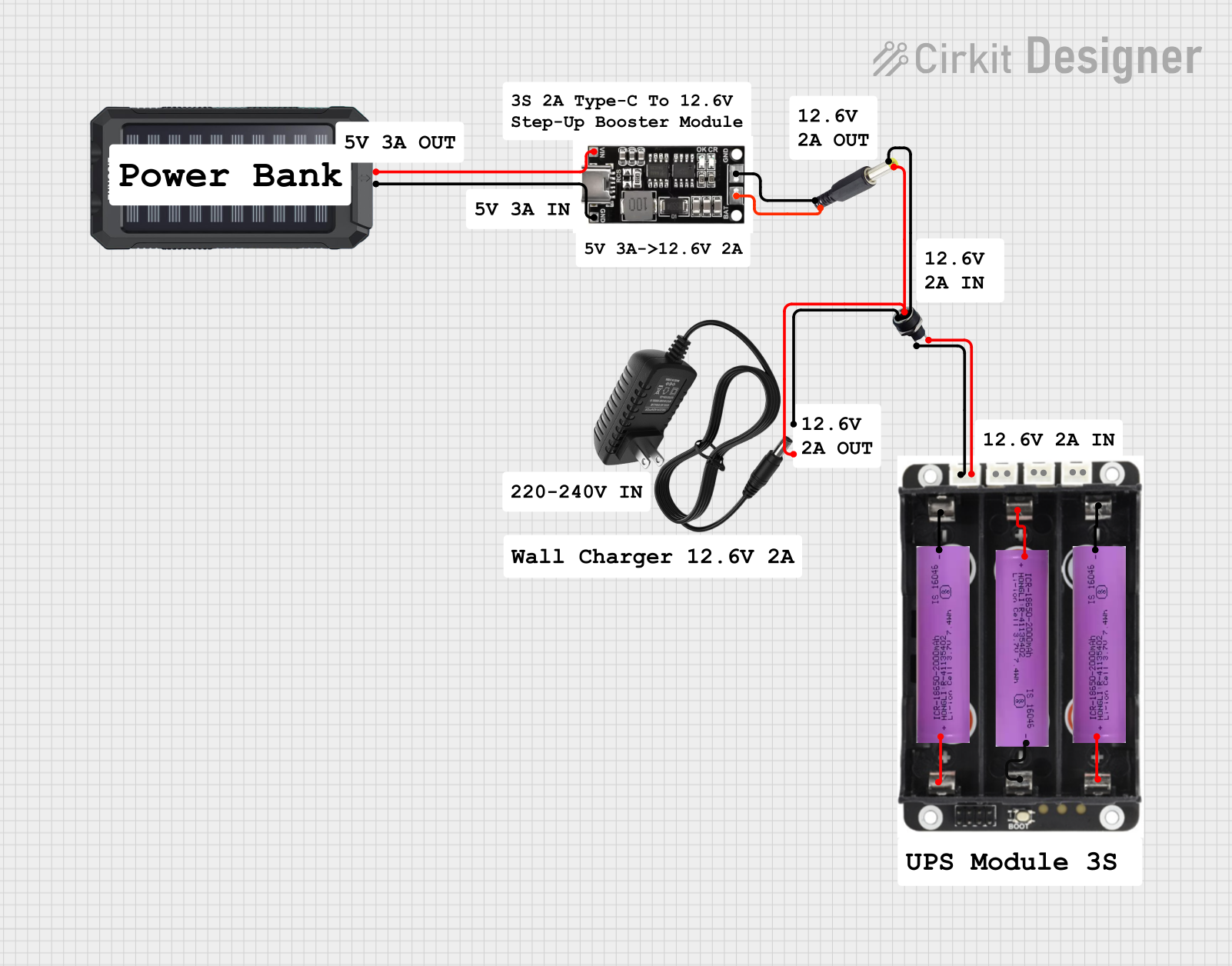 Open Project in Cirkit Designer
Explore Projects Built with HS-P03 HS-P03 3.7V lithium battery charging and discharging module
Open Project in Cirkit DesignerOpen Project in Cirkit DesignerOpen Project in Cirkit DesignerOpen Project in Cirkit DesignerCommon Applications
- Power management for portable devices
- Battery-powered IoT systems
- DIY electronics and robotics projects
- Backup power systems
Technical Specifications
The following table outlines the key technical details of the HS-P03 module:
| Parameter | Value |
|---|---|
| Input Voltage (Charging) | 4.5V - 6V |
| Charging Current | 1A (maximum) |
| Battery Type Supported | 3.7V Lithium-ion/Lithium-polymer |
| Overcharge Protection | 4.2V ± 1% |
| Over-discharge Protection | 2.5V ± 1% |
| Output Current (Discharge) | 2A (maximum) |
| Efficiency | Up to 92% |
| Dimensions | 25mm x 19mm x 5mm |
Pin Configuration and Descriptions
The HS-P03 module has six pins, as described in the table below:
| Pin Name | Description |
|---|---|
| IN+ | Positive input terminal for charging voltage (4.5V - 6V). |
| IN- | Negative input terminal for charging voltage (GND). |
| B+ | Positive terminal for connecting the 3.7V lithium battery. |
| B- | Negative terminal for connecting the 3.7V lithium battery. |
| OUT+ | Positive output terminal for powering the load. |
| OUT- | Negative output terminal for powering the load (GND). |
Usage Instructions
How to Use the HS-P03 Module in a Circuit
Connect the Battery:
- Attach the positive terminal of the 3.7V lithium battery to the
B+pin. - Attach the negative terminal of the battery to the
B-pin.
Ensure the battery is properly connected to avoid damage to the module.
- Attach the positive terminal of the 3.7V lithium battery to the
Connect the Charging Source:
- Connect a 4.5V to 6V DC power source to the
IN+andIN-pins. - Ensure the polarity is correct to prevent damage to the module.
- Connect a 4.5V to 6V DC power source to the
Connect the Load:
- Attach the load (e.g., your circuit or device) to the
OUT+andOUT-pins. - The module will regulate the output voltage and current to power the load safely.
- Attach the load (e.g., your circuit or device) to the
Monitor the Status:
- The module typically includes an onboard LED indicator to show the charging status.
- Refer to the manufacturer's datasheet for specific LED behavior.
Important Considerations and Best Practices
- Battery Compatibility: Only use 3.7V lithium-ion or lithium-polymer batteries with this module.
- Heat Dissipation: Ensure proper ventilation or heat sinking if the module operates near its maximum current rating.
- Polarity Check: Double-check all connections to avoid reversing polarity, which can damage the module.
- Avoid Overloading: Do not exceed the maximum output current of 2A to prevent overheating or failure.
- Arduino Integration: The module can be used to power Arduino projects. Connect the
OUT+andOUT-pins to the Arduino's VIN and GND pins, respectively.
Example Arduino Code
Here is an example of using the HS-P03 module to power an Arduino UNO and read the battery voltage:
// Define the analog pin connected to the battery voltage divider
const int batteryPin = A0;

// Function to read and calculate battery voltage
float readBatteryVoltage() {
  int sensorValue = analogRead(batteryPin); // Read the analog value
  float voltage = sensorValue * (5.0 / 1023.0); // Convert to voltage
  return voltage * 2; // Adjust for voltage divider (if used)
}

void setup() {
  Serial.begin(9600); // Initialize serial communication
  pinMode(batteryPin, INPUT); // Set the battery pin as input
}

void loop() {
  float batteryVoltage = readBatteryVoltage(); // Get battery voltage
  Serial.print("Battery Voltage: ");
  Serial.print(batteryVoltage);
  Serial.println(" V");
  delay(1000); // Wait for 1 second before the next reading
}
Note: If using a voltage divider to measure battery voltage, adjust the multiplier in the
readBatteryVoltagefunction accordingly.
Troubleshooting and FAQs
Common Issues and Solutions
Module Overheating:
- Cause: Exceeding the maximum current rating or poor ventilation.
- Solution: Reduce the load current or improve heat dissipation with a heatsink or fan.
Battery Not Charging:
- Cause: Incorrect input voltage or loose connections.
- Solution: Verify the input voltage is between 4.5V and 6V and check all connections.
No Output Voltage:
- Cause: Over-discharge protection has been triggered.
- Solution: Recharge the battery to restore normal operation.
LED Indicator Not Working:
- Cause: Faulty LED or incorrect wiring.
- Solution: Check the LED connections and refer to the datasheet for LED behavior.
FAQs
Can I use this module with a 5V USB charger?
Yes, a 5V USB charger is suitable for powering the module's input.What happens if I connect a battery with a voltage higher than 3.7V?
The module is designed specifically for 3.7V lithium batteries. Using a higher voltage battery may damage the module.Can I charge and discharge the battery simultaneously?
Yes, the module supports simultaneous charging and discharging, but ensure the input and output currents do not exceed the module's ratings.Is the module compatible with LiFePO4 batteries?
No, the HS-P03 is optimized for 3.7V lithium-ion and lithium-polymer batteries, not LiFePO4 batteries.
By following this documentation, you can safely and effectively use the HS-P03 module in your projects.