
How to Use L298N DC motor driver: Examples, Pinouts, and Specs
 Design with L298N DC motor driver in Cirkit Designer
Introduction
The L298N is a dual H-bridge motor driver that allows control of the direction and speed of DC motors. It is capable of driving two DC motors simultaneously, making it an ideal choice for robotics, automation, and other motor control applications. The module can handle motors with operating voltages between 5V and 35V and currents up to 2A per channel. Its compact design and ease of use make it a popular choice for hobbyists and professionals alike.
Explore Projects Built with L298N DC motor driver
 Open Project in Cirkit Designer
 Open Project in Cirkit Designer
 Open Project in Cirkit Designer
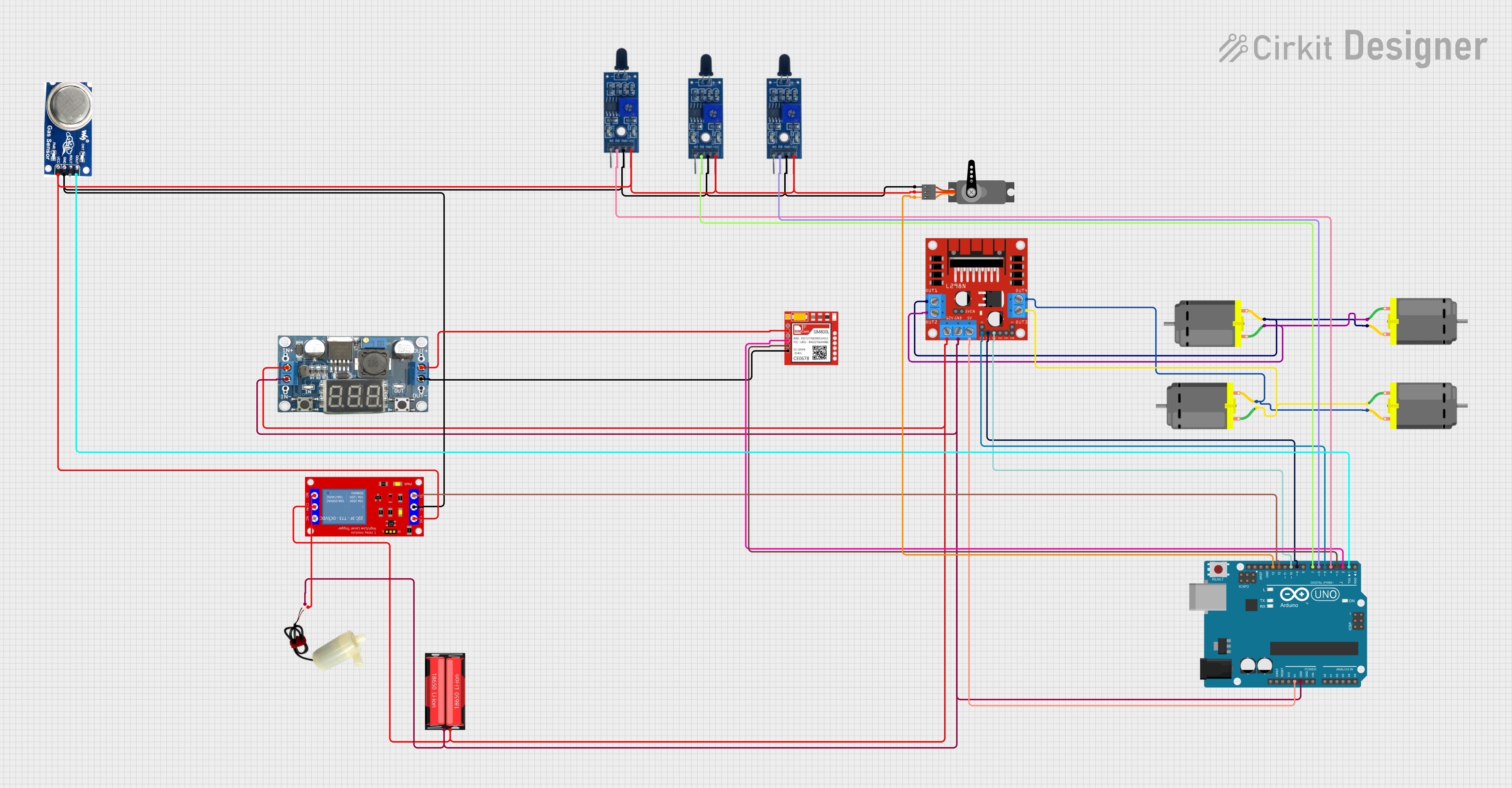 Open Project in Cirkit Designer
Explore Projects Built with L298N DC motor driver
Open Project in Cirkit DesignerOpen Project in Cirkit DesignerOpen Project in Cirkit DesignerOpen Project in Cirkit DesignerCommon Applications and Use Cases
- Robotics: Controlling wheels or tracks in mobile robots
- Automation: Operating conveyor belts or mechanical arms
- DIY Projects: Building remote-controlled cars or boats
- Educational Purposes: Learning motor control and H-bridge concepts
Technical Specifications
Below are the key technical details of the L298N motor driver module:
| Parameter | Value |
|---|---|
| Operating Voltage | 5V to 35V |
| Output Current (per channel) | 2A (continuous), 3A (peak) |
| Logic Voltage | 5V |
| Control Logic Levels | High: 2.3V to 5V, Low: 0V |
| Number of Channels | 2 (dual H-bridge) |
| Power Dissipation | 25W (with proper heat sinking) |
| Dimensions | 43mm x 43mm x 27mm |
Pin Configuration and Descriptions
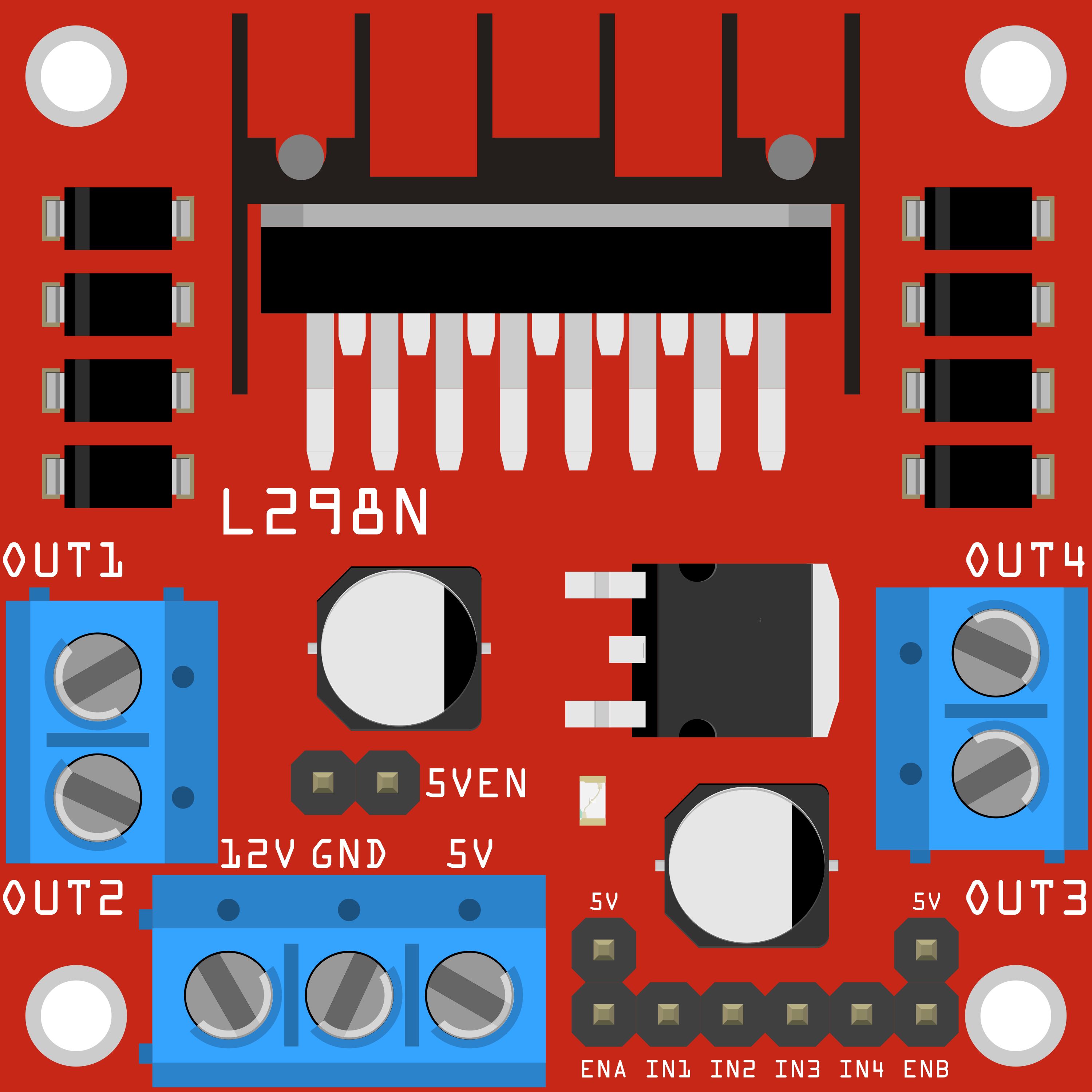
The L298N module has several pins and terminals for motor control and power input. Below is a detailed description:
Power and Motor Terminals
| Pin/Terminal | Description |
|---|---|
| VCC | Motor power supply (5V to 35V) |
| GND | Ground connection |
| 5V | Logic power supply (optional, if not using onboard regulator) |
| OUT1, OUT2 | Outputs for Motor A |
| OUT3, OUT4 | Outputs for Motor B |
Control Pins
| Pin | Description |
|---|---|
| ENA | Enable pin for Motor A (PWM input for speed control) |
| ENB | Enable pin for Motor B (PWM input for speed control) |
| IN1, IN2 | Control pins for Motor A direction |
| IN3, IN4 | Control pins for Motor B direction |
Usage Instructions
How to Use the L298N in a Circuit
Power Connections:
- Connect the motor power supply to the
VCCterminal (5V to 35V). - Connect the ground of the power supply to the
GNDterminal. - If using the onboard 5V regulator, the
5Vpin can be used to power the logic circuit. Otherwise, provide a separate 5V logic supply.
- Connect the motor power supply to the
Motor Connections:
- Connect the terminals of Motor A to
OUT1andOUT2. - Connect the terminals of Motor B to
OUT3andOUT4.
- Connect the terminals of Motor A to
Control Connections:
- Connect the
ENAandENBpins to PWM-capable pins on your microcontroller for speed control. - Connect
IN1,IN2,IN3, andIN4to digital pins on your microcontroller for direction control.
- Connect the
Logic Power:
- If the motor power supply is greater than 12V, avoid using the onboard 5V regulator to prevent overheating. Instead, provide an external 5V logic supply.
Arduino UNO Example Code
Below is an example of how to control two DC motors using the L298N and an Arduino UNO:
// Define control pins for Motor A
#define ENA 9  // PWM pin for speed control
#define IN1 8  // Direction control pin 1
#define IN2 7  // Direction control pin 2

// Define control pins for Motor B
#define ENB 10 // PWM pin for speed control
#define IN3 6  // Direction control pin 1
#define IN4 5  // Direction control pin 2

void setup() {
  // Set motor control pins as outputs
  pinMode(ENA, OUTPUT);
  pinMode(IN1, OUTPUT);
  pinMode(IN2, OUTPUT);
  pinMode(ENB, OUTPUT);
  pinMode(IN3, OUTPUT);
  pinMode(IN4, OUTPUT);
}

void loop() {
  // Motor A: Forward at 50% speed
  digitalWrite(IN1, HIGH); // Set IN1 high
  digitalWrite(IN2, LOW);  // Set IN2 low
  analogWrite(ENA, 128);   // Set speed (0-255)

  // Motor B: Backward at 75% speed
  digitalWrite(IN3, LOW);  // Set IN3 low
  digitalWrite(IN4, HIGH); // Set IN4 high
  analogWrite(ENB, 192);   // Set speed (0-255)

  delay(2000); // Run motors for 2 seconds

  // Stop both motors
  analogWrite(ENA, 0);     // Stop Motor A
  analogWrite(ENB, 0);     // Stop Motor B
  delay(2000); // Wait for 2 seconds
}
Important Considerations and Best Practices
- Use a heat sink on the L298N module if driving motors with high current to prevent overheating.
- Ensure the motor power supply voltage matches the motor's operating voltage range.
- Avoid exceeding the maximum current rating (2A continuous) to prevent damage to the module.
- Use external diodes for additional protection if driving inductive loads.
Troubleshooting and FAQs
Common Issues and Solutions
Motors Not Running:
- Check all power connections and ensure the motor power supply is sufficient.
- Verify that the
ENAandENBpins are receiving PWM signals.
Motors Running in the Wrong Direction:
- Swap the connections of
IN1andIN2(orIN3andIN4) to reverse the motor direction.
- Swap the connections of
Overheating:
- Attach a heat sink to the L298N module.
- Reduce the motor load or use motors with lower current requirements.
No Output on Motor Terminals:
- Ensure the
ENAandENBpins are enabled (set to HIGH or receiving a PWM signal). - Check for loose connections or damaged wires.
- Ensure the
FAQs
Q: Can the L298N drive stepper motors?
A: Yes, the L298N can drive stepper motors by controlling the sequence of the H-bridge outputs. However, additional programming is required.
Q: Can I use the onboard 5V regulator to power my Arduino?
A: Yes, but only if the motor power supply is between 7V and 12V. For higher voltages, use an external 5V regulator to avoid overheating.
Q: What is the maximum motor voltage the L298N can handle?
A: The L298N can handle motor voltages up to 35V.
Q: Can I control the speed of the motors?
A: Yes, by providing a PWM signal to the ENA and ENB pins, you can control the motor speed.
This concludes the documentation for the L298N DC motor driver.