Cirkit Designer Logo
Cirkit Designer
Your all-in-one circuit design IDE
Home / 
Component Documentation

How to Use LM7805 blank board: Examples, Pinouts, and Specs
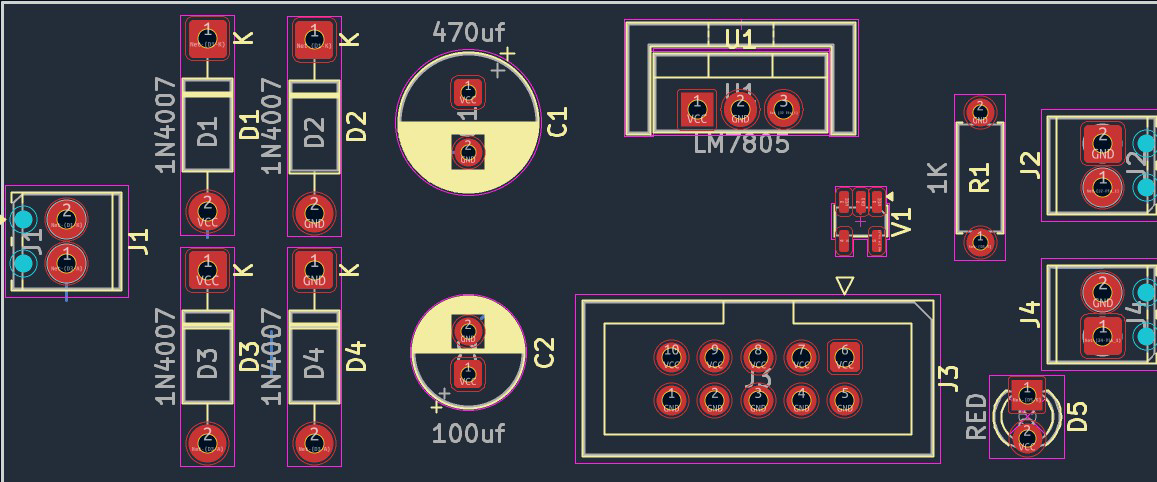

Image of LM7805 blank board
Cirkit Designer LogoDesign with LM7805 blank board in Cirkit Designer

Introduction

The LM7805 blank board is a compact voltage regulator module designed to provide a stable 5V DC output from a higher input voltage. It is based on the LM7805 linear voltage regulator IC, which is widely used for powering low-voltage electronic circuits. The blank board format simplifies the integration of the LM7805 into projects by including necessary supporting components such as capacitors and connectors.

Explore Projects Built with LM7805 blank board
Use Cirkit Designer to design, explore, and prototype these projects online. Some projects support real-time simulation. Click "Open Project" to start designing instantly!
Solar-Powered Battery Charging System with XL6009 Voltage Regulator
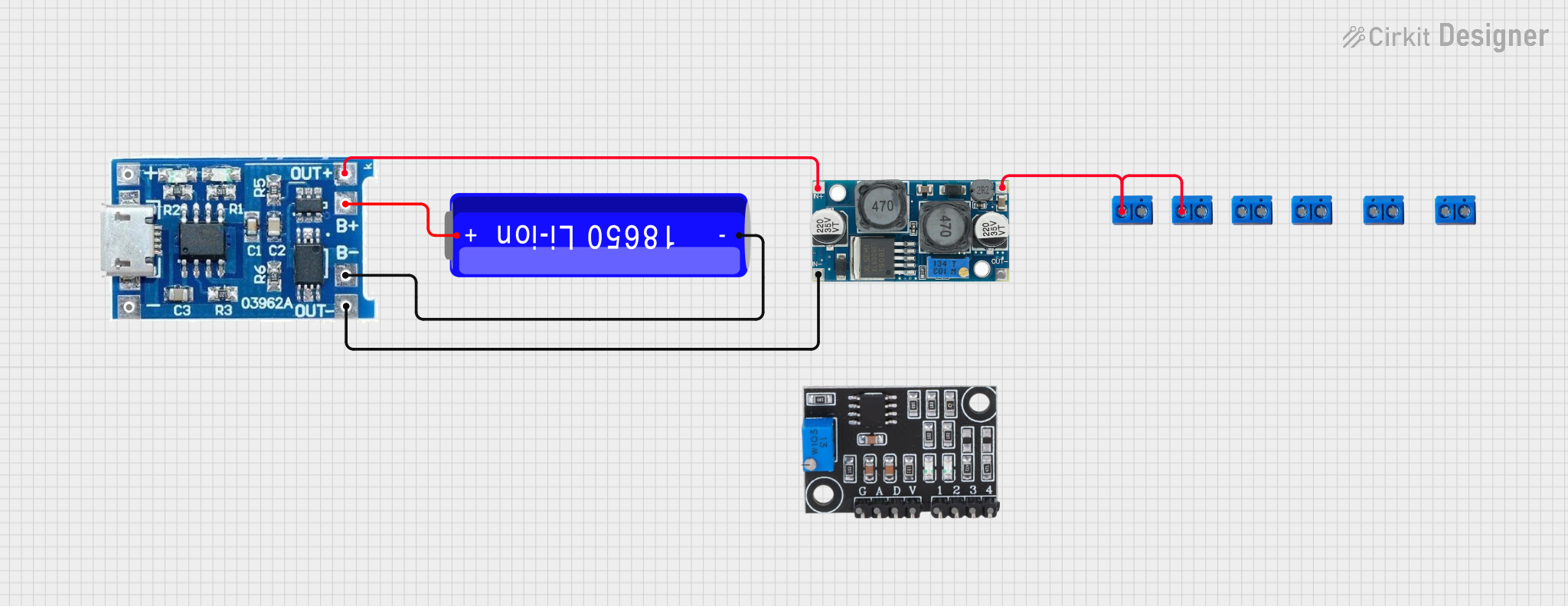
Image of SISTEMA DE ALIMENTACION Y CARGA SENSORES DS18B20 Y SENSOR DE TURBIDEZ: A project utilizing LM7805 blank board in a practical application
This circuit features a solar panel ('Do solara') connected to a voltage regulator ('XL6009 Voltage Regulator') to stabilize the output voltage. The regulated voltage is available at a terminal block ('Terminal PCB 2 Pin') for further use. Additionally, a Li-ion battery ('18650 Li-ion Battery') is connected to the solar panel for charging, with the solar panel's output also routed through the voltage regulator.
Cirkit Designer LogoOpen Project in Cirkit Designer
Solar-Powered Battery Charging Circuit with LED Indicator
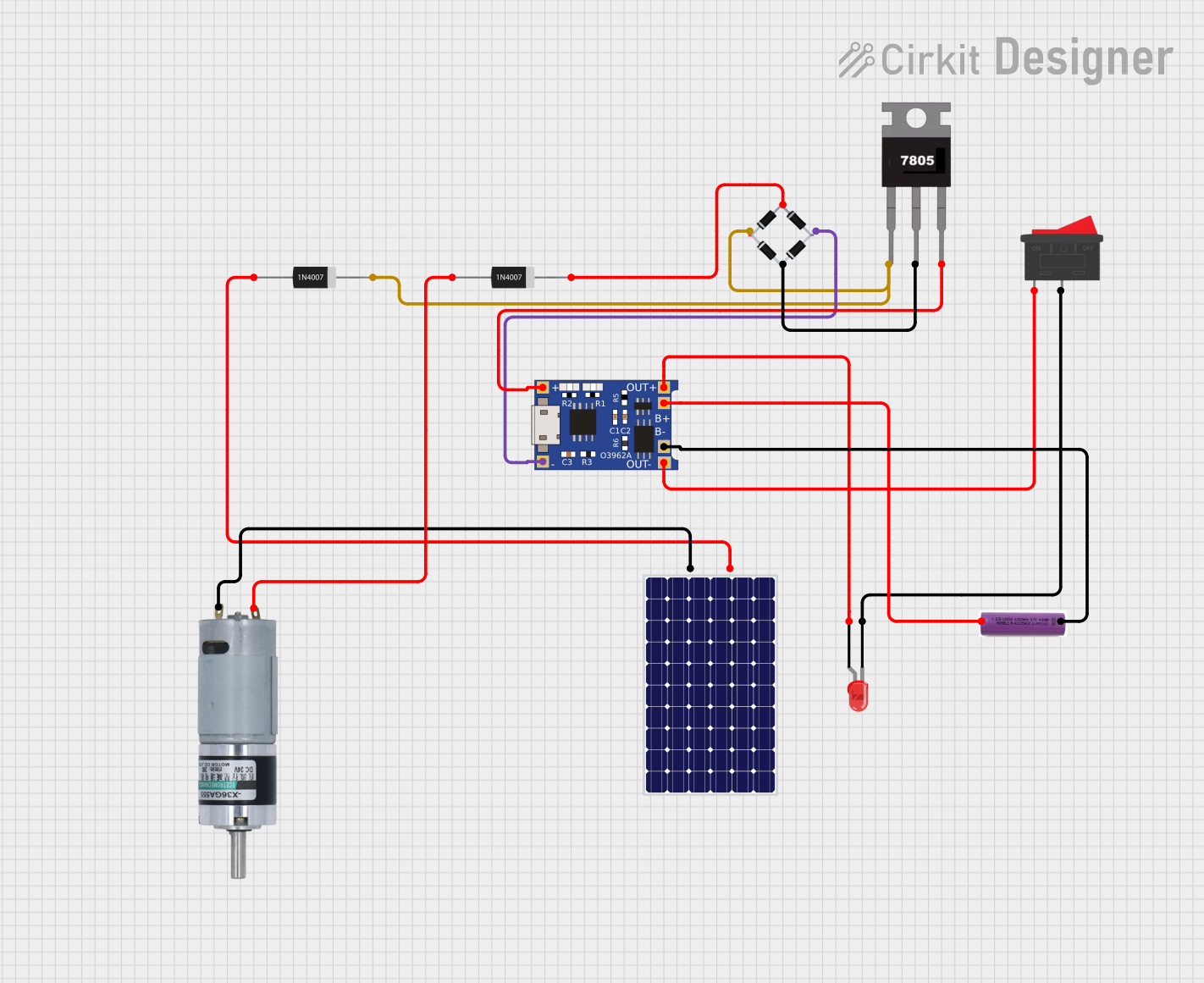
Image of hybrid torch: A project utilizing LM7805 blank board in a practical application
This circuit appears to be a solar-powered charging and power supply system with a battery backup. A TP4056 module is used for charging the 3.7V battery from the solar panel via a bridge rectifier, ensuring proper battery management. The system can power an LED and a motor, with a rocker switch to control the LED, and diodes are used to provide correct polarity and prevent backflow of current.
Cirkit Designer LogoOpen Project in Cirkit Designer
Solar-Powered Energy System with Arduino Control and Sensory Inputs
Image of THESIS: A project utilizing LM7805 blank board in a practical application
This circuit appears to be a complex system with multiple power regulation components, including 7805 and 7808 voltage regulators, to provide stable power to various sensors, actuators, and microcontrollers. It includes PIR and IR sensors for motion and distance detection, limit switches for position sensing, and an Arduino Nano microcontroller for control logic. The system also features a DFPlayer Mini for audio playback, a TA6568 motor driver to control DC motors, and power supply components such as a solar panel, charge controller, and inverters for energy management. The circuit is likely designed for automation tasks with audio feedback and motor control, possibly in a renewable energy context given the solar panel integration.
Cirkit Designer LogoOpen Project in Cirkit Designer
Multi-Stage Voltage Regulation and Indicator LED Circuit
Image of Subramanyak_Power_Circuit: A project utilizing LM7805 blank board in a practical application
This circuit is designed for power management, featuring buck and boost converters for voltage adjustment, and linear regulators for stable voltage output. It includes LEDs for status indication, and terminal blocks for external connections.
Cirkit Designer LogoOpen Project in Cirkit Designer

Explore Projects Built with LM7805 blank board

Use Cirkit Designer to design, explore, and prototype these projects online. Some projects support real-time simulation. Click "Open Project" to start designing instantly!
Image of SISTEMA DE ALIMENTACION Y CARGA SENSORES DS18B20 Y SENSOR DE TURBIDEZ: A project utilizing LM7805 blank board in a practical application
Solar-Powered Battery Charging System with XL6009 Voltage Regulator
This circuit features a solar panel ('Do solara') connected to a voltage regulator ('XL6009 Voltage Regulator') to stabilize the output voltage. The regulated voltage is available at a terminal block ('Terminal PCB 2 Pin') for further use. Additionally, a Li-ion battery ('18650 Li-ion Battery') is connected to the solar panel for charging, with the solar panel's output also routed through the voltage regulator.
Cirkit Designer LogoOpen Project in Cirkit Designer
Image of hybrid torch: A project utilizing LM7805 blank board in a practical application
Solar-Powered Battery Charging Circuit with LED Indicator
This circuit appears to be a solar-powered charging and power supply system with a battery backup. A TP4056 module is used for charging the 3.7V battery from the solar panel via a bridge rectifier, ensuring proper battery management. The system can power an LED and a motor, with a rocker switch to control the LED, and diodes are used to provide correct polarity and prevent backflow of current.
Cirkit Designer LogoOpen Project in Cirkit Designer
Image of THESIS: A project utilizing LM7805 blank board in a practical application
Solar-Powered Energy System with Arduino Control and Sensory Inputs
This circuit appears to be a complex system with multiple power regulation components, including 7805 and 7808 voltage regulators, to provide stable power to various sensors, actuators, and microcontrollers. It includes PIR and IR sensors for motion and distance detection, limit switches for position sensing, and an Arduino Nano microcontroller for control logic. The system also features a DFPlayer Mini for audio playback, a TA6568 motor driver to control DC motors, and power supply components such as a solar panel, charge controller, and inverters for energy management. The circuit is likely designed for automation tasks with audio feedback and motor control, possibly in a renewable energy context given the solar panel integration.
Cirkit Designer LogoOpen Project in Cirkit Designer
Image of Subramanyak_Power_Circuit: A project utilizing LM7805 blank board in a practical application
Multi-Stage Voltage Regulation and Indicator LED Circuit
This circuit is designed for power management, featuring buck and boost converters for voltage adjustment, and linear regulators for stable voltage output. It includes LEDs for status indication, and terminal blocks for external connections.
Cirkit Designer LogoOpen Project in Cirkit Designer

Common Applications and Use Cases

  • Powering microcontrollers, sensors, and modules requiring a 5V supply
  • Voltage regulation in DIY electronics projects
  • Prototyping and breadboarding
  • Converting 9V or 12V DC sources to a stable 5V output

Technical Specifications

Key Technical Details

  • Input Voltage Range: 7V to 25V DC
  • Output Voltage: 5V DC (regulated)
  • Maximum Output Current: 1A (with proper heat dissipation)
  • Quiescent Current: Typically 5mA
  • Thermal Shutdown Protection: Yes
  • Short-Circuit Protection: Yes
  • Operating Temperature Range: -40°C to +125°C

Pin Configuration and Descriptions

The LM7805 blank board typically has three main pins or terminals for input, output, and ground connections. Below is the pin configuration:

Pin Name Description
VIN Input voltage (7V to 25V DC)
GND Ground (common for input and output)
VOUT Regulated 5V DC output

Some blank boards may also include additional pins or connectors for convenience, such as screw terminals or headers.

Usage Instructions

How to Use the LM7805 Blank Board in a Circuit

  1. Connect the Input Voltage:
    • Attach a DC voltage source (7V to 25V) to the VIN pin or terminal.
    • Ensure the input voltage is at least 2V higher than the desired 5V output for proper regulation.
  2. Connect the Ground:
    • Connect the GND pin to the ground of your circuit.
  3. Connect the Output Voltage:
    • Use the VOUT pin to power your 5V devices or circuits.
  4. Add Heat Dissipation if Necessary:
    • If the current draw exceeds 500mA or the input voltage is significantly higher than 5V, attach a heatsink to the LM7805 IC to prevent overheating.

Important Considerations and Best Practices

  • Input Voltage Range: Do not exceed the maximum input voltage of 25V to avoid damaging the regulator.
  • Capacitors: Ensure the blank board includes input and output capacitors (e.g., 0.33µF on the input and 0.1µF on the output) for stable operation. Most blank boards come pre-installed with these capacitors.
  • Heat Management: For high current loads, use a heatsink or active cooling to maintain safe operating temperatures.
  • Polarity: Double-check the polarity of the input voltage to avoid damaging the regulator.

Example: Using the LM7805 Blank Board with an Arduino UNO

The LM7805 blank board can be used to power an Arduino UNO from a 9V battery. Below is an example circuit and Arduino code:

Circuit Connections

  • Connect the 9V battery's positive terminal to the VIN pin of the LM7805 blank board.
  • Connect the 9V battery's negative terminal to the GND pin of the LM7805 blank board.
  • Connect the VOUT pin of the LM7805 blank board to the 5V pin of the Arduino UNO.
  • Connect the GND pin of the LM7805 blank board to the GND pin of the Arduino UNO.

Arduino Code Example

// Example code to blink an LED connected to pin 13 of the Arduino UNO
// Ensure the LM7805 blank board is providing a stable 5V to the Arduino

void setup() {
  pinMode(13, OUTPUT); // Set pin 13 as an output
}

void loop() {
  digitalWrite(13, HIGH); // Turn the LED on
  delay(1000);            // Wait for 1 second
  digitalWrite(13, LOW);  // Turn the LED off
  delay(1000);            // Wait for 1 second
}

Troubleshooting and FAQs

Common Issues and Solutions

  1. No Output Voltage:

    • Cause: Incorrect input voltage or reversed polarity.
    • Solution: Verify the input voltage is within the 7V to 25V range and check the polarity.
  2. Overheating:

    • Cause: High current draw or large voltage difference between input and output.
    • Solution: Attach a heatsink to the LM7805 IC or reduce the input voltage.
  3. Output Voltage Not Stable:

    • Cause: Missing or insufficient input/output capacitors.
    • Solution: Ensure the blank board has capacitors installed (e.g., 0.33µF on input, 0.1µF on output).
  4. Low Output Current:

    • Cause: Exceeding the current limit of the LM7805.
    • Solution: Ensure the load does not draw more than 1A. If higher current is needed, consider using a switching regulator.

FAQs

  • Can I use the LM7805 blank board with a 6V input?

    • No, the input voltage must be at least 7V for proper regulation.
  • What happens if I connect the input voltage backward?

    • The LM7805 does not have reverse polarity protection. Reversed polarity can damage the regulator.
  • Can I use the LM7805 blank board to power a Raspberry Pi?

    • No, the LM7805 is not suitable for powering a Raspberry Pi due to its high current requirements. Use a switching regulator instead.
  • Do I need to add external capacitors to the blank board?

    • Most blank boards come with pre-installed capacitors. If not, add a 0.33µF capacitor on the input and a 0.1µF capacitor on the output for stable operation.