
How to Use Solar panel : Examples, Pinouts, and Specs
 Design with Solar panel in Cirkit Designer
Introduction
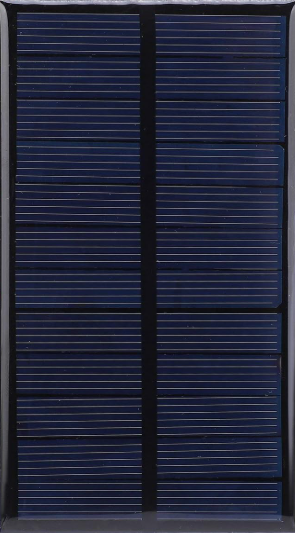
The AZAVA Solar Panel (Part ID: 1) is a device designed to convert sunlight into electrical energy using photovoltaic (PV) cells. This renewable energy source is ideal for powering a wide range of electronic devices and systems, from small-scale projects to larger energy storage setups. Its robust design and efficient energy conversion make it suitable for both indoor and outdoor applications.
Explore Projects Built with Solar panel
 Open Project in Cirkit Designer
 Open Project in Cirkit Designer
 Open Project in Cirkit Designer
 Open Project in Cirkit Designer
Explore Projects Built with Solar panel
Open Project in Cirkit DesignerOpen Project in Cirkit DesignerOpen Project in Cirkit DesignerOpen Project in Cirkit DesignerCommon Applications and Use Cases
- Charging batteries in off-grid systems
- Powering small electronic devices (e.g., sensors, microcontrollers)
- Renewable energy projects and experiments
- Solar-powered lighting systems
- Integration into IoT devices for sustainable energy solutions
Technical Specifications
The following table outlines the key technical details of the AZAVA Solar Panel (Part ID: 1):
| Parameter | Value |
|---|---|
| Maximum Power (Pmax) | 5W |
| Open Circuit Voltage (Voc) | 6V |
| Short Circuit Current (Isc) | 1A |
| Maximum Power Voltage (Vmp) | 5V |
| Maximum Power Current (Imp) | 1A |
| Efficiency | 18% |
| Dimensions | 150mm x 150mm x 3mm |
| Weight | 200g |
| Operating Temperature | -20°C to 60°C |
| Connector Type | 2-pin JST or solder terminals |
Pin Configuration and Descriptions
The AZAVA Solar Panel has a simple 2-pin output configuration:
| Pin | Label | Description |
|---|---|---|
| 1 | Positive (+) | Positive terminal for power output |
| 2 | Negative (-) | Negative terminal for power output |
Usage Instructions
How to Use the Solar Panel in a Circuit
- Positioning the Panel: Place the solar panel in direct sunlight for optimal energy generation. Ensure there are no obstructions (e.g., shadows, dirt) on the panel surface.
- Connecting the Panel:
- Use the positive (+) and negative (-) terminals to connect the panel to your circuit.
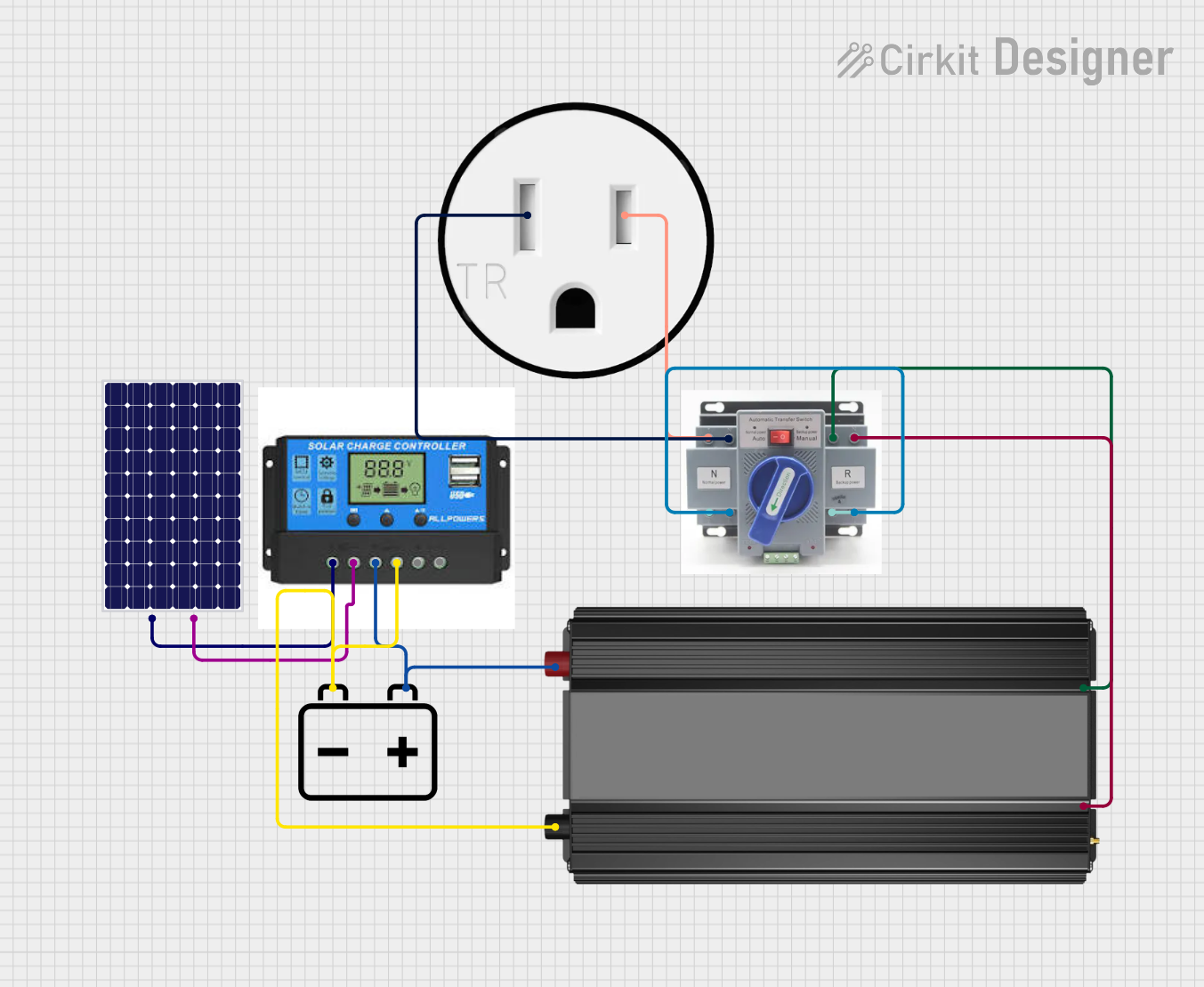
- For charging batteries, connect the panel to a charge controller to regulate voltage and prevent overcharging.
- Load Compatibility: Ensure the connected load does not exceed the panel's maximum power output (5W).
Important Considerations and Best Practices
- Avoid Overloading: Do not connect devices that draw more current or voltage than the panel can provide.
- Use a Charge Controller: When charging batteries, always use a charge controller to protect both the panel and the battery.
- Angle Adjustment: Adjust the panel's angle to maximize sunlight exposure based on your geographic location and time of year.
- Weather Protection: While the panel is designed for outdoor use, ensure proper sealing of connections to prevent water ingress.
Example: Connecting to an Arduino UNO
The AZAVA Solar Panel can be used to power an Arduino UNO via a 5V voltage regulator or a battery. Below is an example of how to use the panel with a charge controller and a 5V Arduino project:
Circuit Setup
- Connect the solar panel to the input terminals of a charge controller.
- Connect a 6V rechargeable battery to the charge controller's battery terminals.
- Use the charge controller's output to power the Arduino UNO via its 5V pin.
Sample Arduino Code
// Example: Reading a sensor powered by the AZAVA Solar Panel
// Ensure the solar panel is connected to a charge controller and battery

const int sensorPin = A0; // Analog pin connected to the sensor
int sensorValue = 0;      // Variable to store sensor reading

void setup() {
  Serial.begin(9600); // Initialize serial communication
  pinMode(sensorPin, INPUT); // Set sensor pin as input
}

void loop() {
  sensorValue = analogRead(sensorPin); // Read sensor value
  Serial.print("Sensor Value: ");
  Serial.println(sensorValue); // Print sensor value to Serial Monitor
  delay(1000); // Wait for 1 second before next reading
}
Troubleshooting and FAQs
Common Issues and Solutions
Low or No Power Output:
- Cause: Insufficient sunlight or dirty panel surface.
- Solution: Ensure the panel is in direct sunlight and clean the surface with a soft cloth.
Overheating:
- Cause: Prolonged exposure to high temperatures.
- Solution: Ensure proper ventilation and avoid placing the panel on heat-absorbing surfaces.
Inconsistent Power Output:
- Cause: Fluctuating sunlight or shading.
- Solution: Use a capacitor or battery to stabilize the output.
Device Not Powering On:
- Cause: Incorrect wiring or insufficient power.
- Solution: Double-check connections and ensure the load is within the panel's power rating.
FAQs
- Can the panel be used indoors?
- Yes, but the power output will be significantly reduced under artificial lighting.
- Is the panel waterproof?
- The panel itself is weather-resistant, but connections should be sealed for outdoor use.
- What type of battery is recommended?
- A 6V rechargeable battery (e.g., Li-ion or lead-acid) is recommended for optimal performance.
This concludes the documentation for the AZAVA Solar Panel (Part ID: 1). For further assistance, refer to the manufacturer's support resources.