
How to Use Blue Digital Mini Voltmeter: Examples, Pinouts, and Specs
 Design with Blue Digital Mini Voltmeter in Cirkit Designer
Introduction
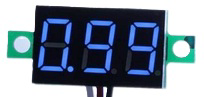
The Blue Digital Mini Voltmeter (Manufacturer: Bayite, Part ID: CECOMINOD000239) is a compact and reliable electronic device designed to measure voltage in electrical circuits. It features a bright blue digital display for easy and accurate voltage readings, making it an essential tool for hobbyists, engineers, and technicians. Its small size and straightforward operation make it ideal for a wide range of applications.
Explore Projects Built with Blue Digital Mini Voltmeter
 Open Project in Cirkit Designer
 Open Project in Cirkit Designer
 Open Project in Cirkit Designer
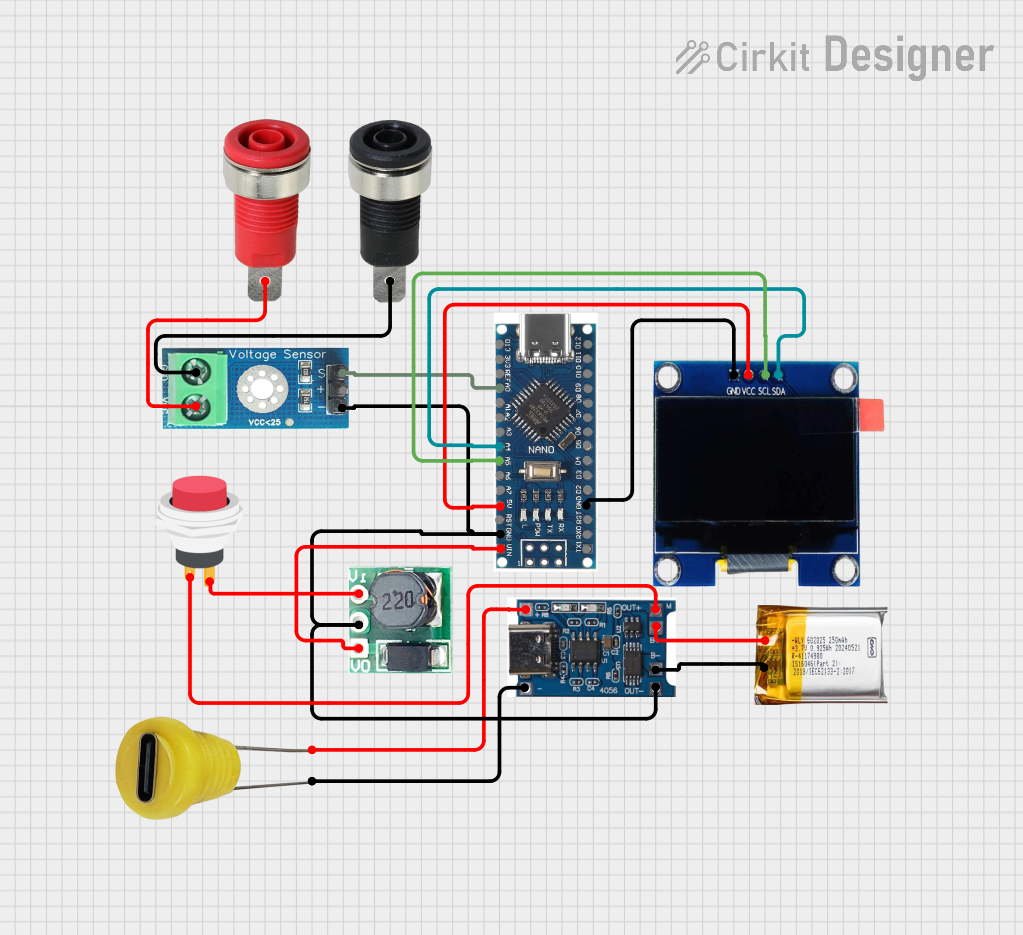 Open Project in Cirkit Designer
Explore Projects Built with Blue Digital Mini Voltmeter
Open Project in Cirkit DesignerOpen Project in Cirkit DesignerOpen Project in Cirkit DesignerOpen Project in Cirkit DesignerCommon Applications and Use Cases
- Monitoring battery voltage in automotive and solar systems
- Measuring voltage in DIY electronics projects
- Testing power supplies and circuits
- Integrating into control panels for real-time voltage monitoring
Technical Specifications
The following table outlines the key technical details of the Blue Digital Mini Voltmeter:
| Parameter | Specification |
|---|---|
| Operating Voltage Range | 3.0V to 30.0V DC |
| Display Type | 3-digit 7-segment LED (Blue) |
| Measurement Accuracy | ±1% |
| Input Impedance | >100 kΩ |
| Operating Temperature | -10°C to +65°C |
| Dimensions | 48mm x 29mm x 21mm |
| Power Consumption | <20mA |
Pin Configuration and Descriptions
The Blue Digital Mini Voltmeter has three wires for connection. The table below describes each wire:
| Wire Color | Function | Description |
|---|---|---|
| Red | Positive Power Input | Connect to the positive terminal of the power source. |
| Black | Ground | Connect to the negative terminal of the power source. |
| Yellow | Voltage Measurement | Connect to the point in the circuit where voltage is to be measured. |
Usage Instructions
How to Use the Component in a Circuit
- Power the Voltmeter: Connect the red wire to the positive terminal of a DC power source (3.0V to 30.0V) and the black wire to the ground terminal.
- Measure Voltage: Connect the yellow wire to the point in the circuit where you want to measure the voltage. Ensure the voltage being measured is within the operating range of the voltmeter.
- Read the Display: The measured voltage will be displayed on the blue LED screen in real time.
Important Considerations and Best Practices
- Voltage Range: Do not exceed the maximum voltage rating of 30V DC to avoid damaging the voltmeter.
- Polarity: Ensure correct polarity when connecting the wires. Reversing the polarity may damage the device.
- Power Source: The voltmeter requires a stable DC power source for accurate readings. Avoid using noisy or unstable power supplies.
- Mounting: The compact design allows for easy integration into panels or enclosures. Use appropriate mounting hardware to secure the voltmeter.
Example: Connecting to an Arduino UNO
The Blue Digital Mini Voltmeter can be used to monitor the voltage of an external circuit while working with an Arduino UNO. Below is an example of how to connect and use the voltmeter:
- Connect the red wire to the 5V pin on the Arduino UNO.
- Connect the black wire to the GND pin on the Arduino UNO.
- Connect the yellow wire to the voltage point you want to measure (e.g., the output of a sensor or a battery).
Here is an example Arduino code to monitor the voltage using the Arduino's analog input pin:
// Example Arduino code to measure voltage using an analog pin
const int voltagePin = A0; // Analog pin connected to the voltage point
float voltage = 0.0;       // Variable to store the calculated voltage

void setup() {
  Serial.begin(9600); // Initialize serial communication for debugging
}

void loop() {
  int sensorValue = analogRead(voltagePin); // Read the analog input
  voltage = sensorValue * (5.0 / 1023.0);   // Convert to voltage (5V reference)

  // Print the voltage to the Serial Monitor
  Serial.print("Measured Voltage: ");
  Serial.print(voltage);
  Serial.println(" V");

  delay(1000); // Wait for 1 second before the next reading
}
Note: The Arduino code is for monitoring voltage using the Arduino's ADC. The Blue Digital Mini Voltmeter operates independently and does not require programming.
Troubleshooting and FAQs
Common Issues and Solutions
No Display on the Voltmeter
- Cause: Incorrect wiring or insufficient power supply.
- Solution: Verify that the red and black wires are connected to a stable DC power source within the operating voltage range (3.0V to 30.0V).
Inaccurate Voltage Readings
- Cause: Voltage being measured exceeds the operating range or unstable power supply.
- Solution: Ensure the voltage being measured is within the 3.0V to 30.0V range. Use a stable power source for the voltmeter.
Flickering Display
- Cause: Noisy or unstable power supply.
- Solution: Use a capacitor (e.g., 100µF) across the power supply terminals to filter noise.
Device Overheating
- Cause: Prolonged exposure to high ambient temperatures or excessive voltage.
- Solution: Operate the voltmeter within the specified temperature and voltage limits.
FAQs
Q1: Can the voltmeter measure AC voltage?
A1: No, the Blue Digital Mini Voltmeter is designed to measure DC voltage only. Measuring AC voltage may damage the device.
Q2: Can I use the voltmeter to measure the voltage of a 12V car battery?
A2: Yes, the voltmeter can measure the voltage of a 12V car battery as it falls within the operating range of 3.0V to 30.0V.
Q3: Is the voltmeter waterproof?
A3: No, the voltmeter is not waterproof. Avoid exposing it to moisture or water to prevent damage.
Q4: Can I use the voltmeter without the yellow wire?
A4: No, the yellow wire is essential for measuring voltage. It must be connected to the point where voltage is to be measured.
By following this documentation, users can effectively integrate and utilize the Blue Digital Mini Voltmeter in their projects.