
How to Use DC Circuit breaker: Examples, Pinouts, and Specs
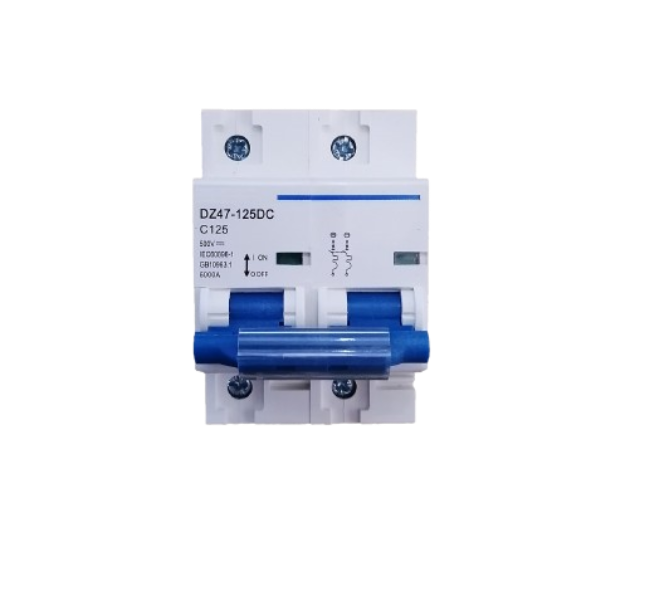
 Design with DC Circuit breaker in Cirkit Designer
Introduction
A DC circuit breaker is a protective device designed to automatically interrupt the flow of direct current (DC) in an electrical circuit. It prevents damage to electrical systems caused by overloads, short circuits, or other faults. Unlike fuses, which need to be replaced after a fault, circuit breakers can be reset and reused, making them a reliable and cost-effective solution for circuit protection.
Explore Projects Built with DC Circuit breaker
 Open Project in Cirkit Designer
 Open Project in Cirkit Designer
 Open Project in Cirkit Designer
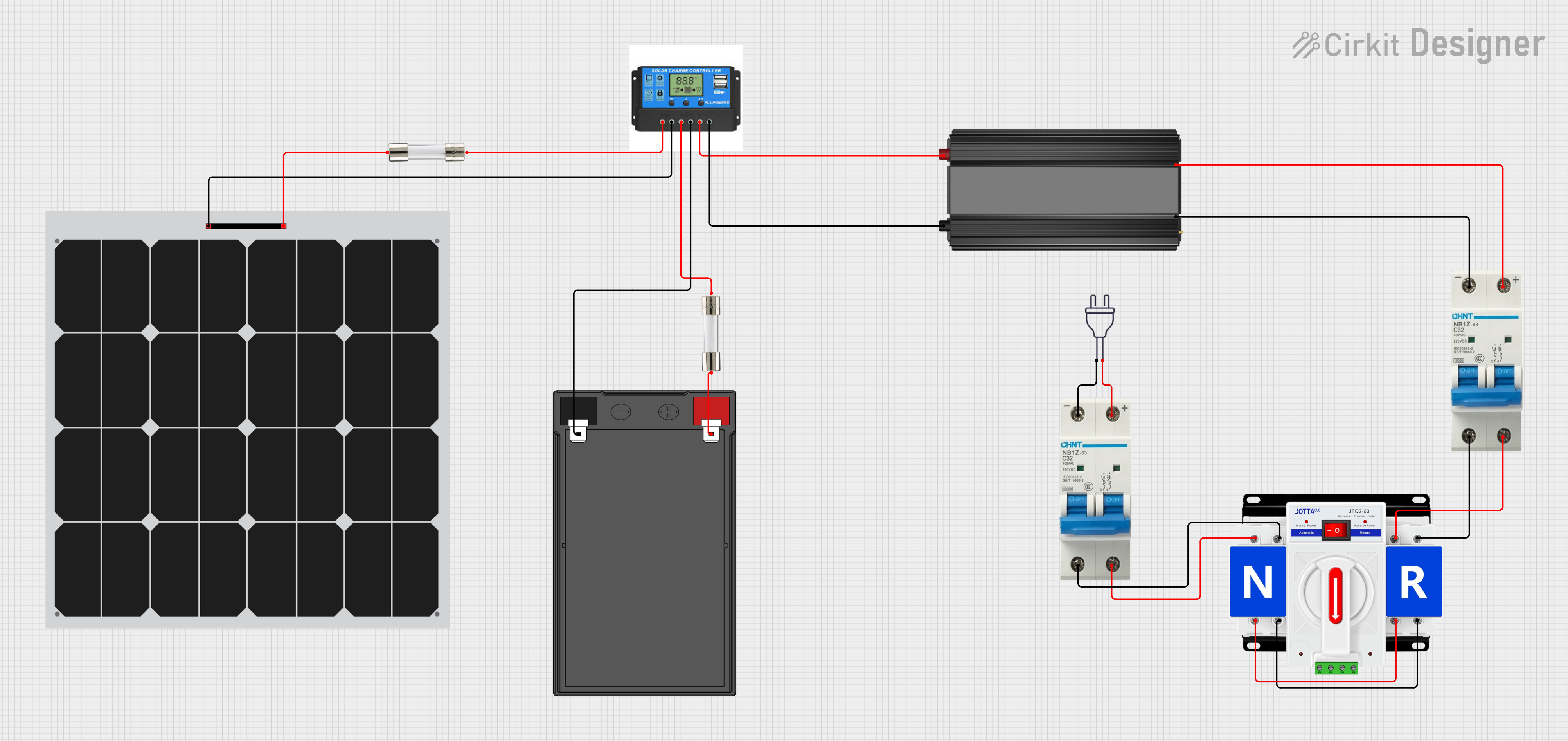 Open Project in Cirkit Designer
Explore Projects Built with DC Circuit breaker
Open Project in Cirkit DesignerOpen Project in Cirkit DesignerOpen Project in Cirkit DesignerOpen Project in Cirkit DesignerCommon Applications and Use Cases
- Solar power systems to protect photovoltaic (PV) arrays and batteries.
- Electric vehicles (EVs) to safeguard high-voltage DC circuits.
- Industrial machinery and equipment powered by DC.
- Telecommunications systems to protect DC power distribution.
- Battery banks and energy storage systems.
Technical Specifications
Below are the general technical specifications for a typical DC circuit breaker. Always refer to the datasheet of the specific model you are using for precise details.
Key Technical Details
- Rated Voltage: 12V DC to 1000V DC (varies by model)
- Rated Current: 1A to 1000A (varies by model)
- Breaking Capacity: Up to 50kA (depending on the model)
- Trip Mechanism: Thermal, magnetic, or a combination of both
- Poles: Single-pole, double-pole, or multi-pole configurations
- Operating Temperature: -25°C to +70°C (typical range)
- Mounting Type: DIN rail or panel-mounted
Pin Configuration and Descriptions
DC circuit breakers typically have terminals for input and output connections. Below is a general description of the terminal configuration:
| Terminal Name | Description |
|---|---|
| Line (Input) | Connects to the positive terminal of the DC power source. |
| Load (Output) | Connects to the positive terminal of the load. |
| Ground (Optional) | Some models include a ground terminal for safety. |
Usage Instructions
How to Use the Component in a Circuit
- Select the Appropriate Circuit Breaker: Choose a DC circuit breaker with a voltage and current rating that matches or exceeds the requirements of your circuit.
- Connect the Input Terminal: Attach the positive terminal of the DC power source to the "Line" or input terminal of the circuit breaker.
- Connect the Output Terminal: Connect the "Load" or output terminal of the circuit breaker to the positive terminal of the load.
- Secure the Ground Connection (if applicable): If the circuit breaker includes a ground terminal, connect it to the system ground for added safety.
- Mount the Circuit Breaker: Install the circuit breaker on a DIN rail or panel, ensuring it is securely fastened.
- Test the Circuit: Power on the system and verify that the circuit breaker operates correctly under normal conditions.
Important Considerations and Best Practices
- Voltage and Current Ratings: Always ensure the circuit breaker’s ratings match the circuit requirements to avoid nuisance tripping or insufficient protection.
- Polarity: DC circuit breakers are polarity-sensitive. Ensure correct polarity when connecting the input and output terminals.
- Breaking Capacity: Verify that the circuit breaker’s breaking capacity is sufficient to handle the maximum fault current in your system.
- Regular Maintenance: Periodically inspect the circuit breaker for signs of wear, damage, or loose connections.
- Avoid Overloading: Do not exceed the rated current of the circuit breaker, as this may cause overheating or permanent damage.
Example: Using a DC Circuit Breaker with an Arduino UNO
If you are using a DC circuit breaker to protect a DC motor controlled by an Arduino UNO, follow these steps:
- Connect the DC power source to the input terminal of the circuit breaker.
- Connect the output terminal of the circuit breaker to the motor's positive terminal.
- Use the Arduino to control the motor via a motor driver circuit.
Here is an example Arduino code to control the motor:
// Example code to control a DC motor using Arduino UNO
// Ensure the circuit breaker is properly connected to protect the motor circuit

const int motorPin = 9; // PWM pin connected to motor driver

void setup() {
  pinMode(motorPin, OUTPUT); // Set motor pin as output
}

void loop() {
  analogWrite(motorPin, 128); // Run motor at 50% speed
  delay(5000); // Run for 5 seconds

  analogWrite(motorPin, 0); // Stop motor
  delay(2000); // Wait for 2 seconds
}
Troubleshooting and FAQs
Common Issues Users Might Face
Circuit Breaker Trips Frequently:
- Cause: Overloading or a short circuit in the system.
- Solution: Check the load current and ensure it does not exceed the circuit breaker’s rated current. Inspect the circuit for short circuits.
Circuit Breaker Does Not Trip During a Fault:
- Cause: Incorrect voltage or current rating, or a faulty circuit breaker.
- Solution: Verify the circuit breaker’s ratings and replace it if necessary.
Circuit Breaker Overheats:
- Cause: Loose connections or prolonged operation near the rated current limit.
- Solution: Tighten all connections and ensure the circuit breaker is not overloaded.
Polarity Issues:
- Cause: Incorrect wiring of input and output terminals.
- Solution: Double-check the polarity and wiring connections.
Solutions and Tips for Troubleshooting
- Use a multimeter to measure the current and voltage in the circuit to ensure they are within the circuit breaker’s specifications.
- Inspect the circuit breaker for physical damage, such as cracks or burn marks, and replace it if necessary.
- If the circuit breaker trips unexpectedly, test it in a different circuit to rule out faults in the original system.
By following this documentation, you can effectively use a DC circuit breaker to protect your electrical systems and ensure safe operation.