
How to Use Ecoflow delta 3 max plus Back: Examples, Pinouts, and Specs
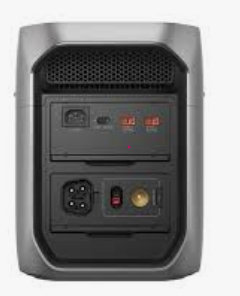
 Design with Ecoflow delta 3 max plus Back in Cirkit Designer
Introduction
The EcoFlow Delta 3 Max Plus Back is a high-capacity portable power station designed for outdoor activities, emergency backup, and off-grid applications. Manufactured by EcoFlow, this versatile power station provides multiple output ports to charge and power a wide range of devices, from smartphones and laptops to small appliances and tools. Its robust design and advanced battery technology make it an ideal solution for users seeking reliable and portable energy storage.
Explore Projects Built with Ecoflow delta 3 max plus Back
 Open Project in Cirkit Designer
 Open Project in Cirkit Designer
 Open Project in Cirkit Designer
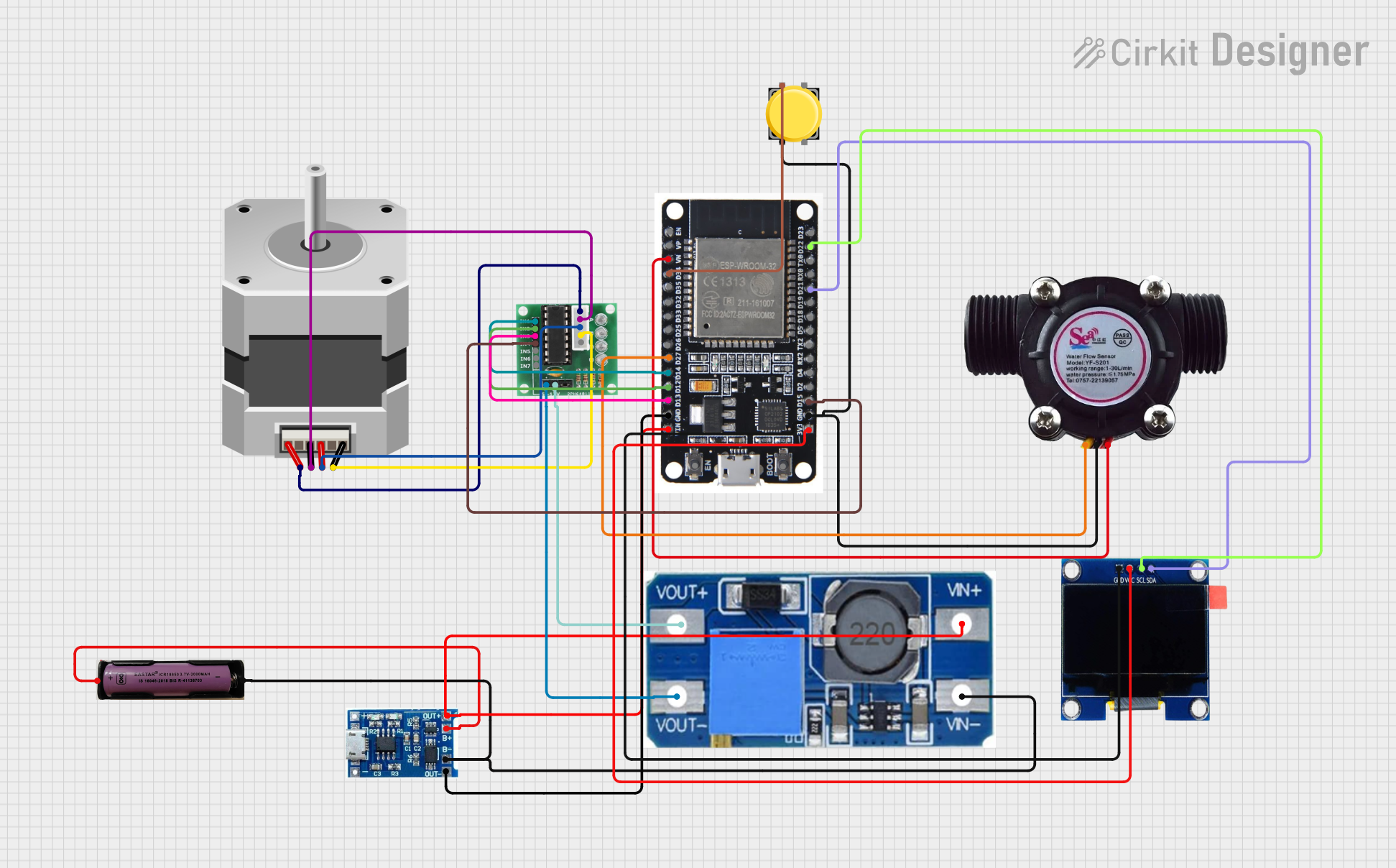 Open Project in Cirkit Designer
Explore Projects Built with Ecoflow delta 3 max plus Back
Open Project in Cirkit DesignerOpen Project in Cirkit DesignerOpen Project in Cirkit DesignerOpen Project in Cirkit DesignerCommon Applications and Use Cases
- Emergency power backup during outages
- Outdoor adventures such as camping, hiking, and RV trips
- Powering small appliances and tools in remote locations
- Charging multiple devices simultaneously
- Supporting renewable energy systems (e.g., solar panel integration)
Technical Specifications
The following table outlines the key technical details of the EcoFlow Delta 3 Max Plus Back:
| Specification | Details |
|---|---|
| Manufacturer | EcoFlow |
| Part ID | Back |
| Battery Capacity | 3000Wh |
| Output Power (Continuous) | 3000W |
| Output Power (Surge) | 5000W |
| Input Voltage (Charging) | 100-240V AC |
| Solar Input | 11-150V DC, 1600W max |
| USB Ports | 4x USB-A (12W each), 2x USB-C (100W each) |
| AC Outlets | 6x AC outlets (pure sine wave) |
| DC Output | 1x Carport (12V/10A), 2x DC5521 (12V/3A each) |
| Weight | 30kg (66lbs) |
| Dimensions | 500mm x 260mm x 320mm |
| Operating Temperature | -10°C to 45°C (14°F to 113°F) |
| Charging Time | 1.8 hours (AC fast charge), 3-6 hours (solar, depending on conditions) |
Port Configuration and Descriptions
The table below provides details about the ports available on the EcoFlow Delta 3 Max Plus Back:
| Port Type | Quantity | Description |
|---|---|---|
| USB-A | 4 | Standard USB ports for charging smartphones, tablets, and other small devices. |
| USB-C | 2 | High-power USB-C ports for laptops, tablets, and fast-charging devices. |
| AC Outlets | 6 | Pure sine wave AC outlets for powering appliances and tools. |
| Carport | 1 | 12V DC carport for automotive accessories. |
| DC5521 | 2 | 12V DC barrel ports for small DC-powered devices. |
| Solar Input | 1 | Input for connecting solar panels (11-150V DC, 1600W max). |
Usage Instructions
How to Use the EcoFlow Delta 3 Max Plus Back in a Circuit
Charging the Power Station:
- AC Charging: Connect the included AC charging cable to a wall outlet and the input port of the power station. The device will fully charge in approximately 1.8 hours.
- Solar Charging: Connect compatible solar panels (11-150V DC, up to 1600W) to the solar input port. Ensure the panels are positioned for optimal sunlight exposure.
- Car Charging: Use the included car charging cable to connect the power station to your vehicle's 12V outlet.
Powering Devices:
- Plug your devices into the appropriate output ports (USB, AC, or DC).
- For AC-powered devices, ensure the total power consumption does not exceed 3000W (continuous) or 5000W (surge).
- Use the USB-C ports for fast charging compatible devices like laptops and smartphones.
Monitoring and Control:
- Use the built-in LCD screen to monitor battery status, input/output power, and other parameters.
- Optionally, connect the power station to the EcoFlow app via Bluetooth or Wi-Fi for remote monitoring and control.
Important Considerations and Best Practices
- Avoid Overloading: Do not exceed the maximum output power ratings for any port or combination of ports.
- Temperature Range: Operate the device within the specified temperature range (-10°C to 45°C) to prevent damage.
- Battery Maintenance: Charge the power station at least once every three months to maintain battery health.
- Solar Panel Compatibility: Ensure the solar panels used are within the specified voltage and power range (11-150V DC, 1600W max).
Arduino UNO Integration Example
While the EcoFlow Delta 3 Max Plus Back is not directly programmable, it can power Arduino UNO projects. Below is an example of powering an Arduino UNO using the USB-A port:
// Example Arduino code for blinking an LED
// This code assumes the Arduino UNO is powered via the EcoFlow Delta 3 Max Plus Back

const int ledPin = 13; // Pin connected to the built-in LED

void setup() {
  pinMode(ledPin, OUTPUT); // Set the LED pin as an output
}

void loop() {
  digitalWrite(ledPin, HIGH); // Turn the LED on
  delay(1000);                // Wait for 1 second
  digitalWrite(ledPin, LOW);  // Turn the LED off
  delay(1000);                // Wait for 1 second
}
Troubleshooting and FAQs
Common Issues and Solutions
Power Station Does Not Turn On:
- Ensure the battery is charged. Connect the power station to an AC outlet or solar panel to recharge.
- Check the power button and hold it for 3 seconds to turn on the device.
Device Not Charging:
- Verify that the output port being used is functional and compatible with the device.
- Check the cables and connectors for damage or loose connections.
Overload Protection Triggered:
- Reduce the load by unplugging some devices. Restart the power station by turning it off and on again.
Slow Solar Charging:
- Ensure the solar panels are clean and positioned for maximum sunlight exposure.
- Verify that the solar panel voltage and power are within the specified range.
FAQs
Q: Can I use the EcoFlow Delta 3 Max Plus Back while it is charging?
A: Yes, the power station supports pass-through charging, allowing you to use it while it is being charged.
Q: Is the power station waterproof?
A: No, the EcoFlow Delta 3 Max Plus Back is not waterproof. Avoid exposing it to water or moisture.
Q: How do I update the firmware?
A: Use the EcoFlow app to check for firmware updates and follow the on-screen instructions to update the device.
Q: Can I connect multiple solar panels?
A: Yes, you can connect multiple solar panels in series or parallel, as long as the total voltage and power do not exceed 150V DC and 1600W, respectively.