
How to Use Micro Switch Hinge Roller new: Examples, Pinouts, and Specs
 Design with Micro Switch Hinge Roller new in Cirkit Designer
Introduction
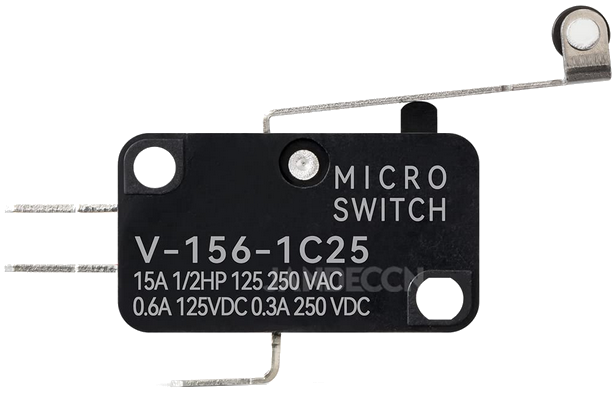
The Micro Switch Hinge Roller (V-156-1C25), manufactured by JANDECCN, is a precision-engineered switch designed for reliable and accurate switching operations. It features a hinge roller actuator, making it ideal for applications requiring mechanical actuation with minimal force. This micro switch is widely used in safety devices, industrial automation systems, vending machines, and limit-switching mechanisms.
Explore Projects Built with Micro Switch Hinge Roller new
 Open Project in Cirkit Designer
 Open Project in Cirkit Designer
 Open Project in Cirkit Designer
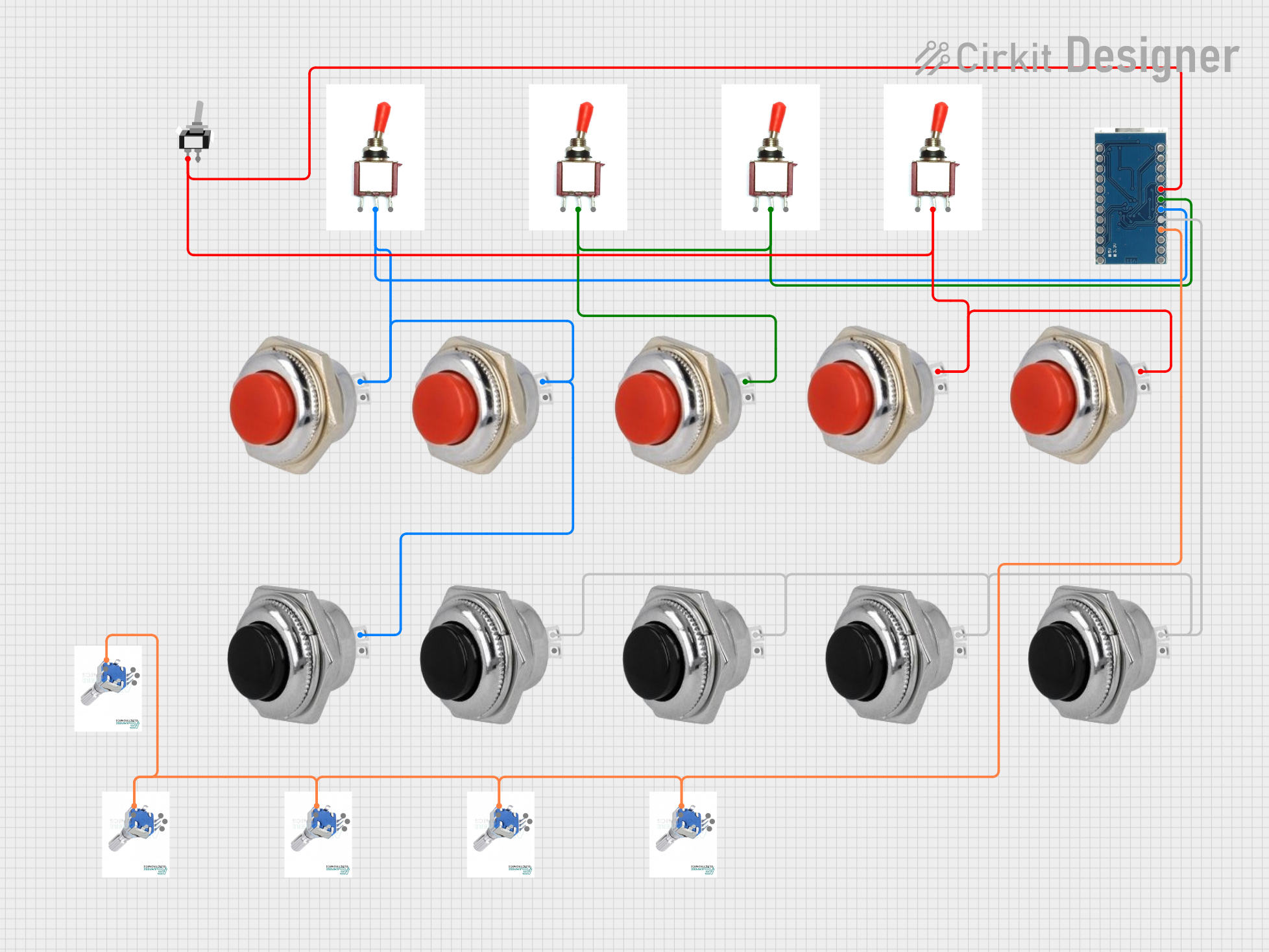 Open Project in Cirkit Designer
Explore Projects Built with Micro Switch Hinge Roller new
Open Project in Cirkit DesignerOpen Project in Cirkit DesignerOpen Project in Cirkit DesignerOpen Project in Cirkit DesignerCommon Applications
- Safety Devices: Emergency stop mechanisms and interlocks.
- Industrial Automation: Position detection and control in machinery.
- Vending Machines: Detecting door or lever positions.
- Robotics: Limit switches for robotic arms and moving parts.
- Home Appliances: Used in washing machines, microwaves, and other devices.
Technical Specifications
Key Technical Details
| Parameter | Specification |
|---|---|
| Manufacturer | JANDECCN |
| Part Number | V-156-1C25 |
| Actuator Type | Hinge Roller |
| Operating Voltage | 250V AC / 125V AC |
| Rated Current | 15A |
| Contact Configuration | SPDT (Single Pole Double Throw) |
| Mechanical Life | 10,000,000 cycles |
| Electrical Life | 50,000 cycles |
| Operating Force (OF) | 400 gf (gram-force) |
| Terminal Type | Quick Connect |
| Operating Temperature | -25°C to +85°C |
| Dimensions | 27.8mm x 10.3mm x 15.9mm |
Pin Configuration and Descriptions
The V-156-1C25 micro switch has three terminals for SPDT operation:
| Pin Name | Description |
|---|---|
| COM | Common terminal. This is the main input terminal for the switch. |
| NO | Normally Open terminal. Connects to COM when the actuator is pressed. |
| NC | Normally Closed terminal. Connects to COM when the actuator is not pressed. |
Usage Instructions
How to Use the Micro Switch in a Circuit
- Identify the Terminals: Locate the COM, NO, and NC terminals on the switch.
- Connect the Circuit:
- For a normally open (NO) configuration, connect the load between COM and NO.
- For a normally closed (NC) configuration, connect the load between COM and NC.
- Mount the Switch: Secure the switch in place using screws or a mounting bracket. Ensure the hinge roller aligns with the actuating mechanism.
- Test the Actuation: Manually press the hinge roller to verify the switching action.
Important Considerations
- Voltage and Current Ratings: Ensure the connected load does not exceed the rated voltage (250V AC) or current (15A).
- Mechanical Alignment: Properly align the hinge roller with the actuating mechanism to avoid excessive force or misalignment.
- Debouncing: If used in digital circuits, consider implementing debouncing to avoid false triggering.
- Environmental Conditions: Avoid exposing the switch to extreme temperatures or moisture beyond its rated limits.
Example: Connecting to an Arduino UNO
The V-156-1C25 can be used as a limit switch in Arduino projects. Below is an example of how to connect and use it:
Circuit Setup
- Connect the COM terminal to the ground (GND) pin of the Arduino.
- Connect the NO terminal to a digital input pin (e.g., pin 2) on the Arduino.
- Use a pull-up resistor (10kΩ) between the digital input pin and the 5V pin of the Arduino.
Arduino Code
// Define the pin connected to the micro switch
const int switchPin = 2;

// Variable to store the switch state
int switchState = 0;

void setup() {
  // Set the switch pin as input
  pinMode(switchPin, INPUT);

  // Enable the internal pull-up resistor
  digitalWrite(switchPin, HIGH);

  // Initialize serial communication for debugging
  Serial.begin(9600);
}

void loop() {
  // Read the state of the switch
  switchState = digitalRead(switchPin);

  // Print the switch state to the Serial Monitor
  if (switchState == LOW) {
    // Switch is pressed
    Serial.println("Switch Pressed");
  } else {
    // Switch is not pressed
    Serial.println("Switch Released");
  }

  // Add a small delay to avoid spamming the Serial Monitor
  delay(100);
}
Troubleshooting and FAQs
Common Issues and Solutions
| Issue | Possible Cause | Solution |
|---|---|---|
| Switch does not actuate properly | Misalignment of the hinge roller | Realign the roller with the actuating mechanism. |
| No electrical connection | Loose or incorrect wiring | Verify and secure all connections. |
| Switch fails to operate after use | Exceeded electrical or mechanical life | Replace the switch with a new one. |
| False triggering in digital circuits | Electrical noise or lack of debouncing | Implement hardware or software debouncing. |
FAQs
Can this switch handle DC loads?
- Yes, but ensure the DC voltage and current do not exceed the rated limits.
What is the purpose of the hinge roller?
- The hinge roller allows for smoother actuation and reduces wear when used with moving parts.
Can this switch be used outdoors?
- The switch is not waterproof. Use a protective enclosure if deploying it in outdoor environments.
How do I know if the switch is faulty?
- Test the continuity between terminals using a multimeter. If there is no continuity when actuated, the switch may be faulty.
This concludes the documentation for the Micro Switch Hinge Roller (V-156-1C25). For further assistance, refer to the manufacturer's datasheet or contact JANDECCN support.