
How to Use pule sensor: Examples, Pinouts, and Specs

 Design with pule sensor in Cirkit Designer
Introduction
The Pulse Sensor, manufactured by Atharv Banage, is a device designed to measure heart rate by detecting the pulse in the blood flow. This sensor is widely used in health monitoring systems, fitness trackers, and biofeedback applications. It provides an easy and non-invasive way to monitor heart rate, making it a popular choice for both hobbyists and professionals.
Explore Projects Built with pule sensor
 Open Project in Cirkit Designer
 Open Project in Cirkit Designer
 Open Project in Cirkit Designer
 Open Project in Cirkit Designer
Explore Projects Built with pule sensor
Open Project in Cirkit DesignerOpen Project in Cirkit DesignerOpen Project in Cirkit DesignerOpen Project in Cirkit DesignerTechnical Specifications
Key Technical Details
| Parameter | Value |
|---|---|
| Operating Voltage | 3.3V - 5V |
| Operating Current | 4mA |
| Output Signal | Analog |
| Sensor Type | Photoplethysmogram (PPG) |
| Dimensions | 0.625" x 0.625" (16mm x 16mm) |
| Weight | 1.2 grams |
Pin Configuration and Descriptions
| Pin Number | Pin Name | Description |
|---|---|---|
| 1 | VCC | Power supply (3.3V - 5V) |
| 2 | GND | Ground |
| 3 | SIG | Analog signal output representing heart rate |
Usage Instructions
How to Use the Component in a Circuit
- Power Supply: Connect the VCC pin to a 3.3V or 5V power supply.
- Ground: Connect the GND pin to the ground of your circuit.
- Signal Output: Connect the SIG pin to an analog input pin on your microcontroller (e.g., Arduino UNO).
Example Circuit Diagram
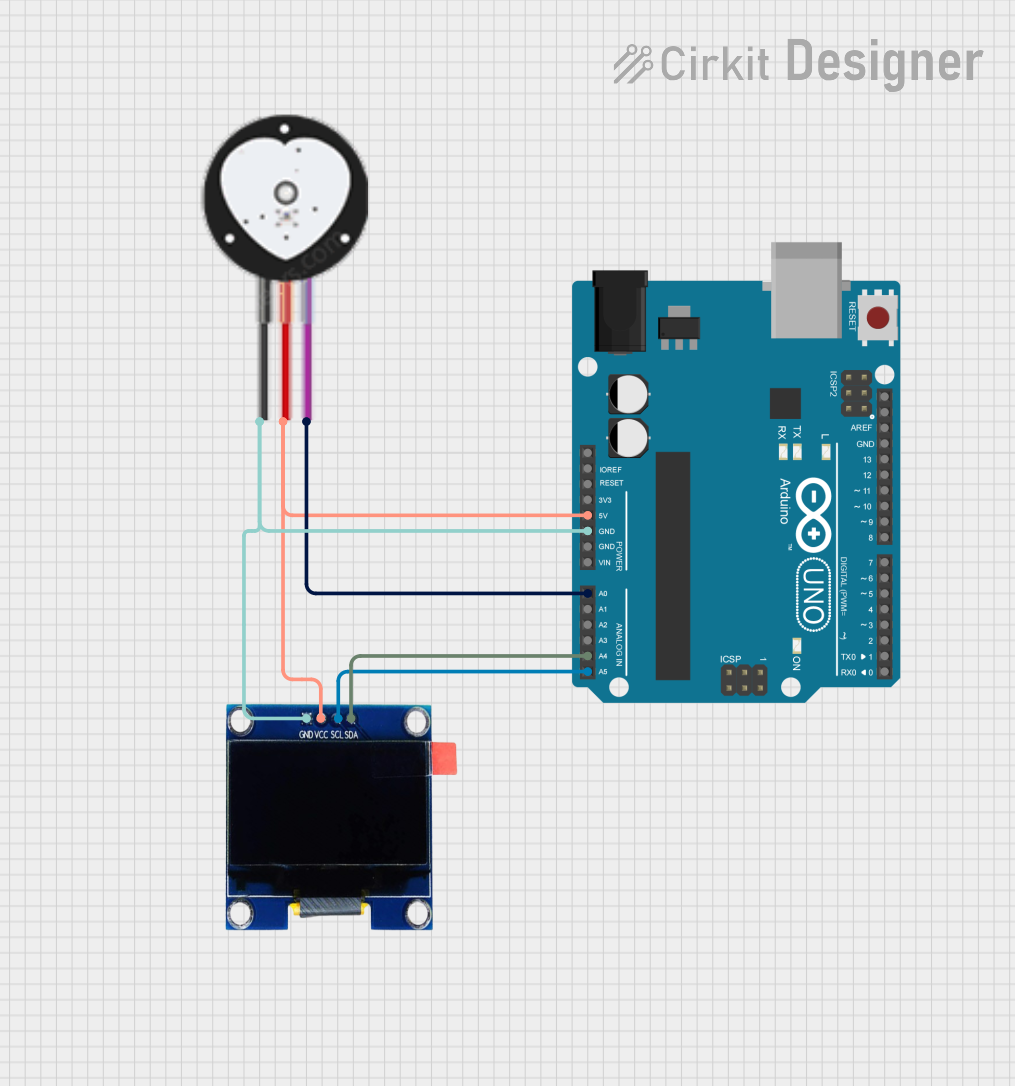
+5V (Arduino) ----> VCC (Pulse Sensor)
GND (Arduino) ----> GND (Pulse Sensor)
A0 (Arduino) ----> SIG (Pulse Sensor)
Important Considerations and Best Practices
- Placement: Ensure the sensor is placed on a part of the body where the pulse can be easily detected, such as the fingertip or earlobe.
- Stability: Minimize movement during measurement to avoid noise and inaccurate readings.
- Calibration: Calibrate the sensor for accurate readings by following the manufacturer's guidelines.
Sample Arduino Code
/*
  Pulse Sensor Example Code
  This code reads the analog signal from the Pulse Sensor and prints the
  heart rate to the Serial Monitor.
*/

const int pulsePin = A0; // Pulse Sensor connected to analog pin A0
int signal;              // Variable to store the analog signal value

void setup() {
  Serial.begin(9600);    // Initialize serial communication at 9600 baud
  pinMode(pulsePin, INPUT); // Set pulsePin as an input
}

void loop() {
  signal = analogRead(pulsePin); // Read the analog signal from the sensor
  Serial.println(signal);        // Print the signal value to the Serial Monitor
  delay(10);                     // Small delay for stability
}
Troubleshooting and FAQs
Common Issues Users Might Face
No Signal Detected:
- Solution: Ensure the sensor is properly connected and placed on a suitable part of the body. Check the power supply and ground connections.
Noisy Signal:
- Solution: Minimize movement and ensure the sensor is securely placed. Use a low-pass filter to reduce noise in the signal.
Inaccurate Readings:
- Solution: Calibrate the sensor according to the manufacturer's guidelines. Ensure the sensor is clean and free from obstructions.
FAQs
Q1: Can the Pulse Sensor be used with microcontrollers other than Arduino?
- A1: Yes, the Pulse Sensor can be used with any microcontroller that has an analog input pin and supports the operating voltage range.
Q2: How do I clean the Pulse Sensor?
- A2: Use a soft, dry cloth to gently clean the sensor. Avoid using water or any cleaning agents.
Q3: What is the maximum distance between the sensor and the microcontroller?
- A3: It is recommended to keep the distance as short as possible to avoid signal degradation. Typically, a few inches to a foot is ideal.
Q4: Can the Pulse Sensor be used for continuous monitoring?
- A4: Yes, the Pulse Sensor is designed for continuous monitoring. However, ensure proper placement and calibration for accurate readings.
This documentation provides a comprehensive guide to using the Pulse Sensor by Atharv Banage. Whether you are a beginner or an experienced user, this guide will help you effectively integrate the sensor into your projects.