
How to Use Mean Well HDR-100-24: Examples, Pinouts, and Specs
 Design with Mean Well HDR-100-24 in Cirkit Designer
Introduction
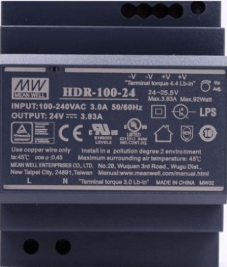
The Mean Well HDR-100-24 is a 100W, 24V single-output LED power supply designed for indoor applications. It features a compact DIN rail-mountable design, high efficiency, and robust protection mechanisms, including short circuit, overload, and overvoltage protection. This power supply is ideal for powering LED lighting systems, industrial control equipment, and other low-voltage DC devices.
Explore Projects Built with Mean Well HDR-100-24
 Open Project in Cirkit Designer
 Open Project in Cirkit Designer
 Open Project in Cirkit Designer
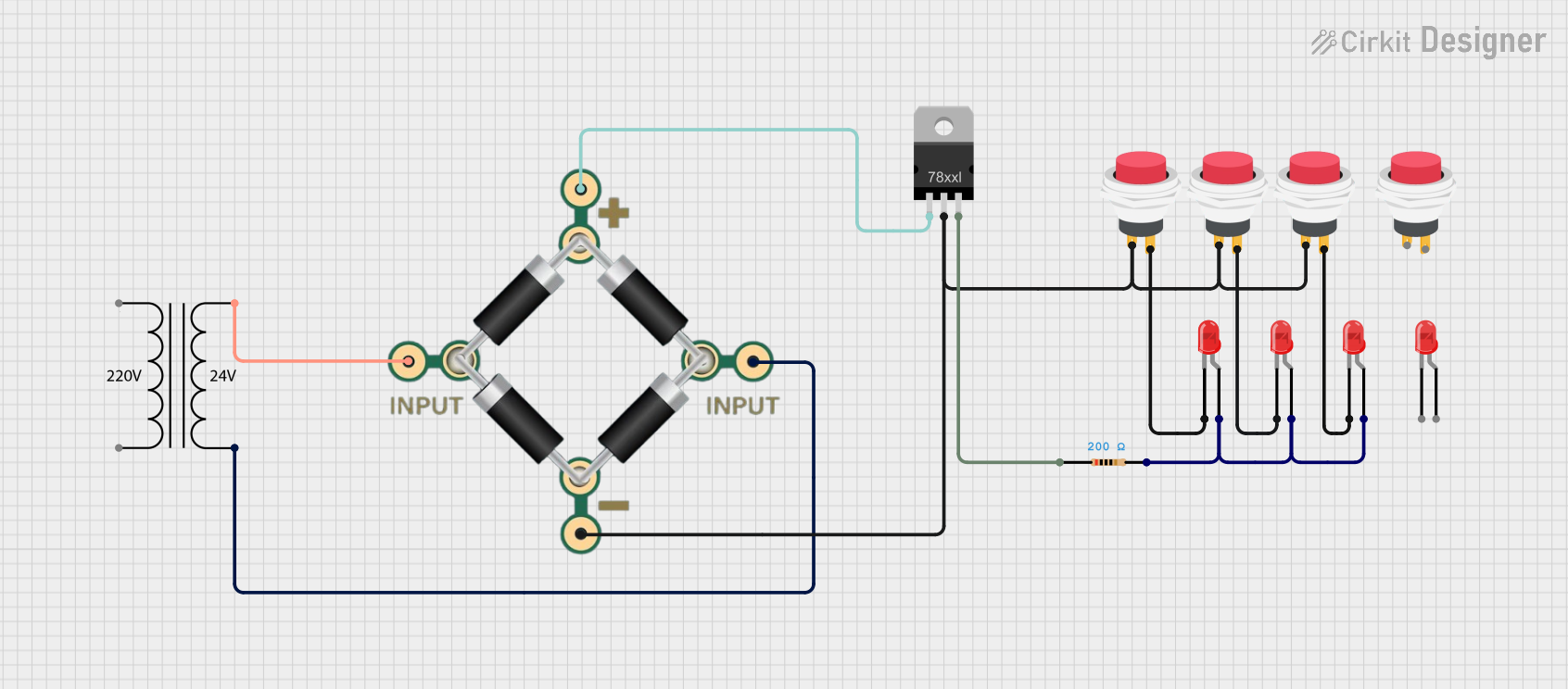 Open Project in Cirkit Designer
Explore Projects Built with Mean Well HDR-100-24
Open Project in Cirkit DesignerOpen Project in Cirkit DesignerOpen Project in Cirkit DesignerOpen Project in Cirkit DesignerCommon Applications
- LED lighting systems
- Industrial automation and control systems
- Security and surveillance equipment
- Home automation systems
- General-purpose DC power supply for low-voltage devices
Technical Specifications
Key Specifications
| Parameter | Value |
|---|---|
| Input Voltage Range | 85-264VAC / 120-370VDC |
| Output Voltage | 24VDC |
| Output Current | 4.2A |
| Output Power | 100.8W |
| Efficiency | Up to 91% |
| Operating Temperature | -30°C to +70°C |
| Protection Features | Short circuit, overload, |
| overvoltage | |
| Dimensions | 70mm x 90mm x 54mm |
| Mounting Type | DIN rail (TS-35/7.5 or TS-35/15) |
Pin Configuration and Descriptions
The HDR-100-24 features screw terminal connections for input and output. Below is the pin configuration:
| Pin No. | Label | Description |
|---|---|---|
| 1 | L | AC Line input |
| 2 | N | AC Neutral input |
| 3 | Ground (⏚) | Earth ground connection |
| 4 | +V | Positive DC output |
| 5 | -V | Negative DC output |
Usage Instructions
How to Use the HDR-100-24 in a Circuit
- Mounting: Secure the HDR-100-24 to a DIN rail (TS-35/7.5 or TS-35/15) in your enclosure.
- Input Connection:
- Connect the AC line (L) and neutral (N) wires to the input terminals.
- Ensure the earth ground (⏚) is properly connected for safety.
- Output Connection:
- Connect the positive (+V) and negative (-V) terminals to your load.
- Verify that the load does not exceed the maximum output current of 4.2A.
- Power On:
- After verifying all connections, apply AC power to the input terminals.
- The power supply will regulate the output to 24VDC.
Important Considerations
- Ventilation: Ensure adequate airflow around the power supply to prevent overheating.
- Load Requirements: Do not exceed the rated output power of 100.8W.
- Wiring: Use appropriately rated wires for both input and output connections.
- Protection: The built-in protection features will safeguard the power supply and connected devices, but ensure proper wiring to avoid triggering these protections unnecessarily.
Example: Connecting to an Arduino UNO
The HDR-100-24 can be used to power an Arduino UNO via its VIN pin. Below is an example:
- Connect the +V terminal of the HDR-100-24 to the VIN pin of the Arduino UNO.
- Connect the -V terminal of the HDR-100-24 to the GND pin of the Arduino UNO.
- Ensure the HDR-100-24 is powered on and outputs 24VDC.
Note: The Arduino UNO has an onboard voltage regulator that can handle 24VDC input via the VIN pin. However, ensure the total current draw of the Arduino and connected peripherals does not exceed the HDR-100-24's output capacity.
// Example Arduino code to blink an LED using HDR-100-24 as the power source
// Connect the HDR-100-24 +V to Arduino VIN and -V to Arduino GND

const int ledPin = 13; // Built-in LED pin on Arduino UNO

void setup() {
  pinMode(ledPin, OUTPUT); // Set LED pin as output
}

void loop() {
  digitalWrite(ledPin, HIGH); // Turn the LED on
  delay(1000);               // Wait for 1 second
  digitalWrite(ledPin, LOW);  // Turn the LED off
  delay(1000);               // Wait for 1 second
}
Troubleshooting and FAQs
Common Issues and Solutions
| Issue | Possible Cause | Solution |
|---|---|---|
| No output voltage | Incorrect input wiring | Verify AC input connections (L, N). |
| No AC power supplied | Check the power source. | |
| Output voltage fluctuates | Overload or short circuit on the output | Reduce the load or check for shorts. |
| Power supply overheats | Insufficient ventilation | Ensure proper airflow around the unit. |
| Load exceeds rated power | Reduce the load to within 100.8W. |
FAQs
Can the HDR-100-24 be used outdoors?
- No, the HDR-100-24 is designed for indoor use only. Use a weatherproof enclosure if outdoor installation is required.
What happens if the load exceeds 4.2A?
- The power supply's overload protection will activate, shutting down the output to protect the unit and connected devices.
Can I use the HDR-100-24 to charge batteries?
- While possible, it is not recommended unless the battery charging circuit includes proper current and voltage regulation.
Is the HDR-100-24 compatible with other DIN rail systems?
- Yes, it is compatible with standard TS-35/7.5 and TS-35/15 DIN rails.
By following this documentation, users can safely and effectively integrate the Mean Well HDR-100-24 into their projects.