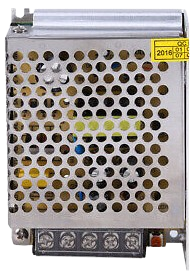
The POWER SUPPLY 12V is a device designed to convert electrical energy from an input source (such as AC mains or a DC source) into a stable 12V DC output. It is widely used in powering electronic circuits, modules, and devices that require a reliable 12V power source. This component is essential in applications ranging from hobbyist projects to industrial systems.
Explore Projects Built with POWER SUPPLY 12V
Use Cirkit Designer to design, explore, and prototype these projects online. Some projects support real-time simulation. Click "Open Project" to start designing instantly!
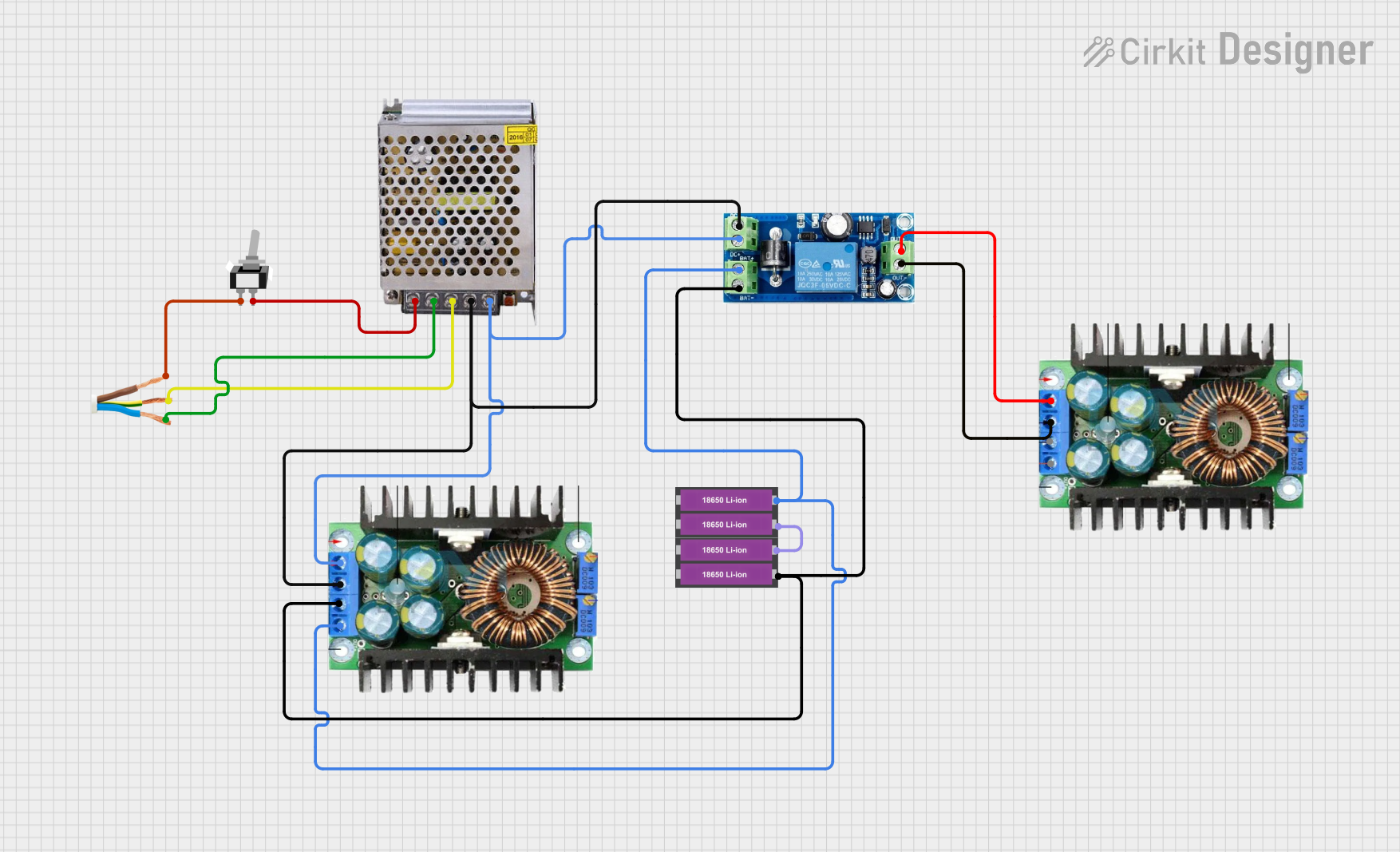
This circuit is designed to provide an uninterruptible power supply (UPS) system with a 12V DC output. It includes a 12V 5A power supply connected to an AC source through a toggle switch, which charges a pair of 18650 Li-ion batteries via a voltage regulator (XL4016). The UPS module ensures a continuous power supply to the load by switching between the power supply and the battery bank.
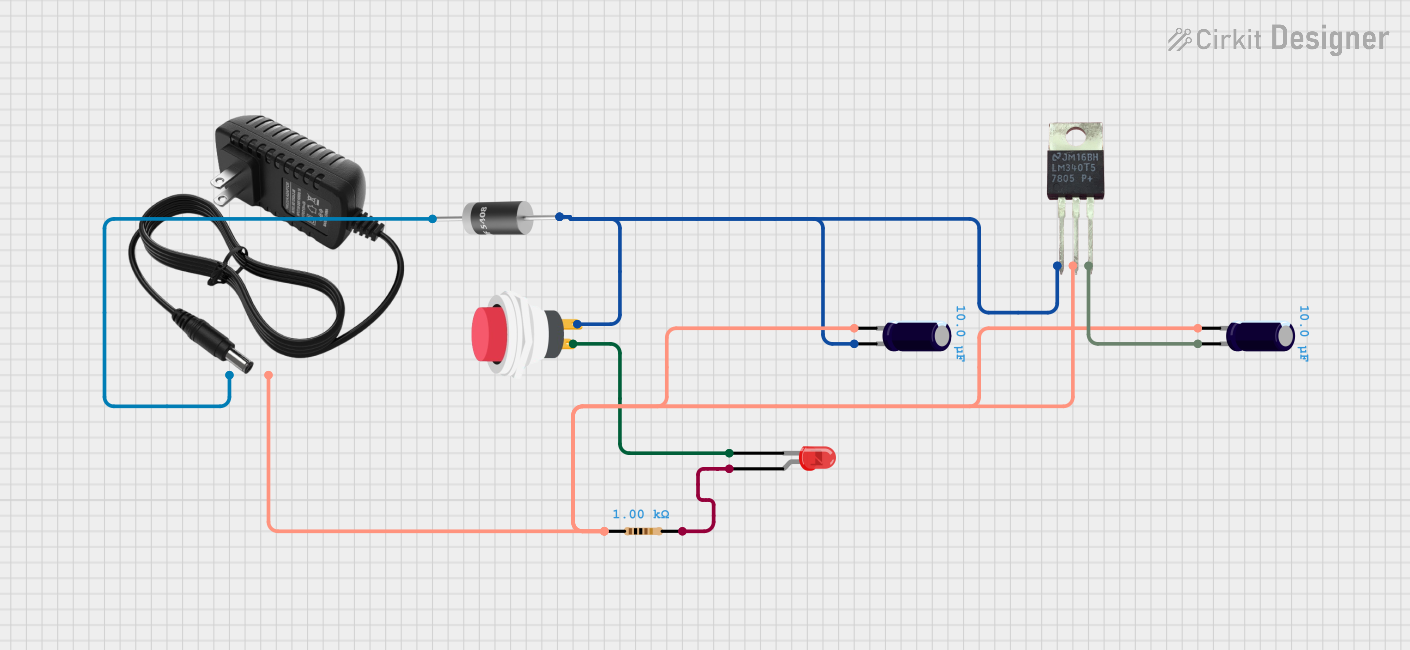
This circuit is a 12V to 5V regulated power supply with an LED indicator. It uses a 5408 diode for reverse polarity protection, an LM340T5 7805 voltage regulator to step down the voltage to 5V, and a push switch to control the LED indicator. The circuit also includes capacitors for filtering and a resistor to limit the current through the LED.
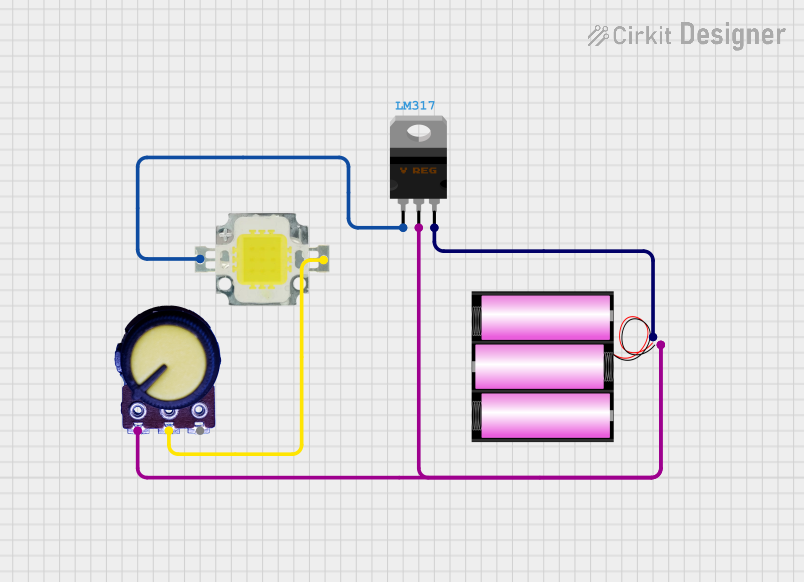
This circuit is a regulated power supply for a 12V, 10W LED, using an LM317 voltage regulator to control the output voltage. A potentiometer is used to adjust the voltage, and a 12V battery provides the input power.
This circuit is a basic AC to DC power supply that steps down 220V AC to a lower voltage using a transformer, rectifies it to DC using a bridge rectifier made of diodes, and smooths the output with an electrolytic capacitor. A rocker switch is used to turn the power supply on and off.
Powering microcontrollers, sensors, and modules in embedded systems
Driving DC motors, relays, and solenoids
Supplying power to LED strips and lighting systems
Providing a stable voltage for audio amplifiers and other analog circuits
General-purpose power supply for prototyping and testing electronic circuits
Technical Specifications
The following table outlines the key technical details of the POWER SUPPLY 12V:
Parameter
Value
Input Voltage Range
100-240V AC (for AC-DC models)
Output Voltage
12V DC
Output Current
Typically 1A to 10A (varies by model)
Output Power
12W to 120W (depending on model)
Efficiency
≥ 85%
Ripple and Noise
≤ 120mV
Operating Temperature
-10°C to 50°C
Protection Features
Overload, short circuit, overvoltage
Pin Configuration and Descriptions
For a typical AC-DC POWER SUPPLY 12V module, the pin configuration is as follows:
Pin Name
Description
AC-L
Live input for AC mains
AC-N
Neutral input for AC mains
GND
Ground connection for DC output
+12V
Positive 12V DC output
For DC-DC converters, the pin configuration may differ:
Pin Name
Description
VIN
Positive input voltage (e.g., 24V DC)
GND
Ground connection for input and output
VOUT
Positive 12V DC output
Usage Instructions
How to Use the POWER SUPPLY 12V in a Circuit
Connect the Input:
For AC-DC models, connect the AC-L and AC-N pins to the live and neutral wires of the AC mains supply. Ensure proper insulation and safety precautions.
For DC-DC models, connect the VIN pin to a DC voltage source within the specified input range.
Connect the Output:
Connect the +12V pin to the positive terminal of your load or circuit.
Connect the GND pin to the ground terminal of your load or circuit.
Power On:
Turn on the input power source. The POWER SUPPLY 12V will regulate the input and provide a stable 12V output.
Verify Output:
Use a multimeter to confirm the output voltage is 12V before connecting sensitive components.
Important Considerations and Best Practices
Load Requirements: Ensure the total current drawn by the connected devices does not exceed the maximum output current rating of the power supply.
Heat Dissipation: If the power supply operates at high currents, ensure adequate ventilation or heat sinking to prevent overheating.
Polarity: Always double-check the polarity of the connections to avoid damaging the power supply or connected devices.
Safety: For AC-DC models, handle the AC input connections with care to avoid electric shock. Use proper insulation and grounding.
Example: Using with an Arduino UNO
The POWER SUPPLY 12V can be used to power an Arduino UNO via its barrel jack or VIN pin. Below is an example of how to connect and use it:
Connect the +12V output of the power supply to the Arduino's barrel jack or VIN pin.
Connect the GND output of the power supply to the Arduino's GND pin.
Here is a simple Arduino sketch to blink an LED while powered by the 12V supply:
// Blink an LED connected to pin 13
void setup() {
  pinMode(13, OUTPUT); // Set pin 13 as an output
}

void loop() {
  digitalWrite(13, HIGH); // Turn the LED on
  delay(1000);            // Wait for 1 second
  digitalWrite(13, LOW);  // Turn the LED off
  delay(1000);            // Wait for 1 second
}
Troubleshooting and FAQs
Common Issues and Solutions
No Output Voltage:
Cause: Input power is not connected or insufficient.
Solution: Verify the input connections and ensure the input voltage is within the specified range.
Output Voltage Too Low or Unstable:
Cause: Overloaded power supply or excessive ripple.
Solution: Reduce the load or check for proper grounding and connections.
Overheating:
Cause: Insufficient ventilation or excessive load.
Solution: Ensure proper airflow around the power supply and reduce the load if necessary.
Device Not Powering On:
Cause: Incorrect polarity or loose connections.
Solution: Double-check all connections and ensure correct polarity.
FAQs
Q: Can I use the POWER SUPPLY 12V to charge a 12V battery?
A: No, this power supply is not designed for battery charging. Use a dedicated battery charger with appropriate charging profiles.
Q: Is the POWER SUPPLY 12V suitable for outdoor use?
A: Most models are not weatherproof. If outdoor use is required, ensure the power supply is enclosed in a weatherproof housing.
Q: Can I connect multiple devices to the power supply?
A: Yes, as long as the total current draw does not exceed the maximum output current rating.
Q: What happens if I exceed the power supply's current rating?
A: The power supply may shut down, enter protection mode, or overheat. Always operate within the specified limits.

 Open Project in Cirkit Designer