
How to Use BMP180: Examples, Pinouts, and Specs
 Design with BMP180 in Cirkit Designer
Introduction
The BMP180, manufactured by Bosch, is a high-precision digital barometric pressure sensor designed for measuring atmospheric pressure and temperature. It is widely used in applications such as weather monitoring, altitude measurement, and Internet of Things (IoT) devices. The BMP180 is known for its compact size, low power consumption, and high accuracy, making it an ideal choice for portable and battery-powered devices.
Explore Projects Built with BMP180
 Open Project in Cirkit Designer
 Open Project in Cirkit Designer
 Open Project in Cirkit Designer
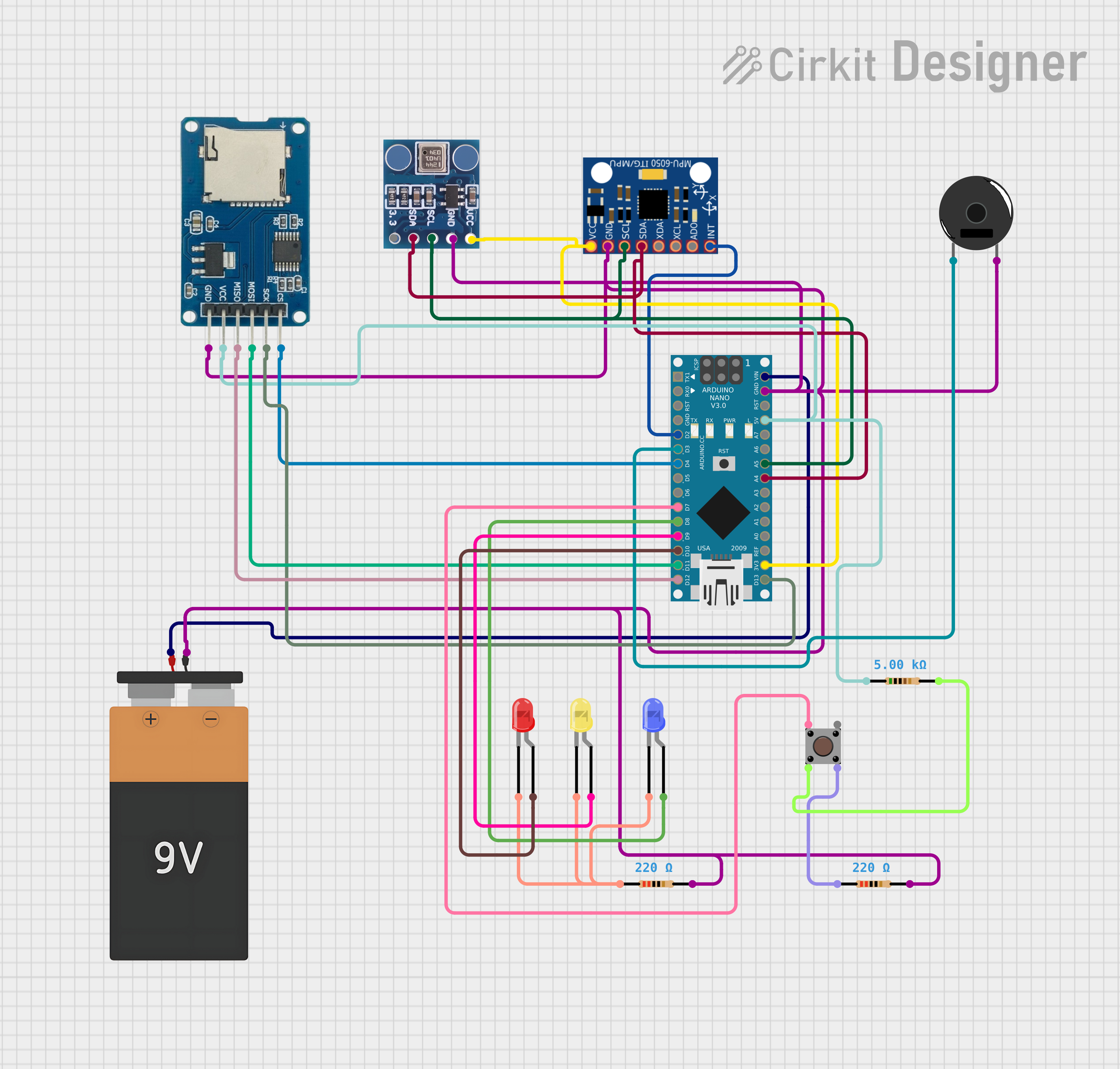 Open Project in Cirkit Designer
Explore Projects Built with BMP180
Open Project in Cirkit DesignerOpen Project in Cirkit DesignerOpen Project in Cirkit DesignerOpen Project in Cirkit DesignerCommon Applications
- Weather stations and environmental monitoring
- Altitude measurement for drones and GPS systems
- IoT devices and smart home applications
- Mobile devices for indoor navigation
- Scientific experiments and educational projects
Technical Specifications
The BMP180 offers excellent performance in a small package. Below are its key technical details:
| Parameter | Value |
|---|---|
| Operating Voltage | 1.8V to 3.6V |
| Supply Current (typical) | 12 µA (in ultra-low power mode) |
| Pressure Measurement Range | 300 hPa to 1100 hPa |
| Temperature Measurement Range | -40°C to +85°C |
| Pressure Resolution | 0.01 hPa |
| Temperature Resolution | 0.1°C |
| Communication Interface | I²C (Inter-Integrated Circuit) |
| Package Type | LGA (Leadless Grid Array) |
| Dimensions | 3.6 mm x 3.8 mm x 0.93 mm |
Pin Configuration and Descriptions
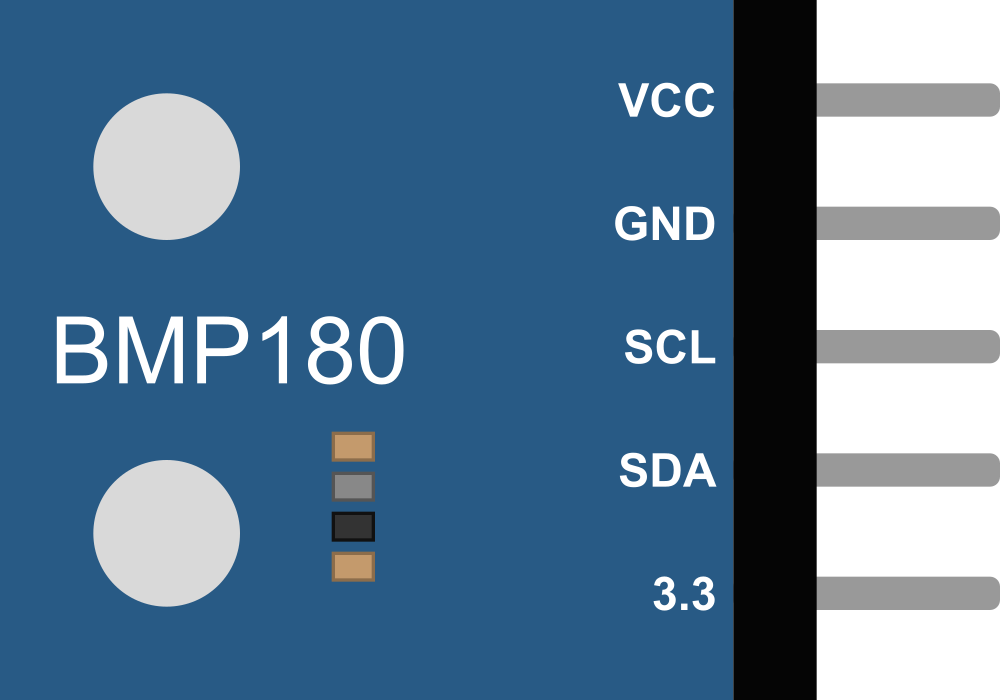
The BMP180 has four pins, as described in the table below:
| Pin Name | Pin Number | Description |
|---|---|---|
| VDD | 1 | Power supply pin (1.8V to 3.6V) |
| GND | 2 | Ground pin |
| SDA | 3 | I²C data line for communication |
| SCL | 4 | I²C clock line for communication |
Usage Instructions
The BMP180 is easy to integrate into a circuit, thanks to its I²C interface. Below are the steps to use the BMP180 in your project:
Connecting the BMP180 to an Arduino UNO
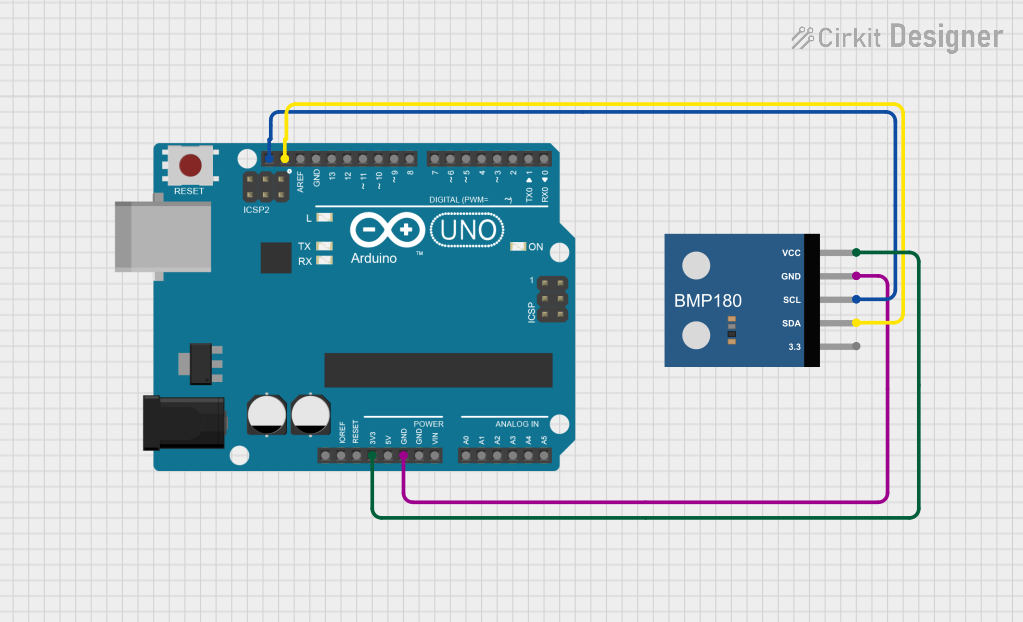
Wiring: Connect the BMP180 to the Arduino UNO as follows:
VDDto the Arduino's3.3VpinGNDto the Arduino'sGNDpinSDAto the Arduino'sA4pin (I²C data line)SCLto the Arduino'sA5pin (I²C clock line)
Install Required Library: Use the Adafruit BMP085/BMP180 library for easy integration. Install it via the Arduino IDE Library Manager.
Sample Code: Use the following code to read pressure and temperature data from the BMP180:
#include <Wire.h>
#include <Adafruit_Sensor.h>
#include <Adafruit_BMP085_U.h>

// Create an instance of the BMP180 sensor
Adafruit_BMP085_Unified bmp = Adafruit_BMP085_Unified(10085);

void setup() {
  Serial.begin(9600);
  // Initialize the BMP180 sensor
  if (!bmp.begin()) {
    Serial.println("Could not find a valid BMP180 sensor, check wiring!");
    while (1); // Halt the program if the sensor is not detected
  }
}

void loop() {
  sensors_event_t event;
  bmp.getEvent(&event);

  if (event.pressure) {
    // Print pressure in hPa
    Serial.print("Pressure: ");
    Serial.print(event.pressure);
    Serial.println(" hPa");

    // Calculate and print temperature
    float temperature;
    bmp.getTemperature(&temperature);
    Serial.print("Temperature: ");
    Serial.print(temperature);
    Serial.println(" °C");
  } else {
    Serial.println("Sensor error!");
  }

  delay(2000); // Wait 2 seconds before the next reading
}
Important Considerations
- Power Supply: Ensure the BMP180 is powered within its operating voltage range (1.8V to 3.6V). Using a voltage regulator may be necessary if your system operates at higher voltages.
- Pull-Up Resistors: The I²C lines (
SDAandSCL) require pull-up resistors (typically 4.7 kΩ). Some breakout boards include these resistors; check your board's documentation. - Altitude Calculation: The BMP180 can calculate altitude based on pressure readings. Use the formula provided in the datasheet or the library's built-in functions.
Troubleshooting and FAQs
Common Issues
Sensor Not Detected
- Cause: Incorrect wiring or I²C address mismatch.
- Solution: Double-check the wiring and ensure the I²C address matches the library's default (0x77).
Inaccurate Readings
- Cause: Environmental factors such as rapid temperature changes or vibrations.
- Solution: Place the sensor in a stable environment and avoid placing it near heat sources.
No Data Output
- Cause: Missing or incorrect library installation.
- Solution: Ensure the Adafruit BMP085/BMP180 library is installed and included in your code.
FAQs
Can the BMP180 measure altitude directly?
- No, the BMP180 measures pressure and temperature. Altitude can be calculated using the pressure readings and a reference pressure value.
What is the maximum I²C clock speed supported by the BMP180?
- The BMP180 supports I²C clock speeds up to 3.4 MHz (High-Speed Mode).
Can the BMP180 operate at 5V?
- No, the BMP180 operates at a maximum voltage of 3.6V. Use a level shifter or voltage regulator if interfacing with a 5V system.
By following this documentation, you can successfully integrate the BMP180 into your projects and achieve accurate pressure and temperature measurements.