
How to Use APM3000红外LED颗粒物传感器: Examples, Pinouts, and Specs
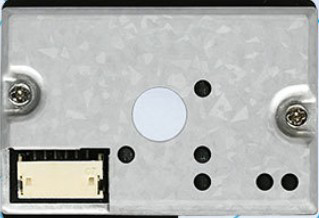
 Design with APM3000红外LED颗粒物传感器 in Cirkit Designer
Introduction
The APM3000, manufactured by 奥松, is an infrared LED particulate matter sensor designed to detect and measure airborne particles. It uses infrared light scattering technology to identify the presence and concentration of particulate matter (PM) in the air. This sensor is ideal for applications requiring real-time air quality monitoring, such as:
- Indoor air quality monitoring systems
- Air purifiers and HVAC systems
- Environmental monitoring stations
- IoT-based air quality solutions
- Automotive cabin air quality systems
The APM3000 is compact, energy-efficient, and provides reliable measurements, making it a popular choice for both consumer and industrial applications.
Explore Projects Built with APM3000红外LED颗粒物传感器
 Open Project in Cirkit Designer
 Open Project in Cirkit Designer
 Open Project in Cirkit Designer
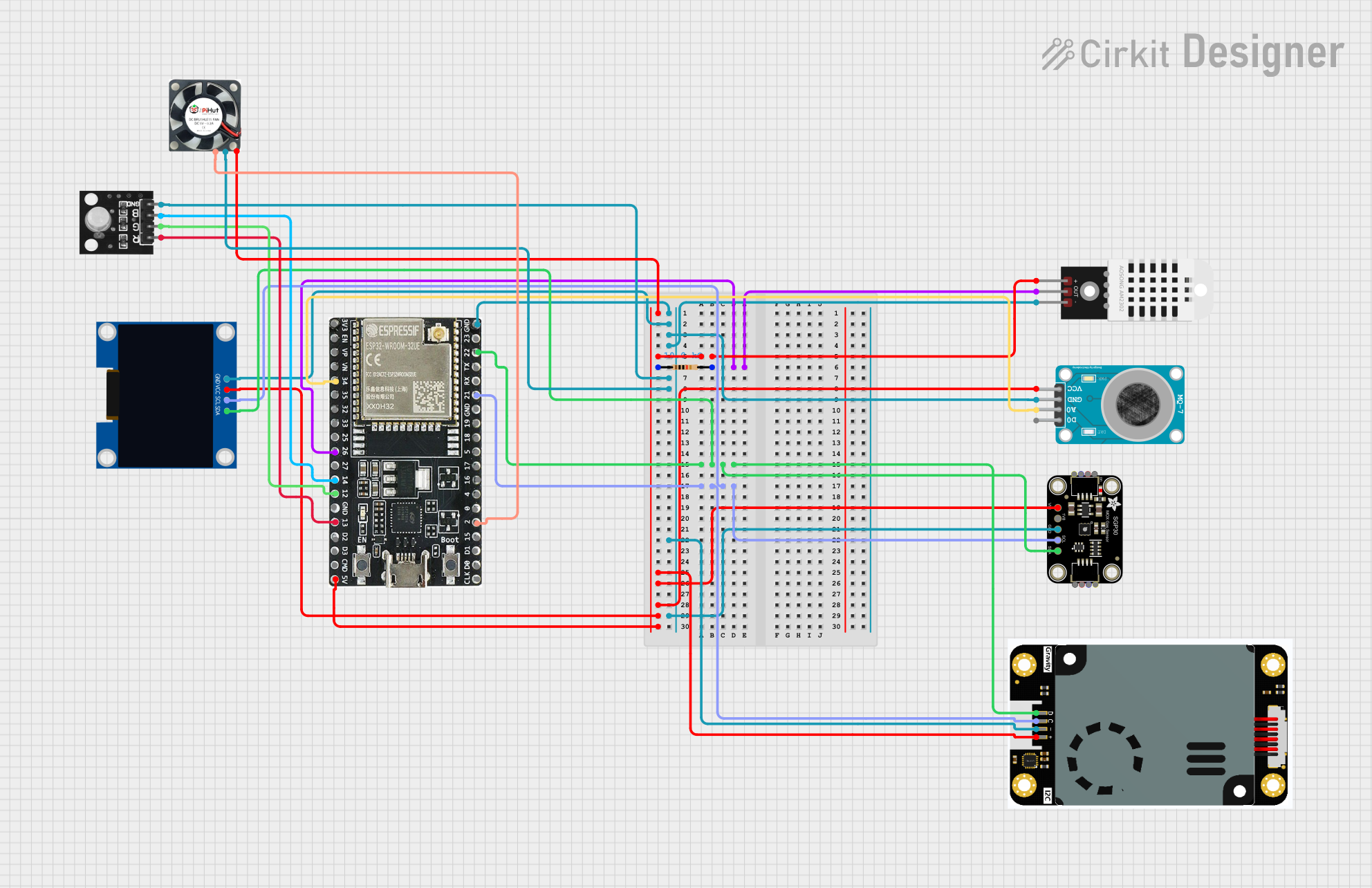 Open Project in Cirkit Designer
Explore Projects Built with APM3000红外LED颗粒物传感器
Open Project in Cirkit DesignerOpen Project in Cirkit DesignerOpen Project in Cirkit DesignerOpen Project in Cirkit DesignerTechnical Specifications
Key Technical Details
| Parameter | Value |
|---|---|
| Manufacturer | 奥松 (Aosong) |
| Part Number | APM3000 |
| Detection Principle | Infrared light scattering |
| Particle Size Detection | ≥ 1.0 µm |
| Measurement Range | 0–1,000 µg/m³ |
| Operating Voltage | 5V DC |
| Operating Current | ≤ 100 mA |
| Output Signal | UART (3.3V TTL level) |
| Response Time | ≤ 1 second |
| Operating Temperature | -10°C to 50°C |
| Operating Humidity | 0–95% RH (non-condensing) |
| Dimensions | 50 mm × 38 mm × 21 mm |
| Weight | ~20 g |
Pin Configuration and Descriptions
The APM3000 sensor has a 7-pin interface for power, communication, and control. The pinout is as follows:
| Pin Number | Pin Name | Description |
|---|---|---|
| 1 | VCC | Power supply input (5V DC) |
| 2 | GND | Ground |
| 3 | TXD | UART Transmit Data (3.3V TTL level) |
| 4 | RXD | UART Receive Data (3.3V TTL level) |
| 5 | SET | Mode selection (low: sleep mode, high: active) |
| 6 | NC | Not connected |
| 7 | NC | Not connected |
Usage Instructions
How to Use the APM3000 in a Circuit
- Power Supply: Connect the
VCCpin to a stable 5V DC power source and theGNDpin to ground. - UART Communication: Connect the
TXDandRXDpins to the UART pins of your microcontroller or development board (e.g., Arduino UNO). Ensure the UART logic level is 3.3V to avoid damaging the sensor. - Mode Selection: Use the
SETpin to control the sensor's mode:- Pull
SEThigh (3.3V) to activate the sensor. - Pull
SETlow (0V) to put the sensor into sleep mode for power saving.
- Pull
- Data Reading: The sensor outputs particulate matter concentration data via UART in a predefined protocol. Refer to the manufacturer's datasheet for the exact data format.
Important Considerations and Best Practices
- Placement: Install the sensor in a location with good airflow for accurate measurements. Avoid placing it near sources of vibration or electromagnetic interference.
- Power Stability: Use a stable 5V power supply to ensure reliable operation.
- Warm-Up Time: Allow the sensor to warm up for at least 30 seconds after powering on for accurate readings.
- Maintenance: Periodically clean the sensor's air inlet and outlet to prevent dust accumulation, which can affect accuracy.
Example: Connecting APM3000 to Arduino UNO
Below is an example of how to connect and read data from the APM3000 using an Arduino UNO:
Wiring Diagram
| APM3000 Pin | Arduino UNO Pin |
|---|---|
| VCC | 5V |
| GND | GND |
| TXD | RX (Pin 0) |
| RXD | TX (Pin 1) |
| SET | Digital Pin 7 |
Arduino Code
#include <SoftwareSerial.h>

// Define the RX and TX pins for SoftwareSerial
SoftwareSerial APM3000Serial(10, 11); // RX = Pin 10, TX = Pin 11

// Define the SET pin
const int setPin = 7;

void setup() {
  // Initialize serial communication
  Serial.begin(9600); // For debugging via Serial Monitor
  APM3000Serial.begin(9600); // For communication with APM3000

  // Configure the SET pin
  pinMode(setPin, OUTPUT);
  digitalWrite(setPin, HIGH); // Activate the sensor

  Serial.println("APM3000 Sensor Initialized");
}

void loop() {
  // Check if data is available from the sensor
  if (APM3000Serial.available()) {
    // Read and print the data from the sensor
    while (APM3000Serial.available()) {
      char c = APM3000Serial.read();
      Serial.print(c); // Output the data to the Serial Monitor
    }
    Serial.println(); // Add a newline for readability
  }

  delay(1000); // Wait 1 second before reading again
}
Notes:
- Use a logic level shifter if your microcontroller operates at 5V logic levels to avoid damaging the sensor.
- The
SETpin can be controlled programmatically to switch between active and sleep modes.
Troubleshooting and FAQs
Common Issues and Solutions
No Data Output
- Ensure the
SETpin is pulled high to activate the sensor. - Verify the UART connections (TXD and RXD) and ensure they are not swapped.
- Check the power supply voltage (5V DC) and ensure it is stable.
- Ensure the
Inaccurate Readings
- Allow the sensor to warm up for at least 30 seconds after powering on.
- Clean the air inlet and outlet to remove dust or debris.
- Ensure the sensor is installed in a location with good airflow and minimal interference.
Sensor Not Responding
- Confirm that the UART baud rate is set to 9600 bps.
- Check for loose or damaged connections in the circuit.
FAQs
Q: Can the APM3000 detect PM2.5 particles?
A: Yes, the APM3000 can detect particles as small as 1.0 µm, which includes PM2.5 particles.
Q: Is the APM3000 suitable for outdoor use?
A: The APM3000 is designed for indoor use. If used outdoors, ensure it is protected from extreme temperatures, humidity, and direct exposure to dust or water.
Q: How often should the sensor be cleaned?
A: Cleaning frequency depends on the environment. In dusty environments, clean the sensor every 1–2 months to maintain accuracy.
Q: Can the sensor operate on a 3.3V power supply?
A: No, the APM3000 requires a 5V DC power supply for proper operation.