
How to Use MKS DUAL FOC: Examples, Pinouts, and Specs
 Design with MKS DUAL FOC in Cirkit Designer
Introduction
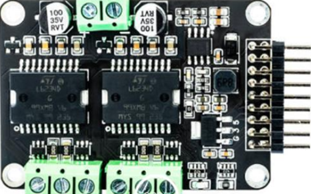
The MKS DUAL FOC (Manufacturer Part ID: V3.3) is a dual-channel field-oriented control (FOC) driver developed by Makerbase. It is designed to provide precise and efficient control of brushless DC (BLDC) motors. This component is ideal for applications requiring smooth motor operation, high torque, and energy efficiency, such as robotics, electric vehicles, CNC machines, and industrial automation systems.
The MKS DUAL FOC supports advanced motor control algorithms, enabling precise speed, position, and torque control. Its compact design and dual-channel capability make it a versatile choice for multi-motor systems.
Explore Projects Built with MKS DUAL FOC
 Open Project in Cirkit Designer
 Open Project in Cirkit Designer
 Open Project in Cirkit Designer
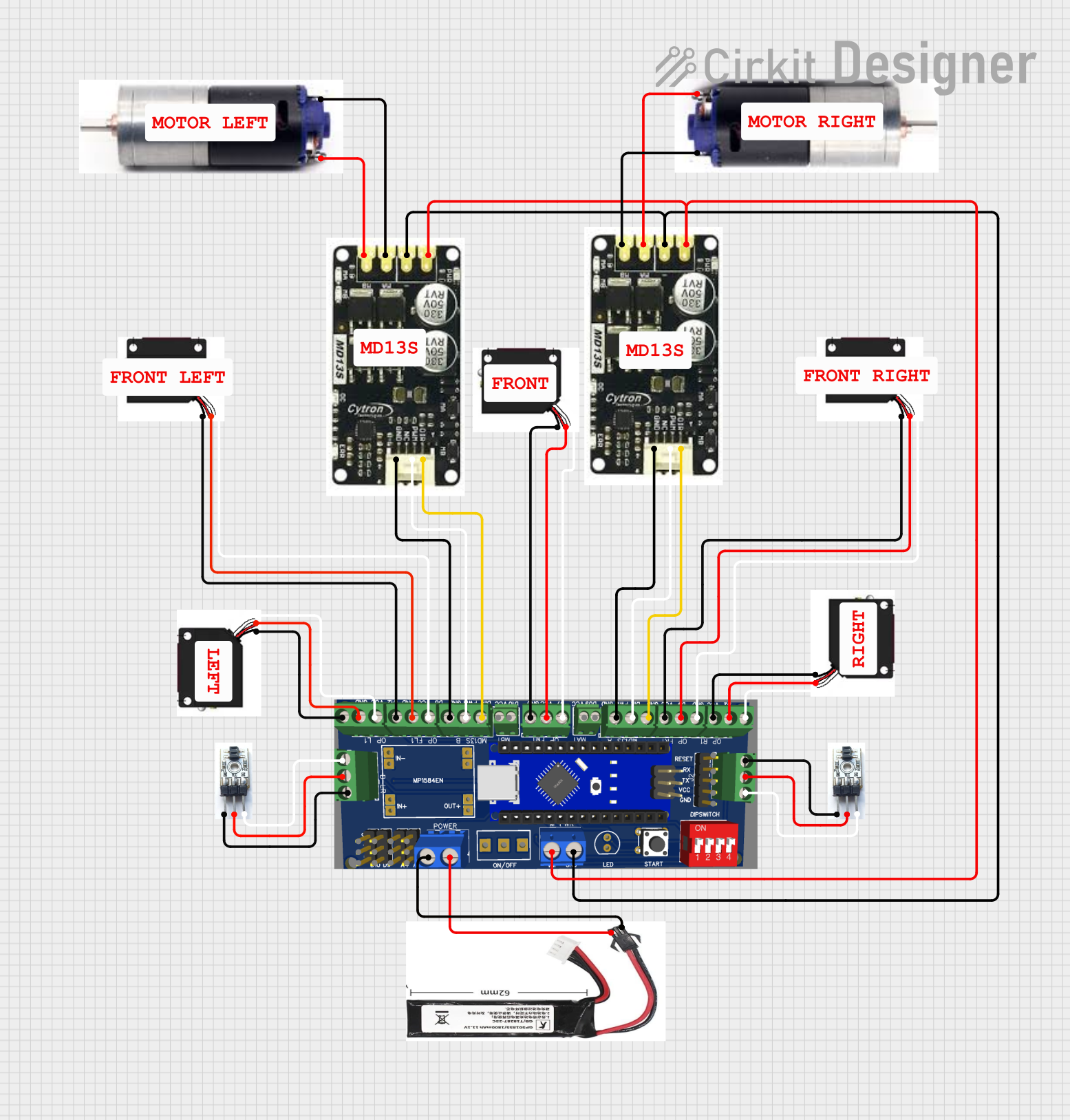 Open Project in Cirkit Designer
Explore Projects Built with MKS DUAL FOC
Open Project in Cirkit DesignerOpen Project in Cirkit DesignerOpen Project in Cirkit DesignerOpen Project in Cirkit DesignerTechnical Specifications
Below are the key technical details of the MKS DUAL FOC:
General Specifications
- Manufacturer: Makerbase
- Part ID: V3.3
- Control Type: Field-Oriented Control (FOC)
- Number of Channels: 2 (dual-channel)
- Supported Motors: Brushless DC (BLDC) motors
- Input Voltage Range: 12V to 48V DC
- Maximum Current per Channel: 15A (continuous), 20A (peak)
- Communication Interfaces: UART, CAN, PWM
- Control Modes: Speed control, position control, torque control
- Dimensions: 80mm x 60mm x 20mm
- Operating Temperature: -20°C to 85°C
Pin Configuration and Descriptions
The MKS DUAL FOC features multiple connectors for power, motor outputs, and communication. Below is the pin configuration:
Power and Motor Connections
| Pin Name | Description |
|---|---|
| VIN+ | Positive DC power input (12V-48V) |
| VIN- | Negative DC power input (GND) |
| M1A | Motor 1 phase A output |
| M1B | Motor 1 phase B output |
| M1C | Motor 1 phase C output |
| M2A | Motor 2 phase A output |
| M2B | Motor 2 phase B output |
| M2C | Motor 2 phase C output |
Communication and Control Pins
| Pin Name | Description |
|---|---|
| UART_TX | UART transmit pin for communication |
| UART_RX | UART receive pin for communication |
| CAN_H | CAN bus high signal |
| CAN_L | CAN bus low signal |
| PWM1 | PWM input for Motor 1 control |
| PWM2 | PWM input for Motor 2 control |
| GND | Ground reference for communication and control |
Usage Instructions
How to Use the MKS DUAL FOC in a Circuit
- Power Supply: Connect a DC power supply (12V-48V) to the VIN+ and VIN- pins. Ensure the power supply can provide sufficient current for your motors.
- Motor Connections: Connect the three-phase wires of each BLDC motor to the corresponding M1A, M1B, M1C (for Motor 1) and M2A, M2B, M2C (for Motor 2) pins.
- Control Interface: Choose a communication method (UART, CAN, or PWM) and connect the appropriate pins to your microcontroller or control system.
- Configuration: Use the Makerbase configuration software or send commands via UART/CAN to set parameters such as motor type, control mode, and PID values.
- Testing: Gradually increase the input signal (e.g., PWM duty cycle or UART commands) to test motor operation.
Important Considerations and Best Practices
- Heat Dissipation: The MKS DUAL FOC can generate heat during operation. Use a heatsink or active cooling if operating at high currents.
- Motor Compatibility: Ensure the BLDC motors are compatible with the voltage and current ratings of the driver.
- Wiring: Use appropriately rated wires for power and motor connections to avoid overheating or voltage drops.
- Safety: Always disconnect power before making any wiring changes to prevent short circuits or damage.
Example: Using MKS DUAL FOC with Arduino UNO
Below is an example of controlling a single motor using the MKS DUAL FOC and Arduino UNO via UART:
#include <SoftwareSerial.h>

// Define UART pins for communication with MKS DUAL FOC
SoftwareSerial focSerial(10, 11); // RX, TX

void setup() {
  // Initialize serial communication
  Serial.begin(9600); // For debugging
  focSerial.begin(115200); // Communication with MKS DUAL FOC

  // Send initialization commands to MKS DUAL FOC
  focSerial.println("INIT"); // Example command to initialize the driver
  focSerial.println("SET_MODE SPEED"); // Set control mode to speed
  focSerial.println("SET_SPEED 1000"); // Set motor speed to 1000 RPM

  Serial.println("MKS DUAL FOC initialized.");
}

void loop() {
  // Example: Adjust motor speed dynamically
  int speed = analogRead(A0); // Read potentiometer value
  speed = map(speed, 0, 1023, 0, 3000); // Map to motor speed range

  focSerial.print("SET_SPEED ");
  focSerial.println(speed); // Send speed command to MKS DUAL FOC

  delay(100); // Small delay for stability
}
Troubleshooting and FAQs
Common Issues and Solutions
Motor Not Spinning:
- Check power supply connections and ensure the voltage is within the specified range.
- Verify motor wiring (M1A, M1B, M1C or M2A, M2B, M2C) is correct.
- Ensure the control commands (e.g., UART or PWM signals) are being sent correctly.
Overheating:
- Ensure proper heat dissipation using a heatsink or fan.
- Reduce the motor load or operating current if possible.
Communication Failure:
- Verify the baud rate and communication settings match between the MKS DUAL FOC and the microcontroller.
- Check wiring for UART or CAN connections.
Erratic Motor Behavior:
- Ensure the motor parameters (e.g., pole pairs, resistance) are correctly configured in the driver.
- Check for loose or damaged wires.
FAQs
Can I control both motors independently? Yes, the MKS DUAL FOC supports independent control of two motors via separate PWM or UART commands.
What is the maximum motor speed supported? The maximum speed depends on the motor specifications and the input voltage. Ensure the motor is rated for the operating voltage.
Is the MKS DUAL FOC compatible with other microcontrollers? Yes, it can be used with any microcontroller that supports UART, CAN, or PWM communication.
Can I use the MKS DUAL FOC for sensorless BLDC motors? Yes, the driver supports both sensored and sensorless BLDC motors. Configuration may vary based on the motor type.