
How to Use 5V Regulator: Examples, Pinouts, and Specs
 Design with 5V Regulator in Cirkit Designer
Introduction
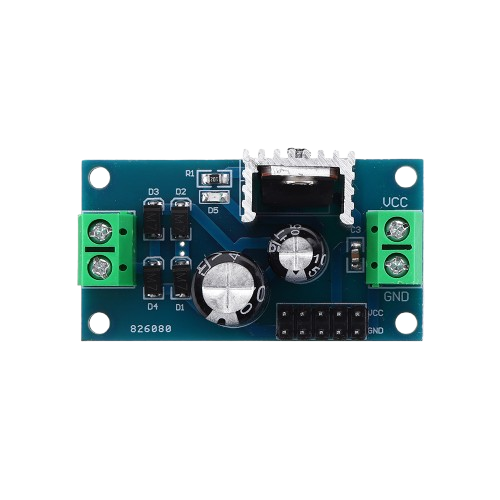
A 5V regulator is an electronic component designed to provide a stable 5V output voltage from a higher, often fluctuating, input voltage. It ensures a consistent and reliable power supply for various electronic devices and circuits, protecting sensitive components from voltage variations.
Explore Projects Built with 5V Regulator
 Open Project in Cirkit Designer
 Open Project in Cirkit Designer
 Open Project in Cirkit Designer
 Open Project in Cirkit Designer
Explore Projects Built with 5V Regulator
Open Project in Cirkit DesignerOpen Project in Cirkit DesignerOpen Project in Cirkit DesignerOpen Project in Cirkit DesignerCommon Applications and Use Cases
- Powering microcontrollers (e.g., Arduino, Raspberry Pi)
- Supplying stable voltage to sensors and modules
- Voltage regulation in battery-powered devices
- Used in DC-DC converters and power supply circuits
- Protecting circuits from overvoltage damage
Technical Specifications
Below are the key technical details for a typical 5V regulator, such as the popular LM7805:
| Parameter | Value |
|---|---|
| Input Voltage Range | 7V to 35V |
| Output Voltage | 5V ± 2% |
| Maximum Output Current | 1A (with proper heat dissipation) |
| Dropout Voltage | 2V (minimum input voltage = 7V) |
| Quiescent Current | 5-8 mA |
| Operating Temperature | -40°C to +125°C |
| Package Types | TO-220, TO-92, SOT-223 |
Pin Configuration and Descriptions
The 5V regulator typically has three pins. Below is the pinout for the LM7805 in a TO-220 package:
| Pin Number | Name | Description |
|---|---|---|
| 1 | Input | Connect to the unregulated input voltage (7V to 35V). |
| 2 | Ground | Common ground for input and output. Connect to the circuit's ground. |
| 3 | Output | Provides a regulated 5V output. Connect to the load or circuit requiring 5V. |
Usage Instructions
How to Use the 5V Regulator in a Circuit
- Input Voltage: Ensure the input voltage is at least 2V higher than the desired 5V output (minimum 7V). Do not exceed the maximum input voltage rating (35V for LM7805).
- Capacitors: Add decoupling capacitors to stabilize the voltage and reduce noise:
- Place a 0.33 µF capacitor between the input pin and ground.
- Place a 0.1 µF capacitor between the output pin and ground.
- Heat Dissipation: If the regulator is supplying high current (close to 1A), attach a heatsink to the regulator to prevent overheating.
- Connections:
- Connect the input pin to the unregulated voltage source.
- Connect the ground pin to the circuit's ground.
- Connect the output pin to the load requiring 5V.
Example Circuit
Below is a simple circuit diagram for using the LM7805:
Unregulated Voltage (7V-35V) ----[Input Pin] LM7805 [Output Pin]----> 5V Regulated Output
                                   |                                |
                                   |                                |
                                 [0.33 µF]                       [0.1 µF]
                                   |                                |
                                 Ground                          Ground
Using with Arduino UNO
The 5V regulator can be used to power an Arduino UNO when the input voltage is higher than 5V. Below is an example of connecting the regulator to an Arduino UNO:
- Connect the input pin of the regulator to a 9V battery or other unregulated power source.
- Connect the output pin of the regulator to the Arduino's 5V pin.
- Connect the ground pin of the regulator to the Arduino's GND pin.
Example Code for Testing
The following Arduino code can be used to test the 5V regulator by blinking an LED connected to the Arduino:
// Blink an LED to test the 5V regulator's output
// Ensure the regulator is providing a stable 5V to the Arduino

const int ledPin = 13; // Built-in LED pin on Arduino UNO

void setup() {
  pinMode(ledPin, OUTPUT); // Set the LED pin as an output
}

void loop() {
  digitalWrite(ledPin, HIGH); // Turn the LED on
  delay(1000);               // Wait for 1 second
  digitalWrite(ledPin, LOW);  // Turn the LED off
  delay(1000);               // Wait for 1 second
}
Important Considerations and Best Practices
- Input Voltage: Always ensure the input voltage is within the specified range (7V-35V). Exceeding this range can damage the regulator.
- Heat Management: Use a heatsink if the regulator gets too hot during operation.
- Capacitors: Always use the recommended capacitors to ensure stable operation and reduce noise.
- Current Limit: Do not exceed the maximum output current (1A). For higher currents, consider using a switching regulator.
Troubleshooting and FAQs
Common Issues and Solutions
Output Voltage is Not 5V:
- Check the input voltage. Ensure it is at least 7V.
- Verify the connections and ensure the ground pin is properly connected.
- Check the capacitors. Faulty or missing capacitors can cause instability.
Regulator Overheats:
- Ensure the input voltage is not excessively high.
- Attach a heatsink to the regulator to dissipate heat.
- Reduce the load current if it exceeds 1A.
No Output Voltage:
- Verify the input voltage is present and within the specified range.
- Check for short circuits or incorrect wiring.
- Ensure the regulator is not damaged.
Noise or Voltage Fluctuations:
- Add or replace the input and output capacitors.
- Ensure the ground connections are secure.
FAQs
Q: Can I use the 5V regulator with a 5V input?
A: No, the input voltage must be at least 2V higher than the output voltage (minimum 7V for a 5V regulator).
Q: What happens if I exceed the maximum input voltage?
A: Exceeding the maximum input voltage (35V for LM7805) can permanently damage the regulator.
Q: Can I use the 5V regulator to power a 3.3V device?
A: No, the 5V regulator outputs a fixed 5V. Use a 3.3V regulator or a step-down converter for 3.3V devices.
Q: Do I always need a heatsink?
A: A heatsink is only necessary if the regulator is supplying high current (close to 1A) or if the input voltage is significantly higher than 5V.
By following this documentation, you can effectively use a 5V regulator in your electronic projects, ensuring stable and reliable power delivery.