
How to Use SparkFun_Si7021_Breakout: Examples, Pinouts, and Specs
 Design with SparkFun_Si7021_Breakout in Cirkit Designer
Introduction
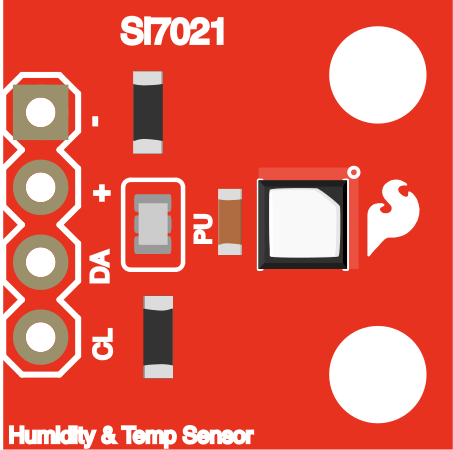
The SparkFun Si7021 Breakout (Manufacturer Part ID: SEN-13763) is a compact and versatile breakout board for the Si7021 temperature and humidity sensor. This sensor provides accurate and reliable measurements of temperature and relative humidity, making it ideal for a wide range of applications. The breakout board simplifies integration into projects by offering I2C communication and a small form factor, making it perfect for prototyping and embedded systems.
Explore Projects Built with SparkFun_Si7021_Breakout
 Open Project in Cirkit Designer
 Open Project in Cirkit Designer
 Open Project in Cirkit Designer
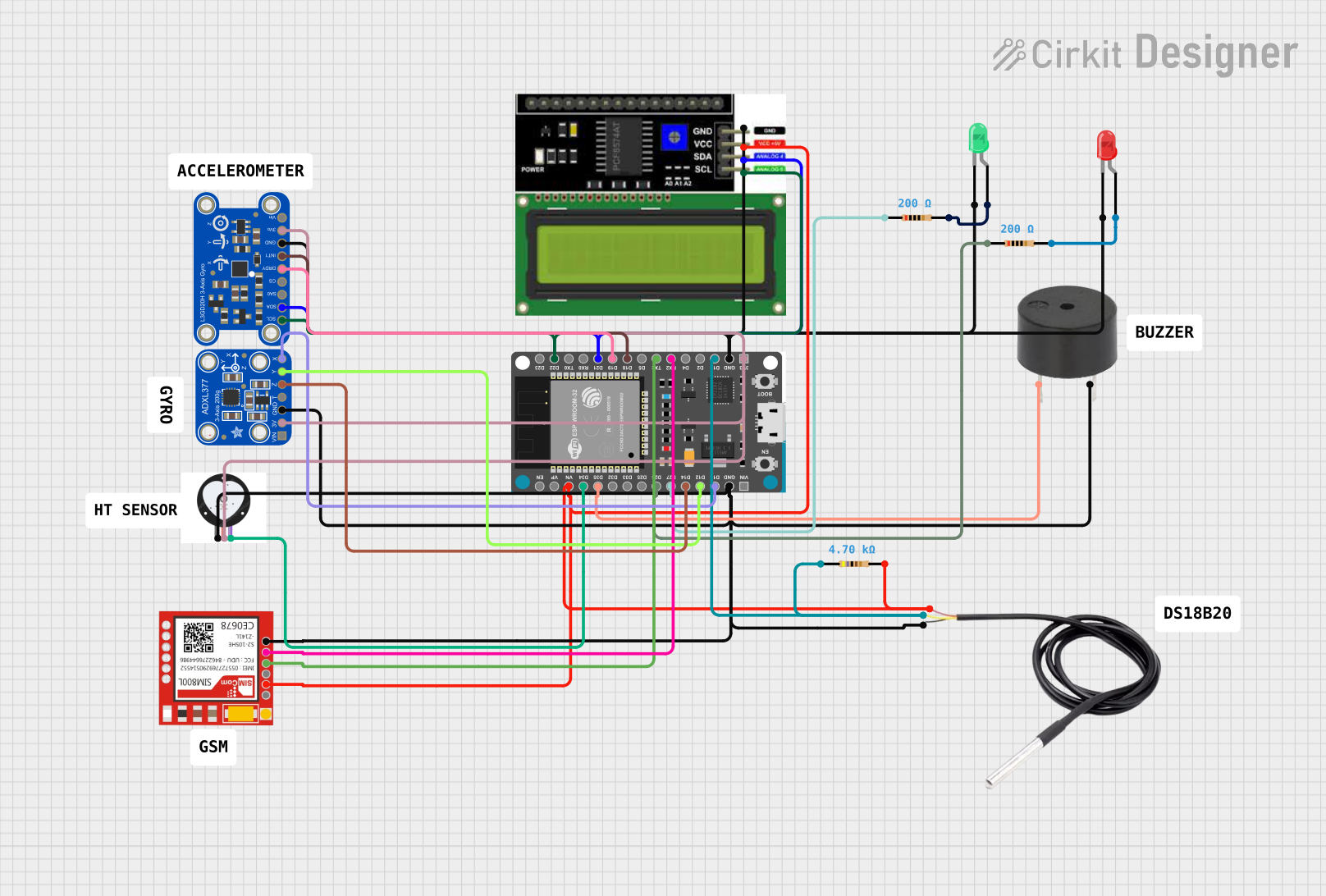 Open Project in Cirkit Designer
Explore Projects Built with SparkFun_Si7021_Breakout
Open Project in Cirkit DesignerOpen Project in Cirkit DesignerOpen Project in Cirkit DesignerOpen Project in Cirkit DesignerCommon Applications and Use Cases
- Environmental monitoring systems
- Weather stations
- HVAC (Heating, Ventilation, and Air Conditioning) control
- IoT (Internet of Things) devices
- Data logging and analysis
- Agricultural and greenhouse monitoring
Technical Specifications
The SparkFun Si7021 Breakout is designed to provide precise environmental data with minimal power consumption. Below are the key technical details:
Key Specifications
| Parameter | Value |
|---|---|
| Sensor Model | Si7021 |
| Communication Interface | I2C |
| Operating Voltage | 3.3V to 5V |
| Temperature Range | -40°C to +125°C |
| Temperature Accuracy | ±0.4°C (typical) |
| Humidity Range | 0% to 100% RH |
| Humidity Accuracy | ±3% RH (typical) |
| Current Consumption | 150 µA (typical during measurement) |
| I2C Address (Default) | 0x40 |
| Dimensions | 0.6" x 0.6" (15.24mm x 15.24mm) |
Pin Configuration and Descriptions
The breakout board has four pins for easy connection to a microcontroller or development board.
| Pin Name | Description |
|---|---|
| VIN | Power supply input (3.3V to 5V). Provides power to the sensor. |
| GND | Ground connection. |
| SDA | I2C data line. Connect to the SDA pin of the microcontroller. |
| SCL | I2C clock line. Connect to the SCL pin of the microcontroller. |
Usage Instructions
The SparkFun Si7021 Breakout is straightforward to use in a circuit. Follow the steps below to integrate it into your project:
Connecting the Breakout Board
- Power Supply: Connect the VIN pin to a 3.3V or 5V power source and the GND pin to ground.
- I2C Communication: Connect the SDA and SCL pins to the corresponding I2C pins on your microcontroller. For example:
- On an Arduino UNO, connect SDA to A4 and SCL to A5.
- Pull-Up Resistors: The breakout board includes pull-up resistors for the I2C lines, so no additional resistors are required.
Example Code for Arduino UNO
Below is an example Arduino sketch to read temperature and humidity data from the Si7021 sensor:
#include <Wire.h>
#include "SparkFun_Si7021_Breakout_Library.h" // Include the Si7021 library

Weather sensor; // Create an instance of the Si7021 sensor

void setup() {
  Serial.begin(9600); // Initialize serial communication
  Wire.begin();       // Initialize I2C communication

  if (!sensor.begin()) {
    // Check if the sensor is connected and initialized
    Serial.println("Si7021 sensor not detected. Check connections.");
    while (1); // Halt the program if the sensor is not found
  }

  Serial.println("Si7021 sensor initialized successfully.");
}

void loop() {
  float temperature = sensor.getTemp(); // Read temperature in Celsius
  float humidity = sensor.getRH();      // Read relative humidity in %

  // Print the readings to the Serial Monitor
  Serial.print("Temperature: ");
  Serial.print(temperature);
  Serial.println(" °C");

  Serial.print("Humidity: ");
  Serial.print(humidity);
  Serial.println(" %");

  delay(2000); // Wait for 2 seconds before the next reading
}
Important Considerations and Best Practices
- Power Supply: Ensure the power supply voltage is within the specified range (3.3V to 5V).
- I2C Address: The default I2C address is 0x40. If you have multiple I2C devices, ensure there are no address conflicts.
- Environmental Factors: Avoid exposing the sensor to extreme conditions (e.g., condensation or dust) to maintain accuracy and longevity.
- Calibration: The Si7021 sensor is factory-calibrated, so no additional calibration is required.
Troubleshooting and FAQs
Common Issues and Solutions
Sensor Not Detected
- Cause: Incorrect wiring or I2C address conflict.
- Solution: Double-check the connections and ensure the SDA and SCL pins are correctly connected. Verify the I2C address.
Inaccurate Readings
- Cause: Environmental interference or sensor contamination.
- Solution: Ensure the sensor is placed in a stable environment. Clean the sensor gently if necessary.
No Data Output
- Cause: Library not installed or incorrect initialization.
- Solution: Ensure the SparkFun Si7021 library is installed in the Arduino IDE. Verify the
sensor.begin()function is called in the setup.
FAQs
Q: Can the Si7021 sensor measure dew point?
A: The Si7021 does not directly measure dew point, but you can calculate it using temperature and humidity readings.
Q: Is the sensor waterproof?
A: No, the Si7021 sensor is not waterproof. Avoid exposing it to water or condensation.
Q: Can I use the breakout board with a 3.3V microcontroller?
A: Yes, the breakout board is compatible with both 3.3V and 5V systems.
Q: What is the maximum cable length for I2C communication?
A: The maximum cable length depends on the pull-up resistor values and the I2C clock speed. For typical setups, keep the cable length under 1 meter to ensure reliable communication.
By following this documentation, you can effectively integrate the SparkFun Si7021 Breakout into your projects and achieve accurate environmental monitoring.