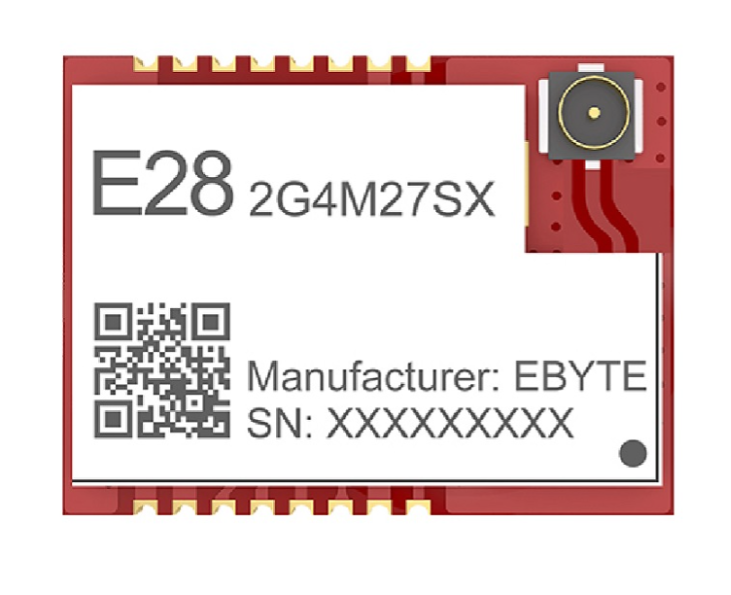
The EBYTE E28-2G4M27SX is a low-power, long-range wireless transceiver module designed for IoT applications. Operating in the 2.4GHz frequency band, this module offers high sensitivity, robust communication capabilities, and excellent performance in environments requiring reliable wireless data transmission. Its compact design and versatile features make it ideal for applications such as smart homes, industrial automation, wireless sensor networks, and remote monitoring systems.
Explore Projects Built with EBYTE E28-2G4M27SX
Use Cirkit Designer to design, explore, and prototype these projects online. Some projects support real-time simulation. Click "Open Project" to start designing instantly!
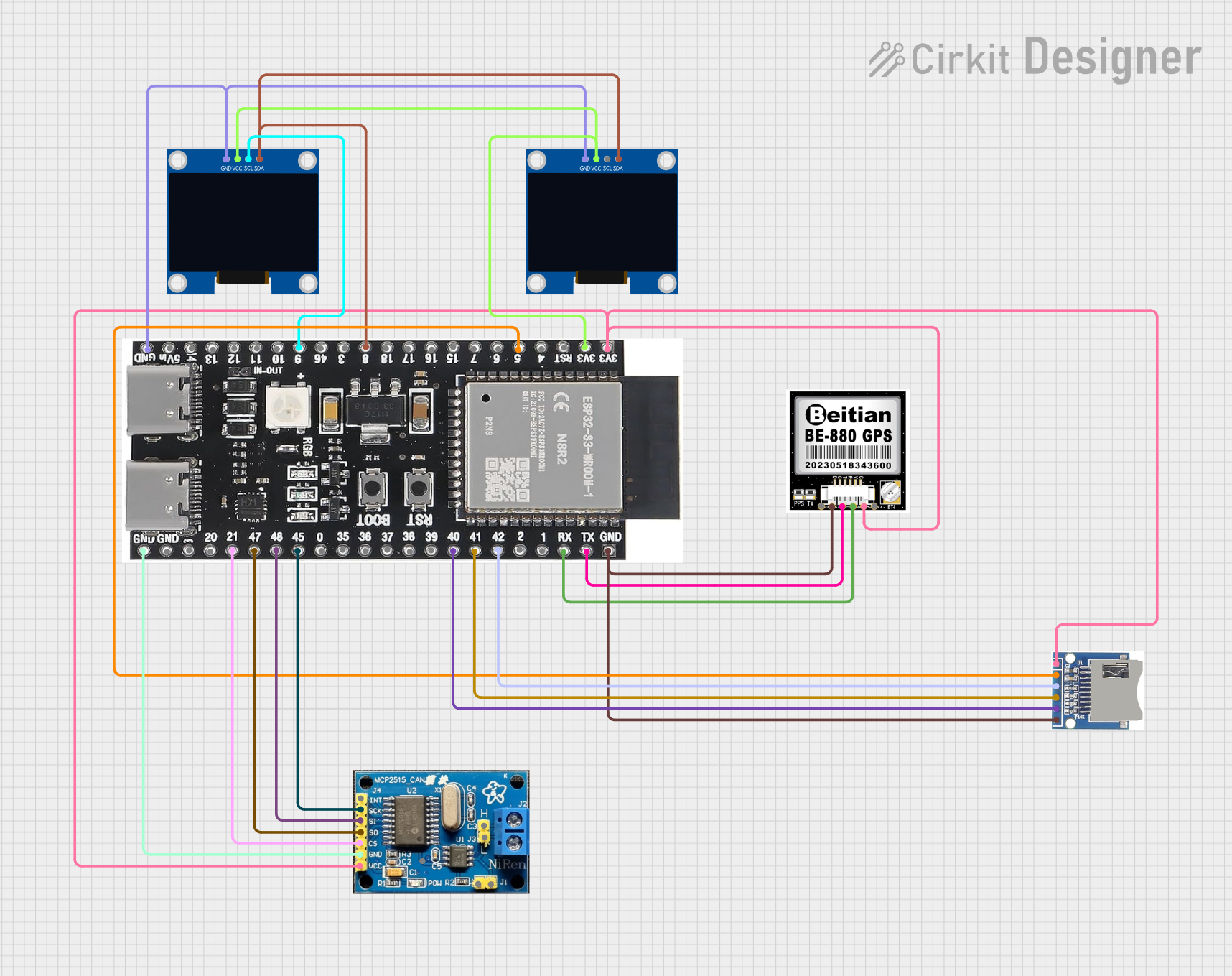
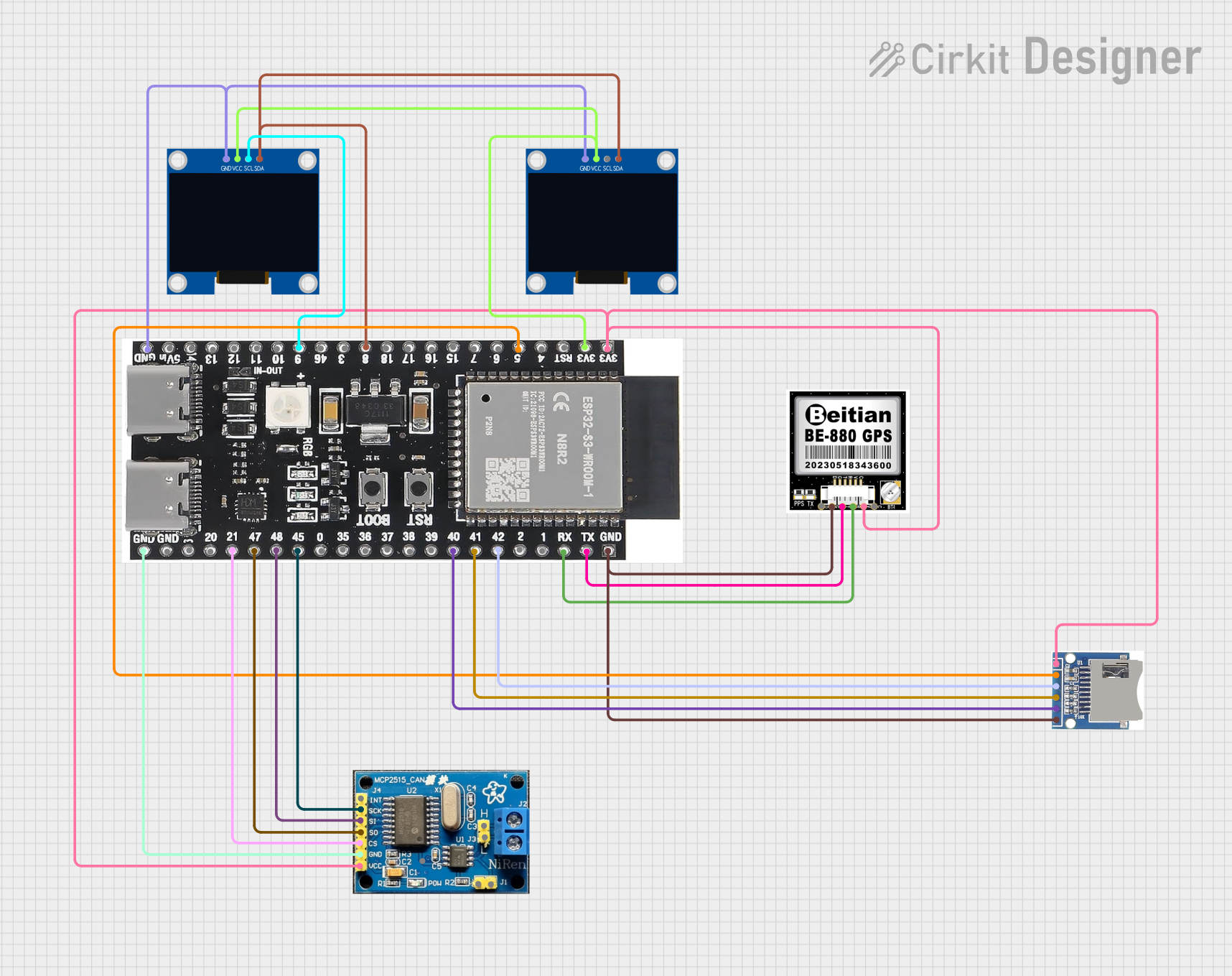
This circuit features an ESP32-S3 microcontroller interfaced with an SD card module, two OLED displays, a GPS module, and a CAN bus module. The ESP32-S3 records GPS data to the SD card, displays speed on one OLED, and shows wind speed from the CAN bus on the other OLED, providing a comprehensive data logging and display system.
This circuit features an ESP32-S3 microcontroller interfaced with an SD card, two OLED displays, a GPS module, and a CAN bus module. It records GPS data to the SD card every second, displays speed in knots on one OLED display, and shows wind speed from the CAN bus in NMEA 2000 format on the other OLED display.
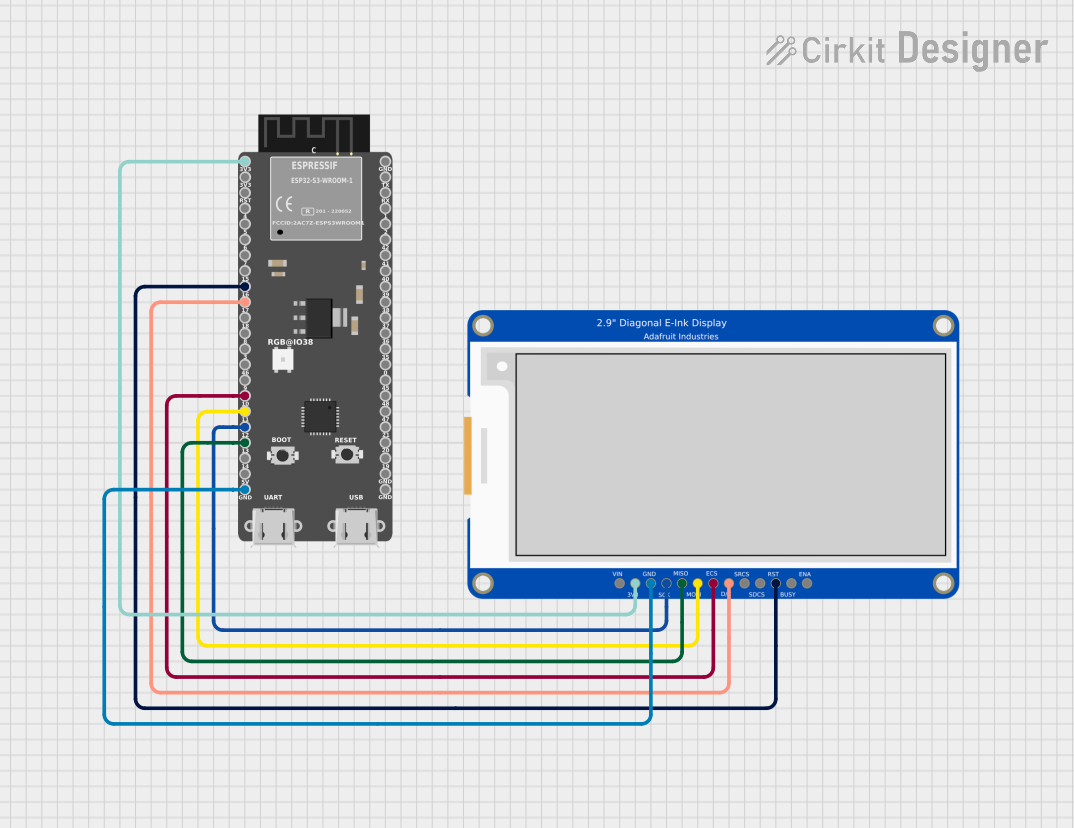
This circuit integrates an ESP32-S3 microcontroller with a 2.9" Tri-Color E-Ink display, enabling the microcontroller to control the display for rendering graphics and text. The ESP32-S3 communicates with the display using SPI protocol, allowing for dynamic visual output such as animations and text updates in red, black, and white.
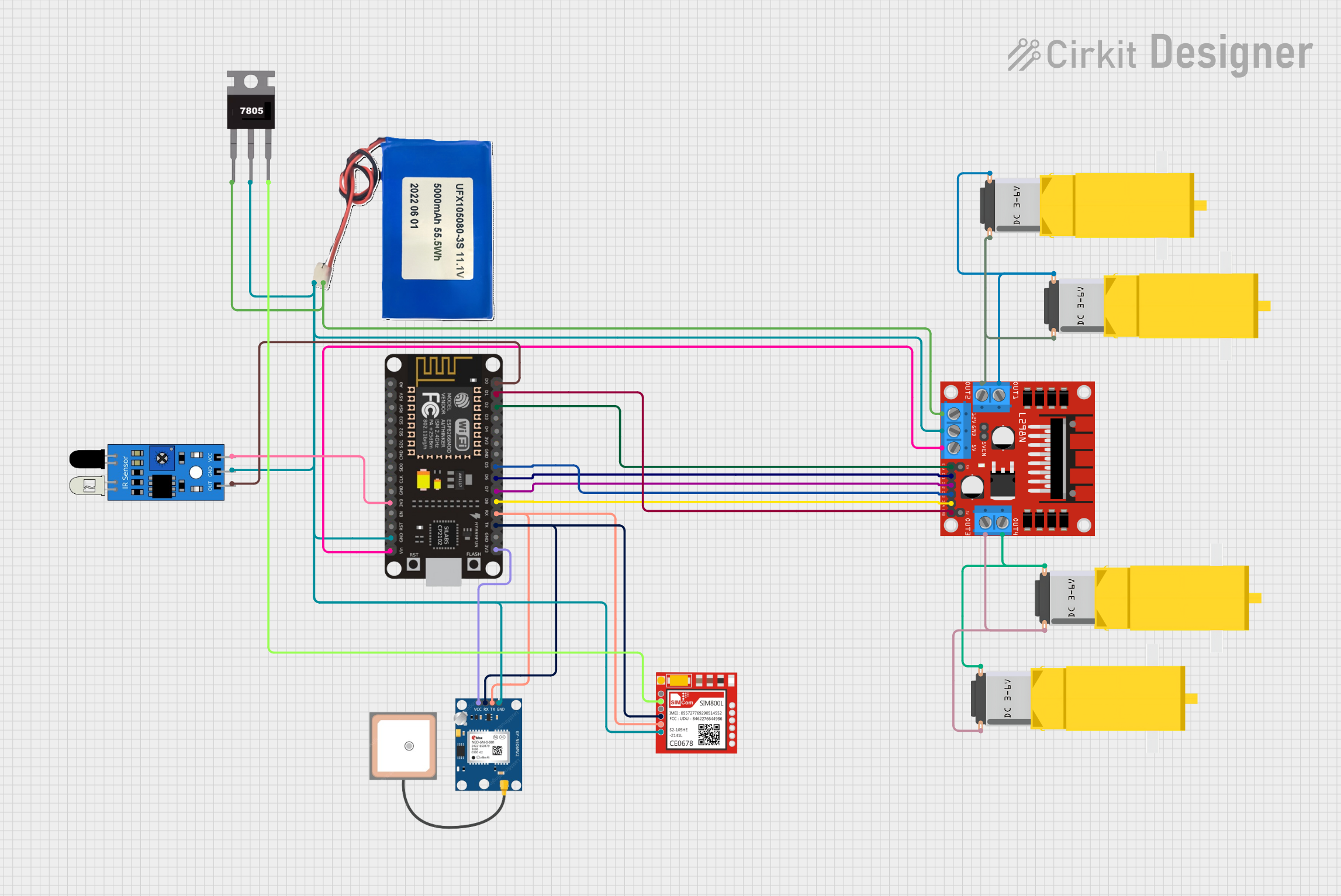
This circuit is designed for a 4-wheeled WiFi-controlled car with a basket, which uses an ESP8266 NodeMCU microcontroller for logic control. It features an IR sensor for basket full detection, a GPS module for location tracking, and a GSM module (Sim800l) for sending SMS notifications. The L298N motor driver controls four DC gearmotors for movement, and the system is powered by a Li-ion battery with a 7805 voltage regulator providing stable power to the GSM module.
Smart home devices (e.g., lighting, thermostats, and security systems)
Industrial automation and control systems
Wireless sensor networks
Remote monitoring and telemetry
Internet of Things (IoT) devices
Technical Specifications
The following table outlines the key technical specifications of the EBYTE E28-2G4M27SX module:
Parameter
Value
Operating Frequency
2.4GHz ISM band
Modulation Method
GFSK
Communication Distance
Up to 3,000 meters (line of sight)
Transmit Power
Up to 27dBm (adjustable)
Receiver Sensitivity
-102dBm
Operating Voltage
1.8V to 3.6V
Operating Current
15mA (transmit), 14mA (receive)
Sleep Current
< 1µA
Data Rate
1.2kbps to 2Mbps
Operating Temperature
-40°C to +85°C
Dimensions
16mm x 24mm x 2.2mm
Pin Configuration and Descriptions
The E28-2G4M27SX module has 16 pins, each with specific functions. The table below provides a detailed description of each pin:
Pin Number
Pin Name
Description
1
GND
Ground connection
2
VCC
Power supply input (1.8V to 3.6V)
3
TXD
UART transmit data
4
RXD
UART receive data
5
AUX
Status indicator (low during transmission/reception, high when idle)
6
SET
Configuration pin (used to enter setup mode)
7
NC
Not connected
8
NC
Not connected
9
NC
Not connected
10
NC
Not connected
11
NC
Not connected
12
NC
Not connected
13
NC
Not connected
14
NC
Not connected
15
NC
Not connected
16
ANT
Antenna interface (connect to external antenna for optimal performance)
Usage Instructions
How to Use the E28-2G4M27SX in a Circuit
Power Supply: Connect the VCC pin to a stable power source (1.8V to 3.6V) and the GND pin to ground.
UART Communication: Use the TXD and RXD pins to interface with a microcontroller or other UART-compatible devices.
Antenna Connection: Attach an external antenna to the ANT pin for optimal wireless performance.
Configuration: Use the SET pin to enter configuration mode for setting parameters such as baud rate, frequency, and transmit power.
Status Monitoring: Monitor the AUX pin to check the module's status (e.g., idle, transmitting, or receiving).
Important Considerations and Best Practices
Power Supply: Ensure a clean and stable power supply to avoid communication errors.
Antenna Placement: Position the antenna away from metal objects and other sources of interference for maximum range.
Configuration: Use the manufacturer's configuration software or AT commands to set the module's parameters.
UART Settings: Match the UART baud rate and other settings with the connected microcontroller or device.
Heat Dissipation: Avoid placing the module in enclosed spaces without proper ventilation, especially during high-power transmission.
Example: Connecting to an Arduino UNO
The E28-2G4M27SX can be easily interfaced with an Arduino UNO using its UART pins. Below is an example circuit and code to send and receive data:
Circuit Connections
E28-2G4M27SX Pin
Arduino UNO Pin
VCC
3.3V
GND
GND
TXD
Pin 2 (RX)
RXD
Pin 3 (TX)
AUX
Not connected
SET
Not connected
ANT
External antenna
Arduino Code
#include <SoftwareSerial.h>

// Define RX and TX pins for SoftwareSerial
SoftwareSerial E28Serial(2, 3); // RX = Pin 2, TX = Pin 3

void setup() {
  // Initialize serial communication with the module
  E28Serial.begin(9600); // Set baud rate to match the module's configuration
  Serial.begin(9600);    // For debugging via Serial Monitor

  Serial.println("E28-2G4M27SX Module Test");
}

void loop() {
  // Send data to the module
  E28Serial.println("Hello, EBYTE Module!");

  // Check if data is available from the module
  if (E28Serial.available()) {
    String receivedData = E28Serial.readString();
    Serial.print("Received: ");
    Serial.println(receivedData);
  }

  delay(1000); // Wait for 1 second before sending the next message
}
Troubleshooting and FAQs
Common Issues and Solutions
No Communication with the Module
Cause: Incorrect UART connections or mismatched baud rate.
Solution: Verify the TXD and RXD connections and ensure the baud rate matches the module's configuration.
Short Communication Range
Cause: Poor antenna placement or interference.
Solution: Ensure the antenna is properly connected and positioned away from interference sources.
Module Not Responding
Cause: Incorrect power supply or damaged module.
Solution: Check the power supply voltage and ensure it is within the specified range. Replace the module if necessary.
Configuration Issues
Cause: Incorrect use of the SET pin or configuration software.
Solution: Follow the manufacturer's instructions for entering configuration mode and setting parameters.
FAQs
Q: Can the module operate on 5V?
A: No, the module operates on a voltage range of 1.8V to 3.6V. Use a voltage regulator if your system operates at 5V.
Q: What is the maximum data rate supported?
A: The module supports data rates from 1.2kbps to 2Mbps.
Q: Is the module compatible with other 2.4GHz devices?
A: Yes, as long as the devices use the same communication protocol and frequency settings.
Q: How do I reset the module to factory settings?
A: Refer to the manufacturer's documentation for the specific AT command or procedure to reset the module.

 Open Project in Cirkit Designer