
How to Use POWERSUPPLY: Examples, Pinouts, and Specs
 Design with POWERSUPPLY in Cirkit Designer
Introduction
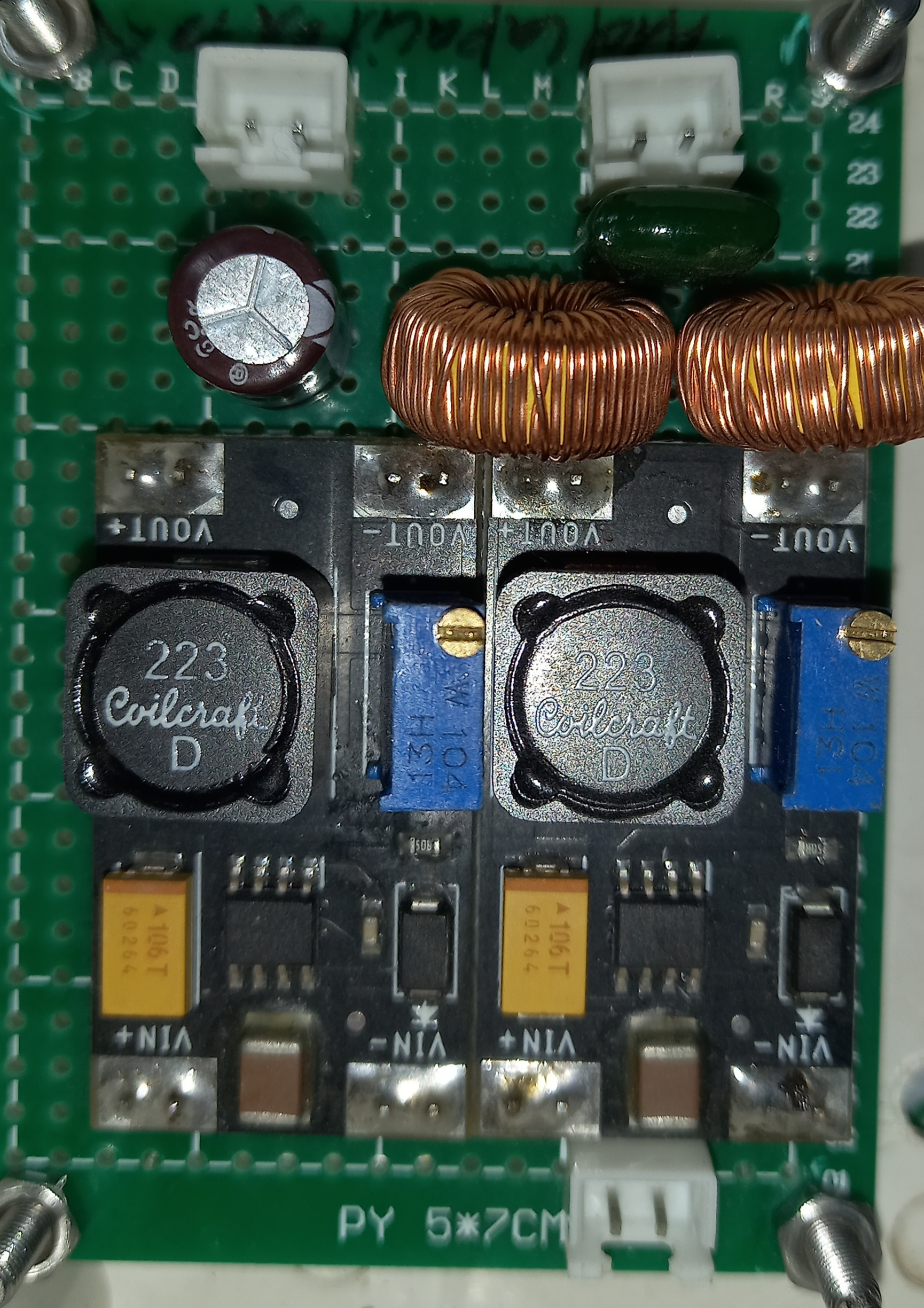
The POWERSUPPLY (Manufacturer: ME, Part ID: 2) is a versatile device designed to provide electrical energy to circuits. It converts AC or DC input voltage into the required voltage and current levels suitable for powering various electronic components and systems. This component is essential in ensuring stable and reliable operation of electronic devices by regulating and delivering the appropriate power.
Explore Projects Built with POWERSUPPLY
 Open Project in Cirkit Designer
 Open Project in Cirkit Designer
 Open Project in Cirkit Designer
 Open Project in Cirkit Designer
Explore Projects Built with POWERSUPPLY
Open Project in Cirkit DesignerOpen Project in Cirkit DesignerOpen Project in Cirkit DesignerOpen Project in Cirkit DesignerCommon Applications and Use Cases
- Powering microcontrollers, sensors, and actuators in embedded systems
- Supplying energy to industrial control systems
- Charging batteries and powering portable devices
- Providing stable voltage for laboratory testing and prototyping
- Supporting LED lighting systems and other low-voltage applications
Technical Specifications
Key Technical Details
| Parameter | Value |
|---|---|
| Input Voltage Range | 100-240V AC or 12-24V DC |
| Output Voltage Options | 3.3V, 5V, 12V DC (selectable) |
| Maximum Output Current | 2A |
| Efficiency | ≥85% |
| Ripple and Noise | ≤50mV |
| Operating Temperature | -10°C to 50°C |
| Dimensions | 50mm x 30mm x 20mm |
| Weight | 50g |
Pin Configuration and Descriptions
| Pin Number | Pin Name | Description |
|---|---|---|
| 1 | AC_IN_L | Live input for AC voltage (100-240V AC) |
| 2 | AC_IN_N | Neutral input for AC voltage |
| 3 | DC_IN+ | Positive terminal for DC input (12-24V DC) |
| 4 | DC_IN- | Negative terminal for DC input |
| 5 | VOUT+ | Positive terminal for regulated DC output |
| 6 | VOUT- | Negative terminal for regulated DC output |
| 7 | GND | Ground connection for safety and shielding |
| 8 | SEL_VOLT | Voltage selection pin (connect to GND for 3.3V, leave open |
| for 5V, or connect to VOUT+ for 12V) |
Usage Instructions
How to Use the POWERSUPPLY in a Circuit
- Input Connection:
- For AC input: Connect the live wire to
AC_IN_Land the neutral wire toAC_IN_N. - For DC input: Connect the positive terminal to
DC_IN+and the negative terminal toDC_IN-.
- For AC input: Connect the live wire to
- Output Connection:
- Connect the load's positive terminal to
VOUT+and the negative terminal toVOUT-.
- Connect the load's positive terminal to
- Voltage Selection:
- Use the
SEL_VOLTpin to select the desired output voltage:- Connect to
GNDfor 3.3V output. - Leave the pin unconnected for 5V output.
- Connect to
VOUT+for 12V output.
- Connect to
- Use the
- Grounding:
- Ensure the
GNDpin is properly connected to the circuit's ground for safety and noise reduction.
- Ensure the
Important Considerations and Best Practices
- Input Voltage: Ensure the input voltage matches the specified range (100-240V AC or 12-24V DC).
- Load Current: Do not exceed the maximum output current of 2A to avoid overheating or damage.
- Heat Dissipation: Provide adequate ventilation or heat sinking if the device operates near its maximum power rating.
- Polarity: Double-check the polarity of input and output connections to prevent damage to the component or the load.
- Voltage Selection: Verify the
SEL_VOLTpin configuration before powering the circuit to avoid incorrect voltage output.
Example: Using POWERSUPPLY with an Arduino UNO
To power an Arduino UNO with 5V using the POWERSUPPLY:
- Connect the
VOUT+pin to the Arduino's 5V pin. - Connect the
VOUT-pin to the Arduino's GND pin. - Leave the
SEL_VOLTpin unconnected to select the 5V output.
Sample Arduino Code
// Example code to blink an LED using Arduino UNO powered by POWERSUPPLY
const int ledPin = 13; // Built-in LED pin on Arduino UNO

void setup() {
  pinMode(ledPin, OUTPUT); // Set the LED pin as an output
}

void loop() {
  digitalWrite(ledPin, HIGH); // Turn the LED on
  delay(1000);               // Wait for 1 second
  digitalWrite(ledPin, LOW);  // Turn the LED off
  delay(1000);               // Wait for 1 second
}
Troubleshooting and FAQs
Common Issues and Solutions
No Output Voltage:
- Verify the input voltage is within the specified range.
- Check the
SEL_VOLTpin configuration for proper voltage selection. - Ensure all connections are secure and free of shorts.
Overheating:
- Ensure the load current does not exceed 2A.
- Provide adequate ventilation or heat sinking.
High Ripple or Noise:
- Check for proper grounding of the
GNDpin. - Use additional filtering capacitors at the output if necessary.
- Check for proper grounding of the
Incorrect Output Voltage:
- Double-check the
SEL_VOLTpin configuration. - Ensure there are no loose or incorrect connections.
- Double-check the
FAQs
Q: Can I use the POWERSUPPLY to charge a battery?
A: Yes, but ensure the battery's voltage and current requirements match the POWERSUPPLY's output specifications. Use a charge controller if necessary.
Q: What happens if I connect both AC and DC inputs simultaneously?
A: Do not connect both inputs simultaneously. Use either AC or DC input to avoid damage to the component.
Q: Can I use the POWERSUPPLY outdoors?
A: The POWERSUPPLY is not weatherproof. Use it in a dry, indoor environment or within a weatherproof enclosure.
Q: How do I know if the POWERSUPPLY is overloaded?
A: The device may shut down or overheat if overloaded. Reduce the load to within the specified 2A limit.