A 15V power supply is a device that converts electrical energy from a source, such as an AC mains outlet or a DC input, into a stable 15V DC output. It is commonly used to power electronic circuits, devices, and components that require a consistent 15V supply for proper operation. These power supplies are available in various forms, including linear regulators, switching power supplies, and bench power supplies.
Explore Projects Built with 15V Power Supply
Use Cirkit Designer to design, explore, and prototype these projects online. Some projects support real-time simulation. Click "Open Project" to start designing instantly!
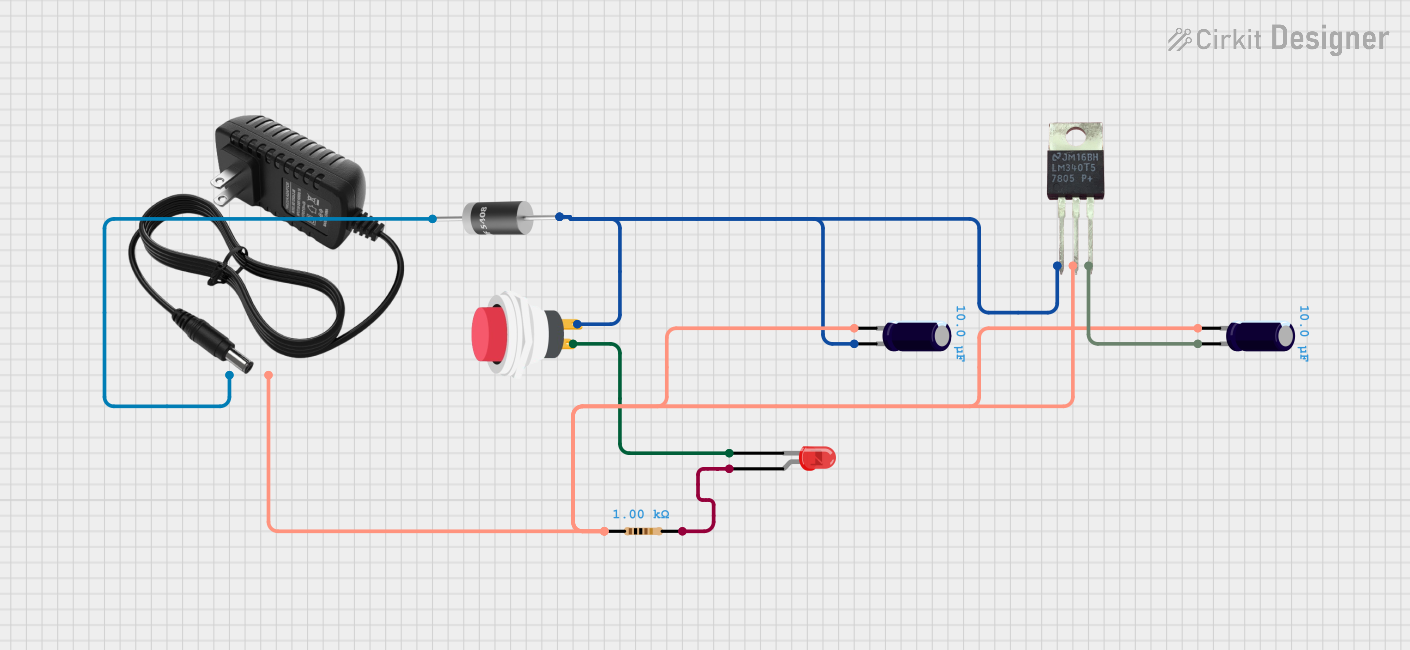
This circuit is a 12V to 5V regulated power supply with an LED indicator. It uses a 5408 diode for reverse polarity protection, an LM340T5 7805 voltage regulator to step down the voltage to 5V, and a push switch to control the LED indicator. The circuit also includes capacitors for filtering and a resistor to limit the current through the LED.
This is a variable DC power supply circuit that converts AC to a regulated DC output. It uses a transformer for stepping down the voltage, a bridge rectifier for converting AC to DC, and an LM317 voltage regulator with a potentiometer for adjustable output voltage. The circuit includes a voltmeter for displaying the output voltage and an LED as a power indicator.
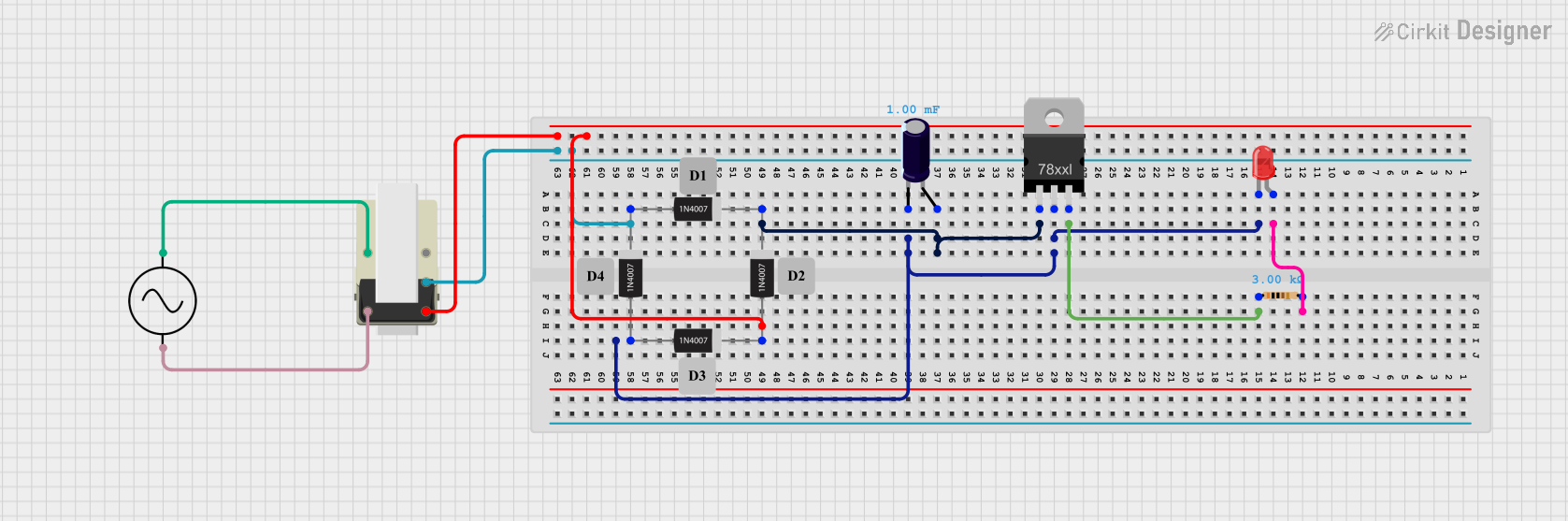
This circuit is a basic AC to DC power supply with voltage regulation. It includes a transformer to step down the AC voltage, a bridge rectifier made of 1N4007 diodes to convert AC to DC, an electrolytic capacitor for smoothing, and a voltage regulator to provide a stable DC output. An LED with a current-limiting resistor indicates the presence of the output voltage.
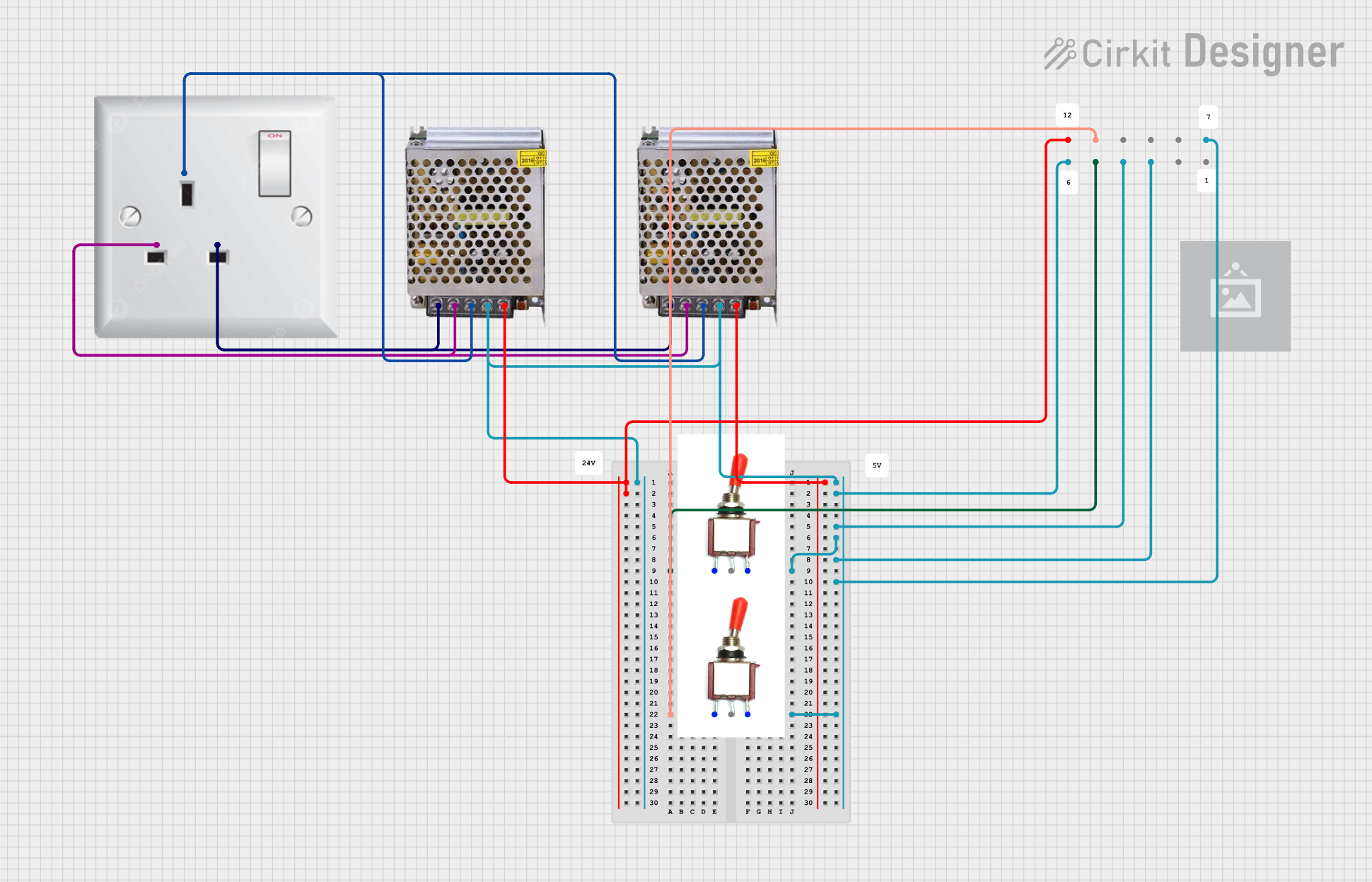
This circuit consists of two 5V 5A power supplies connected to an AC wall plug point, providing DC output through a 12-way connector. The ground connections from both power supplies are interconnected and also connected to the ground pins of two toggle switches. The DC outputs from the power supplies are separately connected to different pins on the 12-way connector, with each power supply output being switchable via one of the toggle switches.
Powering operational amplifiers, sensors, and other analog circuits.
Supplying voltage to microcontrollers and development boards (with proper regulation).
Driving small motors, relays, and actuators.
Laboratory and prototyping applications.
Industrial control systems and automation equipment.
Technical Specifications
Below are the key technical details for a typical 15V power supply. Specifications may vary depending on the specific model or manufacturer.
General Specifications
Parameter
Value
Output Voltage
15V DC
Input Voltage Range
100-240V AC (for AC models)
Output Current
1A to 5A (varies by model)
Power Rating
15W to 75W (varies by model)
Regulation Type
Linear or Switching
Efficiency
Up to 90% (switching models)
Ripple and Noise
<50mV (typical)
Operating Temperature
-10°C to 50°C
Protection Features
Overvoltage, Overcurrent,
Short Circuit Protection
Pin Configuration and Descriptions
For a typical 15V DC power supply with a barrel jack or terminal block output:
Barrel Jack Connector
Pin Name
Description
Center Pin
+15V DC (Positive Output)
Outer Ring
Ground (Negative Output)
Terminal Block Connector
Pin Name
Description
V+
+15V DC (Positive Output)
V-
Ground (Negative Output)
Usage Instructions
How to Use the 15V Power Supply in a Circuit
Verify Input Voltage: Ensure the input voltage matches the power supply's requirements (e.g., 100-240V AC for AC models or a specific DC input range for DC models).
Connect the Output:
For a barrel jack connector, plug the jack into the corresponding socket on your device.
For a terminal block, connect the V+ terminal to the positive input of your circuit and the V- terminal to the ground.
Power On: Switch on the power supply and verify the output voltage using a multimeter before connecting sensitive components.
Load Connection: Connect the power supply to your circuit or device, ensuring the load does not exceed the rated current.
Important Considerations and Best Practices
Check Polarity: Always verify the polarity of the connections to avoid damaging your circuit.
Avoid Overloading: Ensure the total current draw of your circuit does not exceed the power supply's maximum current rating.
Use Proper Heat Dissipation: For high-power applications, ensure adequate ventilation or cooling to prevent overheating.
Add Decoupling Capacitors: Place decoupling capacitors (e.g., 0.1µF and 10µF) near sensitive components to reduce noise and ripple.
Arduino UNO Example: If using the 15V power supply with an Arduino UNO, use a voltage regulator (e.g., LM7805) to step down the voltage to 5V.
Example: Using a 15V Power Supply with an Arduino UNO
/* Example code to blink an LED using Arduino UNO powered by a 15V power supply.
   Ensure a 15V-to-5V regulator (e.g., LM7805) is used to safely power the Arduino. */

int ledPin = 13; // Pin connected to the onboard LED

void setup() {
  pinMode(ledPin, OUTPUT); // Set the LED pin as an output
}

void loop() {
  digitalWrite(ledPin, HIGH); // Turn the LED on
  delay(1000);                // Wait for 1 second
  digitalWrite(ledPin, LOW);  // Turn the LED off
  delay(1000);                // Wait for 1 second
}
Troubleshooting and FAQs
Common Issues and Solutions
No Output Voltage
Cause: Input power is not connected or switched on.
Solution: Verify the input power source and ensure the power supply is turned on.
Output Voltage is Incorrect
Cause: Load exceeds the power supply's current rating or incorrect settings.
Solution: Reduce the load or check the power supply's configuration.
Overheating
Cause: Insufficient ventilation or excessive load.
Solution: Ensure proper airflow around the power supply and reduce the load if necessary.
Noise or Ripple in Output
Cause: Poor filtering or high-frequency interference.
Solution: Add decoupling capacitors near the load or use a higher-quality power supply.
FAQs
Q: Can I use a 15V power supply to power a 12V device?
A: It is not recommended unless the device explicitly supports a 15V input. Overvoltage can damage the device.
Q: How do I know if my power supply is linear or switching?
A: Check the manufacturer's specifications. Linear power supplies are typically larger and heavier, while switching power supplies are more compact and efficient.
Q: Can I connect multiple devices to a single 15V power supply?
A: Yes, as long as the total current draw of all devices does not exceed the power supply's maximum current rating.
Q: Is it safe to leave the power supply on for extended periods?
A: Yes, most 15V power supplies are designed for continuous operation. However, ensure proper ventilation to prevent overheating.


 Open Project in Cirkit Designer