The HLK-PM12 is a compact, highly efficient AC-DC power supply module designed to convert alternating current (AC) from the mains to a stable 12 Volt direct current (DC). This module is widely used in low power applications such as smart home devices, control systems, and IoT projects due to its small form factor and ease of integration into existing circuits.
Explore Projects Built with HLK-PM12
Use Cirkit Designer to design, explore, and prototype these projects online. Some projects support real-time simulation. Click "Open Project" to start designing instantly!
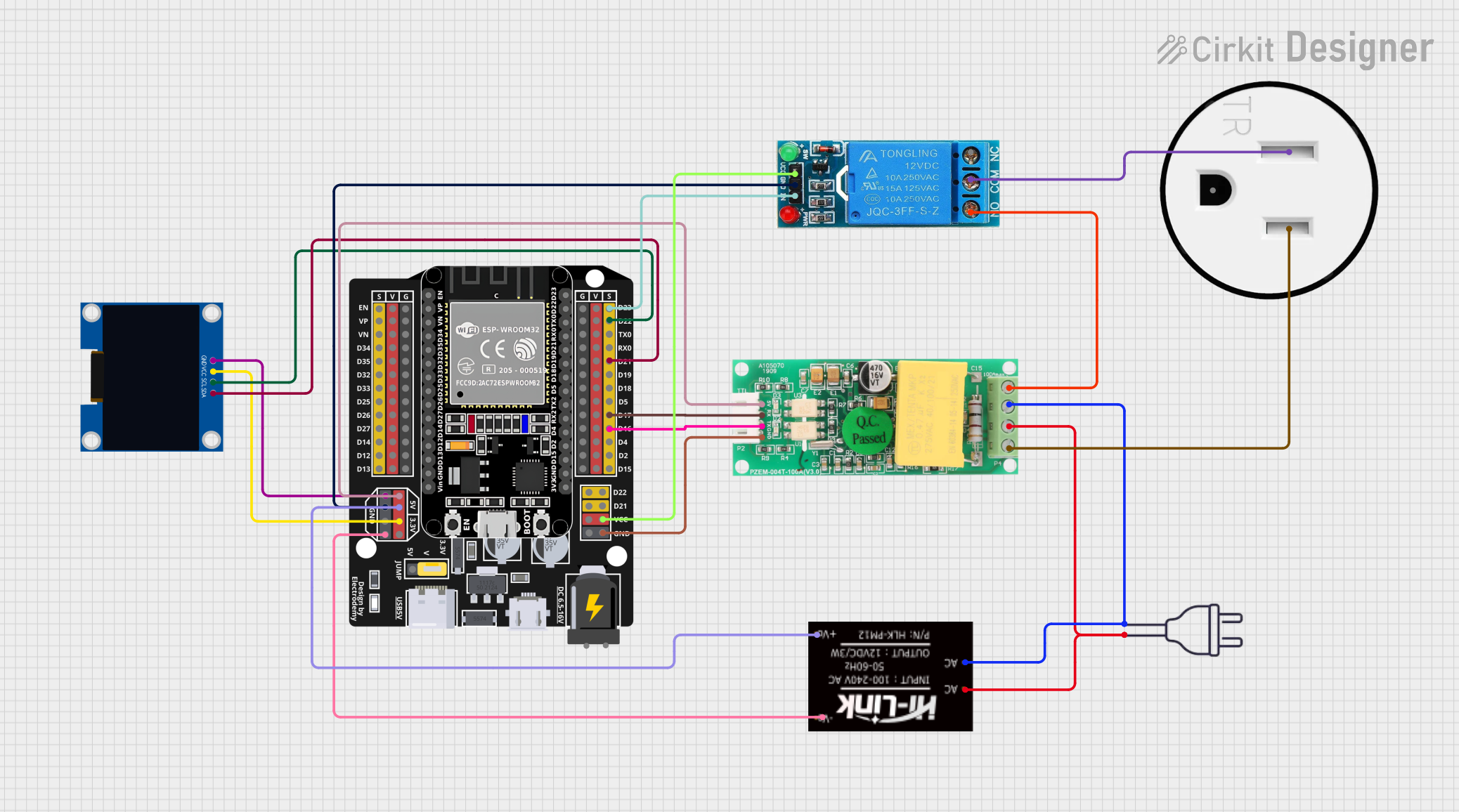
This circuit is designed to monitor and control a 120V AC outlet using an ESP32 microcontroller. It includes a PZEM004t module for measuring voltage, current, and power, and a 12V relay to switch the outlet on and off. An OLED display is used to show real-time data, and the HLK-PM12 module provides the necessary 5V and 3.3V power to the components.
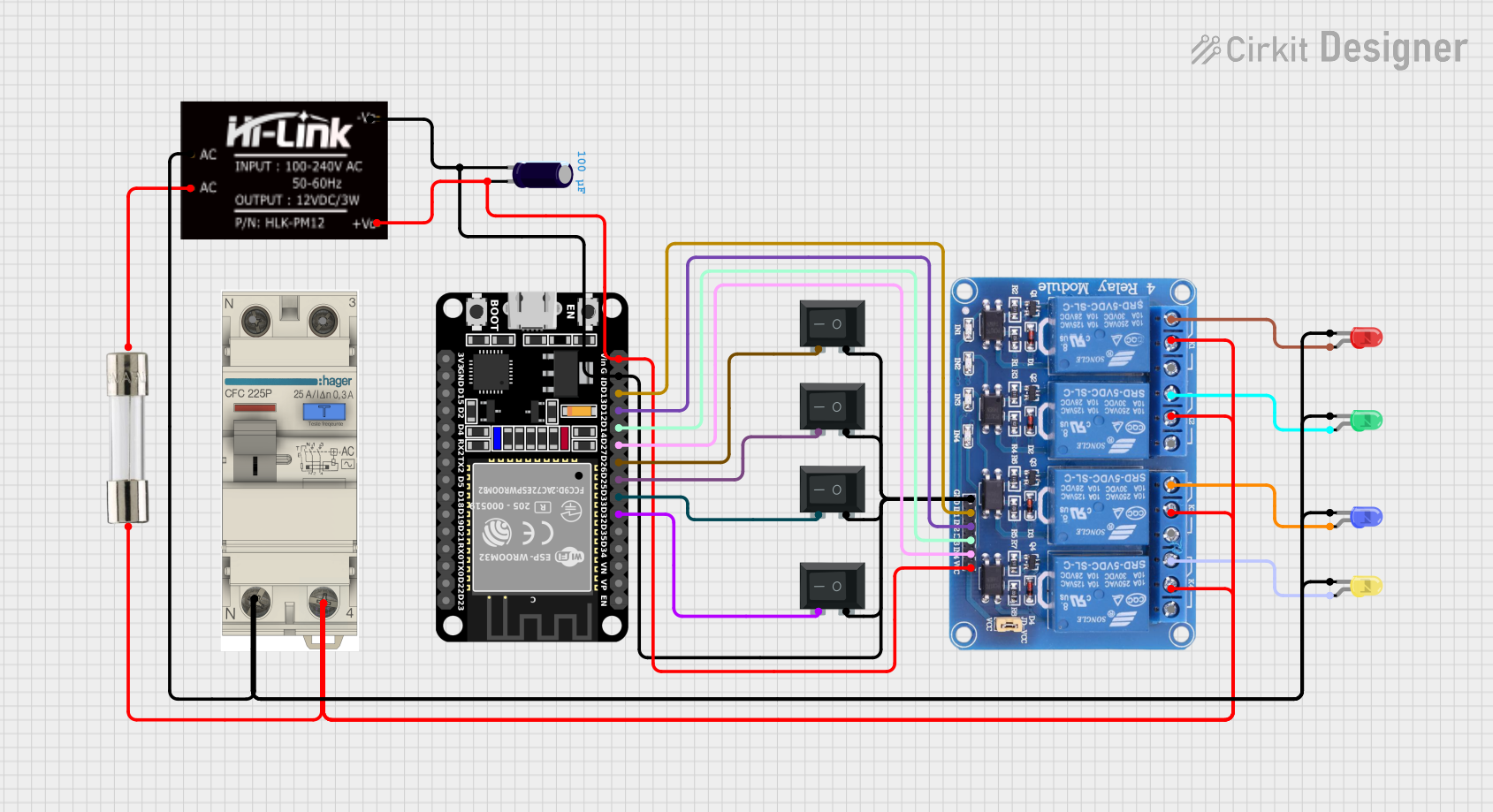
This circuit is a control system using an ESP32 microcontroller to manage a 4-channel relay module, which in turn controls various loads. The relays are activated by rocker switches and provide visual feedback through LEDs, while power is supplied and regulated by an HLK-PM12 module and protected by a fuse and circuit breaker.
This is a smart control system featuring an ESP32C3 Supermini microcontroller for interfacing with various sensors and actuators. It includes temperature and humidity sensing, RGB LED strip control, user input via a pushbutton and rotary encoder, and AC power control through a two-channel relay. The system is powered by an AC source converted to DC by the HLK-PM12 module.
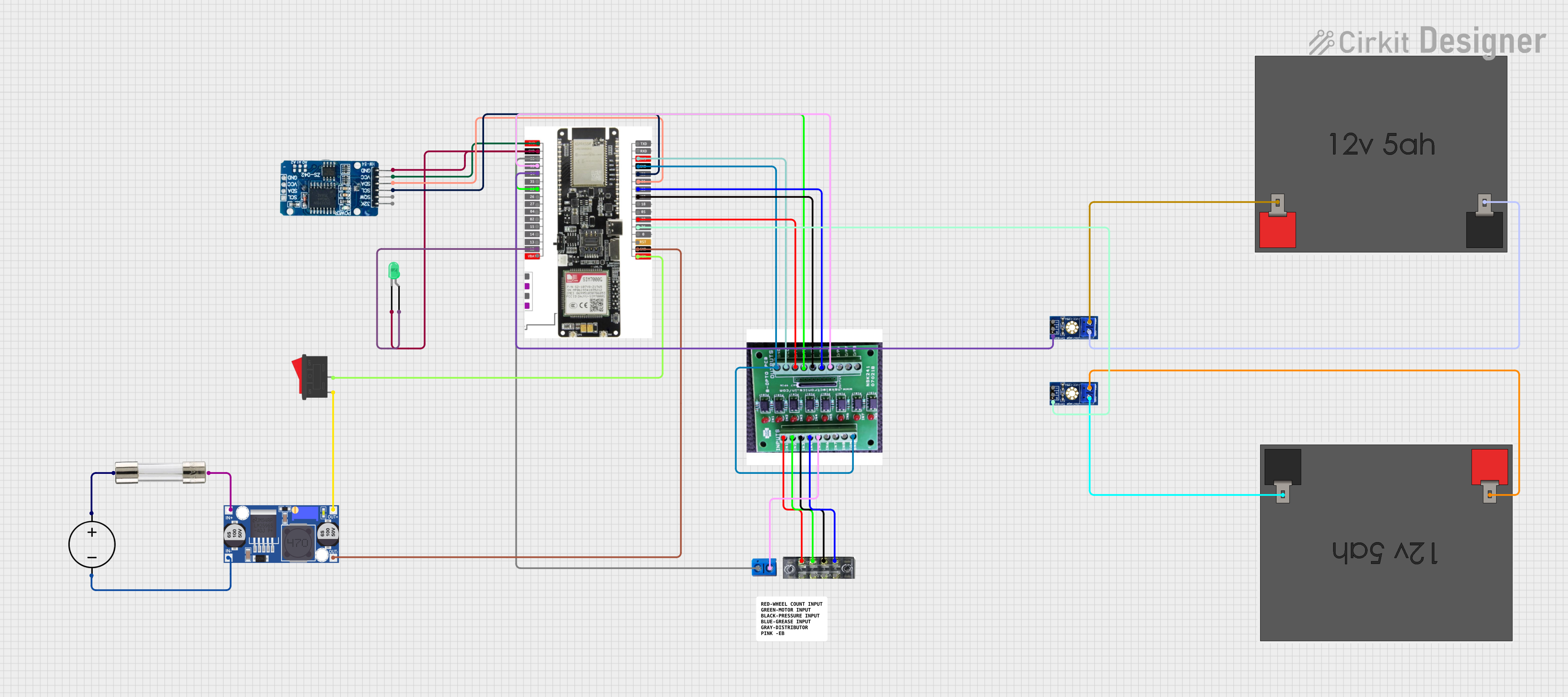
This circuit features a LilyGo-SIM7000G module for cellular communication and GPS functionality, interfaced with an RTC DS3231 for real-time clock capabilities. It includes voltage sensing through two voltage sensor modules, and uses an 8-channel opto-coupler for isolating different parts of the circuit. Power management is handled by a buck converter connected to a DC power source and batteries, with a fuse for protection and a rocker switch for on/off control. Additionally, there's an LED for indication purposes.
The HLK-PM12 module boasts the following technical specifications:
Parameter
Specification
Input Voltage
100 - 240V AC
Output Voltage
12V DC
Output Current
Up to 3A
Power Rating
36W
Efficiency
>87%
Operating Temp.
-20°C to +60°C
Humidity
5% to 95% Non-condensing
Isolation Voltage
3000V AC
Dimensions
34 x 20 x 15mm
Pin Configuration and Descriptions
Pin Number
Name
Description
1
L
AC Live Input
2
N
AC Neutral Input
3
-V
DC Output Negative (Ground)
4
+V
DC Output Positive
Usage Instructions
Integration into a Circuit
AC Input Connection: Connect the AC live wire to pin 1 (L) and the neutral wire to pin 2 (N). Ensure that the connections are secure and insulated to prevent electrical hazards.
DC Output Connection: Connect the positive lead of your device or circuit to pin 4 (+V) and the negative lead to pin 3 (-V).
Mounting: Secure the HLK-PM12 module onto a PCB or within an enclosure, ensuring adequate ventilation for heat dissipation.
Important Considerations and Best Practices
Always verify the mains voltage compatibility before connecting the module.
Ensure that the total load does not exceed the module's maximum output current of 3A.
Avoid placing the module in environments with extreme temperatures or high humidity.
Isolate the AC side from the DC side to prevent electrical shock or damage to the connected devices.
Use a fuse on the AC input for additional safety.
Troubleshooting and FAQs
Common Issues
No Output Voltage: Check AC input connections and verify that the mains supply is within the specified range.
Overheating: Ensure the module is not overloaded and that there is adequate ventilation.
Output Voltage Fluctuations: Verify that the load does not exceed the module's capacity and check for loose connections.
Solutions and Tips
If the module overheats, disconnect it immediately and check the load conditions.
Use a multimeter to check the output voltage and ensure it is stable at 12V DC.
Consider adding a heat sink or additional cooling if the module is operating near its maximum power rating for extended periods.
FAQs
Q: Can I use the HLK-PM12 outdoors?
A: The HLK-PM12 is not waterproof and should be housed in a suitable enclosure if used outdoors.
Q: Is it necessary to use a fuse with the HLK-PM12?
A: Yes, it is recommended to use a fuse on the AC input for safety purposes.
Q: Can I adjust the output voltage of the HLK-PM12?
A: No, the output voltage is fixed at 12V DC.
Example Arduino UNO Connection
// No specific code is required for the HLK-PM12 as it is a power supply module.
// However, below is an example of how to power an Arduino UNO using the HLK-PM12.

// Connect the HLK-PM12 module to the Arduino UNO as follows:
// HLK-PM12 +V pin to Arduino UNO Vin pin
// HLK-PM12 -V pin to Arduino UNO GND pin

void setup() {
  // Initialize digital pin LED_BUILTIN as an output.
  pinMode(LED_BUILTIN, OUTPUT);
}

void loop() {
  // Turn the LED on (HIGH is the voltage level)
  digitalWrite(LED_BUILTIN, HIGH);
  // Wait for a second
  delay(1000);
  // Turn the LED off by making the voltage LOW
  digitalWrite(LED_BUILTIN, LOW);
   // Wait for a second
  delay(1000);
}
Note: When using the HLK-PM12 to power an Arduino UNO, ensure that the input voltage does not exceed the recommended Vin range for the Arduino UNO (6-20V). The HLK-PM12's 12V output is within this range and is suitable for powering the board.


 Open Project in Cirkit Designer