
How to Use Steaker: Examples, Pinouts, and Specs
 Design with Steaker in Cirkit Designer
Introduction
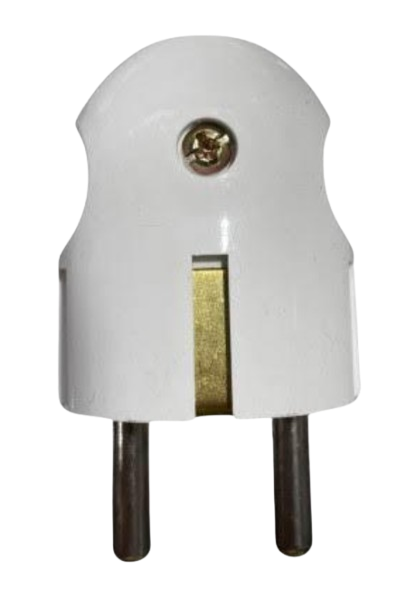
The Steaker (Manufacturer: SMKN1KRAS, Part ID: A) is a versatile device designed for use in electronic circuits to connect or disconnect components. It is commonly employed in testing, maintenance, and prototyping applications, where temporary or controlled connections are required. The Steaker simplifies circuit debugging and allows for quick modifications without the need for soldering or permanent connections.
Explore Projects Built with Steaker
 Open Project in Cirkit Designer
 Open Project in Cirkit Designer
 Open Project in Cirkit Designer
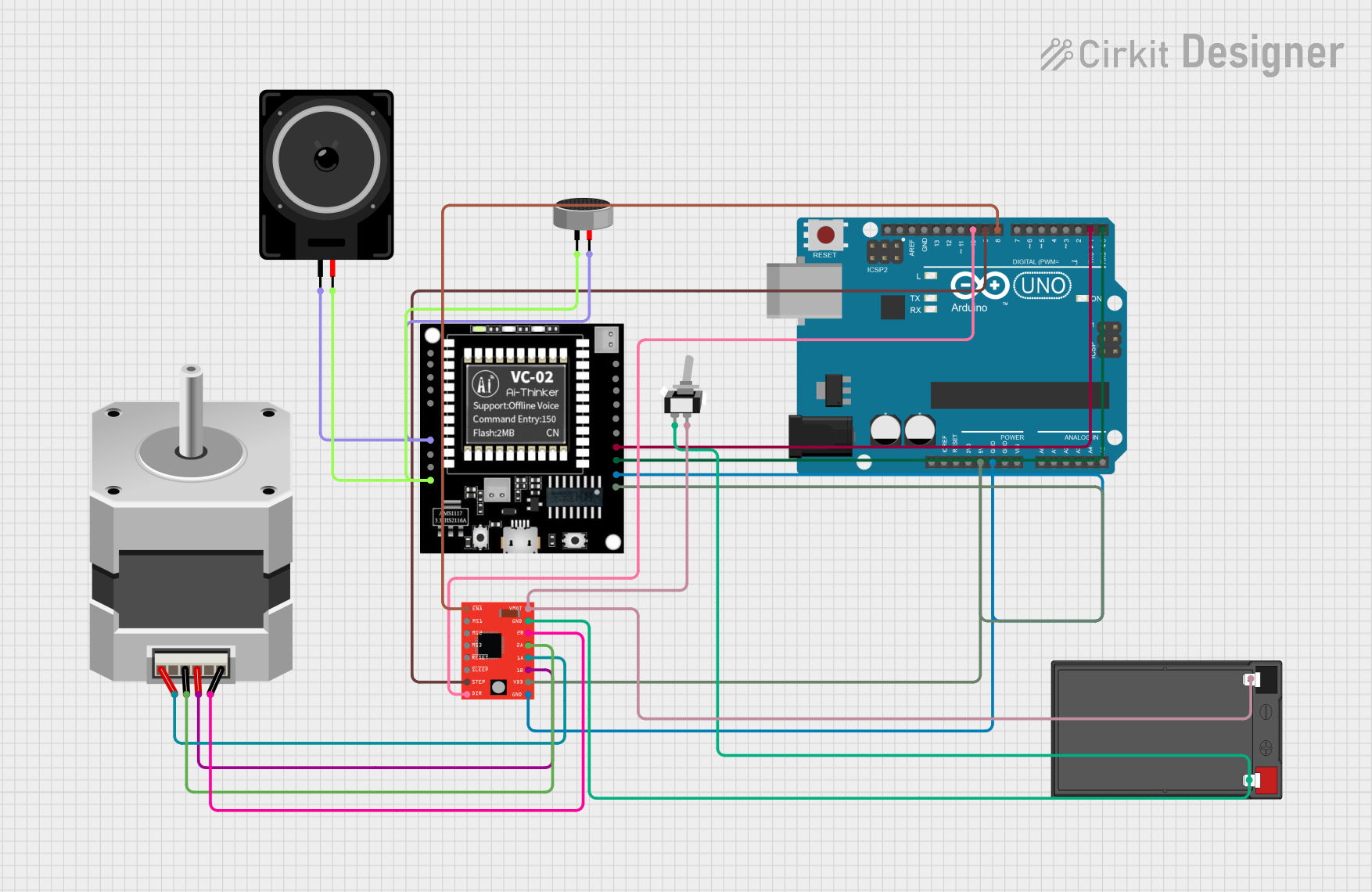 Open Project in Cirkit Designer
Explore Projects Built with Steaker
Open Project in Cirkit DesignerOpen Project in Cirkit DesignerOpen Project in Cirkit DesignerOpen Project in Cirkit DesignerCommon Applications and Use Cases
- Circuit testing and debugging
- Prototyping and temporary circuit modifications
- Maintenance and repair of electronic systems
- Isolation of specific components for troubleshooting
- Educational purposes in electronics labs
Technical Specifications
The Steaker is designed to handle a wide range of electronic applications. Below are its key technical specifications:
| Parameter | Value |
|---|---|
| Operating Voltage | 0–50V DC |
| Maximum Current Rating | 5A |
| Contact Resistance | ≤ 50 mΩ |
| Insulation Resistance | ≥ 100 MΩ |
| Operating Temperature | -20°C to +70°C |
| Dimensions | 25mm x 10mm x 5mm |
| Material | High-grade conductive alloy |
| Lifespan | 10,000 connection cycles |
Pin Configuration and Descriptions
The Steaker typically features two pins or terminals for connection. Below is the pin configuration:
| Pin | Name | Description |
|---|---|---|
| 1 | Input Terminal | Connects to the input side of the circuit or component to be tested or isolated. |
| 2 | Output Terminal | Connects to the output side of the circuit or component. |
Usage Instructions
How to Use the Steaker in a Circuit
- Identify the Connection Points: Determine the points in the circuit where the Steaker will be inserted.
- Connect the Terminals:
- Attach the Input Terminal to the circuit's input side.
- Attach the Output Terminal to the circuit's output side.
- Engage or Disengage: Use the Steaker's mechanism (e.g., a switch or lever) to connect or disconnect the circuit as needed.
- Test the Circuit: Perform your testing or maintenance tasks while the Steaker is in place.
Important Considerations and Best Practices
- Voltage and Current Ratings: Ensure the Steaker is used within its specified voltage and current limits to avoid damage.
- Secure Connections: Make sure the terminals are securely connected to prevent accidental disconnections.
- Avoid Overheating: Prolonged use at high currents may cause the Steaker to heat up. Allow it to cool if necessary.
- Clean Contacts: Periodically clean the terminals to maintain low contact resistance and reliable performance.
- Use in Low-Noise Environments: For sensitive circuits, ensure the Steaker does not introduce electrical noise.
Example: Using the Steaker with an Arduino UNO
The Steaker can be used to isolate or connect components in an Arduino-based project. Below is an example of using the Steaker to control an LED circuit:
Circuit Setup
- Connect the Steaker's Input Terminal to pin 13 of the Arduino UNO.
- Connect the Steaker's Output Terminal to the positive leg of the LED.
- Complete the circuit by connecting the LED's negative leg to a resistor, and then to the Arduino's GND.
Arduino Code
// Example code to control an LED using a Steaker
// Ensure the Steaker is properly connected to the circuit

const int ledPin = 13; // Pin connected to the Steaker's input terminal

void setup() {
  pinMode(ledPin, OUTPUT); // Set pin 13 as an output
}

void loop() {
  digitalWrite(ledPin, HIGH); // Turn the LED on
  delay(1000);                // Wait for 1 second
  digitalWrite(ledPin, LOW);  // Turn the LED off
  delay(1000);                // Wait for 1 second
}
Troubleshooting and FAQs
Common Issues and Solutions
Issue: The Steaker does not establish a connection.
- Solution: Check that the terminals are securely connected and free of dirt or corrosion. Ensure the Steaker's mechanism is functioning properly.
Issue: High resistance in the circuit.
- Solution: Clean the Steaker's terminals to reduce contact resistance. Verify that the connections are tight.
Issue: Overheating during use.
- Solution: Ensure the current passing through the Steaker does not exceed its 5A rating. Allow the device to cool if it becomes too hot.
Issue: Intermittent connections.
- Solution: Inspect the Steaker for wear or damage. Replace the device if it has exceeded its lifespan of 10,000 cycles.
FAQs
Q: Can the Steaker be used with AC circuits?
A: The Steaker is primarily designed for DC circuits. For AC applications, ensure the voltage and current ratings are not exceeded.Q: How do I clean the Steaker's terminals?
A: Use a soft cloth or a small amount of isopropyl alcohol to clean the terminals. Avoid abrasive materials that could damage the surface.Q: Is the Steaker suitable for high-frequency circuits?
A: The Steaker is best suited for low-frequency or DC applications. For high-frequency circuits, consider components specifically designed for such use.Q: Can I use multiple Steakers in a single circuit?
A: Yes, multiple Steakers can be used as long as each is within its specified ratings and properly connected.
This documentation provides all the necessary details to effectively use and troubleshoot the Steaker in various electronic applications.