
How to Use clavier mécanique 16t: Examples, Pinouts, and Specs
 Design with clavier mécanique 16t in Cirkit Designer
Introduction
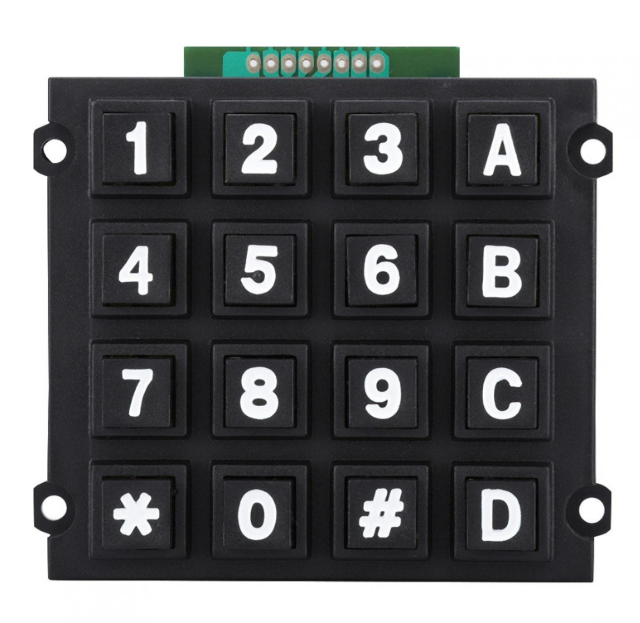
The Clavier Mécanique 16T is a 16-key mechanical keyboard designed to provide tactile feedback and exceptional durability. Each key is equipped with a mechanical switch, ensuring a satisfying typing or gaming experience. This component is ideal for applications requiring precise input, such as gaming setups, custom control panels, and DIY electronics projects. Its robust design and long lifespan make it a reliable choice for both hobbyists and professionals.
Explore Projects Built with clavier mécanique 16t
 Open Project in Cirkit Designer
 Open Project in Cirkit Designer
 Open Project in Cirkit Designer
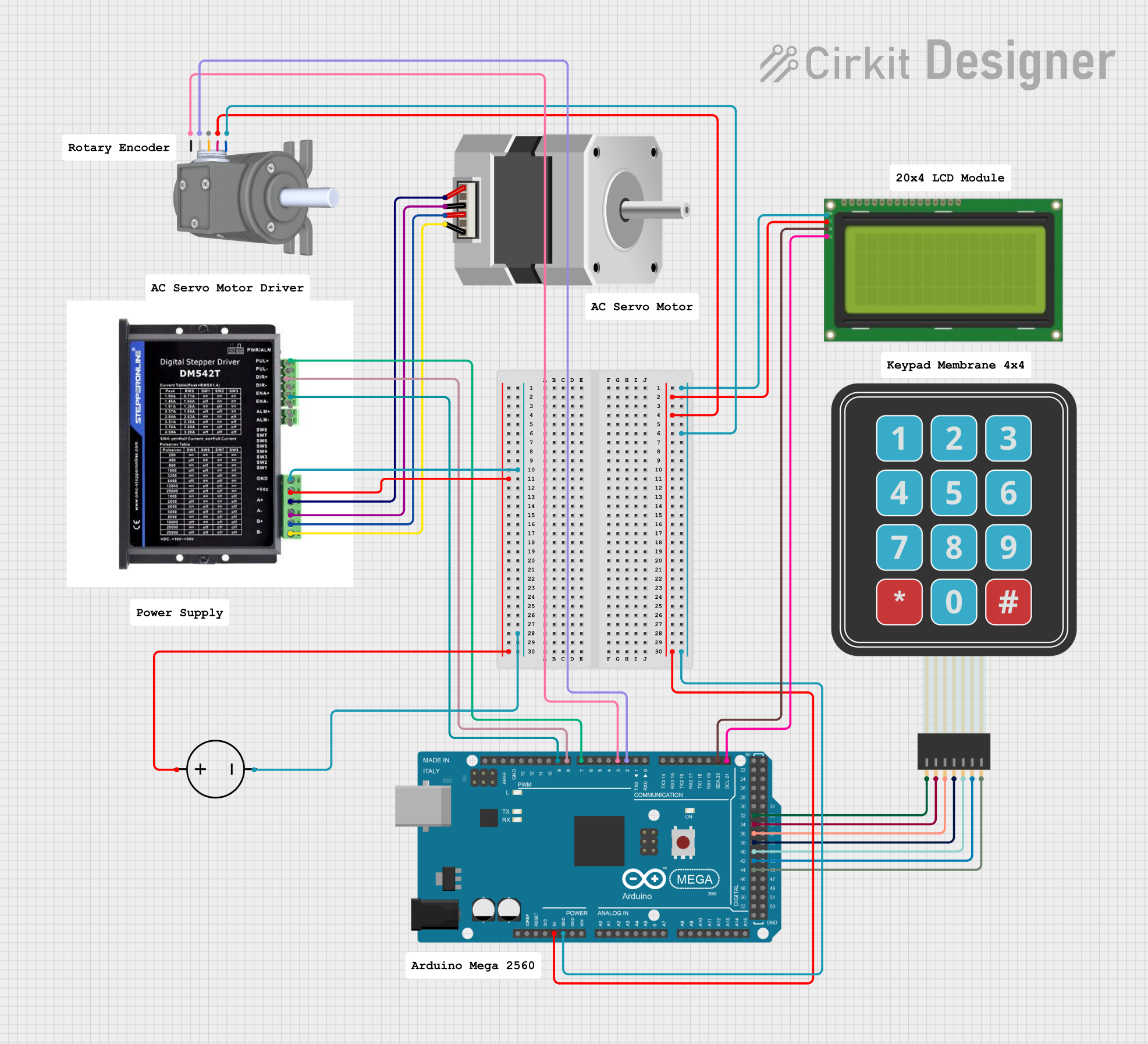 Open Project in Cirkit Designer
Explore Projects Built with clavier mécanique 16t
Open Project in Cirkit DesignerOpen Project in Cirkit DesignerOpen Project in Cirkit DesignerOpen Project in Cirkit DesignerCommon Applications:
- Gaming keyboards and custom gaming rigs
- DIY control panels for robotics or industrial systems
- Typing devices for enhanced tactile feedback
- Prototyping input systems for microcontrollers (e.g., Arduino)
Technical Specifications
Below are the key technical details of the Clavier Mécanique 16T:
| Parameter | Value |
|---|---|
| Number of Keys | 16 |
| Switch Type | Mechanical (Tactile Feedback) |
| Operating Voltage | 3.3V - 5V |
| Maximum Current | 50mA per key |
| Key Lifespan | 50 million presses per key |
| Dimensions | 4x4 grid, 60mm x 60mm |
| Interface | Matrix (4 rows x 4 columns) |
| Mounting Type | PCB Mount or Panel Mount |
Pin Configuration
The Clavier Mécanique 16T uses a 4x4 matrix configuration, requiring 8 pins for operation. Below is the pinout:
| Pin | Description |
|---|---|
| R1 | Row 1 |
| R2 | Row 2 |
| R3 | Row 3 |
| R4 | Row 4 |
| C1 | Column 1 |
| C2 | Column 2 |
| C3 | Column 3 |
| C4 | Column 4 |
Usage Instructions
How to Use the Clavier Mécanique 16T in a Circuit
- Connect the Matrix Pins:
- Connect the 4 row pins (R1-R4) and 4 column pins (C1-C4) to the GPIO pins of your microcontroller.
- Use pull-up or pull-down resistors as required by your microcontroller's input configuration.
- Scan the Matrix:
- Implement a scanning algorithm to detect key presses. This involves activating one row at a time and checking which column(s) register a connection.
- Debounce the Keys:
- Mechanical switches may produce noise or "bouncing" when pressed. Use software debouncing techniques to ensure accurate key detection.
- Power Requirements:
- Ensure the keyboard is powered within its operating voltage range (3.3V - 5V). Exceeding this range may damage the switches.
Example: Connecting to an Arduino UNO
Below is an example of how to connect and program the Clavier Mécanique 16T with an Arduino UNO:
Circuit Connections:
- Connect R1-R4 to Arduino digital pins 2, 3, 4, and 5.
- Connect C1-C4 to Arduino digital pins 6, 7, 8, and 9.
- Use 10kΩ pull-down resistors on the column pins (C1-C4).
Arduino Code:
// Arduino code to read a 4x4 mechanical keyboard matrix
// Ensure proper debouncing and matrix scanning

const int rows[4] = {2, 3, 4, 5}; // Row pins
const int cols[4] = {6, 7, 8, 9}; // Column pins

void setup() {
  // Initialize row pins as outputs
  for (int i = 0; i < 4; i++) {
    pinMode(rows[i], OUTPUT);
    digitalWrite(rows[i], HIGH); // Set rows to HIGH initially
  }

  // Initialize column pins as inputs with pull-up resistors
  for (int i = 0; i < 4; i++) {
    pinMode(cols[i], INPUT_PULLUP);
  }

  Serial.begin(9600); // Start serial communication for debugging
}

void loop() {
  for (int row = 0; row < 4; row++) {
    // Activate the current row
    digitalWrite(rows[row], LOW);

    // Check each column for a key press
    for (int col = 0; col < 4; col++) {
      if (digitalRead(cols[col]) == LOW) {
        // Key press detected
        Serial.print("Key Pressed: Row ");
        Serial.print(row + 1);
        Serial.print(", Column ");
        Serial.println(col + 1);

        delay(200); // Debounce delay
      }
    }

    // Deactivate the current row
    digitalWrite(rows[row], HIGH);
  }
}
Best Practices:
- Use a stable power supply to avoid voltage fluctuations.
- Avoid pressing multiple keys simultaneously unless your software supports "n-key rollover."
- Regularly clean the keyboard to prevent dust or debris from affecting performance.
Troubleshooting and FAQs
Common Issues and Solutions:
Keys Not Responding:
- Check the wiring connections between the keyboard and the microcontroller.
- Ensure the microcontroller pins are correctly configured as inputs/outputs.
- Verify the power supply voltage is within the specified range (3.3V - 5V).
Multiple Keys Detected Simultaneously:
- This may be caused by "ghosting." Implement anti-ghosting techniques in your software.
- Use diodes in the matrix to prevent unintended key activations.
Debouncing Issues:
- If key presses are detected multiple times, increase the debounce delay in your code.
No Serial Output:
- Ensure the Arduino is properly connected to your computer.
- Verify the correct COM port and baud rate (9600) in the Arduino IDE.
FAQs:
Q: Can I use the Clavier Mécanique 16T with a Raspberry Pi?
A: Yes, the keyboard can be used with a Raspberry Pi. Use GPIO pins and implement a matrix scanning algorithm in Python.
Q: How do I clean the keyboard?
A: Use compressed air to remove dust. For deeper cleaning, carefully disassemble the keyboard and clean the switches with isopropyl alcohol.
Q: Can I replace the mechanical switches?
A: Yes, the switches are replaceable. Ensure the replacement switches are compatible with the PCB and mounting type.
Q: Does it support RGB lighting?
A: The Clavier Mécanique 16T does not include built-in RGB lighting. However, you can add external LEDs for custom lighting effects.