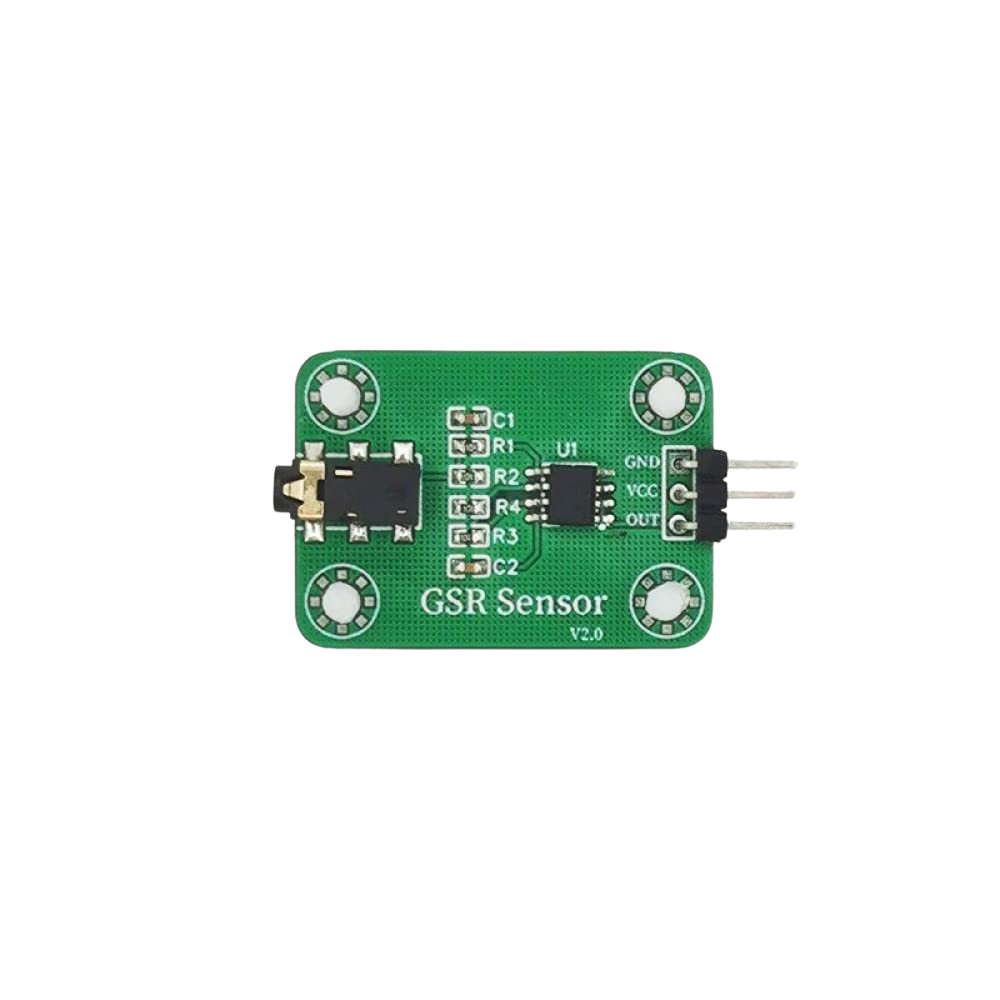
The GSR (Galvanic Skin Response) sensor is an electronic component that measures the electrical conductance of the skin, which varies with its moisture level. This variation is often a result of psychological or physiological arousal, making the GSR sensor a valuable tool in psychological studies, lie detection, and even for biofeedback purposes in mindfulness and stress management applications.
Explore Projects Built with GSR SENSOR
Use Cirkit Designer to design, explore, and prototype these projects online. Some projects support real-time simulation. Click "Open Project" to start designing instantly!
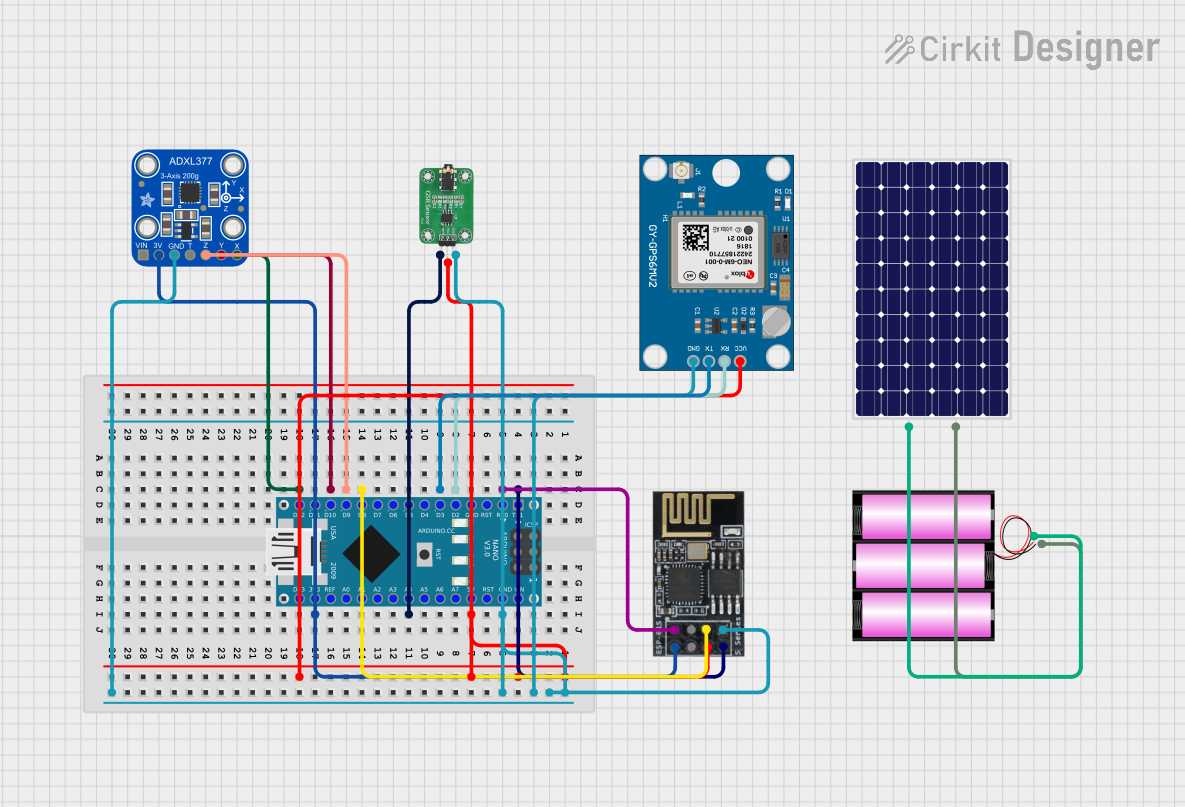
This circuit is a sensor-based data acquisition system using an Arduino Nano, which collects data from a GSR sensor, an ADXL377 accelerometer, and a Neo 6M GPS module. The collected data is then transmitted via a WiFi module (ESP8266-01) for remote monitoring. The system is powered by a 12V battery, which is charged by a solar panel.
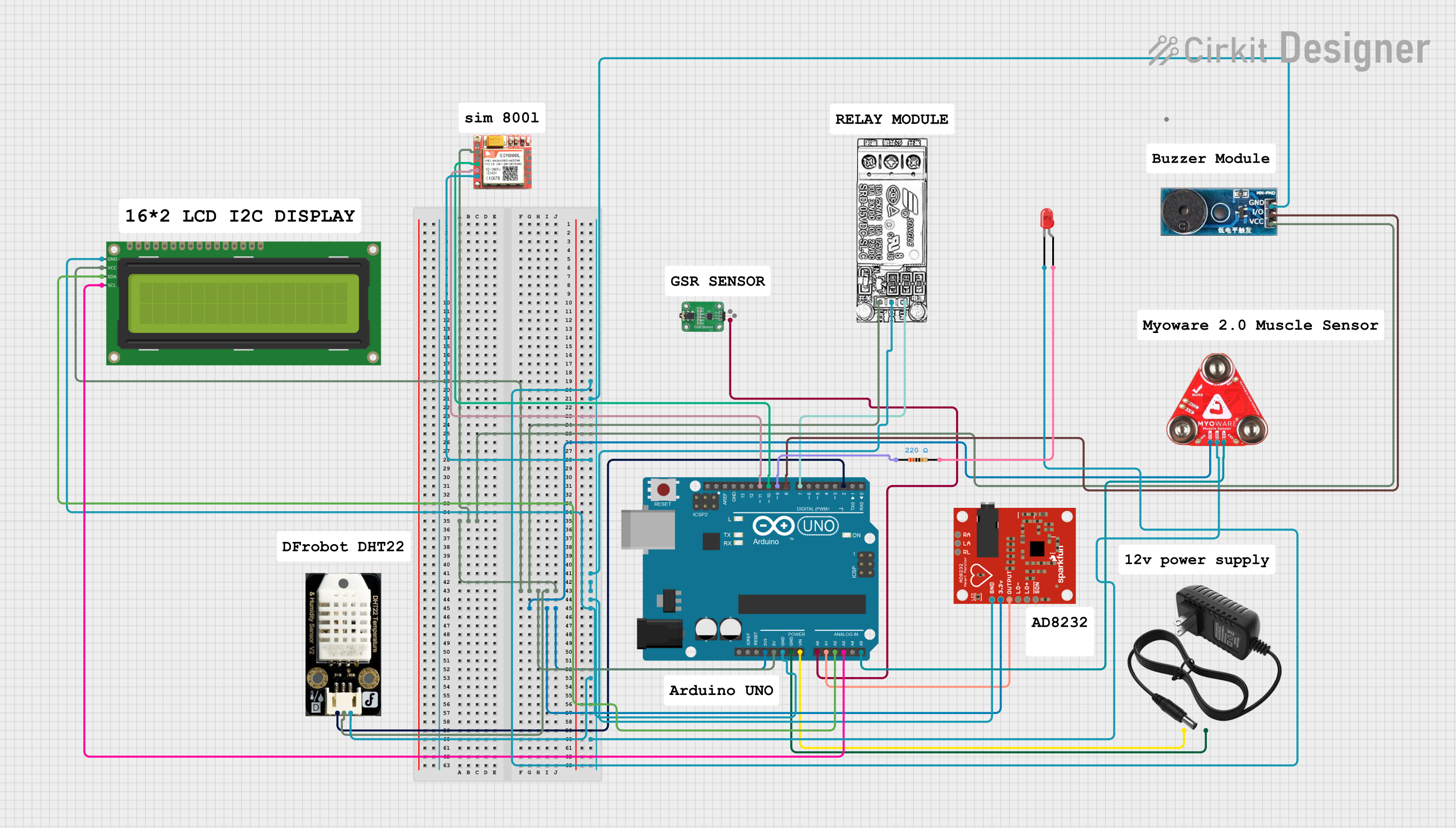
This circuit is designed for a health monitoring system that measures temperature, heart rate, galvanic skin response (GSR), and muscle activity (EMG). It uses an Arduino UNO as the central processing unit, interfacing with a DHT22 temperature and humidity sensor, an AD8232 heart rate monitor, a GSR sensor, a Myoware muscle sensor, and a SIM800L GSM module for communication. The system can control a relay for a steam generator, sound a buzzer, and display data on an I2C LCD screen, with the ability to send SMS alerts based on sensor readings.
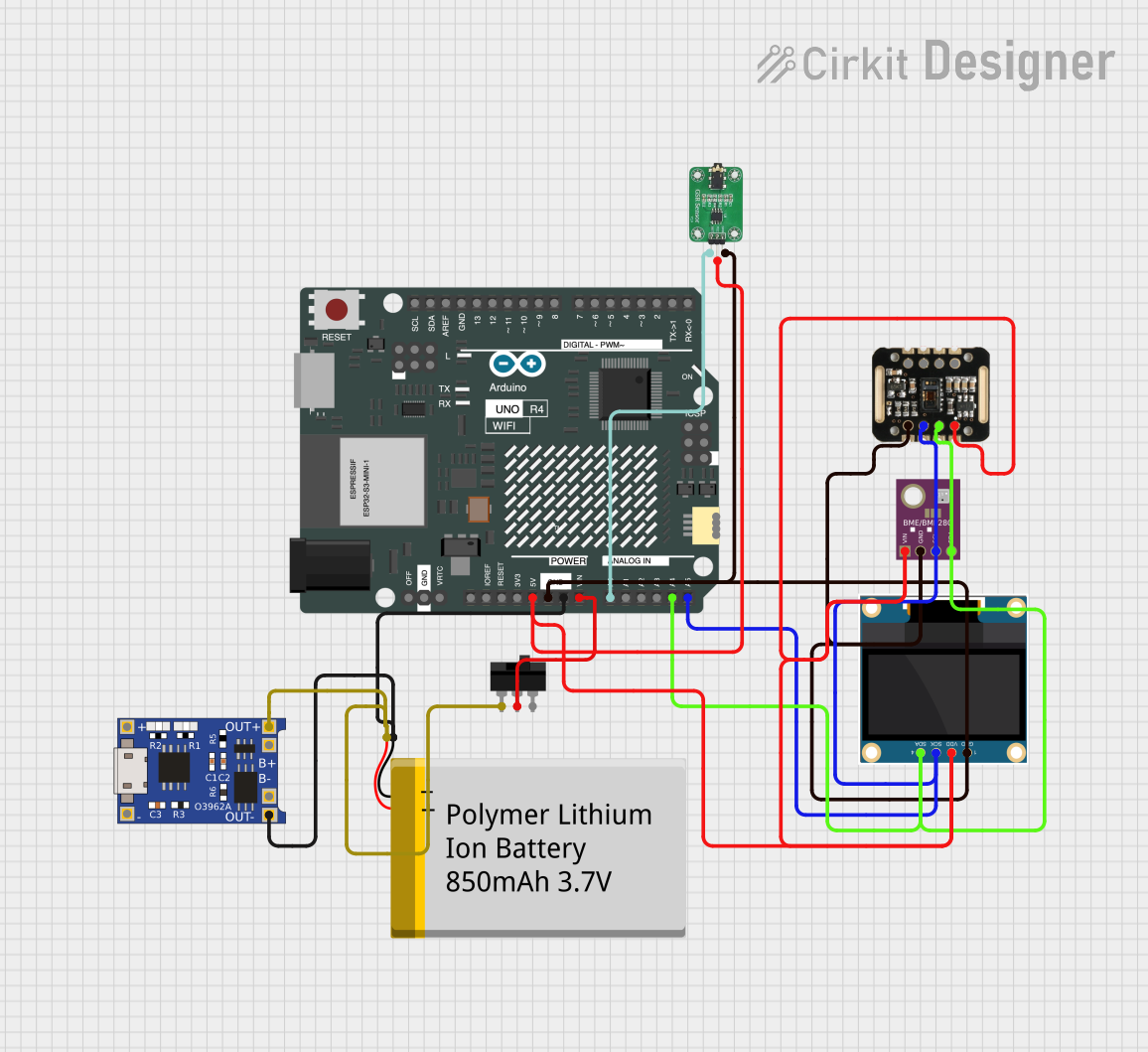
This circuit is designed for a health monitoring device that measures temperature, heart rate, and galvanic skin response (GSR). It uses an Arduino UNO R4 WiFi as the central microcontroller, interfacing with a BME/BMP280 sensor for temperature, a MAX30100 sensor for heart rate and oxygen saturation, and a GSR sensor for skin conductivity. The circuit includes a 0.96" OLED display for output, a TP4056 module for battery charging, a toggle switch for power control, and a polymer lithium-ion battery for power supply.
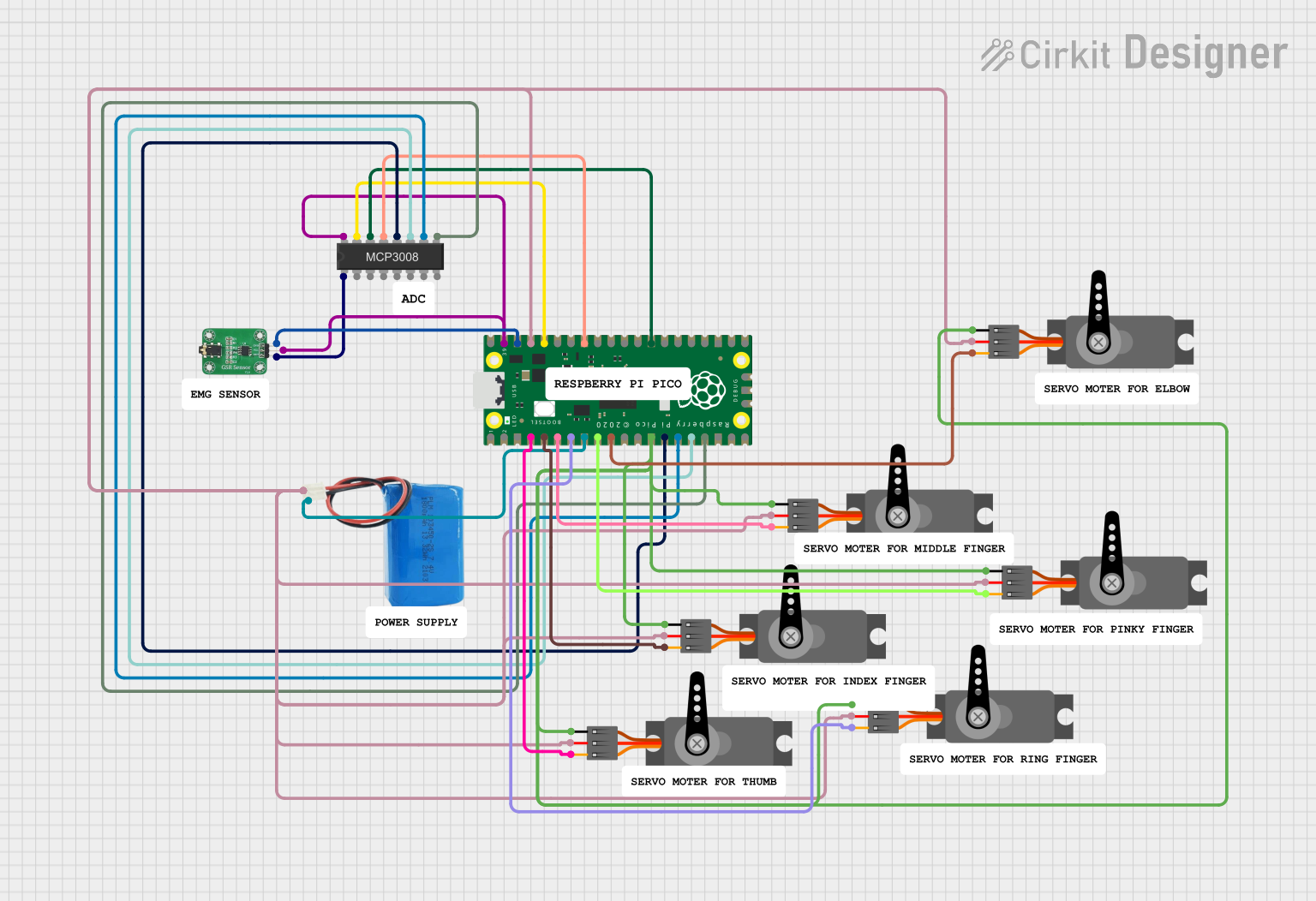
This circuit uses a Raspberry Pi Pico microcontroller to control multiple servos and read data from a GSR sensor through an MCP3008 ADC. The servos are powered by a 5V battery, and the GSR sensor provides input to the ADC, which then communicates with the microcontroller for processing.
Output Signal: Analog voltage corresponding to skin conductance
Measurement Range: Varies with the design; some can detect minute changes
Response Time: Depends on the sensor model and skin conditions
Pin Configuration and Descriptions
Pin Number
Name
Description
1
VCC
Power supply (3.3V - 5V)
2
GND
Ground connection
3
SIG
Analog signal output
Usage Instructions
Integration with a Circuit
Connect the VCC pin to the power supply (3.3V or 5V, depending on your system).
Connect the GND pin to the ground of your power supply.
Connect the SIG pin to an analog input on your microcontroller, such as an Arduino.
Best Practices
Ensure that the sensor is in firm contact with the skin for accurate readings.
Avoid placing the sensor near areas that might induce artifacts, such as areas with excessive hair or near joints that might move frequently.
Use a stable power supply to avoid noise in the signal.
Allow the sensor to acclimatize to the skin's temperature for consistent readings.
Example Code for Arduino UNO
// Define the analog pin connected to the GSR sensor
const int GsrPin = A0;

void setup() {
  // Initialize serial communication at 9600 bits per second
  Serial.begin(9600);
}

void loop() {
  // Read the value from the GSR sensor
  int sensorValue = analogRead(GsrPin);

  // Convert the analog reading (which goes from 0 - 1023) to a voltage (0 - 5V)
  float voltage = sensorValue * (5.0 / 1023.0);

  // Print out the value in volts
  Serial.println(voltage);

  // Delay for a stable reading
  delay(500);
}
Troubleshooting and FAQs
Common Issues
Inconsistent Readings: Ensure that the sensor maintains good contact with the skin and that the skin is clean.
Noisy Signal: Check for loose connections and ensure a stable power supply. Additionally, consider using a low-pass filter to smooth out the signal.
Solutions and Tips
Improving Contact: Use conductive gel or water to improve the sensor's contact with the skin.
Signal Processing: Implement software filtering techniques to reduce noise and improve the quality of the signal.
FAQs
Q: Can the GSR sensor be used with a battery-powered system?
A: Yes, as long as the battery provides a stable voltage within the sensor's operating range.
Q: How sensitive is the GSR sensor?
A: Sensitivity varies by model. Some sensors can detect very small changes in skin conductance, while others may require larger changes.
Q: Is the GSR sensor safe to use?
A: Yes, GSR sensors are designed for safe contact with the skin and operate at low voltages.
Q: How do I calibrate the GSR sensor?
A: Calibration procedures vary. Some sensors require calibration against known resistances, while others are used in a relative measurement mode without specific calibration.
Q: Can I use the GSR sensor with other microcontrollers besides Arduino?
A: Yes, any microcontroller with an analog input can be used with the GSR sensor, but you will need to adapt the code accordingly.

 Open Project in Cirkit Designer