
How to Use Water Level Sensor: Examples, Pinouts, and Specs
 Design with Water Level Sensor in Cirkit Designer
Introduction
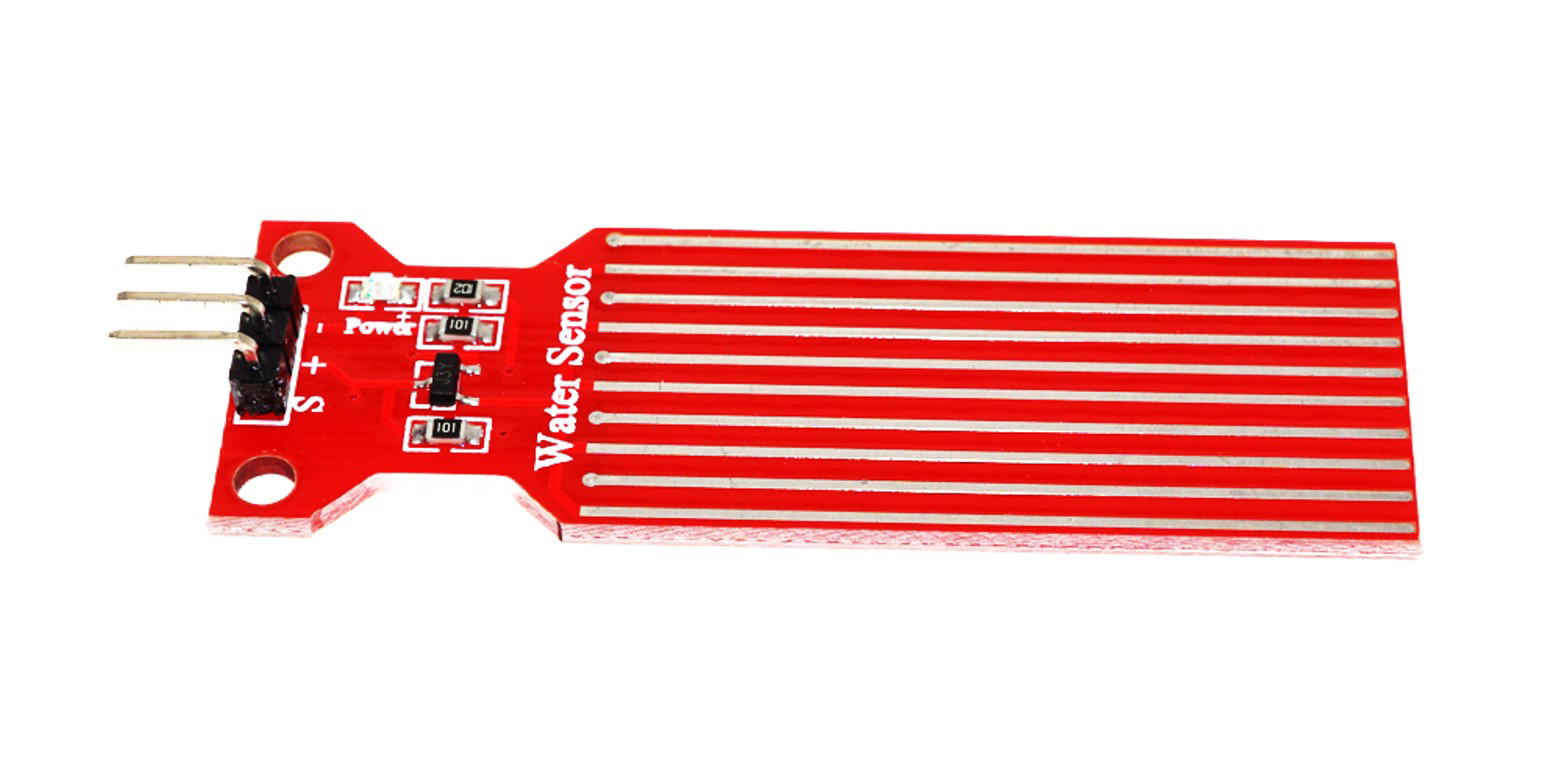
The Water Level Sensor (HW-038), manufactured by Generic, is a device designed to detect and monitor the level of water in a tank or container. It is commonly used in automation systems to manage water levels, prevent overflow, and trigger alerts or actions based on water presence. This sensor is simple to use, making it ideal for both hobbyist and professional applications.
Explore Projects Built with Water Level Sensor
 Open Project in Cirkit Designer
 Open Project in Cirkit Designer
 Open Project in Cirkit Designer
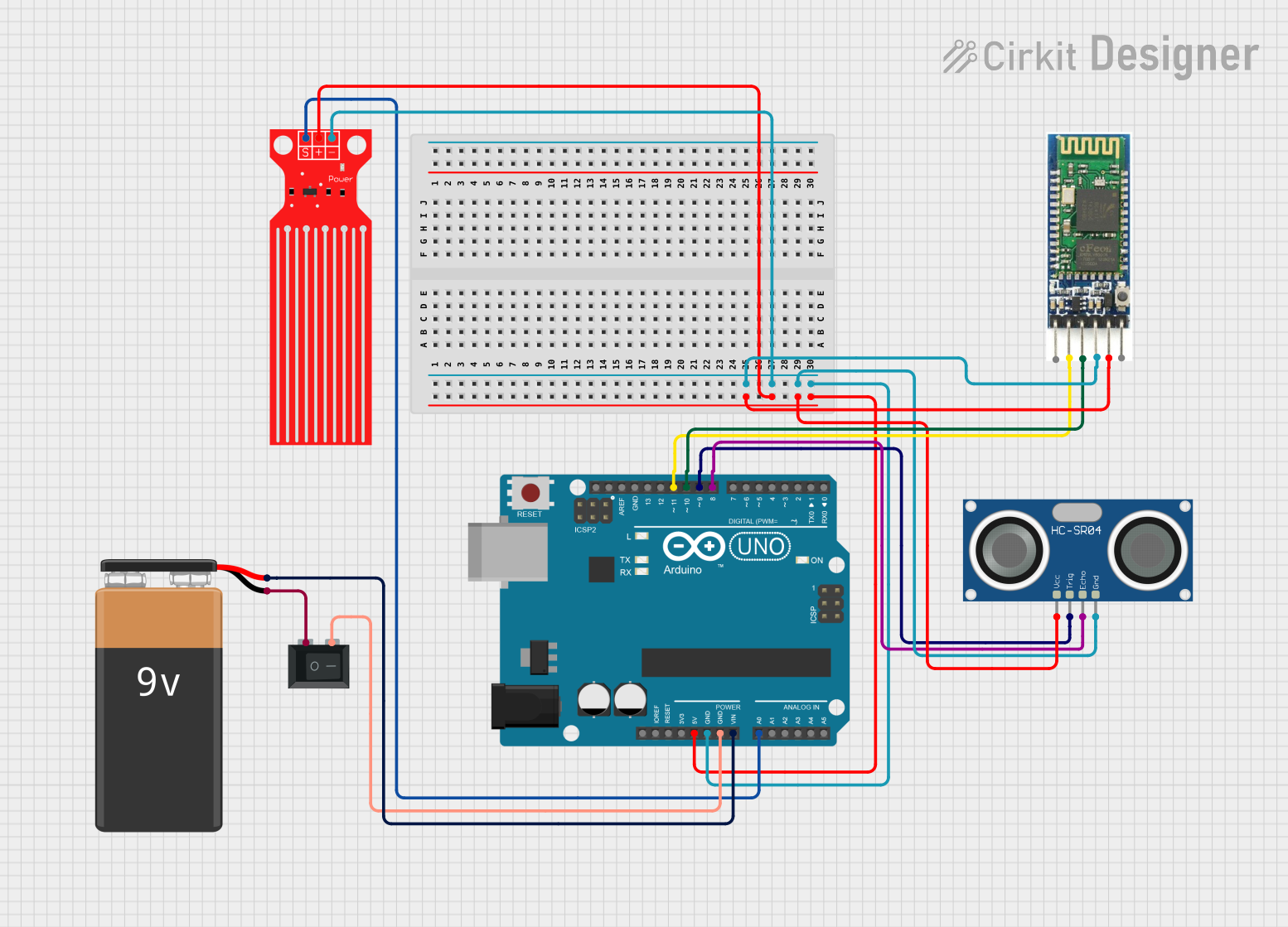 Open Project in Cirkit Designer
Explore Projects Built with Water Level Sensor
Open Project in Cirkit DesignerOpen Project in Cirkit DesignerOpen Project in Cirkit DesignerOpen Project in Cirkit DesignerCommon Applications
- Water tank level monitoring
- Automatic water pumps
- Smart irrigation systems
- Overflow and leakage detection
- Home automation projects
Technical Specifications
Below are the key technical details of the HW-038 Water Level Sensor:
| Parameter | Specification |
|---|---|
| Operating Voltage | 3.3V - 5V DC |
| Operating Current | < 20mA |
| Output Type | Analog and Digital |
| Detection Range | 0 - 100% water level (relative scale) |
| Dimensions | 62mm x 20mm |
| Interface Type | 3-pin header (VCC, GND, OUT) |
| Material | PCB with exposed conductive traces |
Pin Configuration
The HW-038 Water Level Sensor has a 3-pin interface. The table below describes each pin:
| Pin | Name | Description |
|---|---|---|
| 1 | VCC | Power supply pin. Connect to 3.3V or 5V DC. |
| 2 | GND | Ground pin. Connect to the ground of the circuit. |
| 3 | OUT | Output pin. Provides an analog signal proportional to water level or a digital |
| signal (HIGH/LOW) depending on the water presence. |
Usage Instructions
How to Use the HW-038 Water Level Sensor in a Circuit
- Power the Sensor: Connect the VCC pin to a 3.3V or 5V power source and the GND pin to the ground.
- Read the Output:
- For analog output, connect the OUT pin to an analog input pin of a microcontroller (e.g., Arduino).
- For digital output, connect the OUT pin to a digital input pin. The sensor will output HIGH (1) when water is detected and LOW (0) when no water is present.
- Place the Sensor: Submerge the sensor in the water container. Ensure the conductive traces are in contact with the water for accurate readings.
Important Considerations
- Avoid Corrosion: The exposed conductive traces can corrode over time. Use the sensor in clean water or apply protective coatings to extend its lifespan.
- Voltage Compatibility: Ensure the sensor's operating voltage matches your microcontroller's input voltage to avoid damage.
- Signal Noise: Use a pull-down resistor on the OUT pin to stabilize the digital output signal if needed.
Example: Connecting to an Arduino UNO
Below is an example of how to connect and use the HW-038 Water Level Sensor with an Arduino UNO:
Circuit Diagram
- VCC → Arduino 5V
- GND → Arduino GND
- OUT → Arduino A0 (for analog reading)
Arduino Code
// Water Level Sensor Example with Arduino UNO
// Reads the analog output of the sensor and prints the water level percentage.

const int sensorPin = A0; // Connect OUT pin of the sensor to A0
int sensorValue = 0;      // Variable to store the sensor reading

void setup() {
  Serial.begin(9600); // Initialize serial communication at 9600 baud
}

void loop() {
  sensorValue = analogRead(sensorPin); // Read the analog value from the sensor
  float waterLevel = (sensorValue / 1023.0) * 100; // Convert to percentage (0-100%)

  // Print the water level percentage to the Serial Monitor
  Serial.print("Water Level: ");
  Serial.print(waterLevel);
  Serial.println("%");

  delay(500); // Wait for 500ms before the next reading
}
Troubleshooting and FAQs
Common Issues and Solutions
No Output Signal:
- Cause: Incorrect wiring or insufficient power supply.
- Solution: Double-check the connections and ensure the power supply is 3.3V or 5V.
Inconsistent Readings:
- Cause: Signal noise or dirty water.
- Solution: Use a pull-down resistor for digital output or filter the analog signal in software. Clean the sensor if used in dirty water.
Corrosion of Conductive Traces:
- Cause: Prolonged exposure to water.
- Solution: Use the sensor in clean water or apply a protective coating to the traces.
Sensor Not Detecting Water:
- Cause: Insufficient water contact with the sensor.
- Solution: Ensure the sensor is fully submerged and the conductive traces are in contact with the water.
FAQs
Q1: Can the HW-038 Water Level Sensor be used with liquids other than water?
A1: The sensor is designed for water detection. It may work with other conductive liquids, but performance and lifespan may vary.
Q2: How can I extend the lifespan of the sensor?
A2: Use the sensor in clean water, avoid prolonged submersion, and apply a protective coating to the conductive traces.
Q3: Can I use multiple sensors in the same project?
A3: Yes, you can connect multiple sensors to different input pins of your microcontroller to monitor multiple water levels.
Q4: Is the sensor waterproof?
A4: No, the sensor is not fully waterproof. Only the conductive traces should be submerged, and the rest of the PCB should remain dry.
By following this documentation, you can effectively integrate the HW-038 Water Level Sensor into your projects and troubleshoot common issues with ease.