A DMX female socket is a specialized connector used in lighting and stage equipment to transmit digital control signals based on the DMX512 protocol. This protocol is widely used in the entertainment industry for controlling lighting fixtures, dimmers, and effects. The DMX female socket typically features a 5-pin configuration, although 3-pin variants are also common. It is designed to connect to a DMX male connector, enabling a daisy-chained setup for multiple devices.
Explore Projects Built with DMX female socket
Use Cirkit Designer to design, explore, and prototype these projects online. Some projects support real-time simulation. Click "Open Project" to start designing instantly!
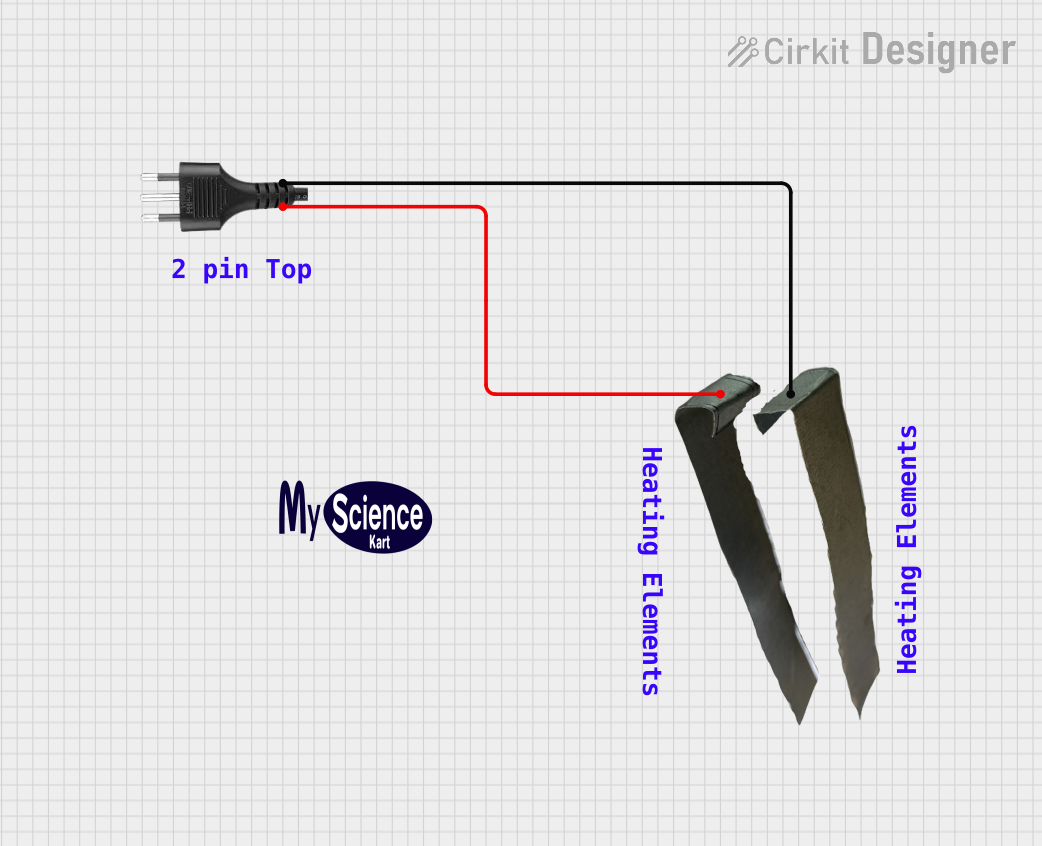
The circuit connects a heater to a power source via a socket. The heater is likely to be powered directly from the socket, with the positive and negative terminals of the socket providing the necessary voltage and ground connections to the heater. There are no control elements or sensors present in the circuit, indicating that the heater operates at a constant power level when connected.
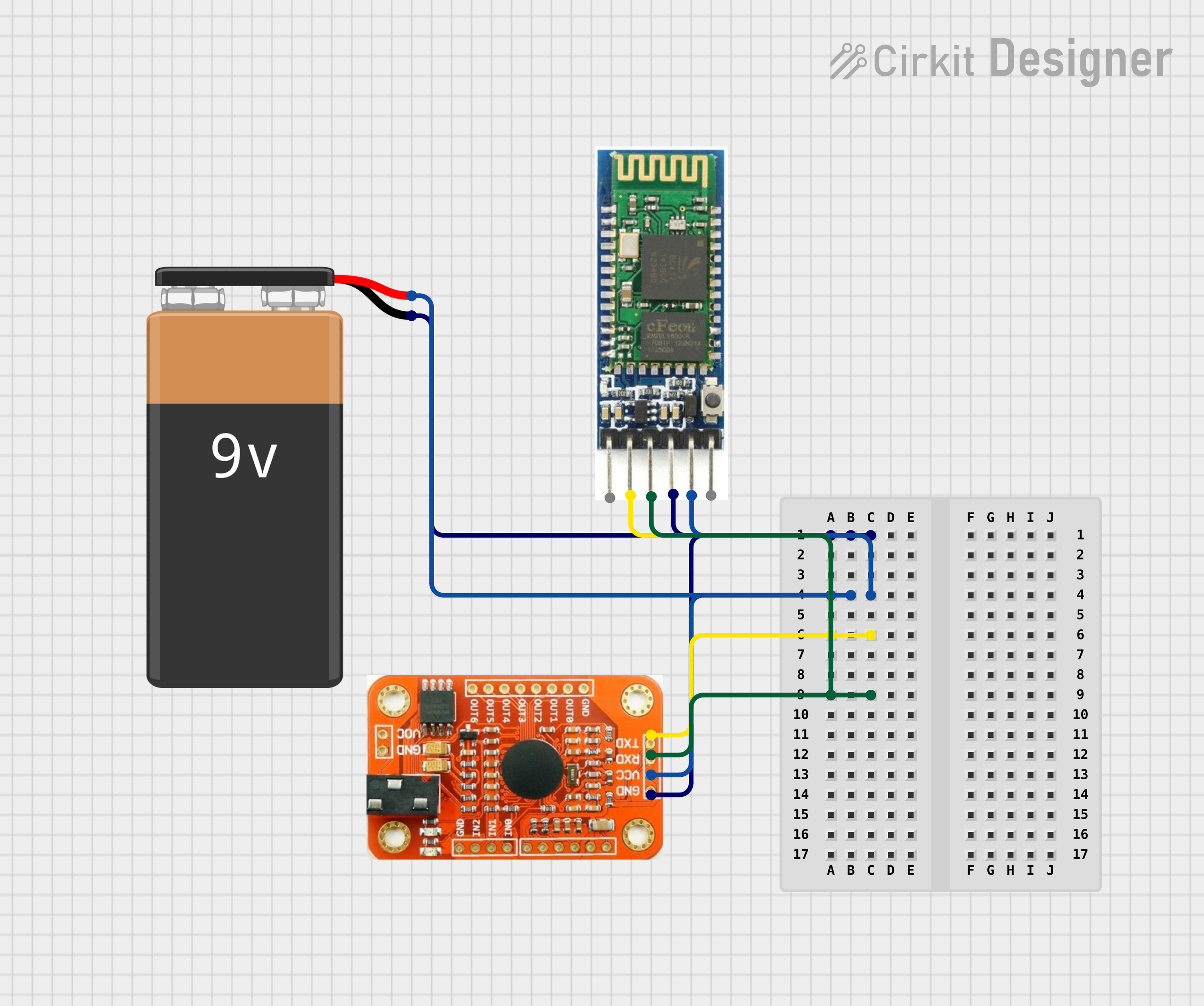
This circuit connects a voice recognition module and a Bluetooth module to a 9V battery. The battery provides power to both modules, with the positive terminal connected to their VCC pins and the negative terminal to their GND pins. The voice recognition module's RDX and RTX pins are connected to the Bluetooth module's TXD and RXD pins, respectively, allowing for serial communication between the two modules.
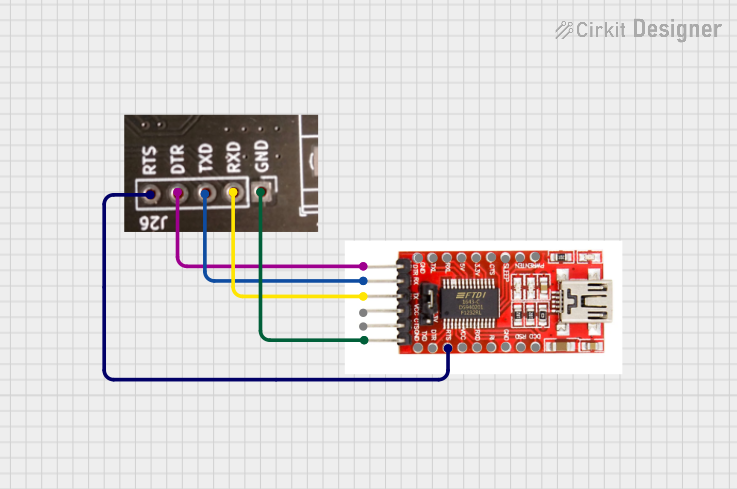
This circuit connects an FTDI USB-to-serial converter to a standard serial interface via a J26 connector. It facilitates serial communication by linking the ground, transmit, receive, data terminal ready, and request to send signals between the FTDI chip and the J26 connector.
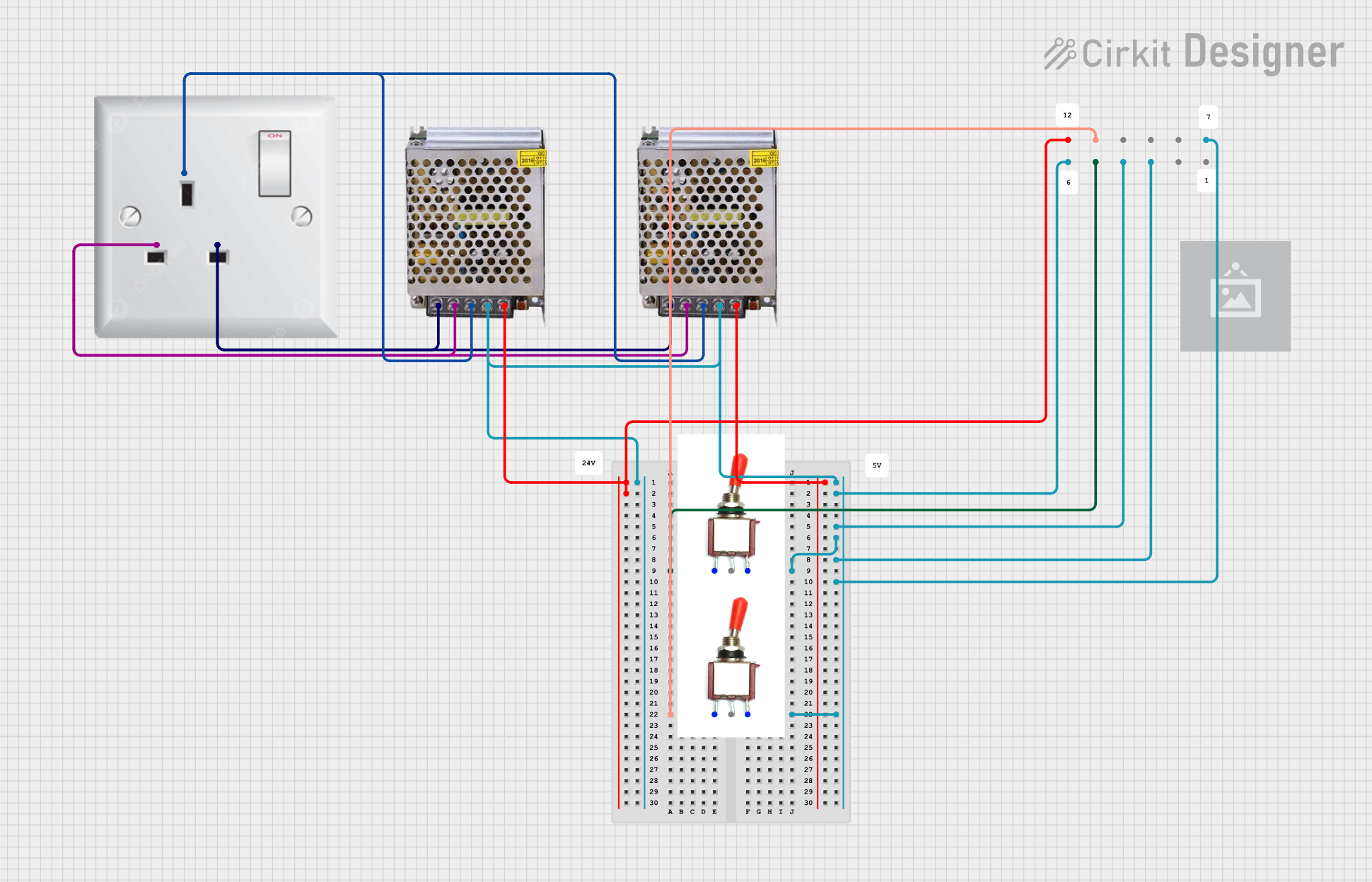
This circuit consists of two 5V 5A power supplies connected to an AC wall plug point, providing DC output through a 12-way connector. The ground connections from both power supplies are interconnected and also connected to the ground pins of two toggle switches. The DC outputs from the power supplies are separately connected to different pins on the 12-way connector, with each power supply output being switchable via one of the toggle switches.
Stage lighting control for concerts, theaters, and events
Architectural lighting systems
Controlling fog machines, moving heads, and other DMX-compatible devices
Integration in DMX splitter and controller hardware
Technical Specifications
Key Technical Details
Connector Type: DMX female socket
Pin Configuration: 5-pin (standard), with support for 3-pin variants
Material: Metal or plastic housing with gold-plated or nickel-plated contacts
Voltage Rating: Typically 250V AC
Current Rating: Up to 7.5A
Mounting Style: Panel mount or PCB mount
Compatibility: DMX512 protocol-compliant devices
Operating Temperature: -25°C to +85°C
Pin Configuration and Descriptions
The DMX female socket follows the DMX512 standard pinout. Below is the pin configuration for a 5-pin DMX female socket:
Pin Number
Signal Name
Description
1
Ground (GND)
Signal ground
2
Data- (D-)
Inverted data signal
3
Data+ (D+)
Non-inverted data signal
4
Optional Data-
Secondary inverted data signal (optional)
5
Optional Data+
Secondary non-inverted data signal (optional)
For 3-pin DMX female sockets, only pins 1, 2, and 3 are used, corresponding to Ground, Data-, and Data+.
Usage Instructions
How to Use the Component in a Circuit
Mounting the Socket: Secure the DMX female socket to a panel or PCB using the provided mounting holes or soldering points.
Wiring: Connect the pins of the socket to the appropriate signals:
Pin 1 (GND) to the ground of your circuit.
Pin 2 (D-) and Pin 3 (D+) to the DMX controller or device.
Pins 4 and 5 are optional and can be left unconnected unless required by your application.
Termination: For the last device in a DMX daisy chain, use a 120-ohm termination resistor between pins 2 (D-) and 3 (D+).
Testing: Verify the connections and ensure the socket is securely mounted before powering the system.
Important Considerations and Best Practices
Always use shielded twisted-pair cables (e.g., DMX cables) to minimize signal interference.
Avoid using standard microphone cables, as they may not meet DMX512 specifications.
Ensure proper grounding to prevent signal noise or damage to connected devices.
Do not exceed the maximum recommended cable length of 300 meters for a single DMX chain.
Use a DMX splitter if you need to connect multiple branches of devices.
Example: Connecting to an Arduino UNO
The DMX female socket can be used with an Arduino UNO to control DMX-compatible devices. Below is an example of how to connect and use the socket with the Arduino:
Circuit Connections
Connect Pin 1 (GND) of the DMX socket to the Arduino GND.
Connect Pin 2 (D-) to the TX pin of an RS485 transceiver module.
Connect Pin 3 (D+) to the RX pin of the RS485 transceiver module.
Connect the RS485 module to the Arduino as per its datasheet.
Arduino Code Example
#include <DMXSerial.h> // Include the DMXSerial library

void setup() {
  // Initialize DMX communication
  DMXSerial.init(DMXController);

  // Set the first DMX channel to full brightness
  DMXSerial.write(1, 255); // Channel 1, value 255 (full brightness)
}

void loop() {
  // Example: Gradually dim the light on channel 1
  for (int brightness = 255; brightness >= 0; brightness--) {
    DMXSerial.write(1, brightness); // Update channel 1 brightness
    delay(10); // Small delay for smooth dimming
  }
}
Troubleshooting and FAQs
Common Issues and Solutions
No Signal Detected by Devices
Cause: Incorrect wiring or loose connections.
Solution: Double-check the pin connections and ensure the socket is securely mounted.
Flickering Lights
Cause: Signal interference or improper termination.
Solution: Use shielded DMX cables and ensure a 120-ohm termination resistor is installed at the end of the chain.
Devices Not Responding
Cause: Incorrect DMX address or protocol mismatch.
Solution: Verify the DMX address settings on the devices and ensure they are compatible with the DMX512 protocol.
Overheating Socket
Cause: Exceeding current or voltage ratings.
Solution: Ensure the connected devices do not draw more current than the socket's rating.
FAQs
Q: Can I use a 3-pin DMX socket instead of a 5-pin socket? A: Yes, but ensure your devices support 3-pin DMX connections. Pins 4 and 5 are optional in most applications.
Q: What type of cable should I use with the DMX female socket? A: Use shielded twisted-pair DMX cables with a characteristic impedance of 120 ohms.
Q: How many devices can I connect in a DMX chain? A: Up to 32 devices can be connected in a single DMX chain without a splitter.
Q: Do I need a termination resistor for every device? A: No, only the last device in the DMX chain requires a 120-ohm termination resistor.


 Open Project in Cirkit Designer