
How to Use WeAct Epaper 2.9": Examples, Pinouts, and Specs
 Design with WeAct Epaper 2.9" in Cirkit Designer
Introduction
The WeAct Epaper 2.9" is a low-power display module that utilizes E Ink technology to deliver a paper-like reading experience. With its 2.9-inch screen, this module is perfect for applications requiring high contrast, low power consumption, and static image or text display. Its compact size and energy efficiency make it ideal for battery-powered devices and projects where readability and power savings are critical.
Explore Projects Built with WeAct Epaper 2.9"
 Open Project in Cirkit Designer
 Open Project in Cirkit Designer
 Open Project in Cirkit Designer
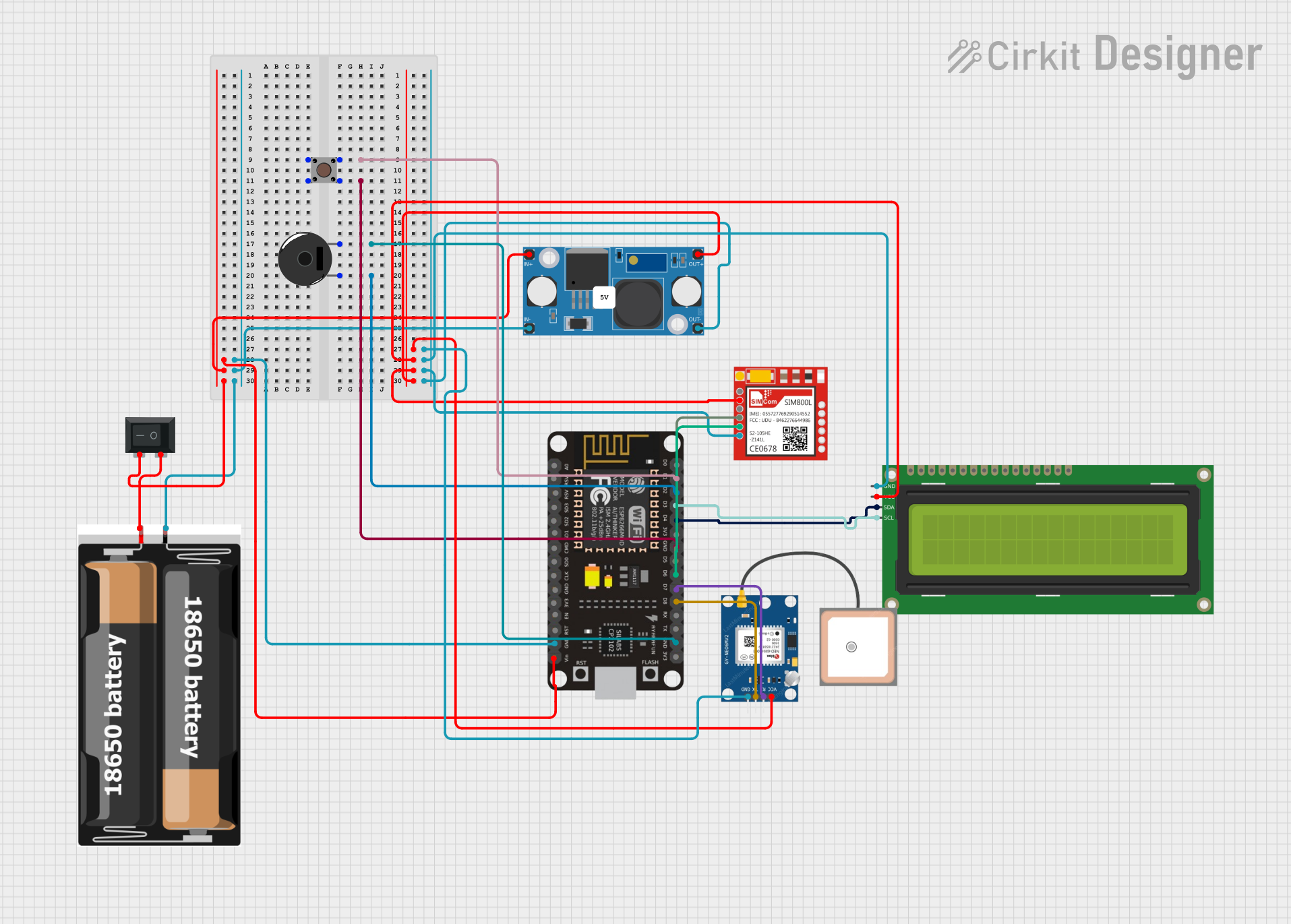 Open Project in Cirkit Designer
Explore Projects Built with WeAct Epaper 2.9"
Open Project in Cirkit DesignerOpen Project in Cirkit DesignerOpen Project in Cirkit DesignerOpen Project in Cirkit DesignerCommon Applications and Use Cases
- E-book readers
- Smart home displays (e.g., weather stations, calendars)
- Price tags and shelf labels
- IoT devices with low-power requirements
- Wearable devices
- Prototyping and educational projects
Technical Specifications
The WeAct Epaper 2.9" module is designed to be easy to integrate into various projects. Below are its key technical details:
Key Technical Details
| Parameter | Specification |
|---|---|
| Display Technology | E Ink (electrophoretic display) |
| Screen Size | 2.9 inches |
| Resolution | 296 x 128 pixels |
| Grayscale Levels | 2 (black and white) |
| Interface | SPI (Serial Peripheral Interface) |
| Operating Voltage | 3.3V |
| Power Consumption | Ultra-low (only during updates) |
| Refresh Time | ~2 seconds |
| Viewing Angle | Nearly 180° |
| Dimensions | 79mm x 36.7mm x 1.18mm |
Pin Configuration and Descriptions
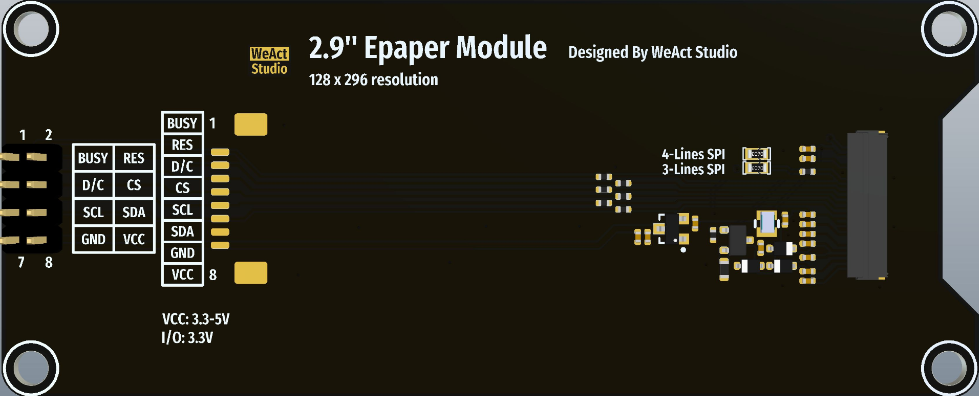
The WeAct Epaper 2.9" module has a standard pinout for SPI communication. Below is the pin configuration:
| Pin Name | Pin Number | Description |
|---|---|---|
| VCC | 1 | Power supply (3.3V) |
| GND | 2 | Ground |
| DIN | 3 | SPI data input (MOSI) |
| CLK | 4 | SPI clock input (SCK) |
| CS | 5 | Chip select (active low) |
| DC | 6 | Data/Command control pin |
| RST | 7 | Reset pin (active low) |
| BUSY | 8 | Busy status output (high when updating display) |
Usage Instructions
The WeAct Epaper 2.9" module is straightforward to use in a circuit. Below are the steps and best practices for integrating it into your project.
How to Use the Component in a Circuit
- Power Supply: Connect the VCC pin to a 3.3V power source and the GND pin to ground.
- SPI Communication: Connect the SPI pins (DIN, CLK, CS) to the corresponding SPI pins on your microcontroller.
- Control Pins:
- Connect the DC pin to a GPIO pin on your microcontroller to toggle between data and command modes.
- Connect the RST pin to a GPIO pin to reset the display when needed.
- Connect the BUSY pin to a GPIO pin to monitor the display's status.
- Software Setup: Use an appropriate library (e.g., GxEPD for Arduino) to control the display.
Important Considerations and Best Practices
- Power Consumption: The display only consumes power during updates. Ensure your microcontroller enters a low-power state when the display is idle to maximize energy efficiency.
- Refresh Time: The display requires ~2 seconds to refresh. Avoid frequent updates to preserve power and prevent ghosting.
- Voltage Levels: Ensure all GPIO pins connected to the display operate at 3.3V logic levels. Using 5V logic may damage the module.
- Library Support: Use a compatible library to simplify communication with the display. For Arduino, the GxEPD library is highly recommended.
Example Code for Arduino UNO
Below is an example of how to use the WeAct Epaper 2.9" module with an Arduino UNO:
#include <GxEPD2_BW.h> // Include the GxEPD library for E Ink displays
#include <Adafruit_GFX.h> // Include Adafruit GFX library for graphics

// Define the display driver and dimensions
GxEPD2_BW<GxEPD2_290, GxEPD2_290::HEIGHT> display(GxEPD2_290(/*CS=*/ 10, /*DC=*/ 9,
                                                              /*RST=*/ 8, /*BUSY=*/ 7));

void setup() {
  display.init(); // Initialize the display
  display.setRotation(1); // Set display rotation (0-3)
  display.setTextColor(GxEPD_BLACK); // Set text color to black

  // Clear the display and display a message
  display.firstPage();
  do {
    display.fillScreen(GxEPD_WHITE); // Set background to white
    display.setCursor(10, 30); // Set text position
    display.setTextSize(2); // Set text size
    display.print("Hello, Epaper!"); // Print text
  } while (display.nextPage());
}

void loop() {
  // The display retains the image even when powered off
  // No code is needed in the loop for static content
}
Notes on the Code
- The
GxEPD2_BWclass is used for black-and-white E Ink displays. - The
firstPage()andnextPage()methods are used to update the display in a power-efficient manner. - Ensure the pin numbers in the code match your wiring.
Troubleshooting and FAQs
Common Issues and Solutions
Display Not Updating:
- Check the wiring, especially the SPI connections (DIN, CLK, CS).
- Ensure the BUSY pin is monitored correctly in your code.
- Verify that the power supply provides a stable 3.3V.
Ghosting or Artifacts on the Screen:
- Perform a full refresh of the display periodically to reduce ghosting.
- Avoid frequent updates to the same area of the screen.
Module Not Responding:
- Ensure the RST pin is correctly connected and toggled during initialization.
- Verify that the microcontroller's GPIO pins operate at 3.3V logic levels.
Library Compatibility Issues:
- Use the latest version of the GxEPD library.
- Check the library documentation for compatibility with your microcontroller.
FAQs
Q: Can the display show colors?
A: No, the WeAct Epaper 2.9" is a black-and-white display with no color support.
Q: How long does the image stay on the screen without power?
A: The image remains indefinitely as the display is bistable, meaning it does not require power to maintain the image.
Q: Can I use this module with a 5V microcontroller?
A: Yes, but you must use a level shifter to convert 5V logic to 3.3V to avoid damaging the module.
Q: How do I reduce the refresh time?
A: The refresh time is a limitation of the E Ink technology. It cannot be significantly reduced without affecting display quality.