
How to Use Solar Panel 1.2W 6V: Examples, Pinouts, and Specs
 Design with Solar Panel 1.2W 6V in Cirkit Designer
Introduction
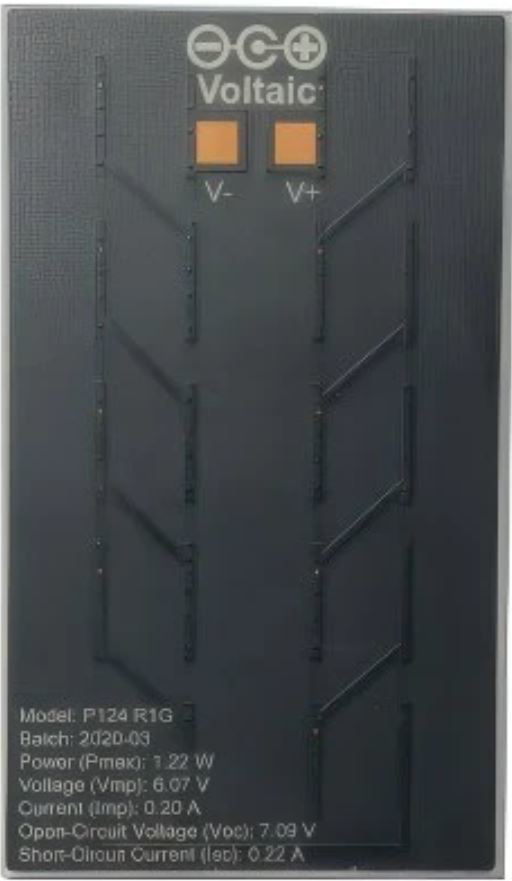
The Solar Panel 1.2W 6V (Manufacturer: Voltaic, Part ID: P124) is a compact and efficient photovoltaic module designed to convert sunlight into electrical energy. With a maximum power output of 1.2 watts and a nominal voltage of 6 volts, this solar panel is ideal for small-scale applications. It is commonly used for charging batteries, powering low-energy devices, and as a renewable energy source in portable electronics projects.
Explore Projects Built with Solar Panel 1.2W 6V
 Open Project in Cirkit Designer
 Open Project in Cirkit Designer
 Open Project in Cirkit Designer
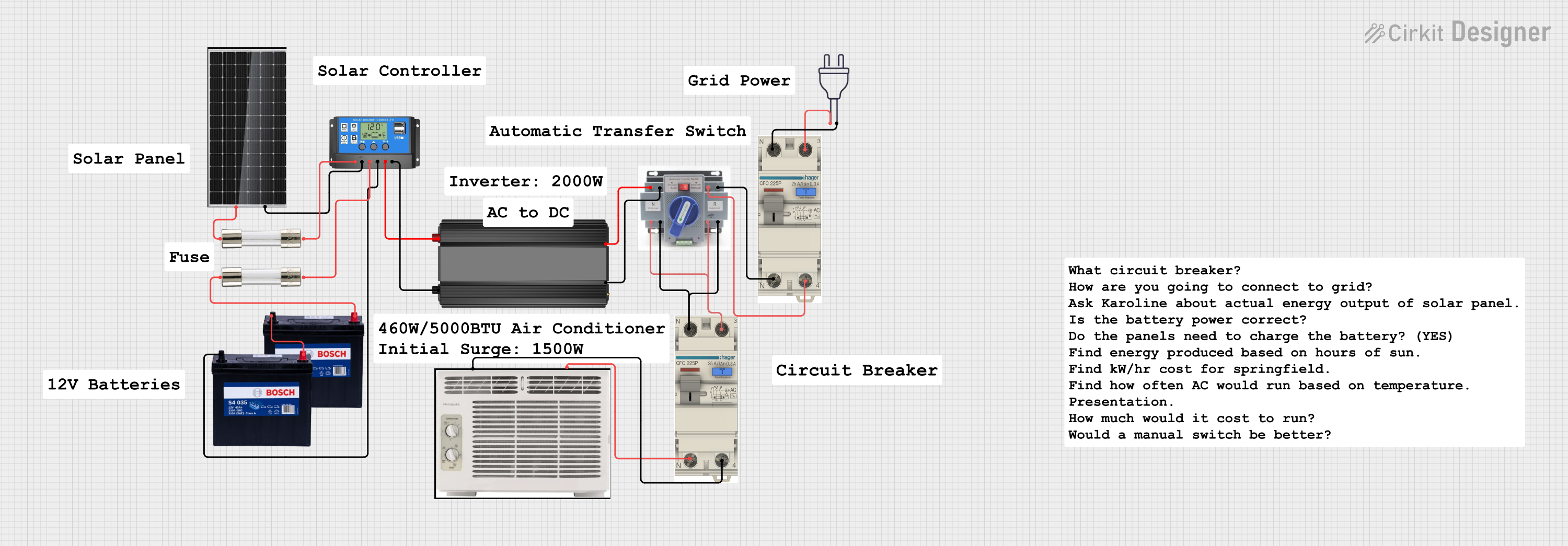 Open Project in Cirkit Designer
Explore Projects Built with Solar Panel 1.2W 6V
Open Project in Cirkit DesignerOpen Project in Cirkit DesignerOpen Project in Cirkit DesignerOpen Project in Cirkit DesignerCommon Applications
- Charging small rechargeable batteries (e.g., Li-ion, NiMH)
- Powering low-energy devices such as sensors, microcontrollers, or LED lights
- Educational and DIY solar energy projects
- Portable and off-grid renewable energy systems
Technical Specifications
The following table outlines the key technical specifications of the Solar Panel 1.2W 6V:
| Parameter | Value |
|---|---|
| Manufacturer | Voltaic |
| Part ID | P124 |
| Maximum Power Output | 1.2 W |
| Nominal Voltage | 6 V |
| Open Circuit Voltage | 7.2 V |
| Short Circuit Current | 240 mA |
| Maximum Current | 200 mA |
| Dimensions | 110 mm x 60 mm x 3 mm |
| Weight | 35 g |
| Operating Temperature | -20°C to 60°C |
| Connector Type | 2.1 mm DC barrel jack |
Pin Configuration and Description
The Solar Panel 1.2W 6V has a simple two-terminal output. The pin configuration is as follows:
| Pin | Description |
|---|---|
| Positive (+) | Positive terminal for output voltage |
| Negative (-) | Negative terminal (ground) |
Usage Instructions
How to Use the Solar Panel in a Circuit
- Positioning the Panel: Place the solar panel in direct sunlight for optimal performance. Ensure there are no obstructions (e.g., shadows or dirt) on the panel's surface.
- Connecting the Panel:
- Use the 2.1 mm DC barrel jack to connect the panel to your circuit or device.
- Alternatively, you can use an adapter to connect the panel to a breadboard or other components.
- Load Compatibility:
- Ensure the connected load does not exceed the panel's maximum current output (200 mA).
- Use a charge controller or voltage regulator if connecting the panel to sensitive electronics or batteries.
- Battery Charging:
- When charging batteries, use a charge controller to prevent overcharging and ensure safe operation.
- Match the battery's voltage rating with the panel's nominal voltage (6 V).
Important Considerations and Best Practices
- Sunlight Intensity: The panel's output depends on sunlight intensity. For maximum efficiency, position the panel at an angle perpendicular to the sun's rays.
- Temperature Effects: Avoid exposing the panel to extreme temperatures outside its operating range (-20°C to 60°C).
- Waterproofing: While the panel is weather-resistant, ensure proper sealing of electrical connections to prevent water ingress.
- Energy Storage: Pair the panel with a rechargeable battery to store energy for use during low-light conditions or at night.
Example: Connecting to an Arduino UNO
The Solar Panel 1.2W 6V can be used to power an Arduino UNO via a rechargeable battery and a voltage regulator. Below is an example setup:
- Connect the solar panel to a 6V rechargeable battery through a charge controller.
- Use a 5V voltage regulator to step down the battery voltage to power the Arduino UNO.
- Connect the Arduino UNO to the regulated output.
Here is a simple Arduino code example to read data from a sensor powered by the solar panel:
// Example: Reading data from a temperature sensor powered by the solar panel
// Ensure the solar panel is connected to a battery and voltage regulator

const int sensorPin = A0; // Analog pin connected to the temperature sensor
int sensorValue = 0;      // Variable to store the sensor reading

void setup() {
  Serial.begin(9600); // Initialize serial communication at 9600 baud
}

void loop() {
  sensorValue = analogRead(sensorPin); // Read the sensor value
  float voltage = sensorValue * (5.0 / 1023.0); // Convert to voltage
  Serial.print("Sensor Voltage: ");
  Serial.print(voltage);
  Serial.println(" V");

  delay(1000); // Wait for 1 second before the next reading
}
Troubleshooting and FAQs
Common Issues and Solutions
Low or No Output Voltage:
- Cause: Insufficient sunlight or shading on the panel.
- Solution: Ensure the panel is in direct sunlight and clean the surface if dirty.
Overheating:
- Cause: Operating the panel in temperatures above 60°C.
- Solution: Relocate the panel to a cooler environment or provide ventilation.
Inconsistent Output:
- Cause: Fluctuating sunlight intensity (e.g., due to clouds).
- Solution: Use a rechargeable battery to stabilize the output.
Device Not Powering On:
- Cause: Load exceeds the panel's maximum current output.
- Solution: Reduce the load or use a higher-capacity solar panel.
FAQs
Q1: Can I connect the solar panel directly to a device?
A1: It is not recommended to connect the panel directly to sensitive electronics. Use a voltage regulator or charge controller to ensure safe operation.
Q2: How do I clean the solar panel?
A2: Use a soft cloth and mild soapy water to clean the panel. Avoid abrasive materials that could scratch the surface.
Q3: Can the panel charge a 12V battery?
A3: No, the panel's nominal voltage is 6V. Use a step-up converter or a higher-voltage panel for 12V batteries.
Q4: Is the panel waterproof?
A4: The panel is weather-resistant but not fully waterproof. Protect electrical connections from water exposure.
This concludes the documentation for the Solar Panel 1.2W 6V. For further assistance, refer to the manufacturer's datasheet or contact Voltaic support.