
How to Use ADC IC: Examples, Pinouts, and Specs
 Design with ADC IC in Cirkit Designer
Introduction
The AD7606 is a high-performance, 16-bit Analog-to-Digital Converter (ADC) IC manufactured by Analog Devices. It is designed to convert analog signals into precise digital data, enabling seamless integration of real-world signals into digital systems. The AD7606 features simultaneous sampling of up to 8 input channels, making it ideal for applications requiring high accuracy and speed.
Explore Projects Built with ADC IC
 Open Project in Cirkit Designer
 Open Project in Cirkit Designer
 Open Project in Cirkit Designer
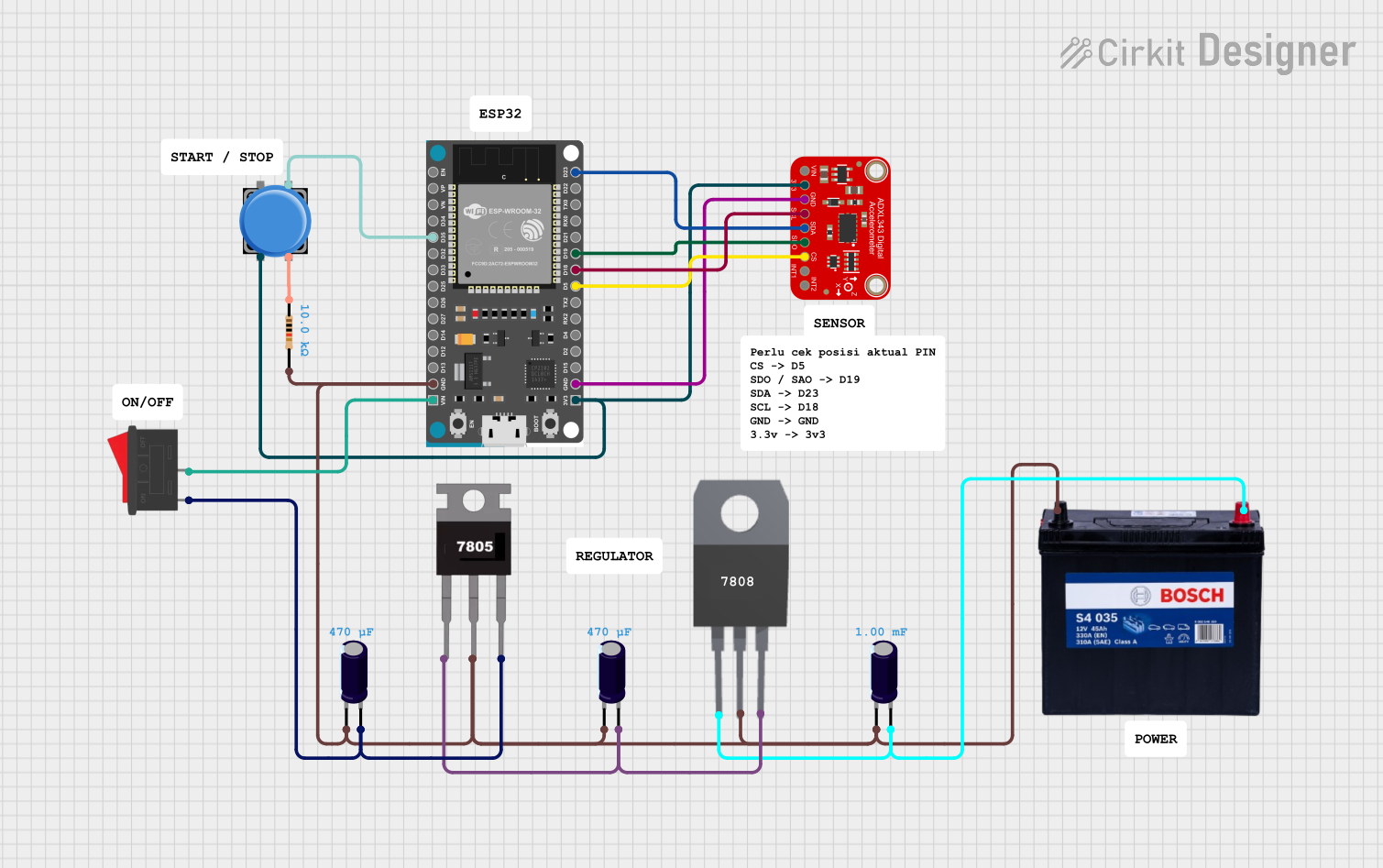 Open Project in Cirkit Designer
Explore Projects Built with ADC IC
Open Project in Cirkit DesignerOpen Project in Cirkit DesignerOpen Project in Cirkit DesignerOpen Project in Cirkit DesignerCommon Applications and Use Cases
- Data acquisition systems
- Industrial process control
- Power quality monitoring
- Medical instrumentation
- Motor control systems
- Audio signal processing
Technical Specifications
The AD7606 is a versatile ADC IC with the following key technical specifications:
| Parameter | Value |
|---|---|
| Resolution | 16-bit |
| Number of Input Channels | 8 |
| Input Voltage Range | ±10 V, ±5 V (software-selectable) |
| Sampling Rate | Up to 200 kSPS per channel |
| Power Supply Voltage | 5 V (analog) / 3.3 V (digital) |
| Input Impedance | 1 MΩ |
| Interface | Parallel / Serial (SPI) |
| Operating Temperature Range | -40°C to +85°C |
Pin Configuration and Descriptions
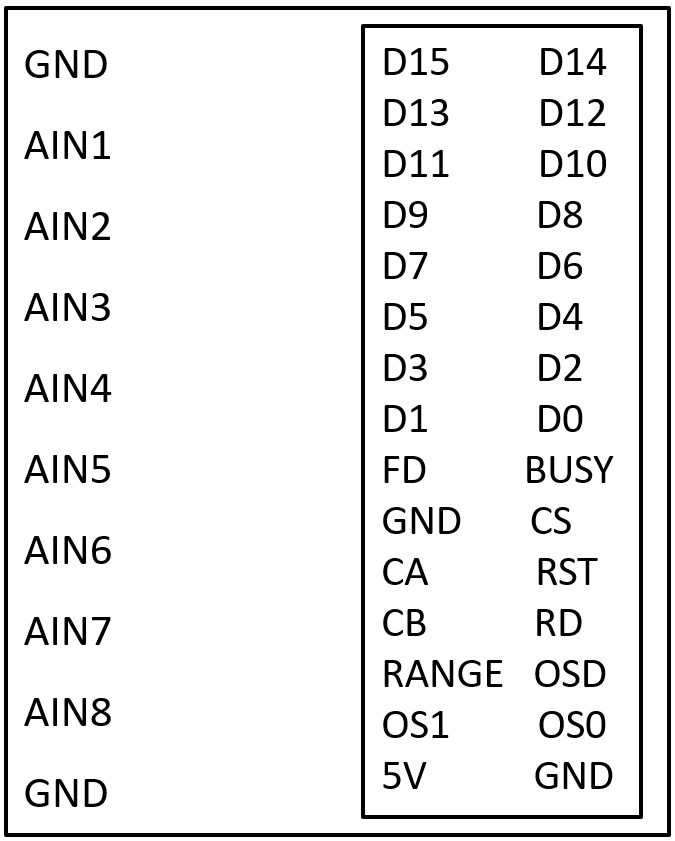
The AD7606 is available in a 64-lead LQFP package. Below is a summary of the key pins:
| Pin Name | Pin Number | Description |
|---|---|---|
| VDD | 1, 2 | Analog power supply (5 V). |
| VSS | 3, 4 | Analog ground. |
| REFIN/REFOUT | 5 | Reference input/output pin. |
| VINx (x=1-8) | 6-13 | Analog input channels (up to 8). |
| BUSY | 14 | Indicates conversion status (active high during conversion). |
| CS | 15 | Chip select (active low). |
| RD | 16 | Read data signal (active low). |
| WR | 17 | Write signal for configuration (active low). |
| DB[0:15] | 18-33 | Parallel data bus for digital output. |
| SCLK | 34 | Serial clock for SPI interface. |
| DOUTA/DOUTB | 35, 36 | Serial data output channels for SPI interface. |
| RESET | 37 | Resets the ADC to its default state (active low). |
| RANGE | 38 | Selects input voltage range (±10 V or ±5 V). |
| AVCC | 39 | Digital power supply (3.3 V). |
| AGND | 40 | Digital ground. |
For a complete pinout, refer to the official datasheet provided by Analog Devices.
Usage Instructions
How to Use the AD7606 in a Circuit
- Power Supply: Connect the analog power supply (VDD) to 5 V and the digital power supply (AVCC) to 3.3 V. Ensure proper decoupling capacitors are placed near the power pins.
- Input Configuration: Connect the analog input signals to the VINx pins. Use the RANGE pin to select the desired input voltage range (±10 V or ±5 V).
- Reference Voltage: Use the internal reference (REFOUT) or connect an external reference voltage to the REFIN pin.
- Interface Selection: Choose between the parallel or serial (SPI) interface for data communication. Configure the necessary pins (e.g., DB[0:15] for parallel or SCLK/DOUTA for SPI).
- Data Acquisition:
- Initiate a conversion by toggling the WR pin.
- Monitor the BUSY pin to determine when the conversion is complete.
- Read the digital output data via the selected interface (parallel or SPI).
Important Considerations and Best Practices
- Input Signal Conditioning: Use appropriate filters to remove noise from the input signals before feeding them into the ADC.
- Grounding: Ensure proper grounding to minimize noise and interference. Use separate analog and digital ground planes if possible.
- Decoupling: Place decoupling capacitors close to the power supply pins to stabilize the voltage supply.
- Reset: Always reset the ADC using the RESET pin after power-up to ensure proper initialization.
- Clock Configuration: For SPI communication, ensure the SCLK frequency does not exceed the maximum supported by the AD7606.
Example: Interfacing AD7606 with Arduino UNO (SPI Mode)
Below is an example code snippet for interfacing the AD7606 with an Arduino UNO using the SPI interface:
#include <SPI.h>

// Pin definitions
#define CS_PIN 10  // Chip Select pin
#define RESET_PIN 9 // Reset pin
#define BUSY_PIN 8  // Busy pin

void setup() {
  // Initialize SPI
  SPI.begin();
  SPI.setClockDivider(SPI_CLOCK_DIV16); // Set SPI clock speed
  SPI.setDataMode(SPI_MODE0);           // SPI mode 0
  pinMode(CS_PIN, OUTPUT);
  pinMode(RESET_PIN, OUTPUT);
  pinMode(BUSY_PIN, INPUT);

  // Reset the AD7606
  digitalWrite(RESET_PIN, LOW);
  delay(10); // Hold reset low for 10 ms
  digitalWrite(RESET_PIN, HIGH);

  // Configure the ADC
  digitalWrite(CS_PIN, HIGH); // Deselect the ADC
}

void loop() {
  // Start a conversion
  digitalWrite(CS_PIN, LOW); // Select the ADC
  SPI.transfer(0x00);        // Send a dummy byte to initiate conversion
  digitalWrite(CS_PIN, HIGH); // Deselect the ADC

  // Wait for conversion to complete
  while (digitalRead(BUSY_PIN) == HIGH);

  // Read data from the ADC
  digitalWrite(CS_PIN, LOW); // Select the ADC
  uint16_t data = SPI.transfer(0x00) << 8; // Read MSB
  data |= SPI.transfer(0x00);              // Read LSB
  digitalWrite(CS_PIN, HIGH); // Deselect the ADC

  // Print the result
  Serial.println(data);

  delay(1000); // Wait 1 second before the next conversion
}
Troubleshooting and FAQs
Common Issues and Solutions
No Output Data:
- Ensure the power supply voltages (VDD and AVCC) are within the specified range.
- Verify that the RESET pin is toggled after power-up.
- Check the SPI or parallel interface connections and configurations.
Incorrect Conversion Results:
- Verify the input signal is within the selected voltage range (±10 V or ±5 V).
- Check for noise or interference in the input signal. Use proper filtering if necessary.
- Ensure the reference voltage is stable and accurate.
BUSY Pin Stuck High:
- Confirm that the WR pin is toggled correctly to start a conversion.
- Check for any short circuits or incorrect wiring.
FAQs
Q1: Can I use the AD7606 with a 3.3 V analog power supply?
A1: No, the AD7606 requires a 5 V analog power supply (VDD). However, the digital power supply (AVCC) operates at 3.3 V.
Q2: What is the maximum sampling rate of the AD7606?
A2: The AD7606 supports a maximum sampling rate of 200 kSPS per channel.
Q3: Can I use the AD7606 in noisy environments?
A3: Yes, but it is recommended to use proper input signal conditioning (e.g., filters) and grounding techniques to minimize noise.
Q4: Does the AD7606 support differential input signals?
A4: No, the AD7606 is designed for single-ended input signals.
For further details, refer to the official datasheet provided by Analog Devices.