
How to Use VS1053 MP3 Shield: Examples, Pinouts, and Specs
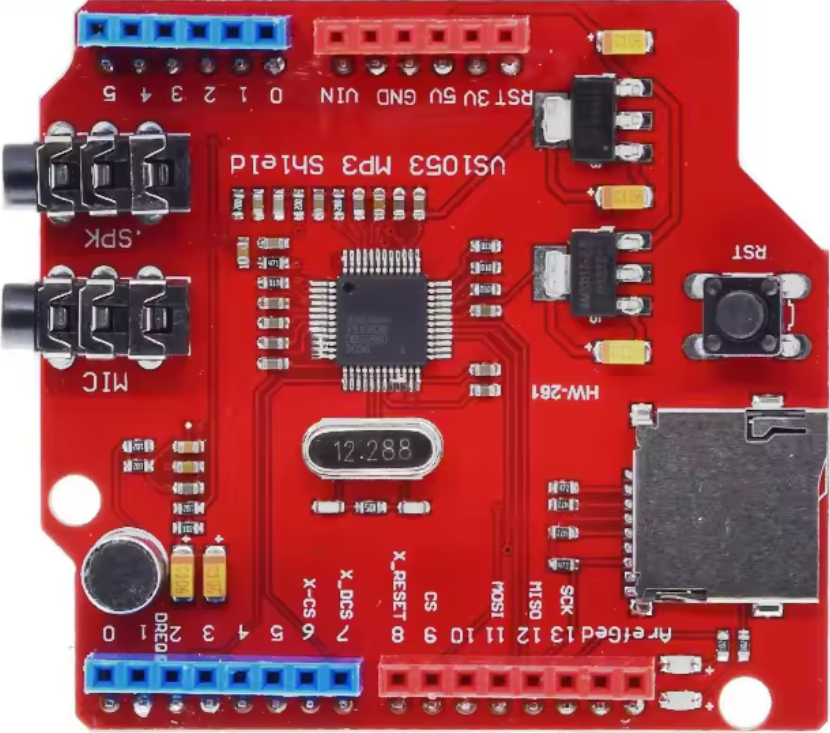
 Design with VS1053 MP3 Shield in Cirkit Designer
Introduction
The VS1053 MP3 Shield is an audio decoder module designed for high-quality audio playback. It supports a wide range of audio formats, including MP3, AAC, OGG, WMA, and WAV. The shield interfaces with microcontrollers via the SPI protocol, making it easy to integrate into various projects. It features a built-in headphone output, volume control, and the ability to decode and play audio files from an SD card.
Explore Projects Built with VS1053 MP3 Shield
 Open Project in Cirkit Designer
 Open Project in Cirkit Designer
 Open Project in Cirkit Designer
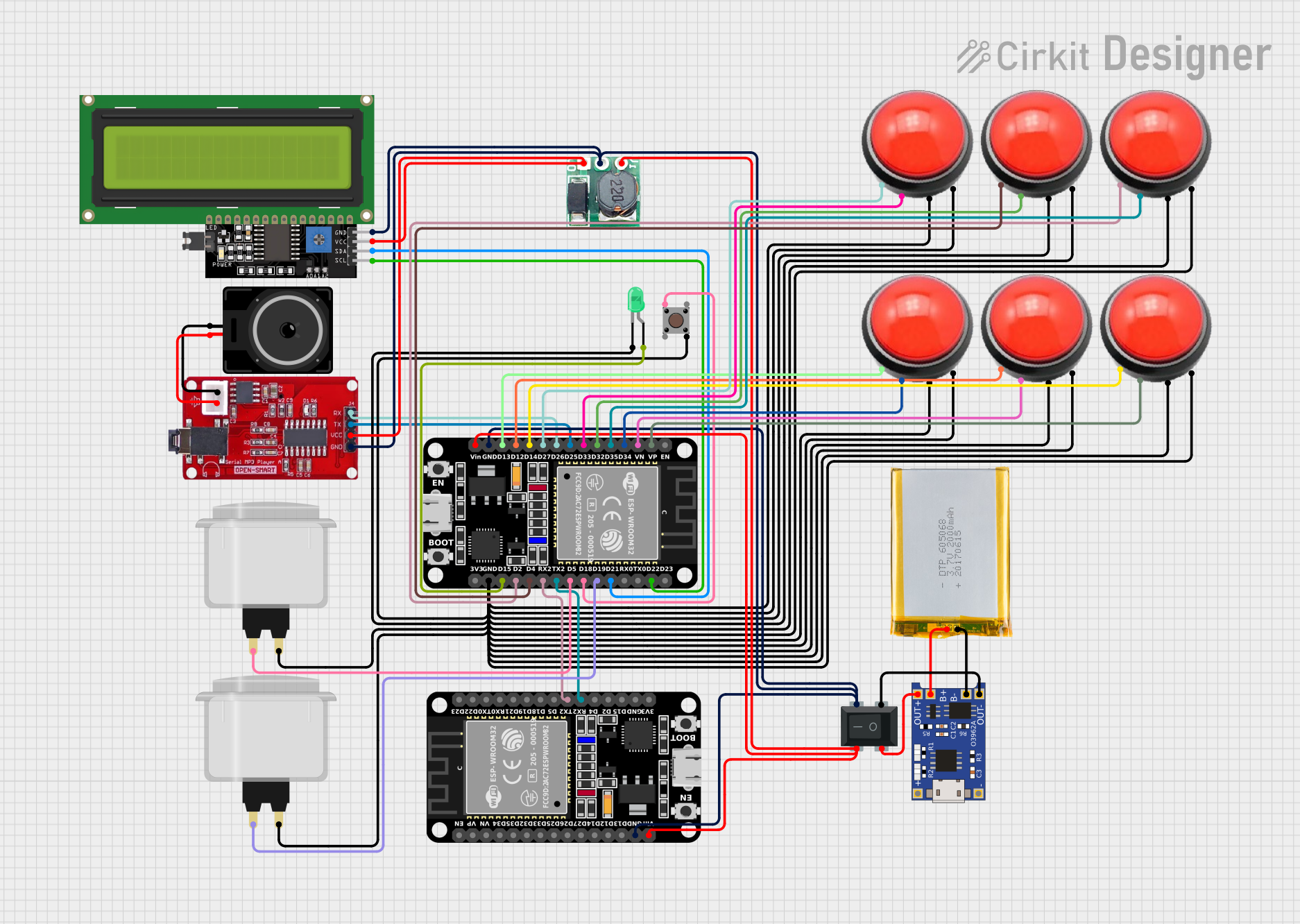 Open Project in Cirkit Designer
Explore Projects Built with VS1053 MP3 Shield
Open Project in Cirkit DesignerOpen Project in Cirkit DesignerOpen Project in Cirkit DesignerOpen Project in Cirkit DesignerCommon Applications and Use Cases
- Audio playback in embedded systems
- DIY music players
- Voice-guided systems
- Audio effects in robotics
- Interactive art installations
Technical Specifications
Key Technical Details
- Audio Formats Supported: MP3, AAC, OGG Vorbis, WMA, WAV
- Interface: SPI (Serial Peripheral Interface)
- Operating Voltage: 3.3V (logic level) and 5V (power supply)
- Current Consumption: ~30mA (idle), ~100mA (during playback)
- Output: Stereo headphone jack (3.5mm)
- SD Card Support: MicroSD card slot for audio file storage
- Additional Features: Bass and treble control, volume adjustment, and real-time MIDI playback
Pin Configuration and Descriptions
The VS1053 MP3 Shield uses the following pins for communication and control:
| Pin | Name | Description |
|---|---|---|
| 1 | GND | Ground connection |
| 2 | 5V | Power supply (5V input) |
| 3 | 3.3V | Logic level voltage (3.3V) |
| 4 | CS | Chip Select for SPI communication |
| 5 | DCS | Data Chip Select for SPI communication |
| 6 | DREQ | Data Request pin (indicates when the module is ready to receive more data) |
| 7 | MOSI | Master Out Slave In (SPI data input to the shield) |
| 8 | MISO | Master In Slave Out (SPI data output from the shield) |
| 9 | SCK | Serial Clock for SPI communication |
| 10 | SD_CS | Chip Select for the SD card module |
| 11 | RESET | Resets the VS1053 module |
| 12 | Headphone Jack | 3.5mm stereo output for audio playback |
Usage Instructions
How to Use the VS1053 MP3 Shield in a Circuit
Connect the Shield to a Microcontroller:
- Attach the VS1053 MP3 Shield to an Arduino UNO or compatible microcontroller.
- Ensure the SPI pins (MOSI, MISO, SCK) are properly aligned with the microcontroller's SPI interface.
Power the Shield:
- Provide a 5V power supply to the shield. The onboard regulator will handle the conversion to 3.3V for the logic level.
Load Audio Files:
- Format a microSD card as FAT16 or FAT32.
- Copy audio files (e.g., MP3, WAV) to the root directory of the SD card.
- Insert the microSD card into the shield's SD card slot.
Write Code for Playback:
- Use the Arduino IDE and the
Adafruit_VS1053library to control the shield. - Install the library via the Arduino Library Manager.
- Use the Arduino IDE and the
Example Code for Arduino UNO
#include <SPI.h>
#include <Adafruit_VS1053.h>

// Define pins for the VS1053 shield
#define RESET_PIN 9   // Reset pin for the VS1053
#define CS_PIN 10     // Chip Select for VS1053
#define DCS_PIN 8     // Data Chip Select for VS1053
#define DREQ_PIN 3    // Data Request pin for VS1053

// Create an instance of the VS1053 library
Adafruit_VS1053_FilePlayer musicPlayer =
  Adafruit_VS1053_FilePlayer(CS_PIN, DCS_PIN, DREQ_PIN, RESET_PIN);

void setup() {
  Serial.begin(9600);
  Serial.println("Initializing VS1053 MP3 Shield...");

  // Initialize the VS1053 module
  if (!musicPlayer.begin()) {
    Serial.println("VS1053 initialization failed!");
    while (1); // Halt execution if initialization fails
  }
  Serial.println("VS1053 initialized successfully.");

  // Initialize the SD card
  if (!SD.begin(CS_PIN)) {
    Serial.println("SD card initialization failed!");
    while (1); // Halt execution if SD card fails
  }
  Serial.println("SD card initialized successfully.");

  // Load and play an audio file
  if (!musicPlayer.startPlayingFile("/track001.mp3")) {
    Serial.println("Failed to play file!");
  } else {
    Serial.println("Playing audio...");
  }
}

void loop() {
  // Check if the audio file is still playing
  if (!musicPlayer.playingMusic) {
    Serial.println("Playback finished.");
    while (1); // Halt execution after playback
  }
}
Important Considerations and Best Practices
- Ensure the microSD card is properly formatted and contains supported audio files.
- Use a regulated 5V power supply to avoid damaging the shield.
- Avoid connecting headphones or speakers with very low impedance directly to the output.
- Use the
DREQpin to manage data flow and prevent buffer overflows during playback.
Troubleshooting and FAQs
Common Issues and Solutions
No Audio Output:
- Verify that the audio file format is supported (e.g., MP3, WAV).
- Check the headphone or speaker connection.
- Ensure the SD card is properly inserted and initialized.
SD Card Initialization Fails:
- Confirm the SD card is formatted as FAT16 or FAT32.
- Check the
SD_CSpin connection.
Playback Stops Abruptly:
- Ensure the
DREQpin is properly connected and monitored in the code. - Verify the power supply is stable and sufficient.
- Ensure the
VS1053 Initialization Fails:
- Check the SPI connections (MOSI, MISO, SCK, CS, DCS).
- Ensure the shield is securely attached to the microcontroller.
FAQs
Can I use the VS1053 MP3 Shield with a 3.3V microcontroller? Yes, the shield supports 3.3V logic levels, but you must still provide a 5V power supply.
What is the maximum SD card size supported? The shield supports microSD cards up to 32GB formatted as FAT16 or FAT32.
Can I play audio files directly from flash memory? No, the VS1053 MP3 Shield requires an SD card for audio file storage.
Is it possible to record audio with this shield? Yes, the VS1053 supports audio recording, but additional configuration and hardware may be required.