
How to Use CR123A Batteries: Examples, Pinouts, and Specs
 Design with CR123A Batteries in Cirkit Designer
Introduction
CR123A batteries are lithium-based power sources commonly used in cameras, flashlights, and other electronic devices. They are known for their high energy density, compact size, and long shelf life, making them ideal for high-drain applications. These batteries are non-rechargeable and are designed to deliver consistent performance in demanding environments, including extreme temperatures.
Explore Projects Built with CR123A Batteries
 Open Project in Cirkit Designer
 Open Project in Cirkit Designer
 Open Project in Cirkit Designer
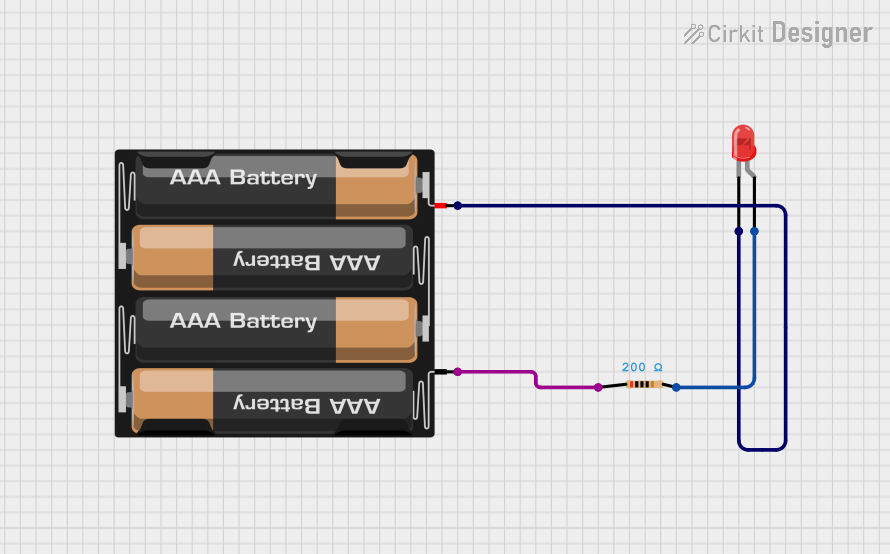 Open Project in Cirkit Designer
Explore Projects Built with CR123A Batteries
Open Project in Cirkit DesignerOpen Project in Cirkit DesignerOpen Project in Cirkit DesignerOpen Project in Cirkit DesignerCommon Applications
- Digital cameras and photography equipment
- Tactical flashlights and headlamps
- Security systems and motion sensors
- Medical devices
- Portable electronic devices requiring high energy output
Technical Specifications
| Parameter | Value |
|---|---|
| Battery Type | Lithium (LiMnO2) |
| Nominal Voltage | 3.0 V |
| Capacity | 1300–1600 mAh (varies by brand) |
| Maximum Continuous Current | 1.5 A |
| Maximum Pulse Current | 3.0 A |
| Operating Temperature | -20°C to 60°C |
| Shelf Life | Up to 10 years |
| Dimensions | 34.5 mm (length) x 17 mm (diameter) |
| Weight | ~17 g |
Pin Configuration and Descriptions
CR123A batteries have two terminals:
| Terminal | Description |
|---|---|
| Positive (+) | The protruding terminal at the top of the battery. Connects to the positive side of the circuit. |
| Negative (-) | The flat terminal at the bottom of the battery. Connects to the ground or negative side of the circuit. |
Usage Instructions
How to Use CR123A Batteries in a Circuit
- Check Compatibility: Ensure the device is designed to use CR123A batteries. Using an incompatible battery type may damage the device or cause malfunction.
- Insert Correctly: Align the positive (+) and negative (-) terminals of the battery with the corresponding markings in the battery compartment.
- Avoid Short Circuits: Ensure the terminals do not come into direct contact with conductive materials, as this can cause a short circuit and potentially damage the battery or device.
- Monitor Voltage: Replace the battery when the voltage drops below 2.5 V to prevent device malfunction or damage.
Important Considerations and Best Practices
- Do Not Recharge: CR123A batteries are non-rechargeable. Attempting to recharge them can lead to leakage, overheating, or explosion.
- Store Properly: Keep batteries in a cool, dry place away from direct sunlight and heat sources to maximize shelf life.
- Dispose Responsibly: Follow local regulations for battery disposal. Do not incinerate or throw in regular trash.
- Avoid Mixing Batteries: Do not mix new and used batteries or batteries from different brands, as this can lead to uneven discharge and potential leakage.
Example: Using CR123A Batteries with an Arduino UNO
While CR123A batteries are not directly compatible with the Arduino UNO due to their 3.0 V output, they can be used with a voltage regulator to step down the voltage to 5 V. Below is an example circuit and code for powering an LED using CR123A batteries and an Arduino UNO.
Circuit Setup
- Connect the positive terminal of the CR123A battery to the input of a 5 V voltage regulator (e.g., LM7805).
- Connect the output of the voltage regulator to the Arduino UNO's 5 V pin.
- Connect the ground terminal of the battery to the Arduino's GND pin.
- Connect an LED to pin 13 of the Arduino UNO with a 220-ohm resistor in series.
Arduino Code
// Simple code to blink an LED connected to pin 13
// Ensure the LED is connected with a 220-ohm resistor to limit current

void setup() {
  pinMode(13, OUTPUT); // Set pin 13 as an output pin
}

void loop() {
  digitalWrite(13, HIGH); // Turn the LED on
  delay(1000);            // Wait for 1 second
  digitalWrite(13, LOW);  // Turn the LED off
  delay(1000);            // Wait for 1 second
}
Troubleshooting and FAQs
Common Issues
Battery Drains Quickly
- Cause: High-drain devices or leaving the device powered on.
- Solution: Use fresh batteries and turn off the device when not in use.
Device Does Not Power On
- Cause: Incorrect battery orientation or depleted battery.
- Solution: Check the battery orientation and replace the battery if necessary.
Battery Leakage
- Cause: Storing batteries in high-temperature environments or using expired batteries.
- Solution: Store batteries in a cool, dry place and check expiration dates before use.
Overheating
- Cause: Short circuit or using the battery in an incompatible device.
- Solution: Ensure proper circuit design and use the battery only in compatible devices.
FAQs
Q: Can CR123A batteries be replaced with rechargeable alternatives?
A: Yes, rechargeable alternatives like RCR123A batteries are available. However, ensure the device supports the higher voltage (3.6–3.7 V) of rechargeable versions.
Q: How do I know when a CR123A battery is depleted?
A: Most devices will indicate low battery status. Alternatively, use a multimeter to measure the voltage. Replace the battery if the voltage drops below 2.5 V.
Q: Are CR123A batteries safe for air travel?
A: Yes, CR123A batteries are generally safe for air travel when stored in carry-on luggage. Ensure the terminals are covered to prevent short circuits.
Q: Can I use CR123A batteries in extreme temperatures?
A: Yes, CR123A batteries are designed to operate in a wide temperature range (-20°C to 60°C), making them suitable for outdoor and industrial applications.