The SmartElex I2S MEMS Microphone Module is a compact and efficient device designed to convert sound waves into electrical signals. This module utilizes MEMS (Micro-Electro-Mechanical Systems) technology and supports the I2S (Inter-IC Sound) protocol for digital audio data transmission. It is ideal for applications requiring high-quality audio input, such as voice recognition systems, audio recording devices, and communication systems.
Explore Projects Built with Microphone Module
Use Cirkit Designer to design, explore, and prototype these projects online. Some projects support real-time simulation. Click "Open Project" to start designing instantly!
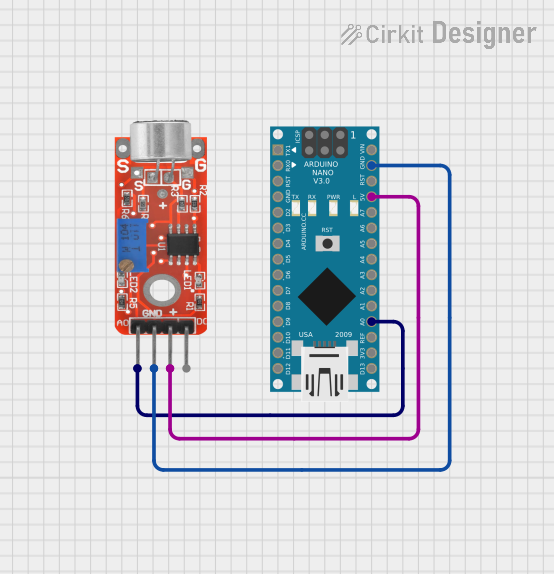
This circuit consists of an Arduino Nano microcontroller connected to a KY-037 microphone module. The microphone's analog output is read by the Arduino on pin A0, allowing the Arduino to process audio signals. Power and ground connections are also established between the Arduino and the microphone module.
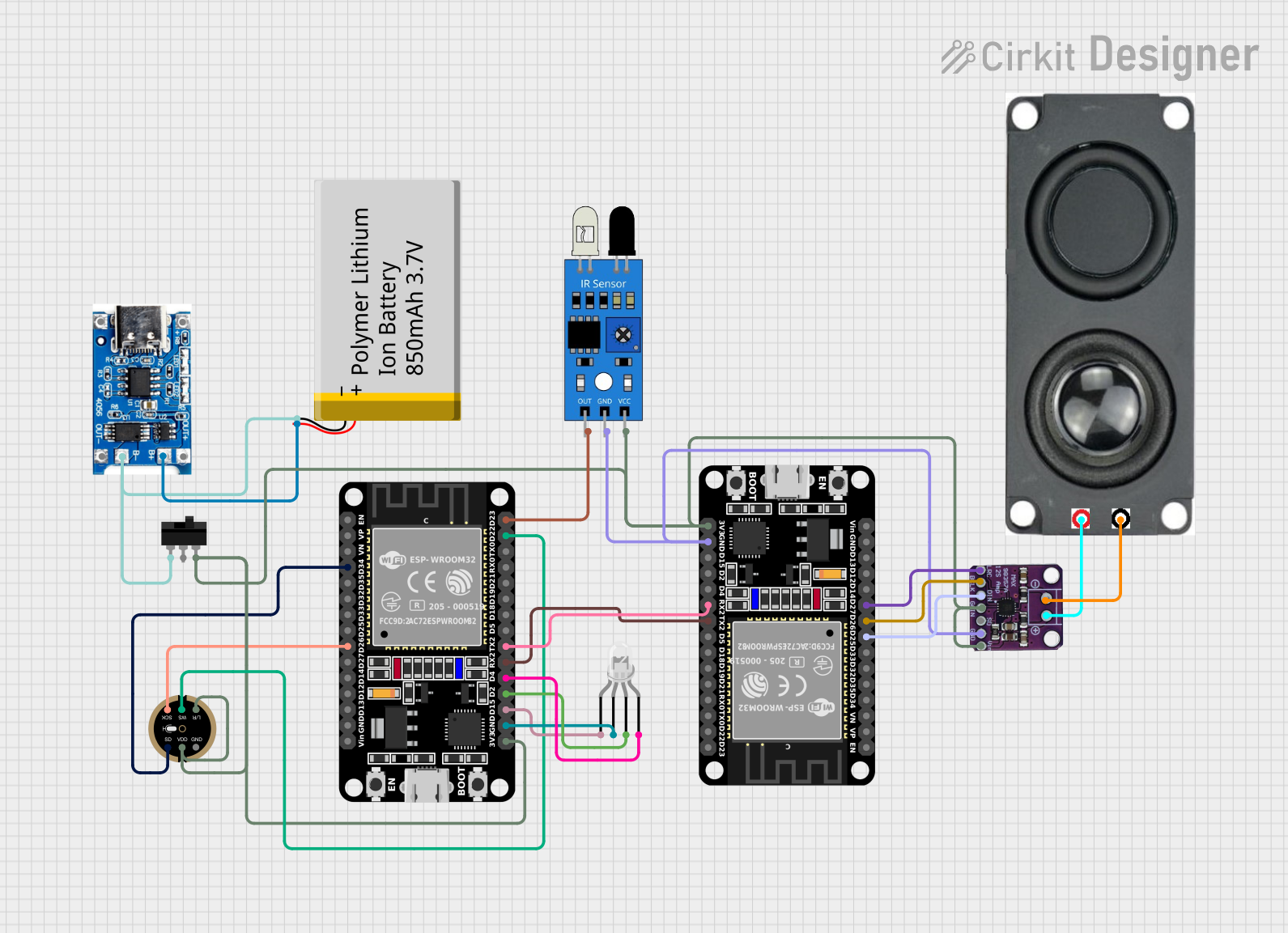
This circuit is a voice-controlled system that uses an ESP32 microcontroller to process audio input from a microphone, send the data to a Gemini API for speech-to-text conversion, and output responses through a speaker. It includes an IR sensor for additional input, an LED for status indication, and a battery with a charging module for power management.
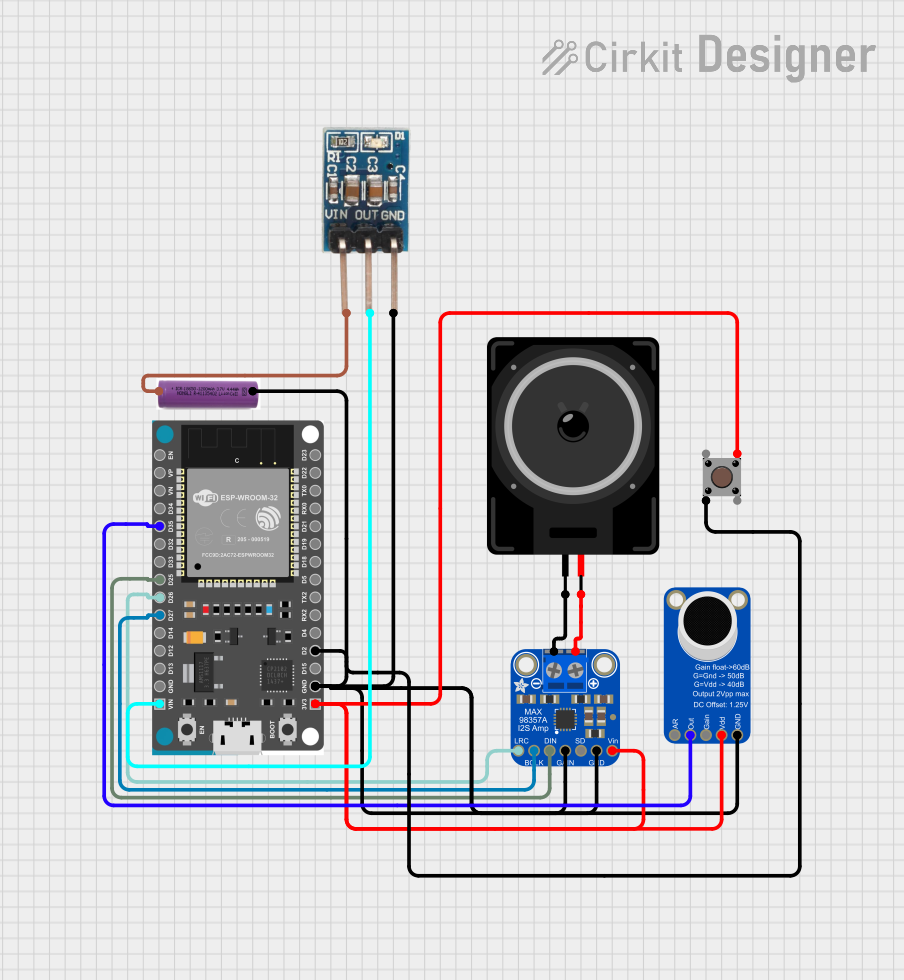
This circuit is a digital voice playback and recording system powered by a 3.7V battery. It features an ESP32 microcontroller for processing, an Adafruit MAX98357A amplifier to drive a loudspeaker for audio output, and an Adafruit MAX9814 microphone amplifier for audio input. A pushbutton provides user interaction, and a 3.3V regulator ensures stable power supply to the components.
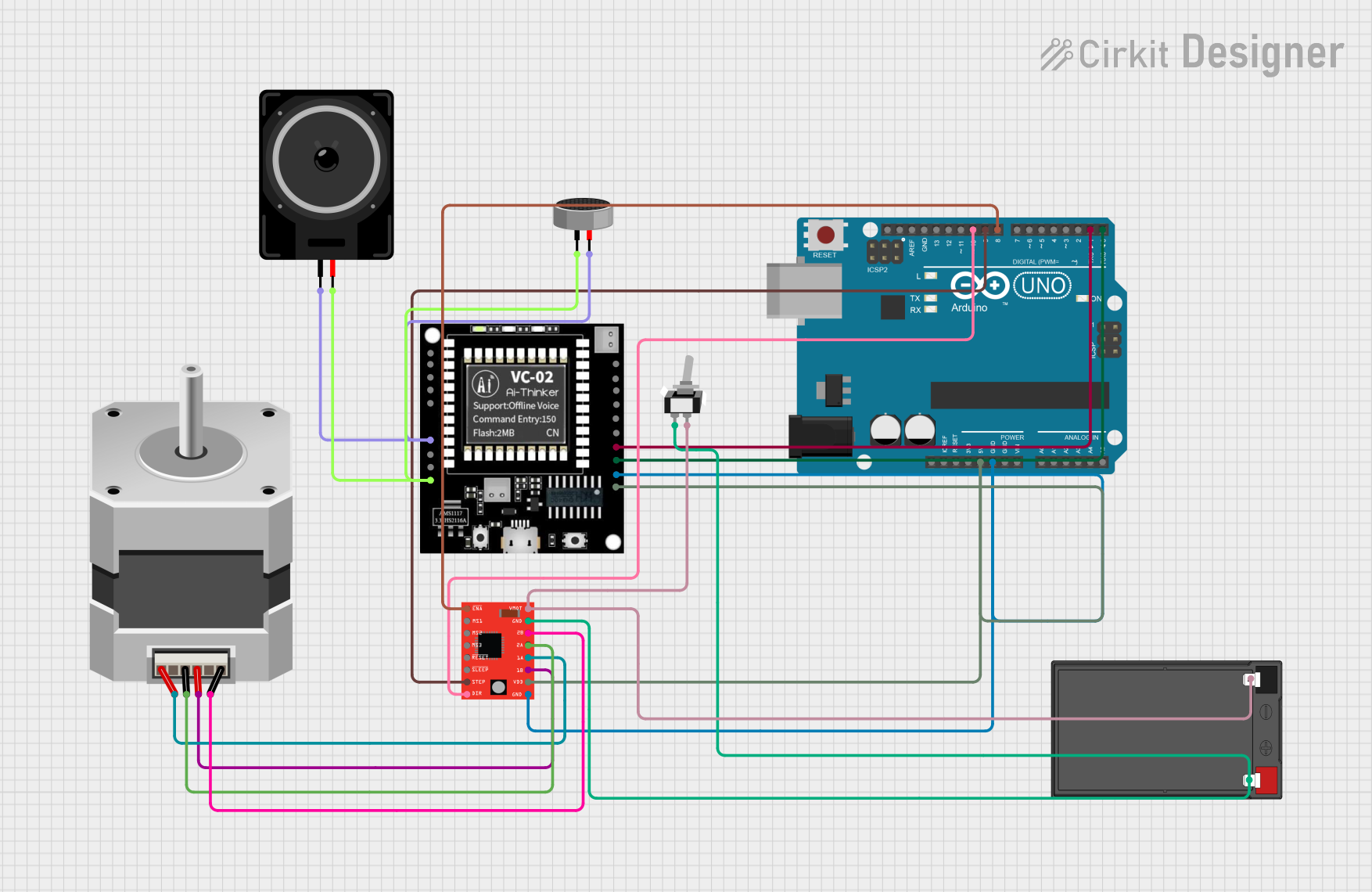
This circuit integrates an Arduino UNO to control a stepper motor via an A4988 driver and interfaces with a VC-02 module for audio processing. The condenser microphone captures audio signals, which are processed by the VC-02 module and output through a loudspeaker, while the Arduino also communicates with the VC-02 module and controls the stepper motor's movements.
Voice recognition systems (e.g., smart assistants)
Audio recording and streaming
IoT devices with sound input capabilities
Communication systems (e.g., teleconferencing)
Environmental sound monitoring
Technical Specifications
The following table outlines the key technical details of the SmartElex I2S MEMS Microphone Module:
Parameter
Value
Manufacturer
SmartElex
Part ID
I2S MEMS
Operating Voltage
1.8V to 3.6V
Current Consumption
< 1 mA
Output Format
I2S (Inter-IC Sound)
Frequency Response
50 Hz to 20 kHz
Signal-to-Noise Ratio
64 dB
Sensitivity
-26 dBFS ±3 dB
Dimensions
15 mm x 10 mm x 2 mm
Operating Temperature
-40°C to +85°C
Pin Configuration
The SmartElex I2S MEMS Microphone Module has the following pinout:
Pin Name
Description
VDD
Power supply input (1.8V to 3.6V)
GND
Ground connection
WS
Word Select (Left/Right channel selection)
SCK
Serial Clock (I2S clock input)
SD
Serial Data (I2S audio data output)
Usage Instructions
How to Use the Microphone Module in a Circuit
Power Supply: Connect the VDD pin to a regulated power source (1.8V to 3.6V) and the GND pin to the ground.
I2S Interface: Connect the WS, SCK, and SD pins to the corresponding I2S pins on your microcontroller or audio processor.
WS: Used to select the left or right audio channel.
SCK: Provides the clock signal for data synchronization.
SD: Outputs the digital audio data.
Configuration: Ensure your microcontroller or processor is configured to read I2S data at the appropriate clock rate and channel settings.
Important Considerations and Best Practices
Power Supply: Use a stable and noise-free power source to avoid interference in audio signals.
Clock Signal: Ensure the SCK signal is accurate and matches the required frequency for proper data synchronization.
Placement: Place the microphone module away from high-frequency noise sources to maintain audio quality.
Decoupling Capacitor: Add a decoupling capacitor (e.g., 0.1 µF) near the VDD pin to filter out power supply noise.
Example: Connecting to an Arduino UNO
The Arduino UNO does not natively support I2S, but you can use an external I2S interface module or a microcontroller like the ESP32, which has built-in I2S support. Below is an example code snippet for using the I2S MEMS Microphone Module with an ESP32:
#include <driver/i2s.h>

// I2S configuration
#define I2S_NUM         I2S_NUM_0  // I2S port number
#define I2S_WS_PIN      25         // Word Select pin
#define I2S_SCK_PIN     26         // Serial Clock pin
#define I2S_SD_PIN      22         // Serial Data pin

void setup() {
  // Configure I2S
  i2s_config_t i2s_config = {
    .mode = (i2s_mode_t)(I2S_MODE_MASTER | I2S_MODE_RX), // Master mode, receive
    .sample_rate = 16000,                               // Sampling rate
    .bits_per_sample = I2S_BITS_PER_SAMPLE_16BIT,       // 16-bit audio
    .channel_format = I2S_CHANNEL_FMT_ONLY_LEFT,        // Left channel only
    .communication_format = I2S_COMM_FORMAT_I2S,       // I2S format
    .intr_alloc_flags = ESP_INTR_FLAG_LEVEL1,           // Interrupt level
    .dma_buf_count = 8,                                 // Number of DMA buffers
    .dma_buf_len = 64                                   // Buffer length
  };

  // Configure I2S pins
  i2s_pin_config_t pin_config = {
    .bck_io_num = I2S_SCK_PIN,  // Serial Clock
    .ws_io_num = I2S_WS_PIN,    // Word Select
    .data_out_num = I2S_PIN_NO_CHANGE, // Not used
    .data_in_num = I2S_SD_PIN   // Serial Data
  };

  // Install and start I2S driver
  i2s_driver_install(I2S_NUM, &i2s_config, 0, NULL);
  i2s_set_pin(I2S_NUM, &pin_config);
}

void loop() {
  // Buffer to store audio data
  int16_t audio_buffer[128];
  size_t bytes_read;

  // Read audio data from I2S
  i2s_read(I2S_NUM, audio_buffer, sizeof(audio_buffer), &bytes_read, portMAX_DELAY);

  // Process audio data (e.g., send to a server or analyze)
}
Troubleshooting and FAQs
Common Issues
No Audio Output:
Ensure the power supply is within the specified range (1.8V to 3.6V).
Verify the I2S clock signal (SCK) is correctly configured.
Check the connections for WS, SCK, and SD pins.
Distorted Audio:
Ensure the microphone is not placed near high-frequency noise sources.
Verify the sampling rate and bit depth match the module's specifications.
Low Sensitivity:
Check if the microphone is oriented correctly to capture sound.
Ensure there are no obstructions blocking the microphone's sound input.
FAQs
Q: Can this module be used with a Raspberry Pi?
A: Yes, the I2S MEMS Microphone Module can be connected to a Raspberry Pi using its I2S interface. Ensure the Raspberry Pi is configured to read I2S data.
Q: What is the maximum sampling rate supported?
A: The module supports sampling rates up to 48 kHz, depending on the configuration of the I2S interface.
Q: Can I use this module for stereo audio?
A: Yes, by using two modules and configuring the WS pin appropriately, you can capture stereo audio.
Q: Is this module suitable for outdoor use?
A: The module operates in a wide temperature range (-40°C to +85°C), but it should be protected from moisture and dust for reliable operation.


 Open Project in Cirkit Designer