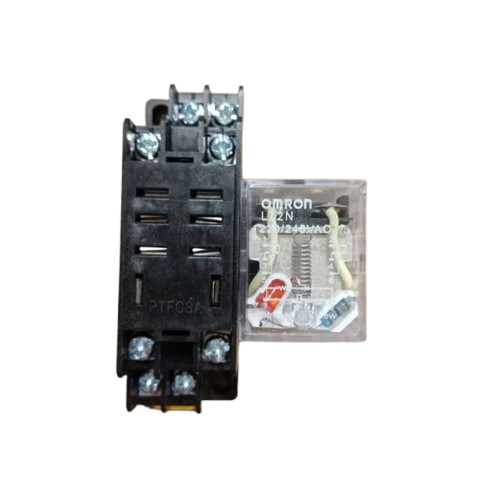
The Relay LY2N 12VDC by Omron is a versatile electromechanical relay designed for switching applications. It operates on a 12V DC coil voltage and features a Double Pole Double Throw (DPDT) configuration, enabling the control of two independent circuits with a single relay. This relay is widely used in automation, industrial control systems, home appliances, and other applications requiring electrical isolation and reliable switching.
Explore Projects Built with Relay LY2N 12VDC
Use Cirkit Designer to design, explore, and prototype these projects online. Some projects support real-time simulation. Click "Open Project" to start designing instantly!
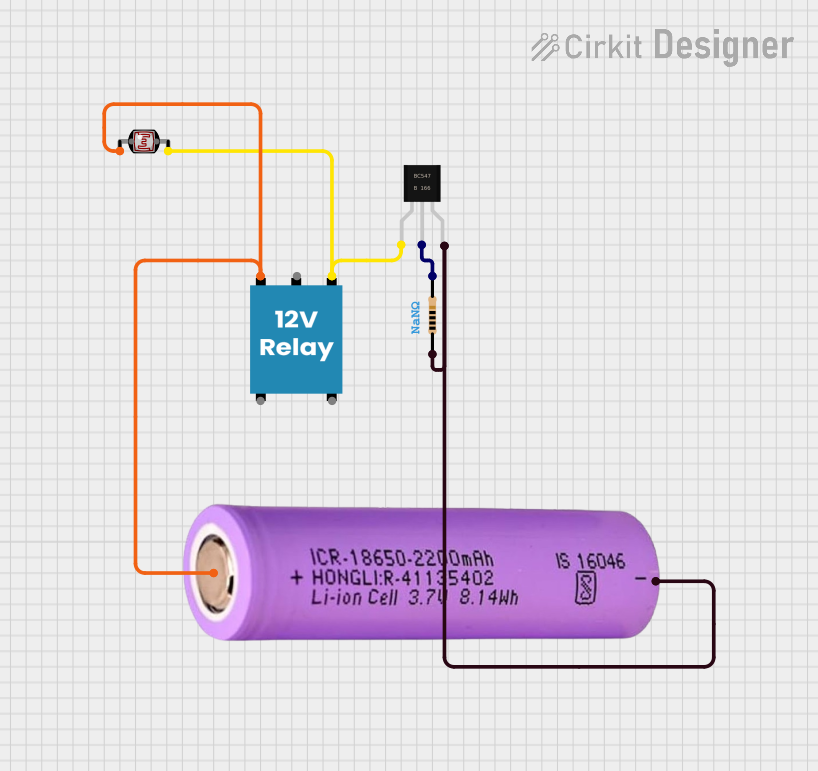
This circuit is a light-sensitive relay switch that uses a photocell (LDR) to control a 12V relay via a BC547 transistor. The relay is powered by a 12V battery, and the transistor acts as a switch that is triggered by the resistance change in the LDR, which is influenced by the ambient light level.
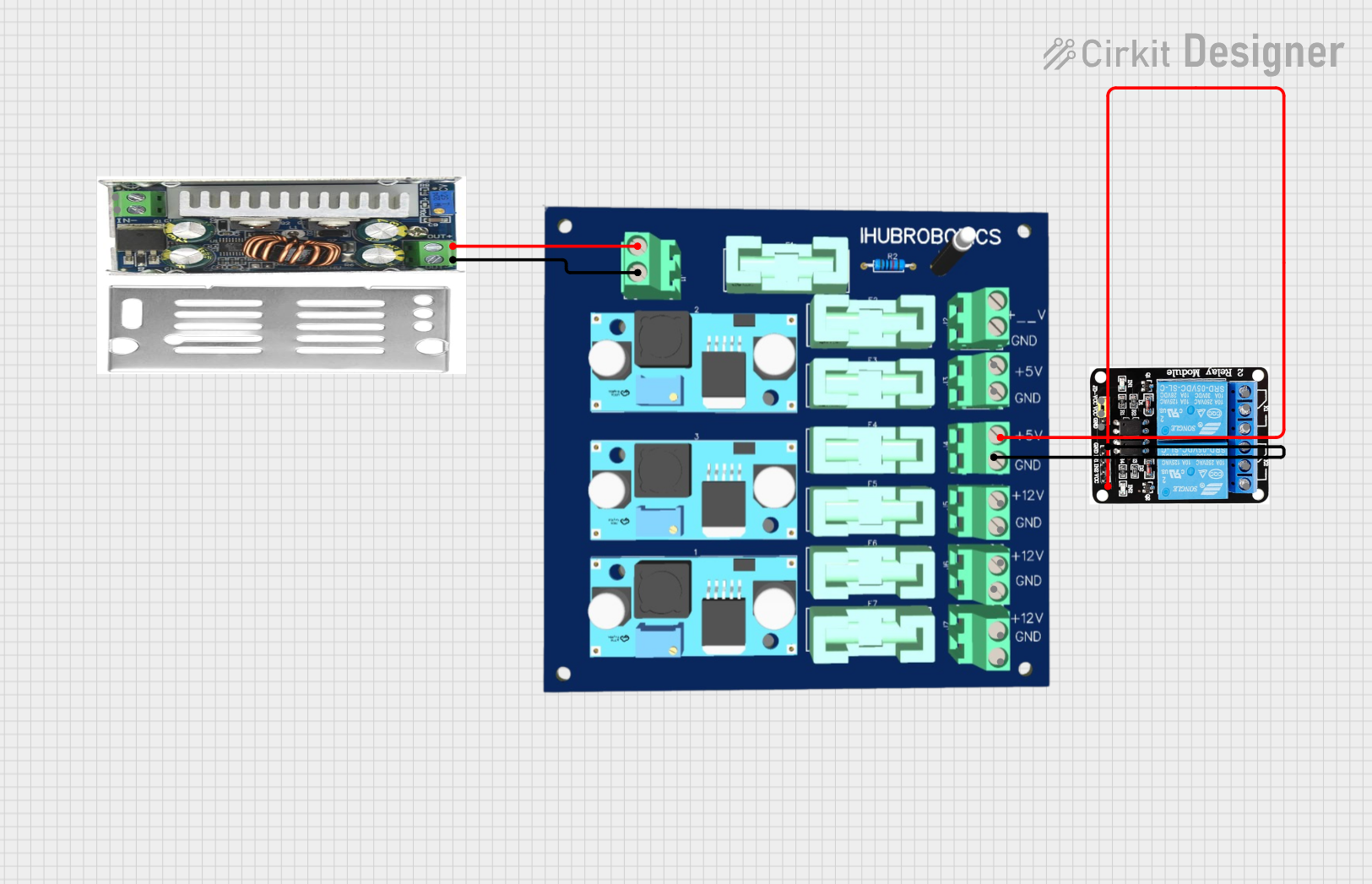
This circuit consists of a DC-DC converter powering a 6-channel power module, which in turn supplies 5V to a 2-relay module. The power module distributes the converted voltage to the relay module, enabling it to control external devices.
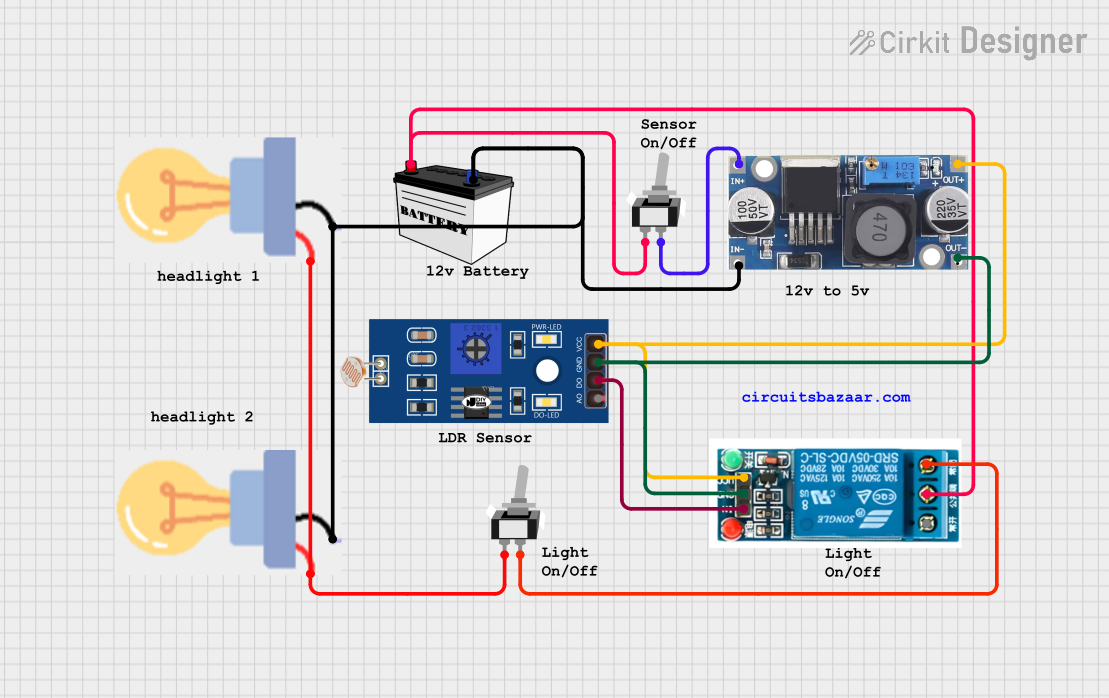
This circuit appears to be a light-activated switch controlling two bulbs using a 5V relay, with an LDR (Light Dependent Resistor) as the sensor. The relay is powered by a 48V to 5V converter, which is switched on by a 12V battery through an SPST toggle switch. The LDR's output is connected to the relay's input, enabling the relay to switch the bulbs on or off based on the ambient light level detected by the LDR.
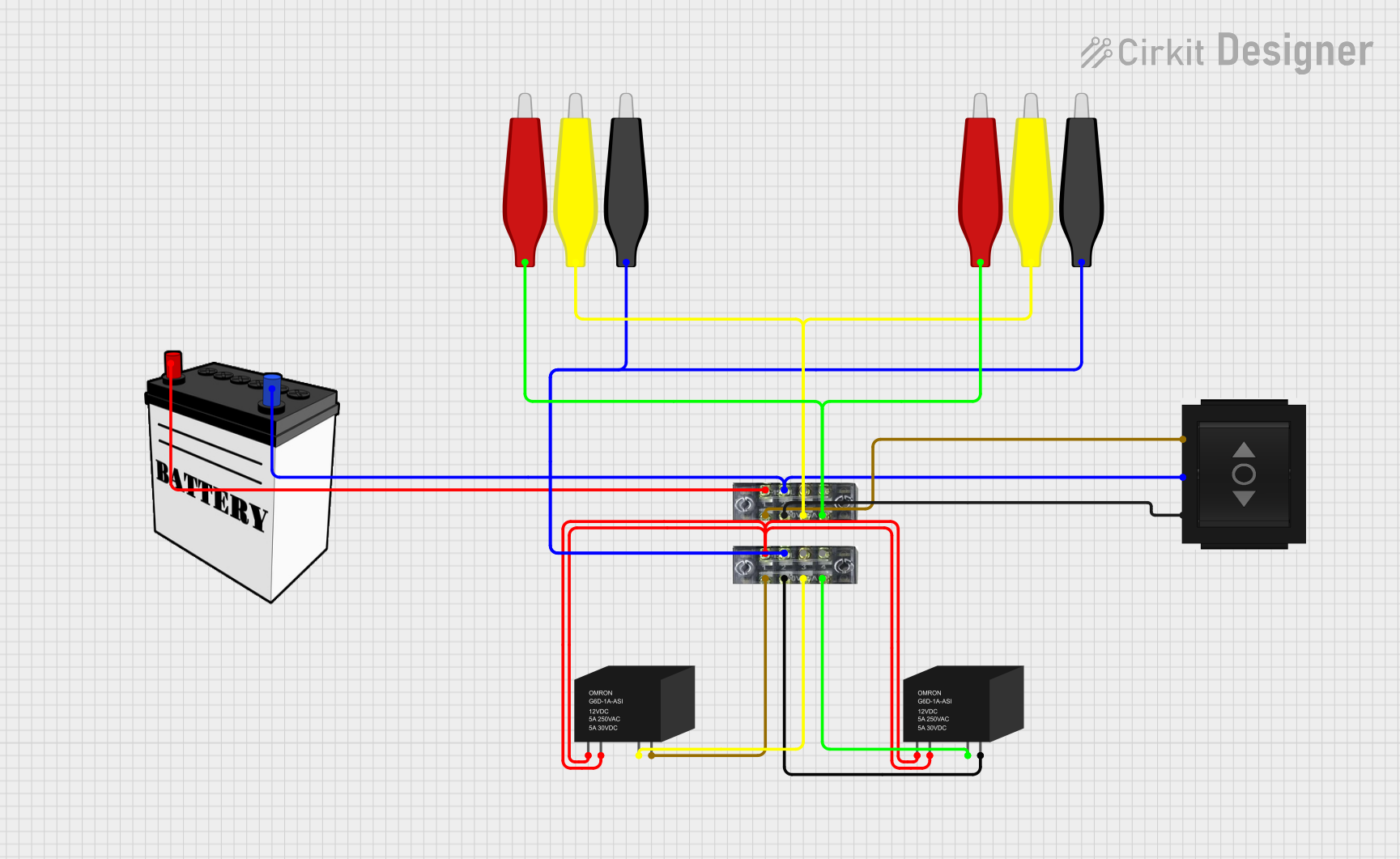
This circuit involves a 12V battery powering a relay system controlled by a directional switch. The relays are connected through terminal blocks and are used to switch between different outputs, indicated by the AdaGator Top components.
Home appliances (e.g., HVAC systems, washing machines)
Motor control circuits
Signal switching in low-power circuits
Power distribution and load management
Technical Specifications
Below are the key technical details of the Relay LY2N 12VDC:
Parameter
Value
Manufacturer
Omron
Part Number
LY2N
Coil Voltage
12V DC
Contact Configuration
DPDT (Double Pole Double Throw)
Contact Rating
10A at 250V AC / 10A at 30V DC
Coil Resistance
160 Ω
Operate Time
15 ms (max)
Release Time
10 ms (max)
Insulation Resistance
1000 MΩ (at 500V DC)
Dielectric Strength
2000V AC (coil to contacts)
Mechanical Durability
50 million operations
Electrical Durability
500,000 operations (at rated load)
Mounting Style
Plug-in or PCB mount
Dimensions
28 mm x 21.5 mm x 36 mm
Weight
Approx. 35 g
Pin Configuration
The Relay LY2N 12VDC has a total of 8 pins. The pinout is as follows:
Pin Number
Description
1
Coil Terminal (Positive)
2
Coil Terminal (Negative)
3
Common Contact (Pole 1)
4
Normally Open (NO) Contact (Pole 1)
5
Normally Closed (NC) Contact (Pole 1)
6
Common Contact (Pole 2)
7
Normally Open (NO) Contact (Pole 2)
8
Normally Closed (NC) Contact (Pole 2)
Usage Instructions
How to Use the Relay in a Circuit
Power the Coil: Connect the relay's coil terminals (pins 1 and 2) to a 12V DC power source. Ensure the polarity is correct.
Control the Load: Use the relay's DPDT contacts to control two independent circuits. Connect the load to the appropriate Common (COM), Normally Open (NO), and Normally Closed (NC) terminals.
Switching Operation: When the coil is energized, the relay switches from the NC contact to the NO contact, allowing current to flow through the NO terminal.
Important Considerations
Flyback Diode: Always use a flyback diode across the coil terminals to protect the driving circuit from voltage spikes caused by the relay's inductive load.
Current Rating: Ensure the load current does not exceed the relay's contact rating (10A).
Isolation: The relay provides electrical isolation between the control circuit and the load circuit, making it ideal for high-voltage or high-current applications.
Mounting: Secure the relay in a socket or PCB mount to ensure stable operation.
Example: Connecting to an Arduino UNO
Below is an example of how to control the Relay LY2N 12VDC using an Arduino UNO:
// Define the pin connected to the relay module
const int relayPin = 7;

void setup() {
  // Set the relay pin as an output
  pinMode(relayPin, OUTPUT);

  // Initialize the relay in the OFF state
  digitalWrite(relayPin, LOW);
}

void loop() {
  // Turn the relay ON
  digitalWrite(relayPin, HIGH);
  delay(1000); // Keep the relay ON for 1 second

  // Turn the relay OFF
  digitalWrite(relayPin, LOW);
  delay(1000); // Keep the relay OFF for 1 second
}
Note: Use a transistor or relay driver circuit to interface the Arduino with the relay, as the Arduino's GPIO pins cannot directly supply the required current for the relay coil.
Troubleshooting and FAQs
Common Issues and Solutions
Relay Not Switching:
Cause: Insufficient coil voltage or current.
Solution: Verify that the power supply provides 12V DC and sufficient current to the coil.
Chattering or Unstable Operation:
Cause: Noise or insufficient drive current.
Solution: Add a capacitor across the power supply to stabilize the voltage. Ensure the driving circuit can supply adequate current.
Contacts Not Conducting:
Cause: Worn-out or damaged contacts.
Solution: Replace the relay if the contacts are damaged or worn.
Voltage Spikes Damaging the Circuit:
Cause: Inductive kickback from the relay coil.
Solution: Install a flyback diode (e.g., 1N4007) across the coil terminals.
FAQs
Q1: Can I use the Relay LY2N 12VDC for AC loads?
Yes, the relay can handle AC loads up to 250V with a maximum current of 10A.
Q2: What is the purpose of the DPDT configuration?
The DPDT configuration allows the relay to control two independent circuits simultaneously, providing flexibility in switching applications.
Q3: How do I test if the relay is working?
Apply 12V DC to the coil terminals and listen for a clicking sound, which indicates the relay is switching. You can also use a multimeter to check continuity between the contacts.
Q4: Can I use this relay with a 5V microcontroller?
Yes, but you will need a transistor or relay driver circuit to interface the 5V microcontroller with the 12V relay.
By following this documentation, you can effectively use the Relay LY2N 12VDC in your projects and troubleshoot common issues with ease.

 Open Project in Cirkit Designer