The Fullsend 6S 10000mAh Li-Ion Battery, manufactured by iFlight (Part ID: 6S 10000mAh Li-Ion), is a high-capacity lithium-ion battery designed for demanding applications. With a 6-cell series configuration (6S) and a total capacity of 10000mAh, this battery is ideal for powering drones, RC vehicles, and other electronic devices that require substantial energy for extended periods. Its lightweight design and high energy density make it a popular choice for high-performance applications.
Explore Projects Built with Fullsend 6S 10000mAh Li-Ion Battery
Use Cirkit Designer to design, explore, and prototype these projects online. Some projects support real-time simulation. Click "Open Project" to start designing instantly!
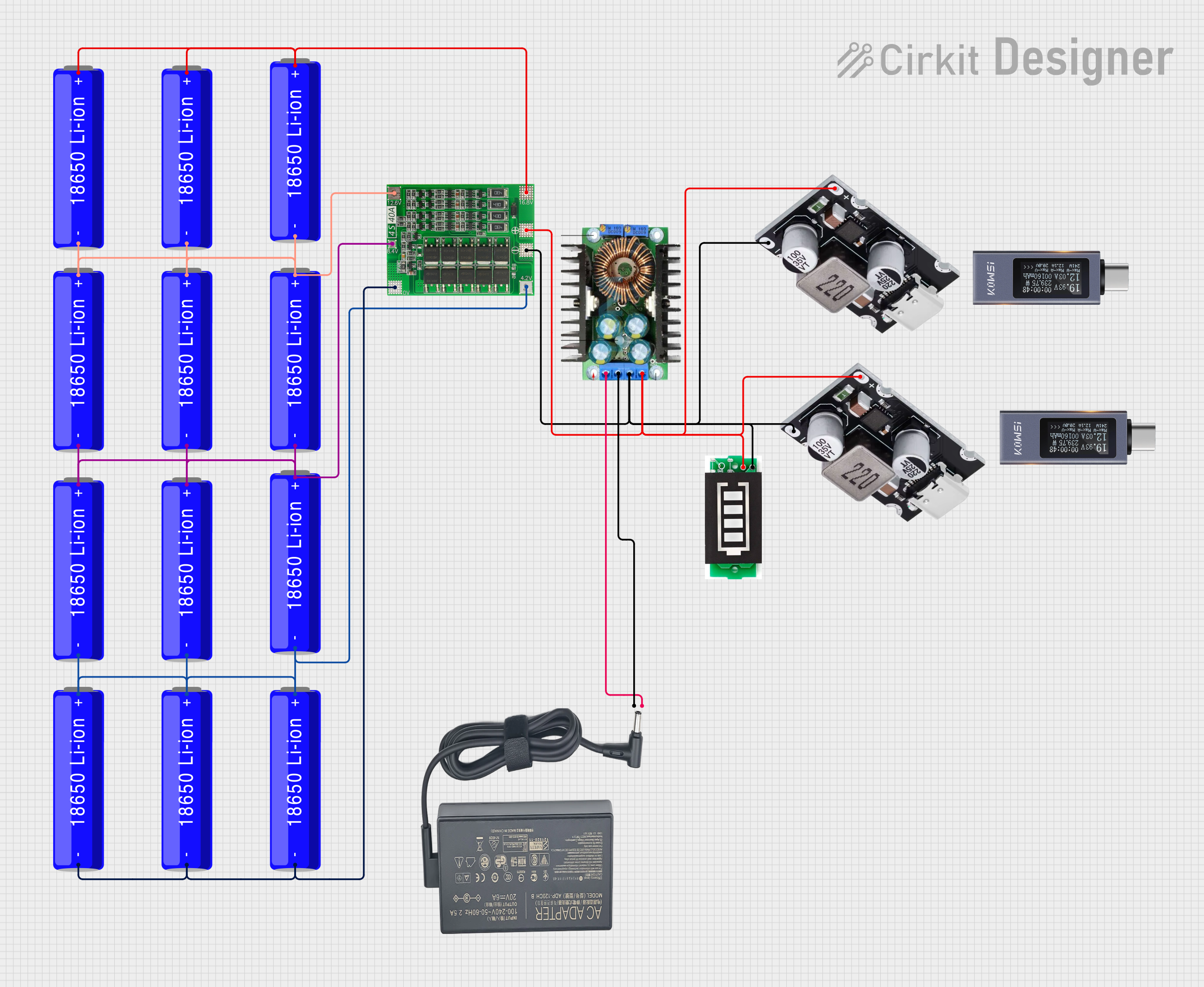
This circuit is a battery management and charging system for a 4S Li-ion battery pack. It includes multiple 18650 Li-ion batteries connected to a 4S40A BMS for balancing and protection, a battery indicator for monitoring charge status, and an XL4016 module for voltage regulation. The system is designed to be charged via a 20V input from a charger.
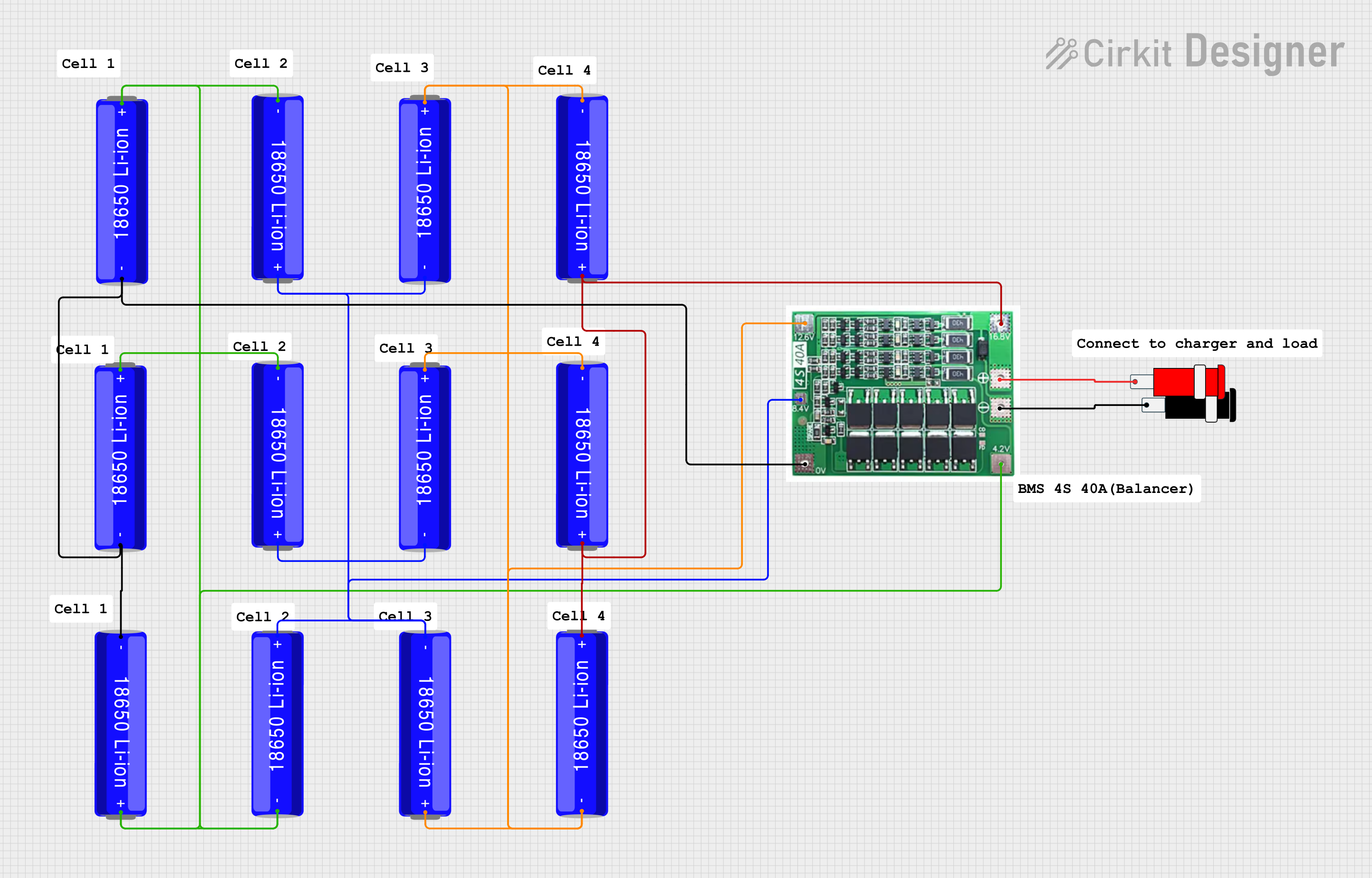
This circuit consists of a battery management system (BMS) connected to a series of 18650 Li-ion batteries arranged in a 4S configuration to provide a regulated output voltage. The BMS ensures safe charging and discharging of the batteries, while a connector provides a 5V output for external devices.
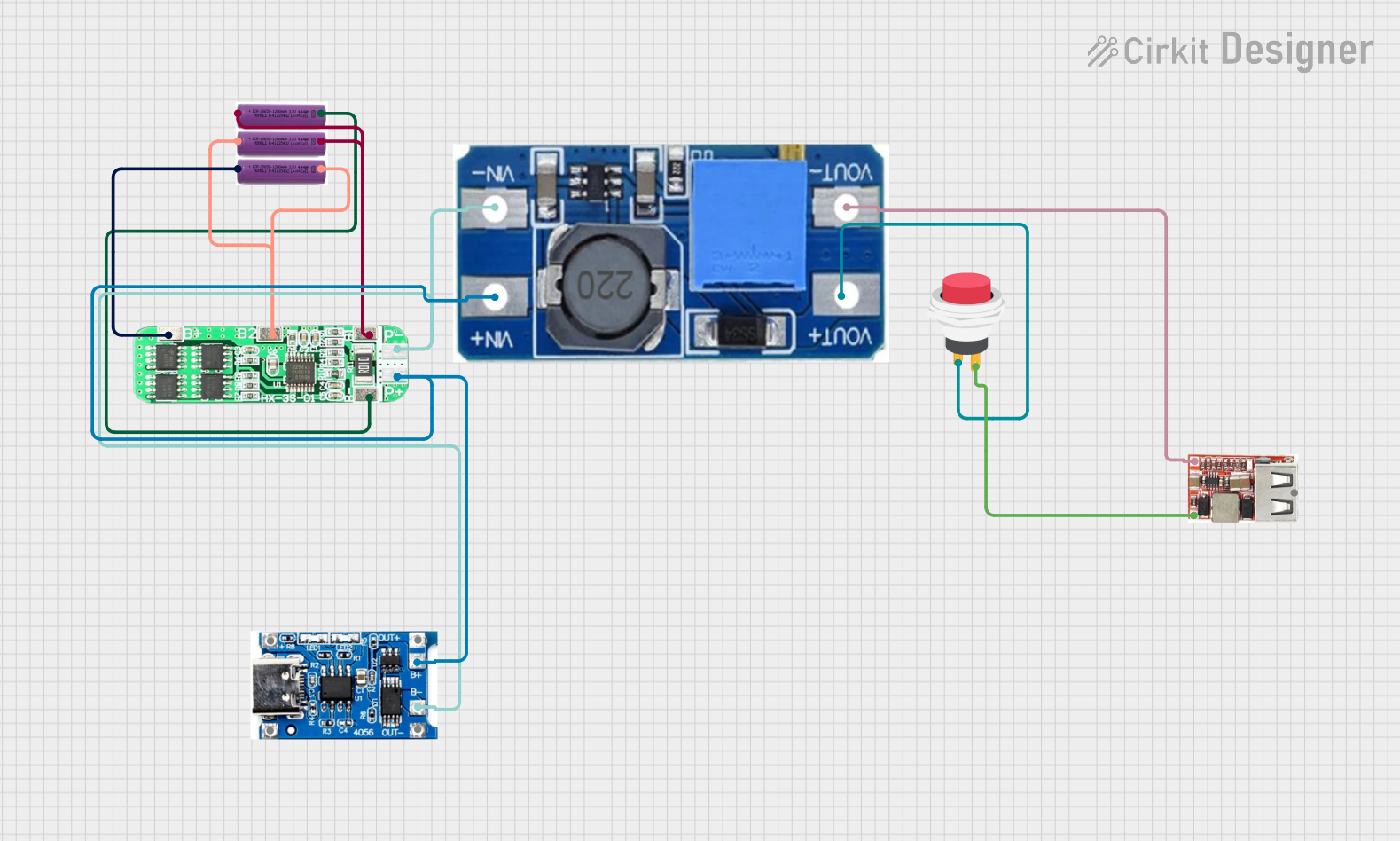
This circuit is a battery management and power supply system that uses three 3.7V batteries connected to a 3S 10A Li-ion 18650 Charger Protection Board Module for balanced charging and protection. The system includes a TP4056 Battery Charging Protection Module for additional charging safety, a Step Up Boost Power Converter to regulate and boost the voltage, and a USB regulator to provide a stable 5V output, controlled by a push switch.
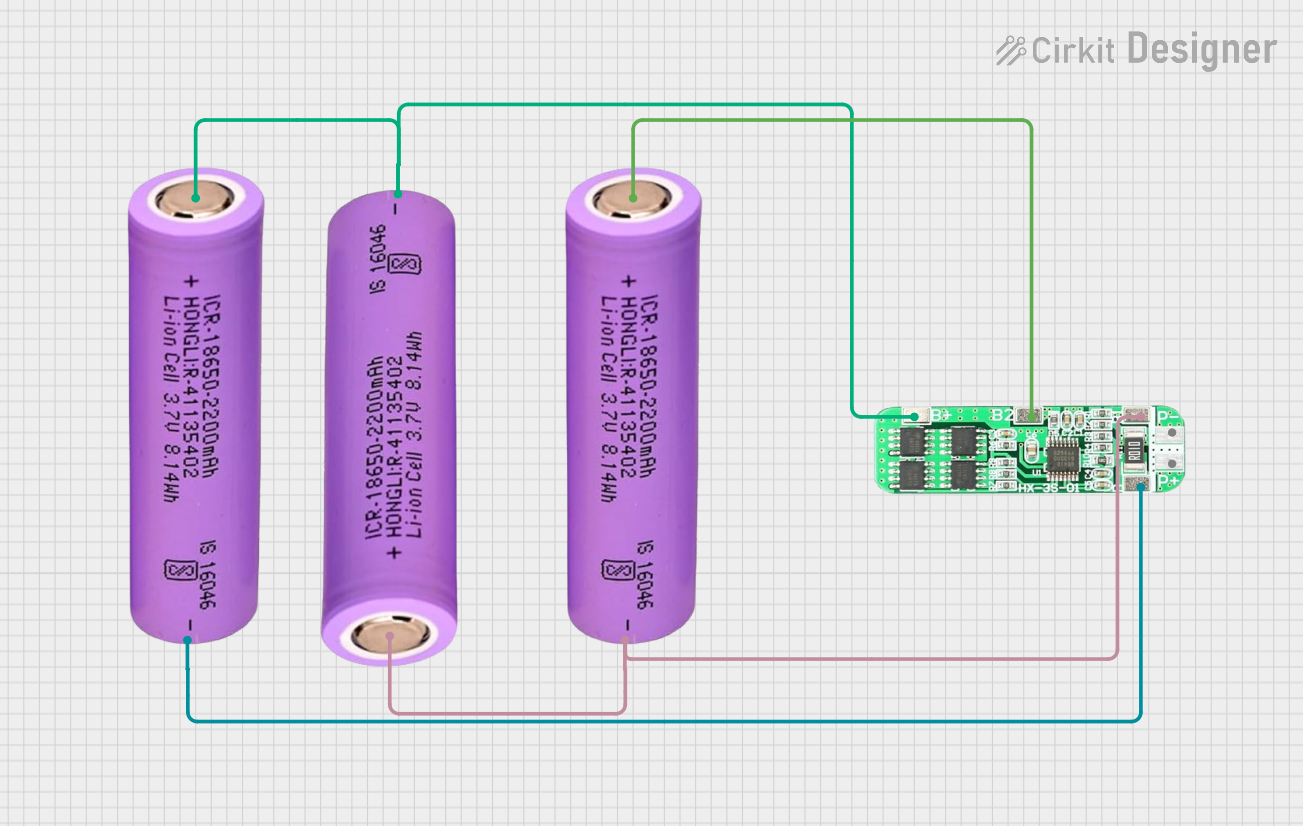
This circuit consists of three 18650 batteries connected in series to a 3S 10A Li-ion 18650 Charger Protection Board Module. The protection board manages the charging and discharging of the battery pack, ensuring safe operation by balancing the cells and providing overcharge, over-discharge, and short-circuit protection.
Drones and UAVs: Provides long flight times for aerial photography, mapping, and racing drones.
RC Vehicles: Powers high-speed cars, boats, and planes with consistent performance.
Portable Electronics: Supplies energy to devices requiring high-capacity batteries, such as field equipment.
DIY Projects: Suitable for custom electronics and robotics projects requiring reliable power.
Technical Specifications
Key Specifications
Parameter
Value
Manufacturer
iFlight
Part ID
6S 10000mAh Li-Ion
Nominal Voltage
22.2V (6S configuration)
Capacity
10000mAh
Maximum Discharge Rate
15C
Maximum Continuous Current
150A
Charging Voltage
25.2V (max)
Recommended Charge Rate
1C (10A)
Weight
~1200g
Dimensions
160mm x 65mm x 50mm
Connector Type
XT90
Cell Chemistry
Lithium-Ion
Pin Configuration
The Fullsend 6S 10000mAh Li-Ion Battery features the following connectors:
XT90 Power Connector
Pin
Description
+
Positive terminal
-
Negative terminal
JST-XH Balance Connector
Pin
Description
1
Cell 1 positive
2
Cell 2 positive
3
Cell 3 positive
4
Cell 4 positive
5
Cell 5 positive
6
Cell 6 positive
7
Common ground
Usage Instructions
How to Use the Battery in a Circuit
Connection:
Connect the XT90 power connector to the load or power distribution board.
Use the JST-XH balance connector for charging and monitoring individual cell voltages.
Charging:
Use a compatible Li-Ion balance charger capable of handling 6S batteries.
Set the charger to a maximum charge rate of 1C (10A) to ensure safe charging.
Ensure the charging voltage does not exceed 25.2V.
Discharging:
Do not exceed the maximum continuous discharge current of 150A.
Monitor the battery voltage to avoid over-discharging (do not let the voltage drop below 3.0V per cell, or 18.0V for the entire pack).
Important Considerations
Safety: Always handle the battery with care to avoid punctures, short circuits, or exposure to high temperatures.
Storage: Store the battery at a voltage of 3.7V to 3.8V per cell (22.2V to 22.8V for the pack) in a cool, dry place.
Balancing: Regularly balance the cells during charging to maintain optimal performance and longevity.
Compatibility: Ensure the battery is compatible with your device's voltage and current requirements.
Arduino UNO Example
While the Fullsend 6S 10000mAh Li-Ion Battery is not directly connected to an Arduino UNO, it can be used to power an Arduino-based project via a voltage regulator. Below is an example of using a 6S battery with a 5V voltage regulator to power an Arduino UNO:
/* Example: Powering Arduino UNO with a 6S Li-Ion Battery
   This example demonstrates how to safely power an Arduino UNO using a 6S battery
   and a voltage regulator to step down the voltage to 5V.
*/

#include <Arduino.h>

void setup() {
  // Initialize serial communication for debugging
  Serial.begin(9600);
  Serial.println("Arduino powered by 6S Li-Ion Battery");
}

void loop() {
  // Example loop code
  Serial.println("Running...");
  delay(1000); // Wait for 1 second
}
Note: Use a DC-DC step-down converter (e.g., LM2596) to regulate the 22.2V from the battery to 5V for the Arduino UNO.
Troubleshooting and FAQs
Common Issues
Battery Not Charging:
Cause: Incorrect charger settings or faulty charger.
Solution: Verify the charger is set to 6S mode and the charge rate is within 1C (10A). Check the balance connector for proper connection.
Overheating During Use:
Cause: Exceeding the maximum discharge rate (150A).
Solution: Reduce the load or use a battery with a higher discharge rating.
Uneven Cell Voltages:
Cause: Cells are out of balance.
Solution: Use a balance charger to equalize the cell voltages.
Battery Swelling:
Cause: Overcharging, over-discharging, or physical damage.
Solution: Discontinue use immediately and dispose of the battery safely.
FAQs
Q: Can I use this battery for a 4S device?
A: No, the voltage of a 6S battery (22.2V) is too high for a 4S device (14.8V). Use a compatible battery.
Q: How long does it take to charge the battery?
A: At a 1C charge rate (10A), it takes approximately 1 hour to fully charge the battery.
Q: Can I use this battery in cold weather?
A: Yes, but performance may decrease in temperatures below 0°C. Pre-warm the battery for optimal performance.
This concludes the documentation for the Fullsend 6S 10000mAh Li-Ion Battery. Always follow safety guidelines and manufacturer recommendations for best results.


 Open Project in Cirkit Designer