
How to Use battery 15v: Examples, Pinouts, and Specs
 Design with battery 15v in Cirkit Designer
Introduction
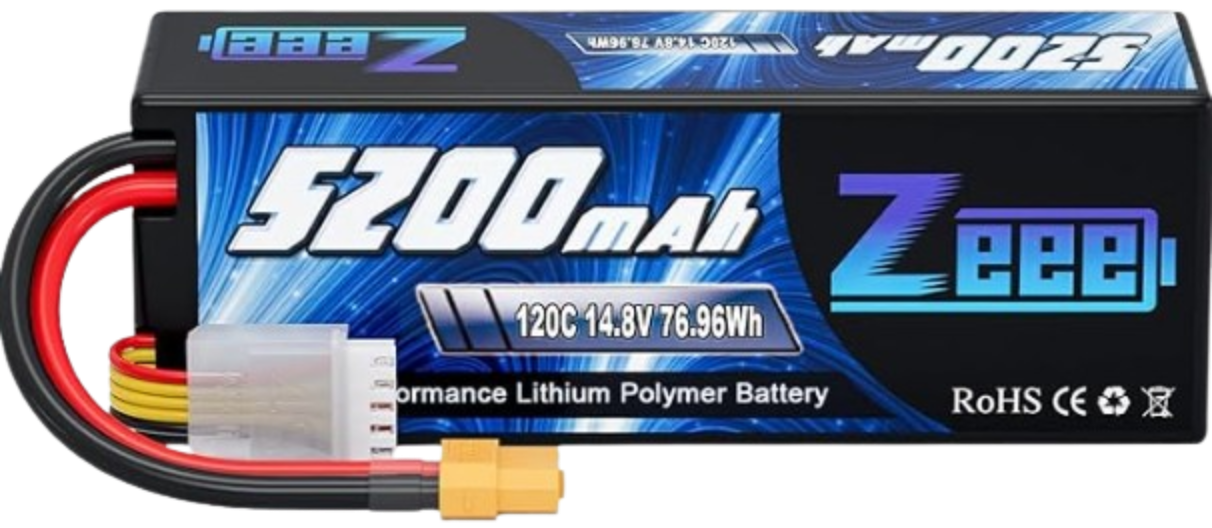
A 15-volt battery is a power source designed to provide a stable 15V DC output. It is commonly used in applications requiring a higher voltage than standard batteries, such as industrial equipment, portable electronic devices, and certain types of sensors. This battery is ideal for powering circuits and devices that demand consistent and reliable energy delivery.
Explore Projects Built with battery 15v
 Open Project in Cirkit Designer
 Open Project in Cirkit Designer
 Open Project in Cirkit Designer
 Open Project in Cirkit Designer
Explore Projects Built with battery 15v
Open Project in Cirkit DesignerOpen Project in Cirkit DesignerOpen Project in Cirkit DesignerOpen Project in Cirkit DesignerCommon Applications and Use Cases
- Powering industrial control systems
- Driving high-voltage sensors and actuators
- Portable test equipment
- Backup power for small electronic devices
- Robotics and automation systems
Technical Specifications
Below are the key technical details for a typical 15V battery:
| Parameter | Specification |
|---|---|
| Nominal Voltage | 15V DC |
| Capacity | Varies (e.g., 1000mAh, 2000mAh, etc.) |
| Chemistry | Alkaline, Lithium, or NiMH |
| Operating Temperature | -20°C to 60°C |
| Dimensions | Varies by manufacturer |
| Weight | Varies by capacity and chemistry |
Pin Configuration and Descriptions
A 15V battery typically has two terminals:
| Pin | Description |
|---|---|
| + | Positive terminal (15V output) |
| - | Negative terminal (ground) |
Usage Instructions
How to Use the Component in a Circuit
- Identify the Terminals: Locate the positive (+) and negative (-) terminals on the battery.
- Connect to the Circuit:
- Connect the positive terminal to the positive rail or input of your circuit.
- Connect the negative terminal to the ground or negative rail of your circuit.
- Voltage Regulation: If your circuit requires a lower voltage, use a voltage regulator (e.g., LM7812 for 12V or LM7805 for 5V).
- Current Limiting: Ensure the circuit does not draw more current than the battery's maximum rated capacity to avoid overheating or damage.
Important Considerations and Best Practices
- Polarity: Always connect the battery with the correct polarity to avoid damaging your circuit.
- Battery Holder: Use a suitable battery holder or connector to ensure secure and reliable connections.
- Discharge Limits: Avoid over-discharging the battery, as this can reduce its lifespan or cause permanent damage.
- Storage: Store the battery in a cool, dry place when not in use. Avoid exposing it to extreme temperatures.
- Safety: Do not short-circuit the terminals, puncture, or expose the battery to fire.
Example: Connecting a 15V Battery to an Arduino UNO
If you are using a 15V battery to power an Arduino UNO, you must step down the voltage to 7-12V, which is the recommended input range for the Arduino's VIN pin. Below is an example using a voltage regulator:
Circuit Setup
- Use an LM7809 voltage regulator to step down the 15V to 9V.
- Connect the output of the LM7809 to the Arduino's VIN pin.
Sample Code
// This code blinks an LED connected to pin 13 of the Arduino UNO.
// Ensure the Arduino is powered via the VIN pin with a regulated 9V supply.

void setup() {
  pinMode(13, OUTPUT); // Set pin 13 as an output
}

void loop() {
  digitalWrite(13, HIGH); // Turn the LED on
  delay(1000);            // Wait for 1 second
  digitalWrite(13, LOW);  // Turn the LED off
  delay(1000);            // Wait for 1 second
}
Troubleshooting and FAQs
Common Issues Users Might Face
Battery Drains Quickly:
- Cause: Excessive current draw or a faulty circuit.
- Solution: Check the circuit for short circuits or components drawing too much current. Use a higher-capacity battery if needed.
Circuit Does Not Power On:
- Cause: Incorrect polarity or loose connections.
- Solution: Verify the battery is connected with the correct polarity and ensure all connections are secure.
Battery Overheats:
- Cause: Overcurrent or short circuit.
- Solution: Disconnect the battery immediately. Inspect the circuit for faults and ensure the current draw is within the battery's limits.
Voltage Drops Below 15V:
- Cause: Battery is near the end of its charge or overloaded.
- Solution: Replace or recharge the battery. Reduce the load on the battery.
Solutions and Tips for Troubleshooting
- Use a multimeter to measure the battery voltage and ensure it is delivering 15V.
- Check for corrosion or dirt on the battery terminals and clean them if necessary.
- If using a rechargeable 15V battery, ensure it is fully charged before use.
- For long-term projects, consider using a battery management system (BMS) to monitor and protect the battery.
By following these guidelines, you can effectively use a 15V battery in your electronic projects while ensuring safety and optimal performance.