
How to Use Nema 17: Examples, Pinouts, and Specs
 Design with Nema 17 in Cirkit Designer
Introduction
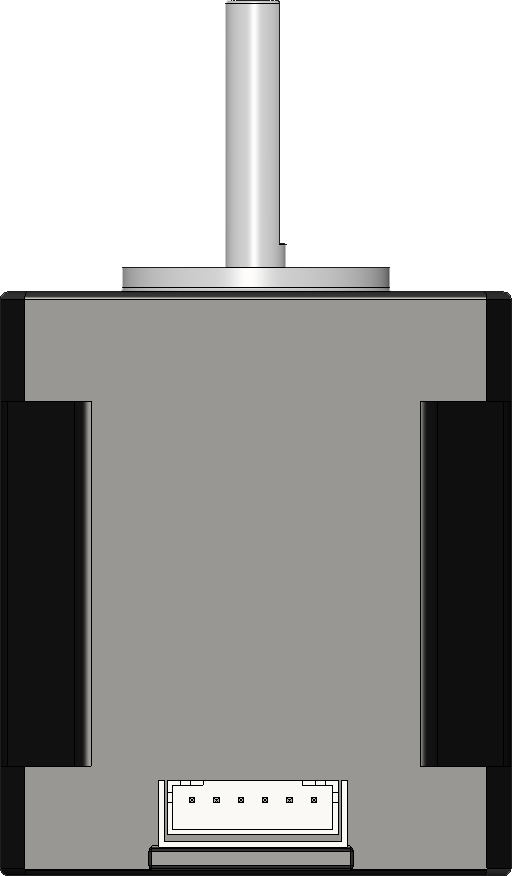
The Nema 17 (MT-1704HS168A) is a stepper motor manufactured by Motech Motor. It features a 1.7 x 1.7 inch (43.2 x 43.2 mm) faceplate, making it a standard-sized stepper motor widely used in applications requiring precise control of movement. This motor is commonly found in 3D printers, CNC machines, robotics, and other automation systems. Its ability to provide accurate positioning and repeatability makes it an essential component in motion control systems.
Explore Projects Built with Nema 17
 Open Project in Cirkit Designer
 Open Project in Cirkit Designer
 Open Project in Cirkit Designer
 Open Project in Cirkit Designer
Explore Projects Built with Nema 17
Open Project in Cirkit DesignerOpen Project in Cirkit DesignerOpen Project in Cirkit DesignerOpen Project in Cirkit DesignerCommon Applications
- 3D printers for precise layer-by-layer movement
- CNC machines for accurate cutting and milling
- Robotics for controlled motion and positioning
- Automated conveyor systems
- Camera sliders and gimbals for smooth motion control
Technical Specifications
Below are the key technical details of the Nema 17 (MT-1704HS168A) stepper motor:
| Parameter | Value |
|---|---|
| Manufacturer | Motech Motor |
| Part ID | MT-1704HS168A |
| Motor Type | Bipolar Stepper Motor |
| Step Angle | 1.8° |
| Holding Torque | 4.2 kg-cm (0.41 Nm) |
| Rated Current/Phase | 1.68 A |
| Resistance/Phase | 1.65 Ω |
| Inductance/Phase | 3.2 mH |
| Voltage | 2.8 V |
| Shaft Diameter | 5 mm |
| Body Length | 40 mm |
| Weight | 280 g |
Pin Configuration
The Nema 17 stepper motor has four wires, corresponding to two coils (A and B). The pinout is as follows:
| Wire Color | Coil | Description |
|---|---|---|
| Red | A+ | Positive terminal of Coil A |
| Blue | A- | Negative terminal of Coil A |
| Green | B+ | Positive terminal of Coil B |
| Black | B- | Negative terminal of Coil B |
Usage Instructions
How to Use the Nema 17 in a Circuit
- Power Supply: Ensure the motor is powered by a suitable stepper motor driver capable of handling the rated current (1.68 A per phase). A common driver is the A4988 or DRV8825.
- Connections:
- Connect the motor wires to the driver as per the pin configuration.
- Provide the driver with a power supply that matches its input voltage range.
- Microcontroller Interface:
- Use a microcontroller (e.g., Arduino UNO) to send step and direction signals to the driver.
- Configure the driver for the desired microstepping mode for smoother motion.
Arduino UNO Example Code
Below is an example code to control the Nema 17 using an A4988 driver:
// Define pins for step and direction
const int stepPin = 3;  // Pin connected to STEP input on the driver
const int dirPin = 4;   // Pin connected to DIR input on the driver

void setup() {
  pinMode(stepPin, OUTPUT); // Set step pin as output
  pinMode(dirPin, OUTPUT);  // Set direction pin as output

  digitalWrite(dirPin, HIGH); // Set initial direction (HIGH = clockwise)
}

void loop() {
  // Generate steps to rotate the motor
  for (int i = 0; i < 200; i++) { // 200 steps = 1 full revolution (1.8° step angle)
    digitalWrite(stepPin, HIGH);  // Step pulse HIGH
    delayMicroseconds(500);       // Wait 500 µs
    digitalWrite(stepPin, LOW);   // Step pulse LOW
    delayMicroseconds(500);       // Wait 500 µs
  }

  delay(1000); // Pause for 1 second before changing direction

  // Change direction
  digitalWrite(dirPin, !digitalRead(dirPin)); // Toggle direction
}
Important Considerations
- Current Limiting: Adjust the current limit on the driver to match the motor's rated current (1.68 A) to prevent overheating.
- Cooling: Ensure proper ventilation or heat dissipation for the driver and motor during prolonged use.
- Microstepping: Use microstepping to reduce vibrations and improve smoothness.
- Power Supply: Use a power supply with sufficient current capacity to handle the motor and driver.
Troubleshooting and FAQs
Common Issues and Solutions
Motor Not Moving:
- Check all connections between the motor, driver, and microcontroller.
- Ensure the power supply is connected and providing the correct voltage.
- Verify that the step and direction signals are being sent from the microcontroller.
Motor Vibrates but Does Not Rotate:
- Check the wiring of the motor coils. Ensure the wires are connected to the correct terminals on the driver.
- Verify that the driver is configured for the correct microstepping mode.
Motor Overheating:
- Reduce the current limit on the driver to match the motor's rated current.
- Ensure proper cooling and ventilation for the motor and driver.
Skipping Steps:
- Increase the current limit slightly (within safe limits) to provide more torque.
- Reduce the load on the motor or use a motor with higher torque.
FAQs
Q: Can I use the Nema 17 with a 12V power supply?
A: Yes, the Nema 17 can be used with a 12V power supply when paired with a suitable stepper motor driver. The driver regulates the current to the motor, so the supply voltage can be higher than the motor's rated voltage.
Q: How do I determine the correct wiring for the motor?
A: Use a multimeter to measure resistance between wires. Wires belonging to the same coil will have low resistance. Refer to the pin configuration table for proper connections.
Q: What is microstepping, and why is it important?
A: Microstepping is a technique used by stepper motor drivers to divide each full step into smaller steps. It reduces vibrations, improves smoothness, and increases positional accuracy.
Q: Can I run the motor without a driver?
A: No, a stepper motor driver is required to control the current and generate the step pulses needed to operate the motor.
By following this documentation, you can effectively integrate the Nema 17 (MT-1704HS168A) stepper motor into your projects for precise and reliable motion control.