Cirkit Designer Logo
Cirkit Designer
Your all-in-one circuit design IDE
Home / 
Component Documentation

How to Use Charge controller: Examples, Pinouts, and Specs
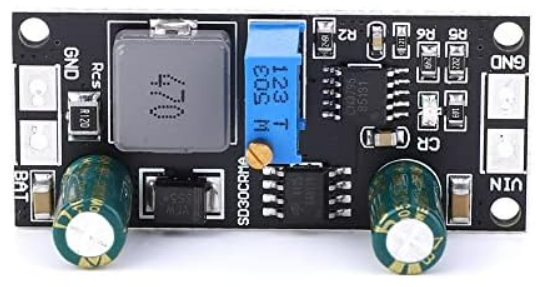

Image of Charge controller
Cirkit Designer LogoDesign with Charge controller in Cirkit Designer

Introduction

A charge controller, also known as a solar charge controller or solar regulator, is an essential component in solar power systems. It manages the power going into the battery bank from the solar array. It ensures that the deep cycle batteries are not overcharged during the day, and that the power doesn't run back to the solar panels overnight and drain the batteries. Fafeicy's charge controllers are designed to provide reliable battery management for off-grid renewable energy systems.

Explore Projects Built with Charge controller
Use Cirkit Designer to design, explore, and prototype these projects online. Some projects support real-time simulation. Click "Open Project" to start designing instantly!
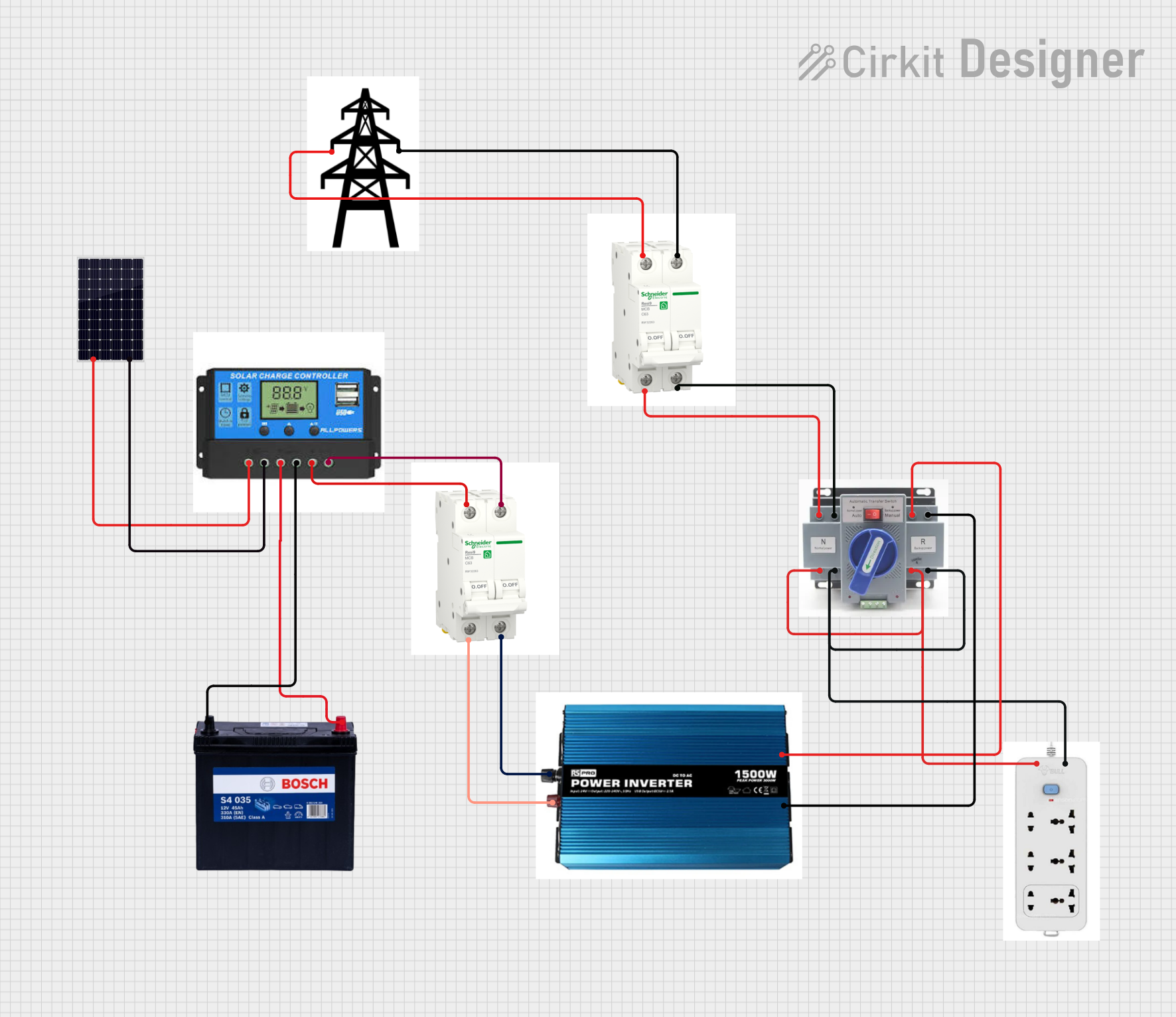
Solar-Powered Battery Charging and Inverter System with ATS and Transmission Tower Integration
Image of Solar power : A project utilizing Charge controller in a practical application
This circuit is designed for a solar power system that charges a 12V 200Ah battery using a solar panel. The charge controller manages the charging process, ensuring the battery is charged safely. The system includes an inverter to convert DC to AC, breakers for circuit protection, an Automatic Transfer Switch (ATS) for power source management, and an extension for additional connectivity, with a transmission tower indicating potential for power distribution or communication.
Cirkit Designer LogoOpen Project in Cirkit Designer
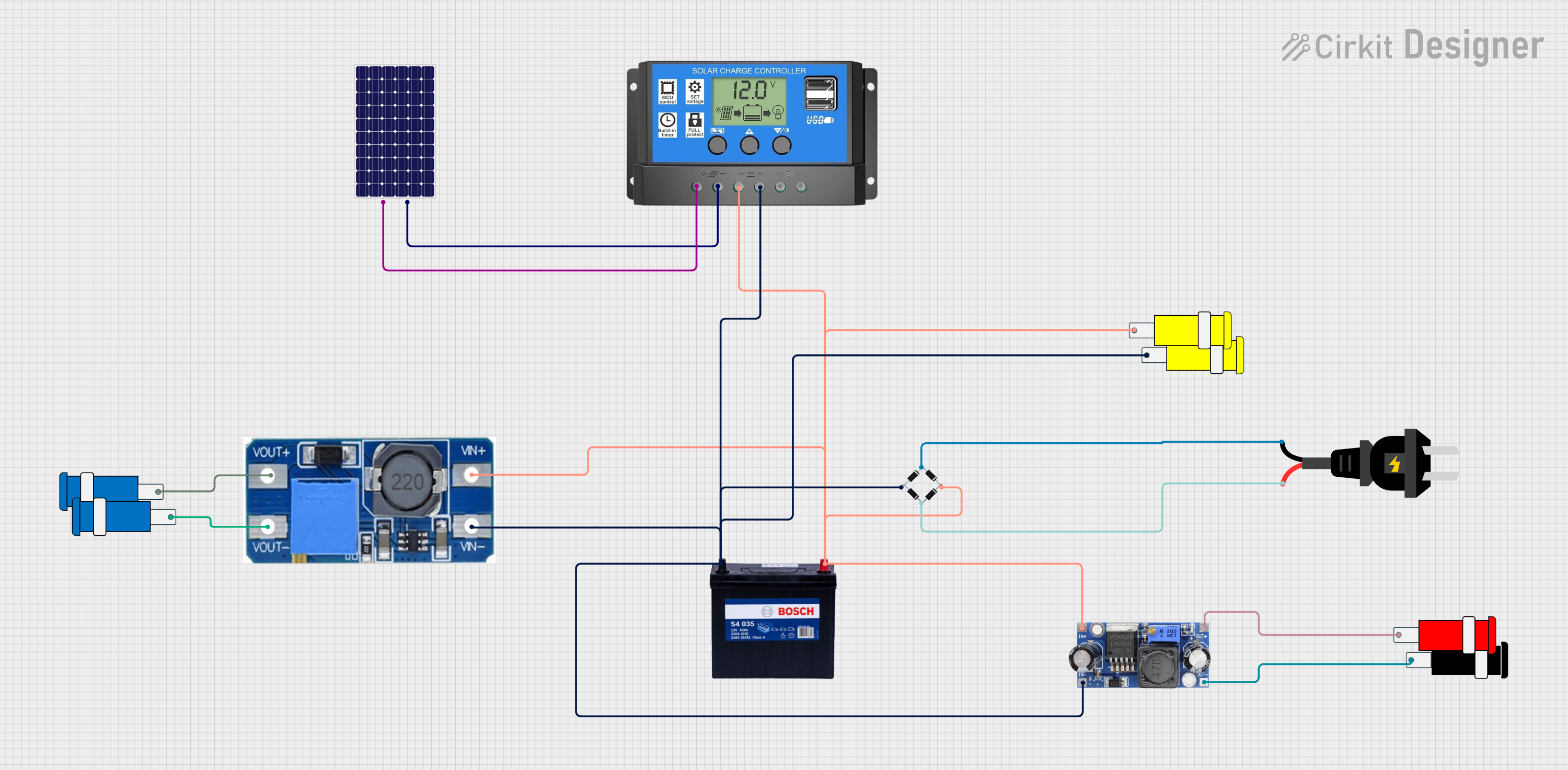
Solar Power Management System with AC Backup and Voltage Regulation
Image of Solar: A project utilizing Charge controller in a practical application
This circuit is designed to charge a 12V 200Ah battery using power from a solar panel, with a solar charge controller regulating the charging process. An AC source is rectified to DC using a bridge rectifier, which then feeds into a step-up boost power converter to produce a higher voltage output, possibly for an external AC load. Additionally, a DC-DC converter is used to step down the voltage to 5V for use with a 5V connector, likely for low-power devices or logic circuits.
Cirkit Designer LogoOpen Project in Cirkit Designer
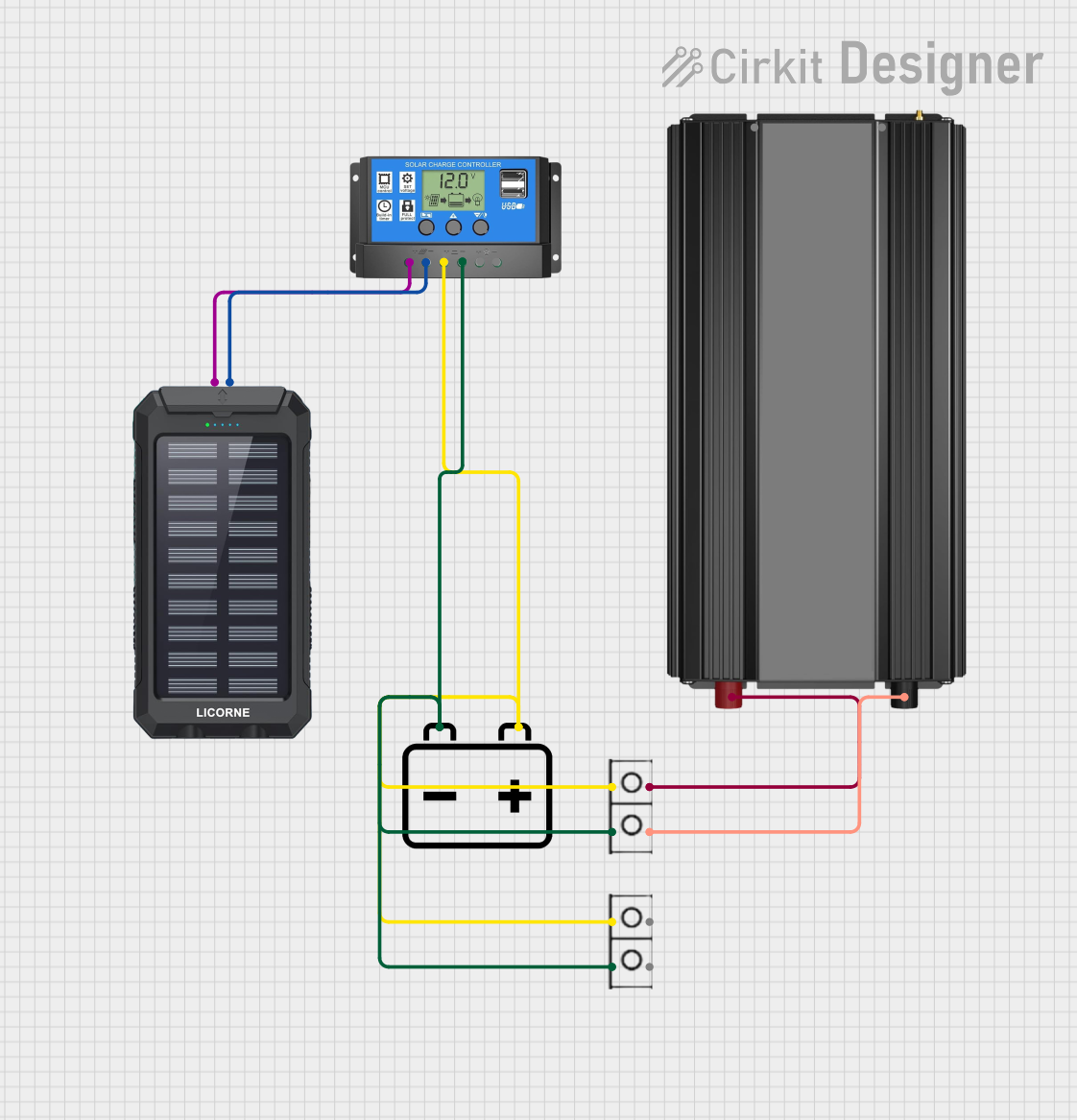
Solar-Powered 12V Battery Charging System with Power Inverter
Image of BANK KUASA: A project utilizing Charge controller in a practical application
This circuit is designed to charge a 12v battery using a solar charger power bank, with a solar charge controller managing the charging process to protect the battery from overcharging. The charged battery is then connected to a power inverter, which converts the 12v DC from the battery to AC power for use with standard electrical devices. Wire connectors are used to interconnect the components and ensure proper electrical flow between them.
Cirkit Designer LogoOpen Project in Cirkit Designer
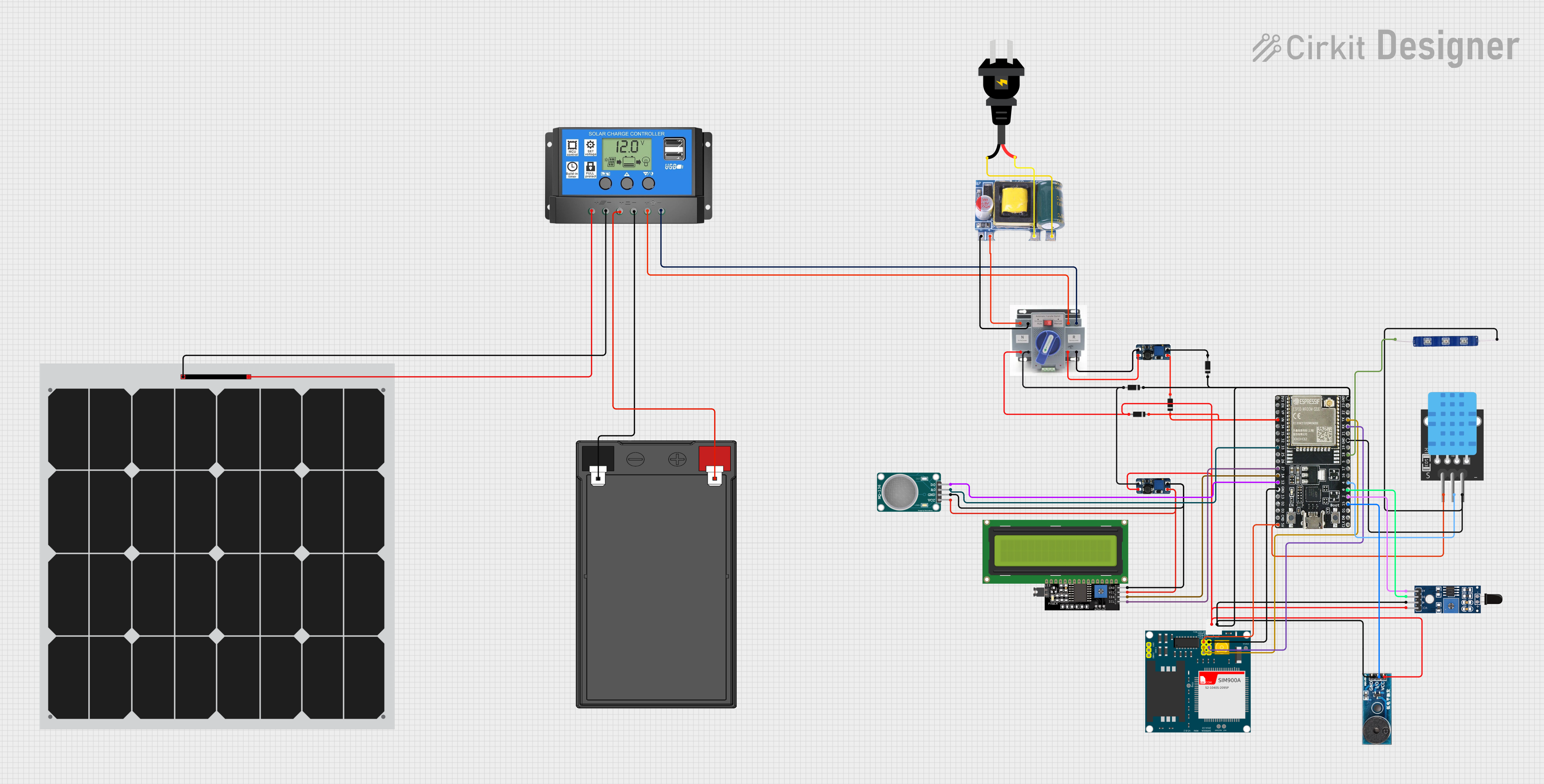
Solar-Powered IoT Environmental Monitoring System with GSM Reporting
Image of Thesis Schematic: A project utilizing Charge controller in a practical application
This circuit is designed to charge a 12V battery using a solar panel, with a solar charge controller managing the charging process to protect the battery from overcharging. The system includes an Automatic Transfer Switch (ATS) to switch between solar power and an AC source, which is converted to 5V DC to power the ATS and other low-voltage components. The circuit also features an ESP32 microcontroller interfaced with various sensors (MQ-136 for hydrogen sulfide gas detection, SHT113 for flame detection, and a temperature sensor), a SIM900A module for cellular communication, an LCD display for user interface, and a buzzer and LED for alerts, all powered by DC-DC boost converters and protected by diodes.
Cirkit Designer LogoOpen Project in Cirkit Designer

Explore Projects Built with Charge controller

Use Cirkit Designer to design, explore, and prototype these projects online. Some projects support real-time simulation. Click "Open Project" to start designing instantly!
Image of Solar power : A project utilizing Charge controller in a practical application
Solar-Powered Battery Charging and Inverter System with ATS and Transmission Tower Integration
This circuit is designed for a solar power system that charges a 12V 200Ah battery using a solar panel. The charge controller manages the charging process, ensuring the battery is charged safely. The system includes an inverter to convert DC to AC, breakers for circuit protection, an Automatic Transfer Switch (ATS) for power source management, and an extension for additional connectivity, with a transmission tower indicating potential for power distribution or communication.
Cirkit Designer LogoOpen Project in Cirkit Designer
Image of Solar: A project utilizing Charge controller in a practical application
Solar Power Management System with AC Backup and Voltage Regulation
This circuit is designed to charge a 12V 200Ah battery using power from a solar panel, with a solar charge controller regulating the charging process. An AC source is rectified to DC using a bridge rectifier, which then feeds into a step-up boost power converter to produce a higher voltage output, possibly for an external AC load. Additionally, a DC-DC converter is used to step down the voltage to 5V for use with a 5V connector, likely for low-power devices or logic circuits.
Cirkit Designer LogoOpen Project in Cirkit Designer
Image of BANK KUASA: A project utilizing Charge controller in a practical application
Solar-Powered 12V Battery Charging System with Power Inverter
This circuit is designed to charge a 12v battery using a solar charger power bank, with a solar charge controller managing the charging process to protect the battery from overcharging. The charged battery is then connected to a power inverter, which converts the 12v DC from the battery to AC power for use with standard electrical devices. Wire connectors are used to interconnect the components and ensure proper electrical flow between them.
Cirkit Designer LogoOpen Project in Cirkit Designer
Image of Thesis Schematic: A project utilizing Charge controller in a practical application
Solar-Powered IoT Environmental Monitoring System with GSM Reporting
This circuit is designed to charge a 12V battery using a solar panel, with a solar charge controller managing the charging process to protect the battery from overcharging. The system includes an Automatic Transfer Switch (ATS) to switch between solar power and an AC source, which is converted to 5V DC to power the ATS and other low-voltage components. The circuit also features an ESP32 microcontroller interfaced with various sensors (MQ-136 for hydrogen sulfide gas detection, SHT113 for flame detection, and a temperature sensor), a SIM900A module for cellular communication, an LCD display for user interface, and a buzzer and LED for alerts, all powered by DC-DC boost converters and protected by diodes.
Cirkit Designer LogoOpen Project in Cirkit Designer

Common Applications and Use Cases

  • Solar power systems for homes, RVs, boats, and remote cabins
  • Off-grid power systems for telecommunications and remote sensors
  • Wind energy systems requiring battery charging

Technical Specifications

Key Technical Details

  • Rated Voltage: 12V/24V Auto Adaptation
  • Rated Current: 10A / 20A / 30A (depending on model)
  • Max. PV Input Voltage: 50V
  • Max. PV Input Power: 120W (12V), 240W (24V) for 10A model; proportionally higher for 20A and 30A models
  • Self-Consumption: ≤10mA
  • Charge Circuit Voltage Drop: ≤0.26V
  • Discharge Circuit Voltage Drop: ≤0.15V
  • Working Temperature: -35°C to +60°C

Pin Configuration and Descriptions

Pin No. Function Description
1 Solar Panel (+) Positive terminal for solar panel input
2 Solar Panel (-) Negative terminal for solar panel input
3 Battery (+) Positive terminal for battery connection
4 Battery (-) Negative terminal for battery connection
5 Load (+) Positive terminal for connecting the load (e.g., lights, TV)
6 Load (-) Negative terminal for connecting the load

Usage Instructions

How to Use the Component in a Circuit

  1. Connecting the Battery:

    • Ensure that the battery voltage matches the charge controller rating (12V/24V).
    • Connect the battery's positive terminal to the charge controller's Battery (+) terminal.
    • Connect the battery's negative terminal to the charge controller's Battery (-) terminal.
  2. Connecting the Solar Panel:

    • Verify that the solar panel's voltage and current do not exceed the charge controller's specifications.
    • Connect the solar panel's positive terminal to the charge controller's Solar Panel (+) terminal.
    • Connect the solar panel's negative terminal to the charge controller's Solar Panel (-) terminal.
  3. Connecting the Load:

    • Connect the load's positive terminal to the charge controller's Load (+) terminal.
    • Connect the load's negative terminal to the charge controller's Load (-) terminal.

Important Considerations and Best Practices

  • Always connect the battery first to ensure the charge controller recognizes the system voltage correctly.
  • Use appropriate cable sizes to minimize voltage drop and ensure safety.
  • Ensure the charge controller is mounted in a well-ventilated area to prevent overheating.
  • Do not exceed the rated current of the charge controller by connecting loads or solar panels that are too powerful.

Troubleshooting and FAQs

Common Issues Users Might Face

  • Battery Not Charging:

    • Check all connections for proper contact and correct polarity.
    • Ensure the solar panel is receiving adequate sunlight.
    • Verify that the solar panel voltage is within the acceptable range.
  • Load Not Working:

    • Check the load connections and ensure the load does not exceed the controller's rated current.
    • Verify that the battery has sufficient charge to power the load.

Solutions and Tips for Troubleshooting

  • If the battery is not charging, measure the voltage at the solar panel terminals to ensure it falls within the required range.
  • Ensure there is no shading on the solar panels, as this can significantly reduce their output.
  • Regularly check the battery's state of charge and health to ensure it can hold a charge.

FAQs

Q: Can I connect a wind turbine to this charge controller? A: This charge controller is designed for solar panels. If you have a wind turbine, ensure it is compatible with the controller's specifications.

Q: What happens if the solar panel voltage exceeds the maximum input voltage? A: Exceeding the maximum PV input voltage can damage the charge controller. Always ensure the solar panel voltage is within the specified range.

Q: How do I know if the charge controller is working? A: Most charge controllers have LED indicators or a display that shows the charging status and battery voltage.

Q: Can I use this charge controller for a 24V battery system? A: Yes, this charge controller automatically adapts to 12V or 24V systems. Ensure your battery bank is configured correctly for the system voltage.


Please note that this documentation is a general guide and may not cover all aspects of the Fafeicy charge controller. For specific models, refer to the manufacturer's datasheet and manual for detailed instructions and safety information.