
How to Use LORA RA02 : Examples, Pinouts, and Specs
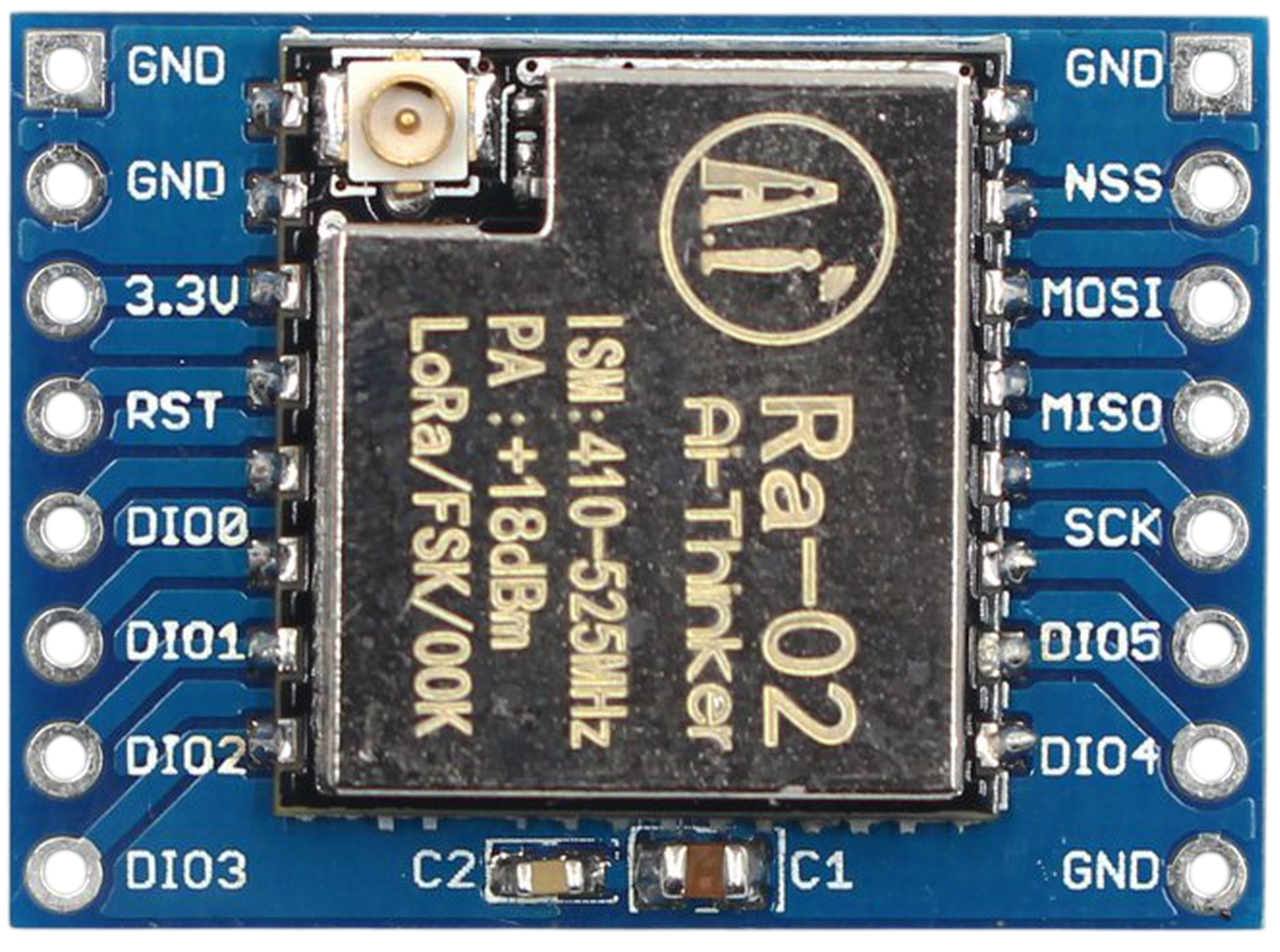
 Design with LORA RA02 in Cirkit Designer
Introduction
The LORA RA02, manufactured by Billa (Part ID: 02), is a low-power, long-range transceiver module designed for wireless communication using the LoRa (Long Range) protocol. This module enables reliable data transmission over distances of several kilometers, making it ideal for Internet of Things (IoT) applications. With its high sensitivity and low power consumption, the LORA RA02 is widely used in remote sensing, smart agriculture, industrial automation, and environmental monitoring.
Explore Projects Built with LORA RA02
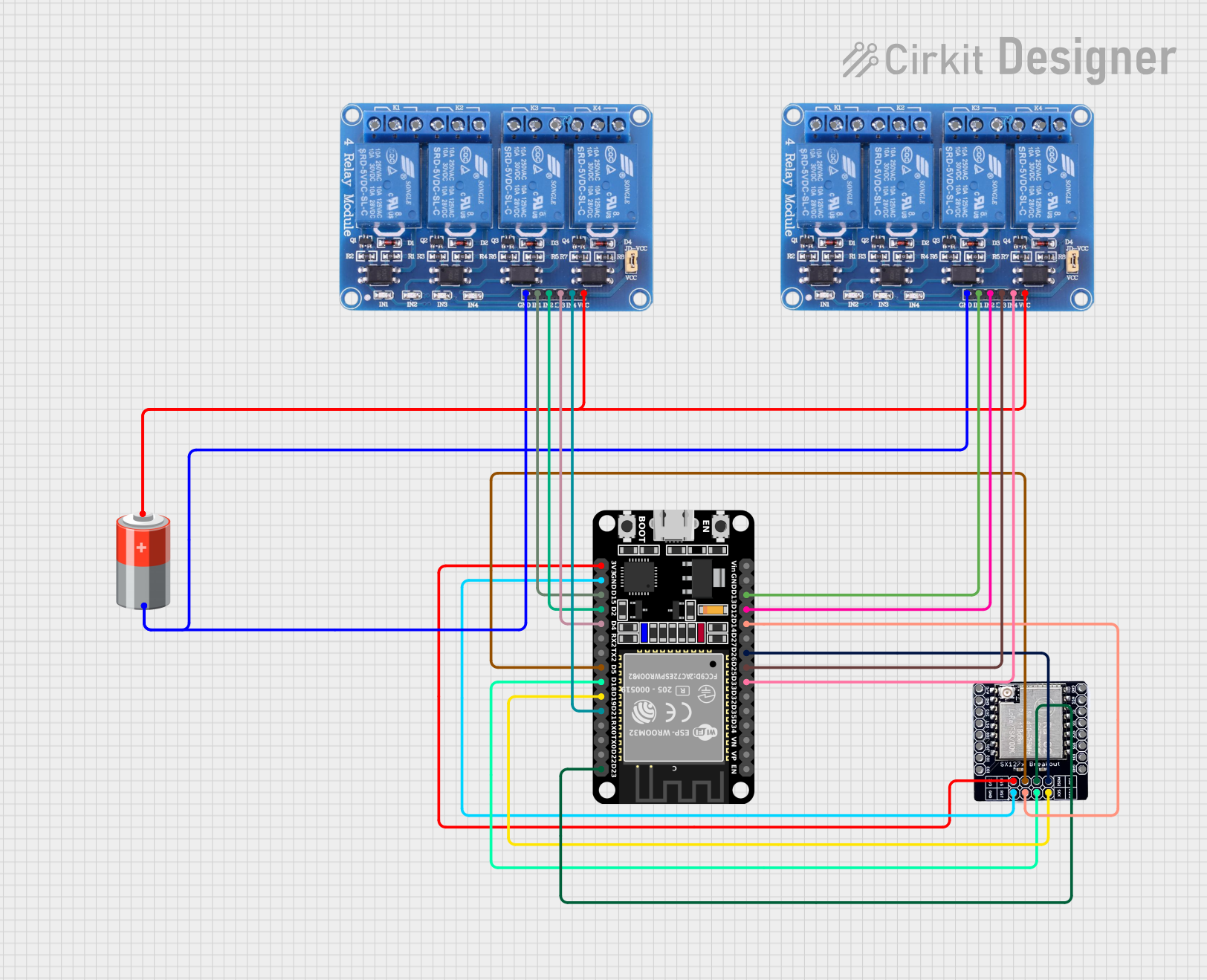 Open Project in Cirkit Designer
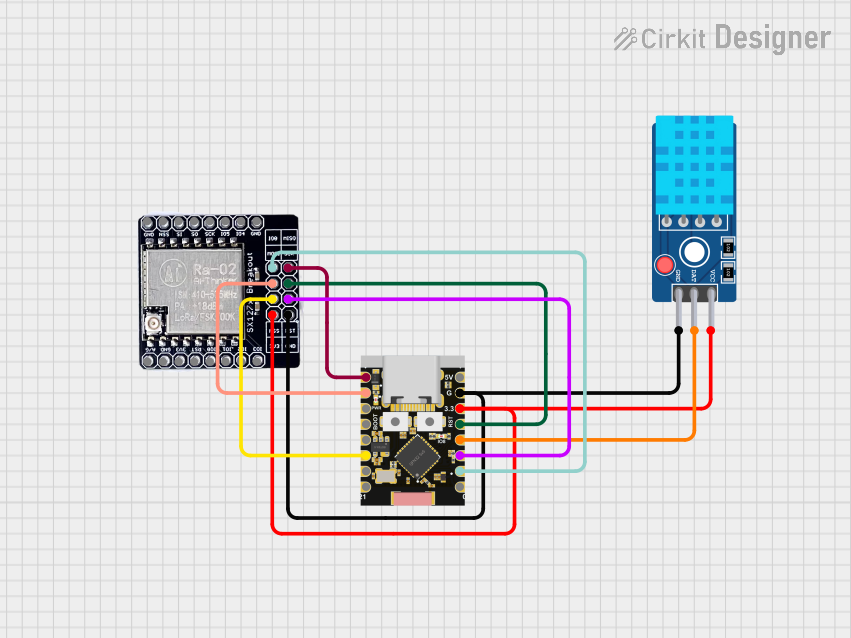 Open Project in Cirkit Designer
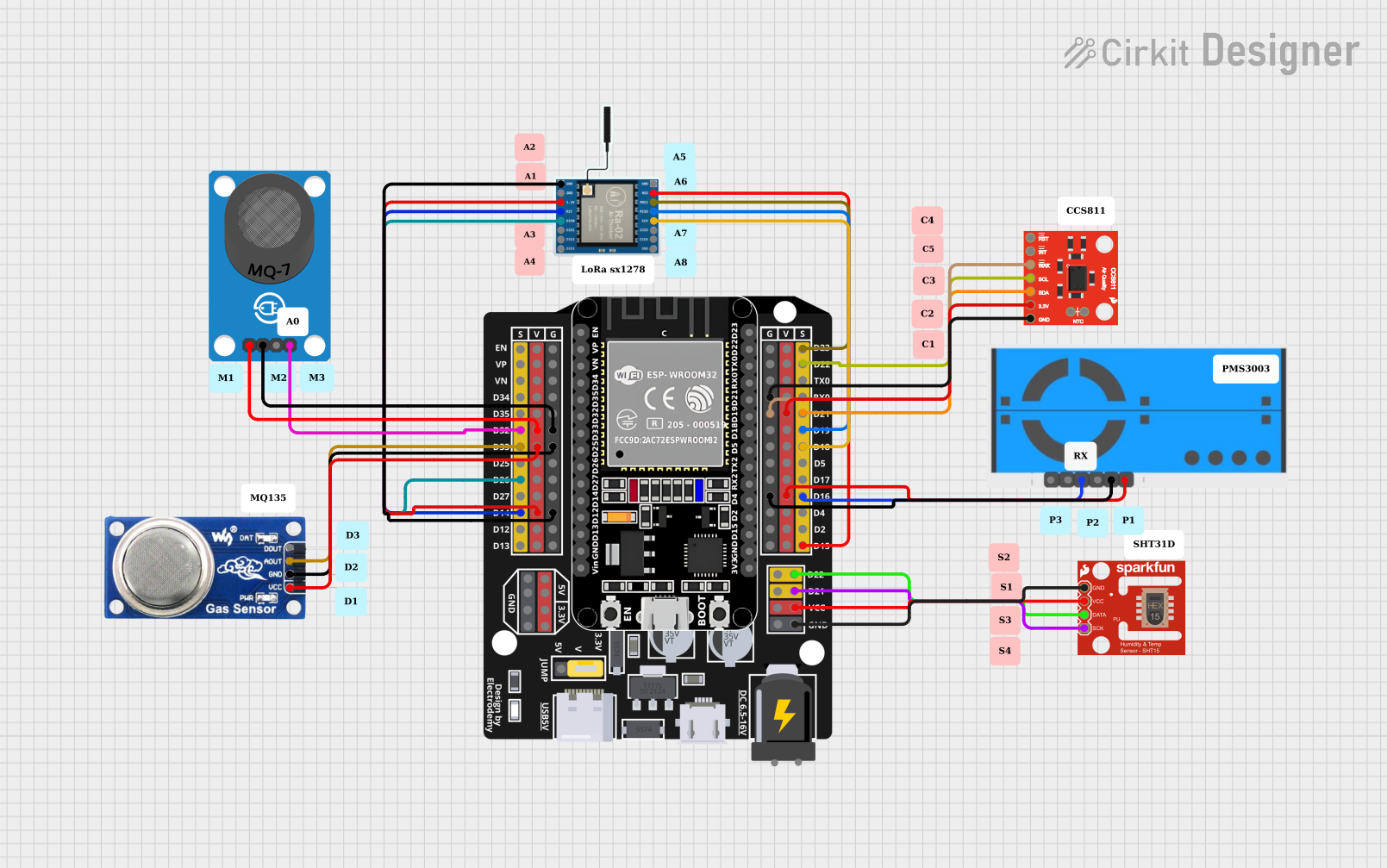 Open Project in Cirkit Designer
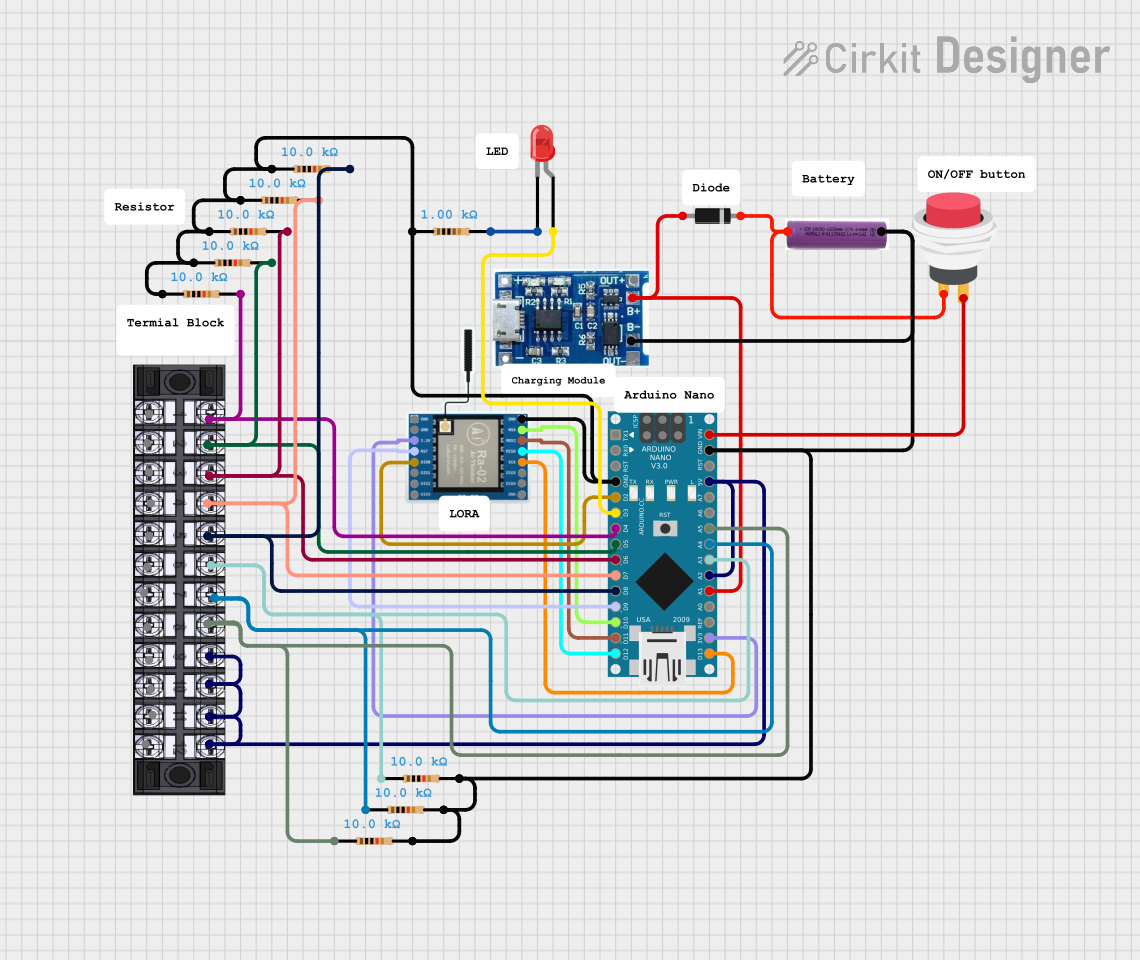 Open Project in Cirkit Designer
Explore Projects Built with LORA RA02
Open Project in Cirkit DesignerOpen Project in Cirkit DesignerOpen Project in Cirkit DesignerOpen Project in Cirkit DesignerCommon Applications:
- IoT networks for remote data collection
- Smart agriculture (e.g., soil moisture monitoring)
- Environmental monitoring (e.g., air quality sensors)
- Industrial automation and control systems
- Smart cities (e.g., parking sensors, street lighting control)
Technical Specifications
The LORA RA02 module is designed to provide robust and efficient wireless communication. Below are its key technical details:
Key Specifications:
| Parameter | Value |
|---|---|
| Operating Frequency | 433 MHz / 868 MHz / 915 MHz |
| Modulation Technique | LoRa Spread Spectrum |
| Sensitivity | -148 dBm |
| Maximum Output Power | +20 dBm |
| Communication Range | Up to 10 km (line of sight) |
| Operating Voltage | 1.8V to 3.7V |
| Current Consumption | 10.8 mA (transmit mode) |
| Interface | SPI |
| Dimensions | 17.8 mm x 16.5 mm x 2.3 mm |
Pin Configuration:
The LORA RA02 module has 16 pins. Below is the pinout and description:
| Pin Number | Pin Name | Description |
|---|---|---|
| 1 | GND | Ground |
| 2 | DIO0 | Digital I/O Pin 0 (Interrupt/Status Output) |
| 3 | DIO1 | Digital I/O Pin 1 |
| 4 | DIO2 | Digital I/O Pin 2 |
| 5 | DIO3 | Digital I/O Pin 3 |
| 6 | DIO4 | Digital I/O Pin 4 |
| 7 | DIO5 | Digital I/O Pin 5 |
| 8 | GND | Ground |
| 9 | MISO | SPI Master In Slave Out |
| 10 | MOSI | SPI Master Out Slave In |
| 11 | SCK | SPI Clock |
| 12 | NSS | SPI Chip Select |
| 13 | RESET | Reset Pin |
| 14 | 3.3V | Power Supply (3.3V) |
| 15 | ANT | Antenna Connection |
| 16 | GND | Ground |
Usage Instructions
How to Use the LORA RA02 in a Circuit:
- Power Supply: Connect the
3.3Vpin to a regulated 3.3V power source and theGNDpins to ground. - SPI Interface: Connect the
MISO,MOSI,SCK, andNSSpins to the corresponding SPI pins on your microcontroller. - Antenna: Attach an appropriate antenna to the
ANTpin for optimal signal transmission and reception. - Reset: Use the
RESETpin to initialize the module during startup or when required. - Digital I/O Pins: Use the
DIOpins for interrupt handling or status monitoring as per your application.
Important Considerations:
- Ensure the operating voltage does not exceed 3.7V to avoid damaging the module.
- Use a proper antenna to maximize communication range and minimize interference.
- Place the module away from high-frequency noise sources for optimal performance.
- Use decoupling capacitors near the power supply pins to stabilize the voltage.
Example Code for Arduino UNO:
Below is an example of how to interface the LORA RA02 module with an Arduino UNO using the SPI interface and the RadioHead library.
#include <SPI.h>
#include <RH_RF95.h>

// Define LoRa module pins
#define RFM95_CS 10    // Chip Select pin
#define RFM95_RST 9    // Reset pin
#define RFM95_INT 2    // Interrupt pin (DIO0)

// Define frequency (e.g., 915 MHz for North America)
#define RF95_FREQ 915.0

// Create an instance of the RF95 driver
RH_RF95 rf95(RFM95_CS, RFM95_INT);

void setup() {
  // Initialize serial communication
  Serial.begin(9600);
  while (!Serial);

  // Initialize LoRa module
  pinMode(RFM95_RST, OUTPUT);
  digitalWrite(RFM95_RST, HIGH);
  delay(10);
  digitalWrite(RFM95_RST, LOW);
  delay(10);
  digitalWrite(RFM95_RST, HIGH);
  delay(10);

  if (!rf95.init()) {
    Serial.println("LoRa initialization failed!");
    while (1);
  }
  Serial.println("LoRa initialized successfully!");

  // Set frequency
  if (!rf95.setFrequency(RF95_FREQ)) {
    Serial.println("Frequency set failed!");
    while (1);
  }
  Serial.print("Frequency set to: ");
  Serial.println(RF95_FREQ);

  // Set transmit power (max +20 dBm)
  rf95.setTxPower(20, false);
}

void loop() {
  // Send a test message
  Serial.println("Sending message...");
  const char *msg = "Hello, LoRa!";
  rf95.send((uint8_t *)msg, strlen(msg));
  rf95.waitPacketSent();
  Serial.println("Message sent!");

  // Wait for a response
  if (rf95.waitAvailableTimeout(3000)) {
    uint8_t buf[RH_RF95_MAX_MESSAGE_LEN];
    uint8_t len = sizeof(buf);
    if (rf95.recv(buf, &len)) {
      Serial.print("Received: ");
      Serial.println((char *)buf);
    } else {
      Serial.println("Receive failed!");
    }
  } else {
    Serial.println("No response received.");
  }

  delay(5000); // Wait before sending the next message
}
Notes:
- Install the RadioHead library in the Arduino IDE before uploading the code.
- Adjust the frequency (
RF95_FREQ) based on your region's regulations.
Troubleshooting and FAQs
Common Issues:
Module Not Initializing:
- Ensure all connections are secure and correct.
- Verify that the
RESETpin is properly toggled during initialization.
No Communication:
- Check the antenna connection and ensure it matches the operating frequency.
- Verify that both transmitter and receiver modules are set to the same frequency.
Short Communication Range:
- Ensure there are no physical obstructions between the modules.
- Use a higher-gain antenna for better range.
High Power Consumption:
- Verify that the module is in sleep mode when not transmitting.
- Check for any short circuits or incorrect wiring.
FAQs:
Q: Can the LORA RA02 operate at 5V?
A: No, the module operates at a maximum voltage of 3.7V. Use a level shifter if interfacing with a 5V microcontroller.
Q: What is the maximum data rate of the LORA RA02?
A: The maximum data rate is approximately 37.5 kbps, depending on the spreading factor and bandwidth settings.
Q: Can I use the LORA RA02 without an antenna?
A: No, operating the module without an antenna can damage the RF circuitry.
Q: How do I increase the communication range?
A: Use a high-gain antenna, ensure line-of-sight communication, and minimize interference from other devices.