
How to Use Sensorhumedad: Examples, Pinouts, and Specs
 Design with Sensorhumedad in Cirkit Designer
Introduction
The Sensorhumedad, manufactured by Arduino (Part ID: UNO), is a reliable humidity sensor designed to measure the moisture level in the air. This sensor is widely used in applications such as environmental monitoring, HVAC (Heating, Ventilation, and Air Conditioning) systems, agricultural automation, and weather stations. Its compact design and compatibility with microcontrollers like the Arduino UNO make it an excellent choice for both hobbyists and professionals.
Explore Projects Built with Sensorhumedad
 Open Project in Cirkit Designer
 Open Project in Cirkit Designer
 Open Project in Cirkit Designer
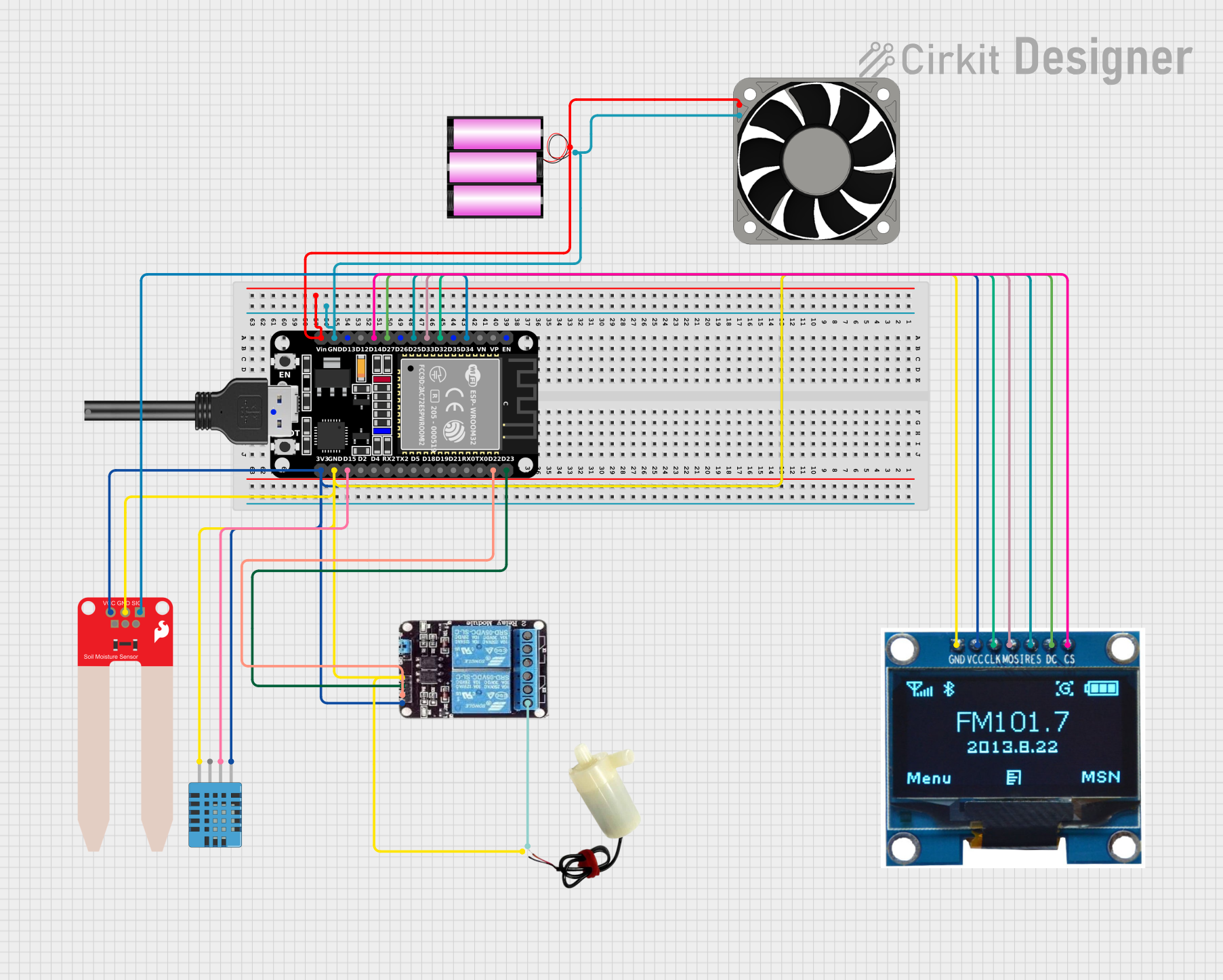 Open Project in Cirkit Designer
Explore Projects Built with Sensorhumedad
Open Project in Cirkit DesignerOpen Project in Cirkit DesignerOpen Project in Cirkit DesignerOpen Project in Cirkit DesignerTechnical Specifications
The Sensorhumedad is designed to provide accurate and stable humidity readings. Below are its key technical details:
| Parameter | Value |
|---|---|
| Operating Voltage | 3.3V - 5V |
| Operating Current | < 20 mA |
| Humidity Range | 20% - 90% RH (Relative Humidity) |
| Accuracy | ±5% RH |
| Response Time | ≤ 5 seconds |
| Operating Temperature | -20°C to 60°C |
| Output Signal | Analog Voltage |
Pin Configuration and Descriptions
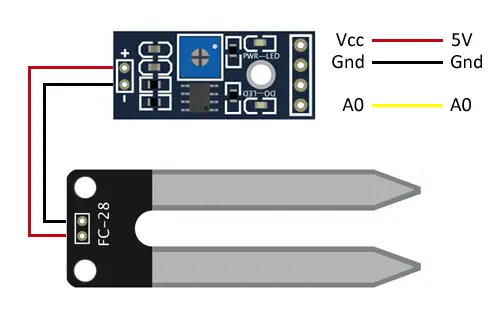
The Sensorhumedad has three pins, as described in the table below:
| Pin | Name | Description |
|---|---|---|
| 1 | VCC | Power supply pin (3.3V - 5V) |
| 2 | GND | Ground connection |
| 3 | OUT | Analog output pin that provides the humidity reading |
Usage Instructions
To use the Sensorhumedad in a circuit, follow these steps:
Wiring the Sensor:
- Connect the
VCCpin of the sensor to the 5V pin on the Arduino UNO. - Connect the
GNDpin of the sensor to the GND pin on the Arduino UNO. - Connect the
OUTpin of the sensor to an analog input pin on the Arduino UNO (e.g., A0).
- Connect the
Arduino Code Example: Below is an example code snippet to read humidity data from the Sensorhumedad using an Arduino UNO:
// Define the analog pin connected to the sensor's OUT pin const int sensorPin = A0; void setup() { Serial.begin(9600); // Initialize serial communication at 9600 baud } void loop() { int sensorValue = analogRead(sensorPin); // Read the analog value from the sensor // Convert the analog value to a percentage (assuming 0-1023 maps to 0-100%) float humidity = (sensorValue / 1023.0) * 100.0; // Print the humidity value to the Serial Monitor Serial.print("Humidity: "); Serial.print(humidity); Serial.println("%"); delay(1000); // Wait for 1 second before taking the next reading }Note: The conversion formula in the code assumes a linear relationship between the sensor's output and humidity. Refer to the sensor's datasheet for more precise calibration if needed.
Important Considerations:
- Ensure the sensor is not exposed to water or condensation, as this may damage the component.
- Avoid placing the sensor in environments with extreme temperatures or humidity levels beyond its specified range.
- For long-term use, consider adding a protective enclosure to shield the sensor from dust and debris.
Troubleshooting and FAQs
Common Issues and Solutions
No Output or Incorrect Readings:
- Cause: Loose or incorrect wiring.
- Solution: Double-check all connections and ensure the sensor is powered correctly.
Fluctuating Humidity Readings:
- Cause: Electrical noise or unstable power supply.
- Solution: Use a decoupling capacitor (e.g., 0.1 µF) between the
VCCandGNDpins to stabilize the power supply.
Sensor Not Responding:
- Cause: Sensor may be damaged or operating outside its specified range.
- Solution: Verify the operating conditions and replace the sensor if necessary.
FAQs
Q: Can the Sensorhumedad measure temperature as well?
A: No, the Sensorhumedad is designed specifically for humidity measurement. For temperature and humidity sensing, consider using a combined sensor like the DHT11 or DHT22.Q: How can I improve the accuracy of the sensor?
A: Perform calibration using a reference humidity source and adjust the conversion formula in your code accordingly.Q: Is the Sensorhumedad compatible with other microcontrollers?
A: Yes, the Sensorhumedad can be used with other microcontrollers that support analog input, such as ESP32, Raspberry Pi (with an ADC), and STM32.
By following this documentation, you can effectively integrate the Sensorhumedad into your projects and ensure reliable humidity measurements.