Cirkit Designer Logo
Cirkit Designer
Your all-in-one circuit design IDE
Home / 
Component Documentation

How to Use r4 minima: Examples, Pinouts, and Specs
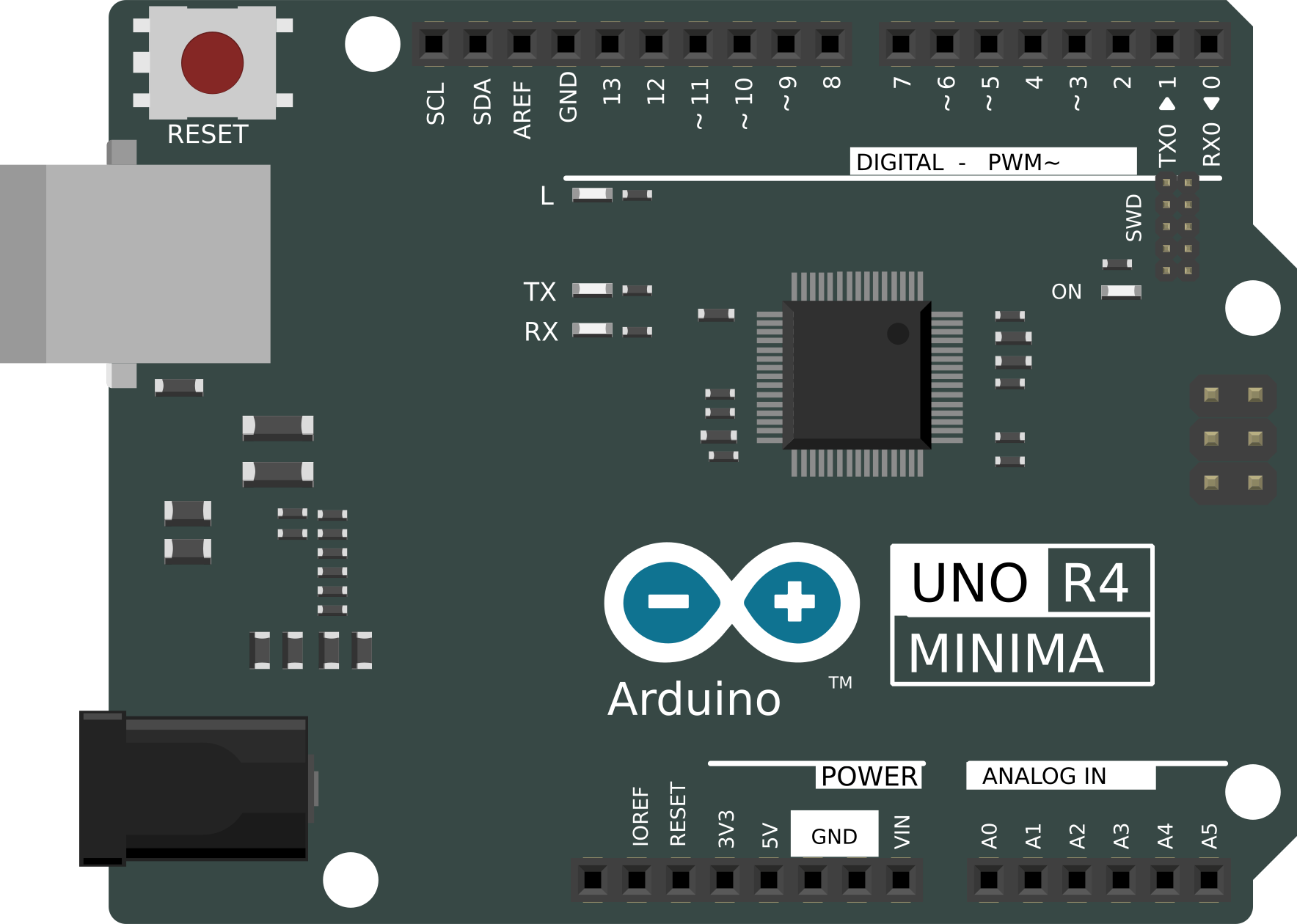

Image of r4 minima
Cirkit Designer LogoDesign with r4 minima in Cirkit Designer

Introduction

The R4 Minima is a specialized resistor designed for electronic circuits where low resistance and compact size are critical. Its minimal physical footprint makes it ideal for modern, space-constrained designs. Additionally, the R4 Minima offers precise current control, making it a reliable choice for applications requiring high accuracy and stability.

Explore Projects Built with r4 minima
Use Cirkit Designer to design, explore, and prototype these projects online. Some projects support real-time simulation. Click "Open Project" to start designing instantly!
Arduino Pro Mini Fingerprint Access Control System with MAX3232
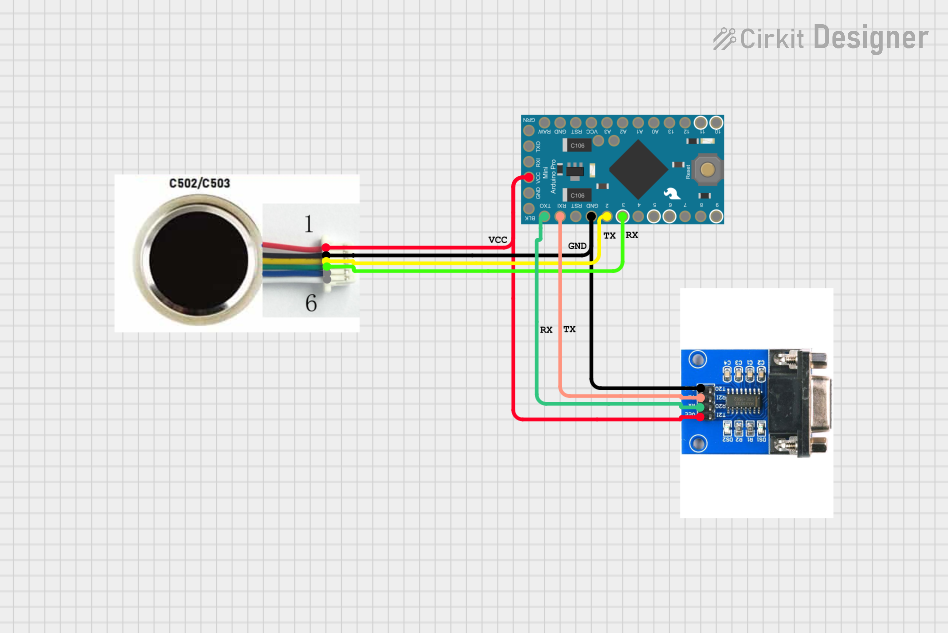
Image of R503 with arduino pro mini: A project utilizing r4 minima in a practical application
This circuit integrates an Arduino Pro Mini with an R503 fingerprint sensor and a MAX 3232 module for serial communication. The Arduino controls the fingerprint sensor and communicates with external devices via the MAX 3232 module, enabling secure biometric authentication.
Cirkit Designer LogoOpen Project in Cirkit Designer
Multifunctional Smart Control System with RFID and Environmental Sensing
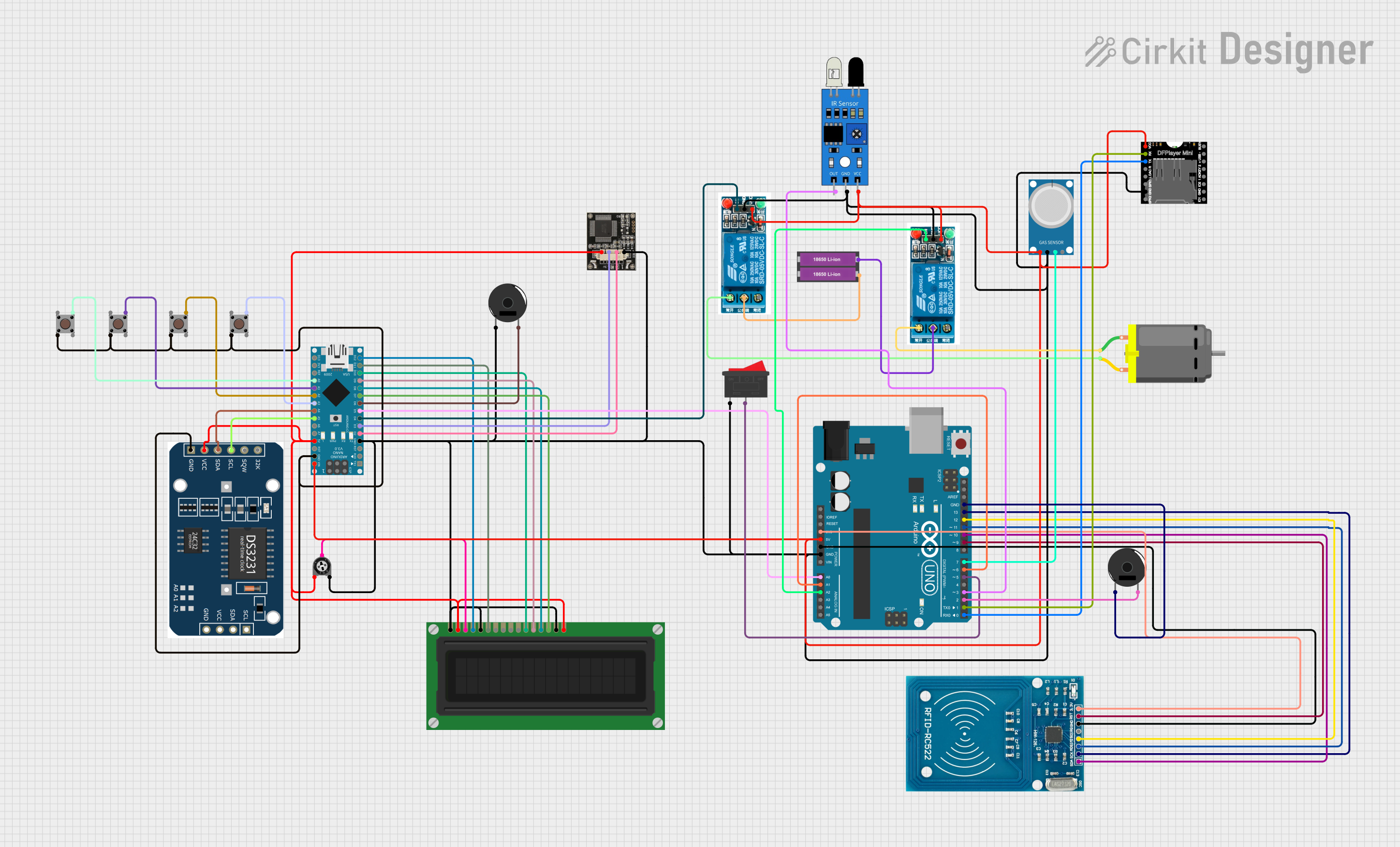
Image of Drivesheild_diagram: A project utilizing r4 minima in a practical application
This circuit features an Arduino UNO and an Arduino Nano as the main microcontrollers, interfaced with a variety of sensors and modules including an RFID-RC522 for RFID reading, an MQ-4 gas sensor, an IR sensor, and an RTC module for real-time clock functionality. It also includes actuators such as a DC motor controlled by two 5V relays, an LCD display for user interface, and piezo buzzers for audio feedback. The circuit is powered by a 3.3V connection from the UNO to the RFID module and a 5V connection from the UNO to other components, with multiple ground connections for completing the circuits. Pushbuttons and a trimmer potentiometer provide user inputs, and the DFPlayer MINI module is used for audio file playback. The provided code for the microcontrollers is a template with empty setup and loop functions, indicating that custom functionality is to be implemented by the user.
Cirkit Designer LogoOpen Project in Cirkit Designer
Arduino-Controlled Audio Player with Real-Time Clock and Amplification
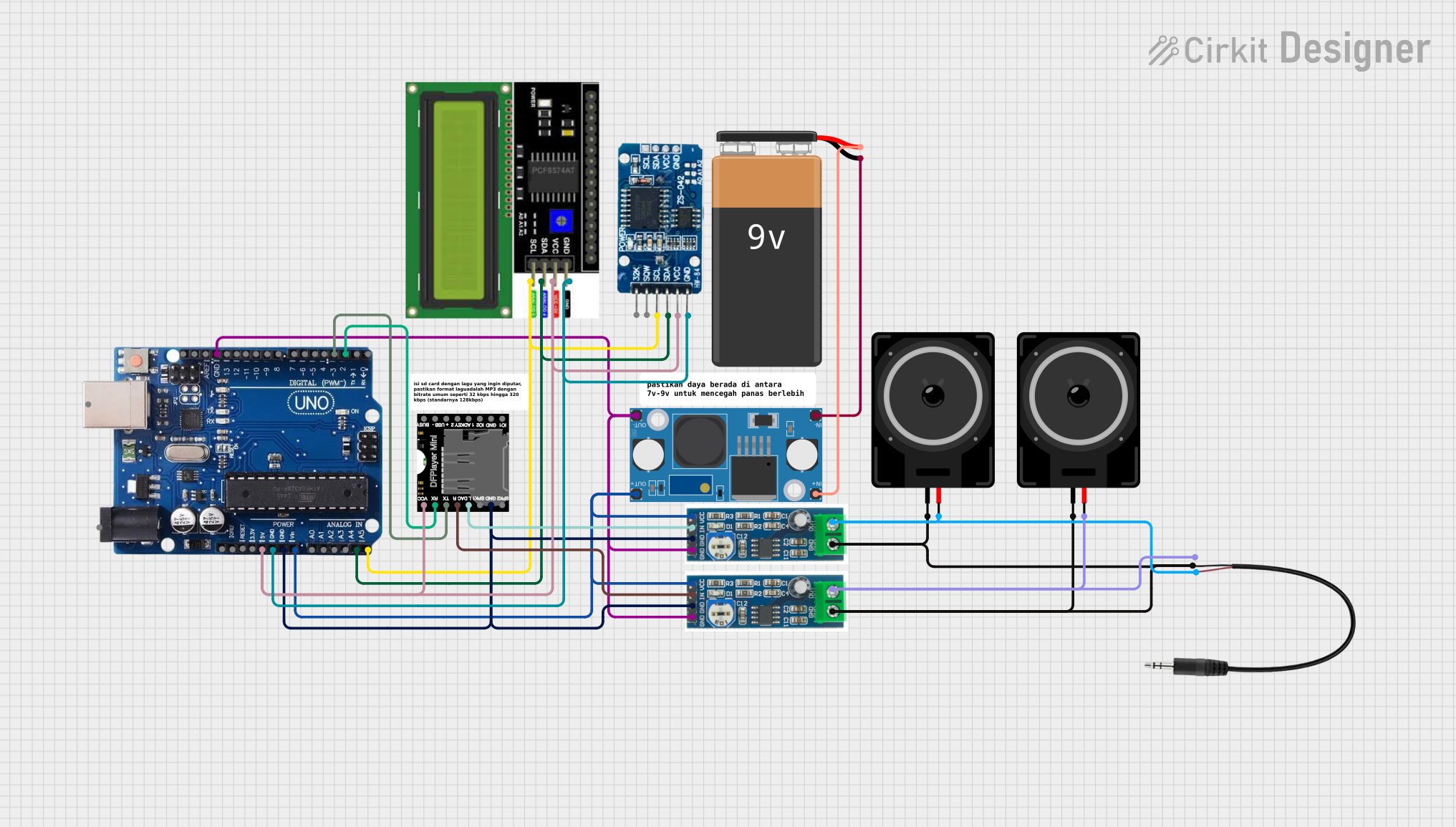
Image of alarm using arduno with speaker: A project utilizing r4 minima in a practical application
This circuit features an Arduino Uno R3 as the central microcontroller, interfaced with an RTC DS3231 for real-time clock functionality, and a DFPlayer MINI for audio playback. The audio output from the DFPlayer MINI is amplified by two LM386 audio amplifier modules, each driving a loudspeaker, and a 3.5mm audio jack provides additional audio output options. An LCD I2C Display is included for user interface, and a 9V battery with an LM2596 step-down module supplies regulated power to the system.
Cirkit Designer LogoOpen Project in Cirkit Designer
Beelink Mini S12 N95 and Arduino UNO Based Fingerprint Authentication System with ESP32 CAM
Image of design 3: A project utilizing r4 minima in a practical application
This circuit features a Beelink MINI S12 N95 computer connected to a 7-inch display via HDMI for video output and two USB connections for power and touch screen functionality. An Arduino UNO is interfaced with a fingerprint scanner for biometric input. The Beelink MINI S12 N95 is powered by a PC power supply, which in turn is connected to a 240V power source. Additionally, an ESP32 CAM module is powered and programmed via a USB plug and an FTDI programmer, respectively, for wireless camera capabilities.
Cirkit Designer LogoOpen Project in Cirkit Designer

Explore Projects Built with r4 minima

Use Cirkit Designer to design, explore, and prototype these projects online. Some projects support real-time simulation. Click "Open Project" to start designing instantly!
Image of R503 with arduino pro mini: A project utilizing r4 minima in a practical application
Arduino Pro Mini Fingerprint Access Control System with MAX3232
This circuit integrates an Arduino Pro Mini with an R503 fingerprint sensor and a MAX 3232 module for serial communication. The Arduino controls the fingerprint sensor and communicates with external devices via the MAX 3232 module, enabling secure biometric authentication.
Cirkit Designer LogoOpen Project in Cirkit Designer
Image of Drivesheild_diagram: A project utilizing r4 minima in a practical application
Multifunctional Smart Control System with RFID and Environmental Sensing
This circuit features an Arduino UNO and an Arduino Nano as the main microcontrollers, interfaced with a variety of sensors and modules including an RFID-RC522 for RFID reading, an MQ-4 gas sensor, an IR sensor, and an RTC module for real-time clock functionality. It also includes actuators such as a DC motor controlled by two 5V relays, an LCD display for user interface, and piezo buzzers for audio feedback. The circuit is powered by a 3.3V connection from the UNO to the RFID module and a 5V connection from the UNO to other components, with multiple ground connections for completing the circuits. Pushbuttons and a trimmer potentiometer provide user inputs, and the DFPlayer MINI module is used for audio file playback. The provided code for the microcontrollers is a template with empty setup and loop functions, indicating that custom functionality is to be implemented by the user.
Cirkit Designer LogoOpen Project in Cirkit Designer
Image of alarm using arduno with speaker: A project utilizing r4 minima in a practical application
Arduino-Controlled Audio Player with Real-Time Clock and Amplification
This circuit features an Arduino Uno R3 as the central microcontroller, interfaced with an RTC DS3231 for real-time clock functionality, and a DFPlayer MINI for audio playback. The audio output from the DFPlayer MINI is amplified by two LM386 audio amplifier modules, each driving a loudspeaker, and a 3.5mm audio jack provides additional audio output options. An LCD I2C Display is included for user interface, and a 9V battery with an LM2596 step-down module supplies regulated power to the system.
Cirkit Designer LogoOpen Project in Cirkit Designer
Image of design 3: A project utilizing r4 minima in a practical application
Beelink Mini S12 N95 and Arduino UNO Based Fingerprint Authentication System with ESP32 CAM
This circuit features a Beelink MINI S12 N95 computer connected to a 7-inch display via HDMI for video output and two USB connections for power and touch screen functionality. An Arduino UNO is interfaced with a fingerprint scanner for biometric input. The Beelink MINI S12 N95 is powered by a PC power supply, which in turn is connected to a 240V power source. Additionally, an ESP32 CAM module is powered and programmed via a USB plug and an FTDI programmer, respectively, for wireless camera capabilities.
Cirkit Designer LogoOpen Project in Cirkit Designer

Common Applications and Use Cases

  • Compact electronic devices, such as smartphones and wearables
  • Precision current sensing in power management circuits
  • Voltage dividers in low-power applications
  • Signal conditioning in analog circuits
  • High-density printed circuit boards (PCBs)

Technical Specifications

The R4 Minima is available in various resistance values and power ratings to suit different applications. Below are the general technical specifications:

Parameter Value
Resistance Range 0.1 Ω to 10 Ω
Tolerance ±1%, ±5%
Power Rating 0.125 W (1/8 W) to 0.25 W (1/4 W)
Temperature Coefficient ±100 ppm/°C
Operating Temperature -55°C to +125°C
Package Size 0402, 0603, 0805 (SMD)

Pin Configuration and Descriptions

The R4 Minima is a two-terminal passive component. Below is the pin configuration:

Pin Description
Pin 1 Resistor terminal (connect to circuit)
Pin 2 Resistor terminal (connect to circuit)

Note: The R4 Minima is non-polarized, meaning there is no specific orientation required during installation.

Usage Instructions

How to Use the R4 Minima in a Circuit

  1. Determine the Required Resistance Value: Use Ohm's Law (V = IR) to calculate the resistance needed for your application.
  2. Select the Appropriate Power Rating: Ensure the resistor can handle the power dissipation in your circuit. Use the formula:
    [ P = I^2 \times R ]
    where (P) is power, (I) is current, and (R) is resistance.
  3. Soldering the Resistor: Place the R4 Minima on the PCB pads and solder it carefully. Ensure proper alignment to avoid short circuits.
  4. Verify Connections: Use a multimeter to confirm the resistance value and check for proper connections.

Important Considerations and Best Practices

  • Avoid Overheating: Excessive heat during soldering can damage the resistor or alter its resistance value.
  • Power Dissipation: Ensure the resistor's power rating exceeds the expected power dissipation in the circuit.
  • Parasitic Effects: In high-frequency circuits, the small size of the R4 Minima minimizes parasitic inductance and capacitance, but proper layout design is still essential.
  • Storage: Store the resistors in a dry, anti-static environment to prevent damage.

Example: Using R4 Minima with an Arduino UNO

The R4 Minima can be used in current-sensing applications with an Arduino UNO. Below is an example of how to measure current using the R4 Minima as a shunt resistor:

// Example: Current measurement using R4 Minima and Arduino UNO
// Assumes a 0.1 Ω R4 Minima resistor is used as a shunt resistor

const int analogPin = A0; // Analog pin connected to the shunt resistor
const float shuntResistance = 0.1; // Resistance value in ohms

void setup() {
  Serial.begin(9600); // Initialize serial communication
}

void loop() {
  int sensorValue = analogRead(analogPin); // Read analog voltage
  float voltage = sensorValue * (5.0 / 1023.0); // Convert to voltage
  float current = voltage / shuntResistance; // Calculate current (I = V/R)

  // Print the current value to the Serial Monitor
  Serial.print("Current: ");
  Serial.print(current, 3); // Print current with 3 decimal places
  Serial.println(" A");

  delay(1000); // Wait 1 second before the next reading
}

Note: Ensure the voltage across the R4 Minima does not exceed the Arduino's analog input range (0-5V).

Troubleshooting and FAQs

Common Issues and Solutions

  1. Incorrect Resistance Value Measured

    • Cause: Poor soldering or damaged resistor.
    • Solution: Re-solder the resistor or replace it with a new one.
  2. Overheating of the Resistor

    • Cause: Power dissipation exceeds the resistor's rating.
    • Solution: Use a resistor with a higher power rating or reduce the current in the circuit.
  3. Circuit Malfunction

    • Cause: Incorrect resistor placement or value.
    • Solution: Double-check the circuit design and verify the resistor's value with a multimeter.

FAQs

  • Q: Can the R4 Minima be used in high-frequency circuits?
    A: Yes, its small size minimizes parasitic effects, making it suitable for high-frequency applications.

  • Q: How do I choose the correct tolerance for my application?
    A: For precision applications, use resistors with a ±1% tolerance. For general use, ±5% is sufficient.

  • Q: Is the R4 Minima available in through-hole packages?
    A: No, the R4 Minima is designed as a surface-mount device (SMD) for compact designs.

By following this documentation, you can effectively integrate the R4 Minima into your electronic projects.