
How to Use Pressure Tranducer: Examples, Pinouts, and Specs
 Design with Pressure Tranducer in Cirkit Designer
Introduction
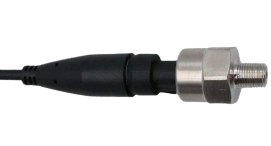
The Pressure Transducer (Manufacturer Part ID: Pressure Transducer) by Arduino is a device designed to convert pressure into an electrical signal. This component is widely used in industrial, automotive, and environmental monitoring applications to measure and control pressure levels with high accuracy and reliability.
Common applications include:
- Monitoring fluid or gas pressure in pipelines.
- Measuring atmospheric pressure in weather stations.
- Controlling hydraulic or pneumatic systems.
- Integrating into IoT systems for real-time pressure monitoring.
Explore Projects Built with Pressure Tranducer
 Open Project in Cirkit Designer
 Open Project in Cirkit Designer
 Open Project in Cirkit Designer
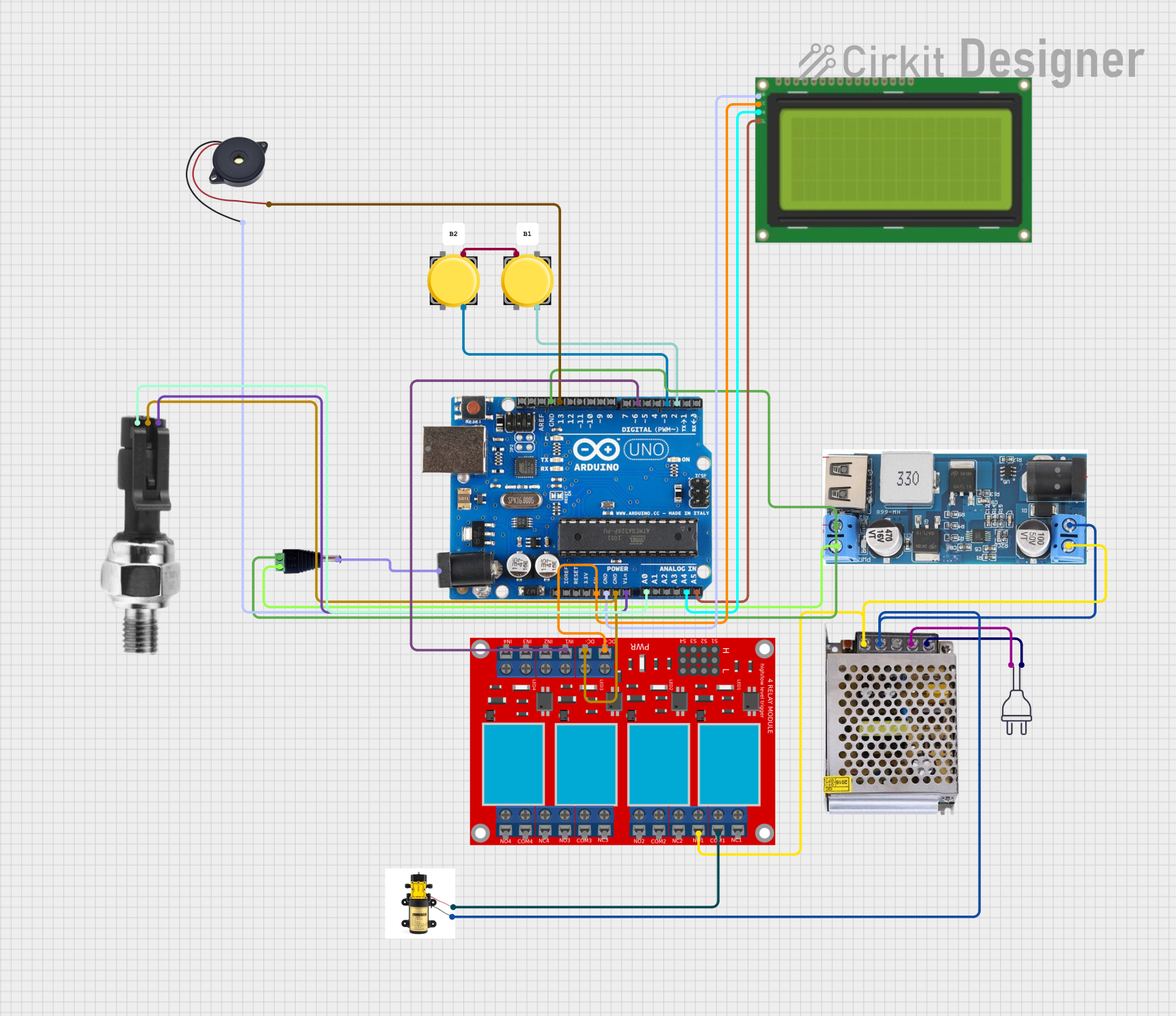 Open Project in Cirkit Designer
Explore Projects Built with Pressure Tranducer
Open Project in Cirkit DesignerOpen Project in Cirkit DesignerOpen Project in Cirkit DesignerOpen Project in Cirkit DesignerTechnical Specifications
The following table outlines the key technical details of the Arduino Pressure Transducer:
| Parameter | Value |
|---|---|
| Operating Voltage | 5V DC |
| Output Signal | 0.5V to 4.5V (analog) |
| Pressure Range | 0 to 100 PSI |
| Accuracy | ±1% of full scale |
| Operating Temperature | -20°C to 85°C |
| Response Time | < 1 ms |
| Sensor Type | Piezoelectric |
| Connection Type | 3-pin interface (VCC, GND, OUT) |
Pin Configuration and Descriptions
The Pressure Transducer has a 3-pin interface. The pinout is as follows:
| Pin | Name | Description |
|---|---|---|
| 1 | VCC | Power supply input (5V DC) |
| 2 | GND | Ground connection |
| 3 | OUT | Analog output signal proportional to pressure input |
Usage Instructions
How to Use the Pressure Transducer in a Circuit
- Power the Transducer: Connect the VCC pin to a 5V DC power source and the GND pin to the ground of your circuit.
- Read the Output Signal: Connect the OUT pin to an analog input pin of a microcontroller (e.g., Arduino UNO) to read the voltage signal corresponding to the pressure.
- Calibrate the Sensor: Use the 0.5V to 4.5V output range to map the pressure values. For example:
- 0.5V corresponds to 0 PSI.
- 4.5V corresponds to 100 PSI.
- Process the Data: Use the microcontroller to convert the analog signal into meaningful pressure readings.
Important Considerations and Best Practices
- Power Supply: Ensure a stable 5V DC power supply to avoid inaccurate readings.
- Signal Noise: Use a capacitor (e.g., 0.1 µF) between the OUT pin and GND to filter out noise in the output signal.
- Pressure Range: Do not exceed the specified pressure range (0 to 100 PSI) to prevent damage to the sensor.
- Environmental Conditions: Avoid exposing the sensor to temperatures or humidity levels outside its operating range.
Example Code for Arduino UNO
Below is an example code snippet to interface the Pressure Transducer with an Arduino UNO:
// Define the analog pin connected to the Pressure Transducer's OUT pin
const int pressurePin = A0;

// Variables to store sensor readings
float sensorVoltage = 0.0;
float pressure = 0.0;

void setup() {
  // Initialize serial communication for debugging
  Serial.begin(9600);
}

void loop() {
  // Read the analog value from the sensor (0-1023)
  int sensorValue = analogRead(pressurePin);

  // Convert the analog value to voltage (0-5V)
  sensorVoltage = sensorValue * (5.0 / 1023.0);

  // Map the voltage to pressure (0.5V = 0 PSI, 4.5V = 100 PSI)
  pressure = (sensorVoltage - 0.5) * (100.0 / (4.5 - 0.5));

  // Print the pressure value to the Serial Monitor
  Serial.print("Pressure: ");
  Serial.print(pressure);
  Serial.println(" PSI");

  // Delay for a short period before the next reading
  delay(500);
}
Troubleshooting and FAQs
Common Issues and Solutions
No Output Signal:
- Cause: Incorrect wiring or no power supply.
- Solution: Verify the connections and ensure the VCC pin is connected to a 5V DC source.
Inaccurate Readings:
- Cause: Electrical noise or incorrect calibration.
- Solution: Add a capacitor between the OUT pin and GND to reduce noise. Recheck the calibration formula.
Sensor Damage:
- Cause: Exceeding the pressure or temperature limits.
- Solution: Ensure the sensor operates within the specified pressure and temperature ranges.
Fluctuating Output:
- Cause: Unstable power supply.
- Solution: Use a regulated 5V DC power source.
FAQs
Q1: Can this sensor measure negative pressure (vacuum)?
A1: No, this sensor is designed to measure positive pressure only, within the range of 0 to 100 PSI.
Q2: Can I use this sensor with a 3.3V microcontroller?
A2: The sensor requires a 5V power supply, but the output signal can be read by a 3.3V microcontroller if the analog input pin supports it. Use a level shifter if needed.
Q3: How do I protect the sensor from overpressure?
A3: Use a pressure relief valve or a mechanical stopper to prevent the pressure from exceeding 100 PSI.
Q4: Is the sensor waterproof?
A4: The sensor is not fully waterproof. Avoid direct exposure to liquids unless the sensor is housed in a protective enclosure.