Cirkit Designer Logo
Cirkit Designer
Your all-in-one circuit design IDE
Home / 
Component Documentation

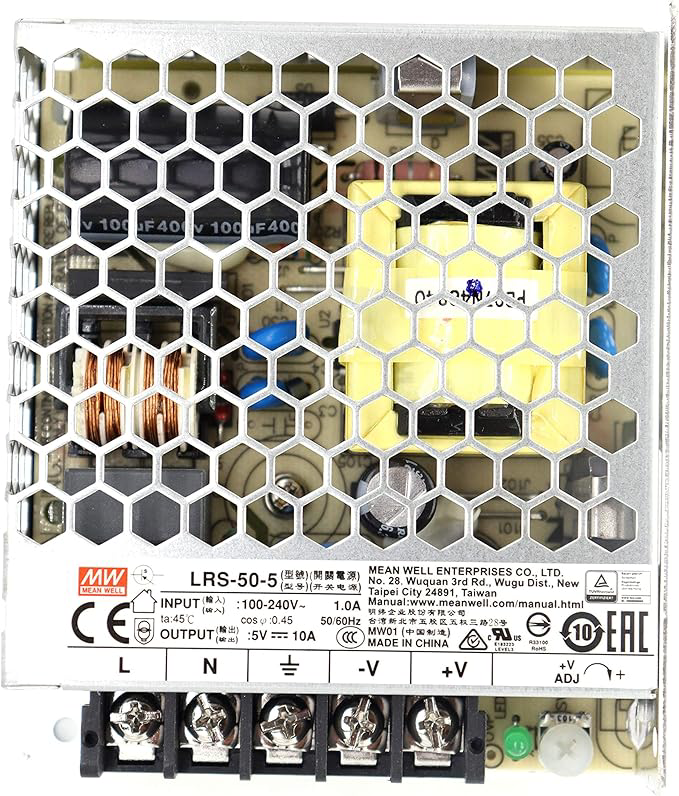
How to Use 5V PSU: Examples, Pinouts, and Specs

Image of 5V PSU
Cirkit Designer LogoDesign with 5V PSU in Cirkit Designer

Introduction

  • A 5V Power Supply Unit (PSU) provides a stable 5-volt output to power electronic circuits and devices. It ensures consistent voltage for reliable operation, making it an essential component in many electronic projects.
  • Common applications include powering microcontrollers (e.g., Arduino, Raspberry Pi), sensors, LEDs, and other low-voltage devices. It is also widely used in prototyping, embedded systems, and IoT applications.

Explore Projects Built with 5V PSU

Use Cirkit Designer to design, explore, and prototype these projects online. Some projects support real-time simulation. Click "Open Project" to start designing instantly!
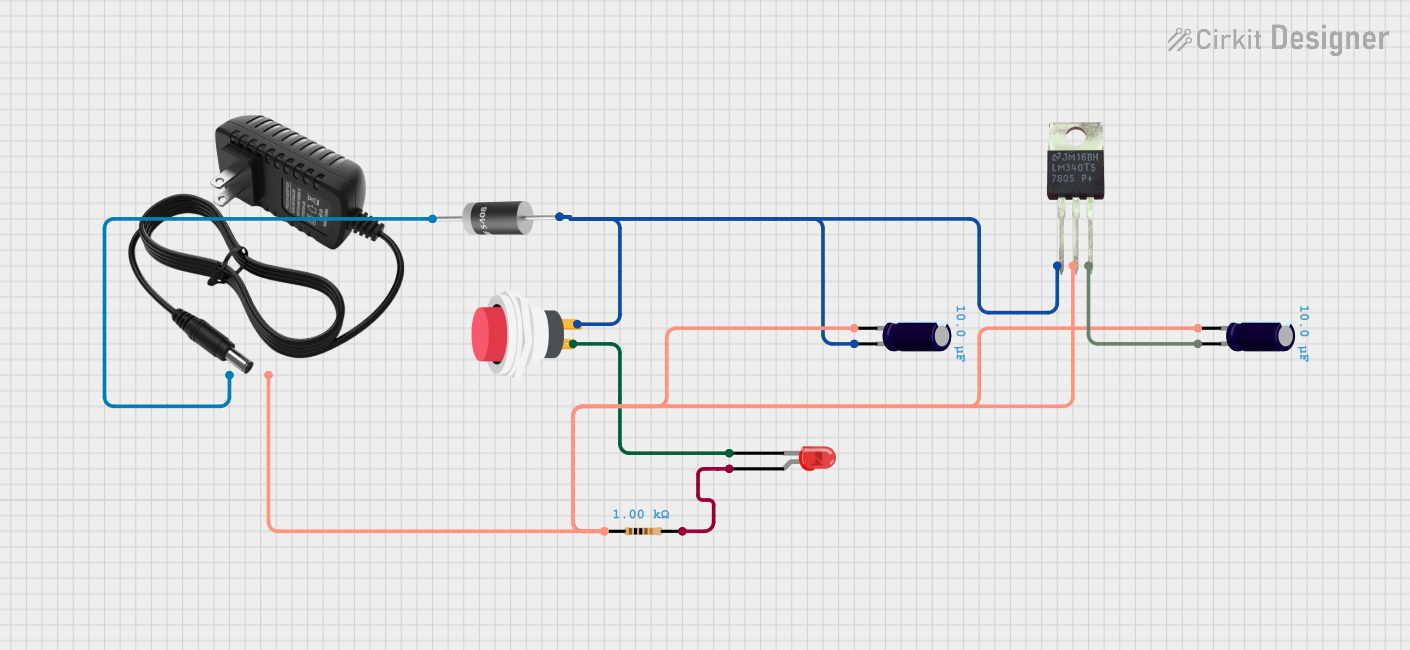
12V to 5V Power Supply with LED Indicator and Push Switch

Image of Power Supply LVCO: A project utilizing 5V PSU in a practical application
This circuit is a 12V to 5V regulated power supply with an LED indicator. It uses a 5408 diode for reverse polarity protection, an LM340T5 7805 voltage regulator to step down the voltage to 5V, and a push switch to control the LED indicator. The circuit also includes capacitors for filtering and a resistor to limit the current through the LED.
Cirkit Designer LogoOpen Project in Cirkit Designer
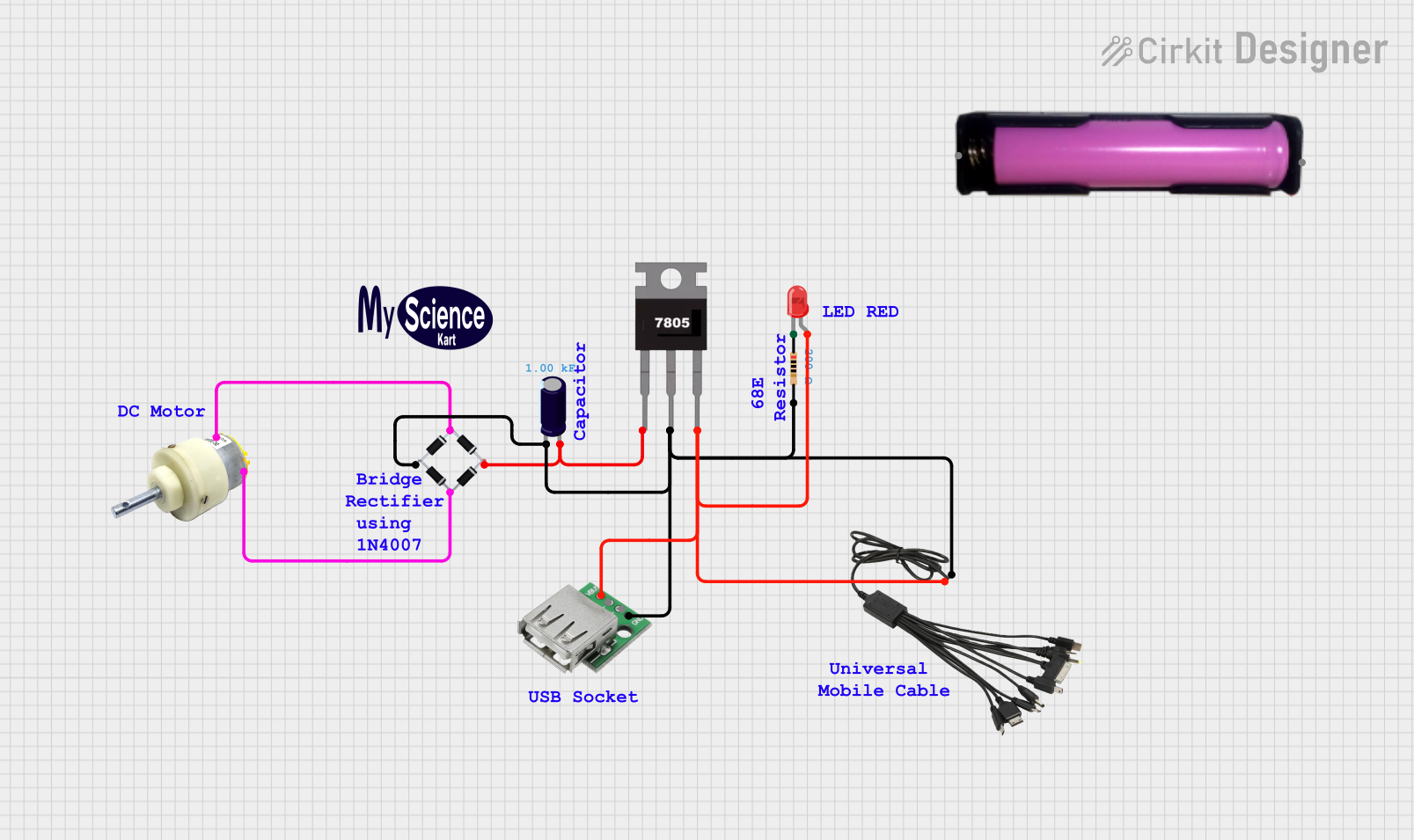
Battery-Powered USB Charger with LED Indicator and DC Motor
Image of Copy of Hand Crank mobile charger : A project utilizing 5V PSU in a practical application
This circuit converts AC power to DC using a bridge rectifier and regulates the voltage to 5V with a 7805 voltage regulator. It powers a USB port and indicates power status with an LED, while also providing a charging interface through a multi-charging cable.
Cirkit Designer LogoOpen Project in Cirkit Designer
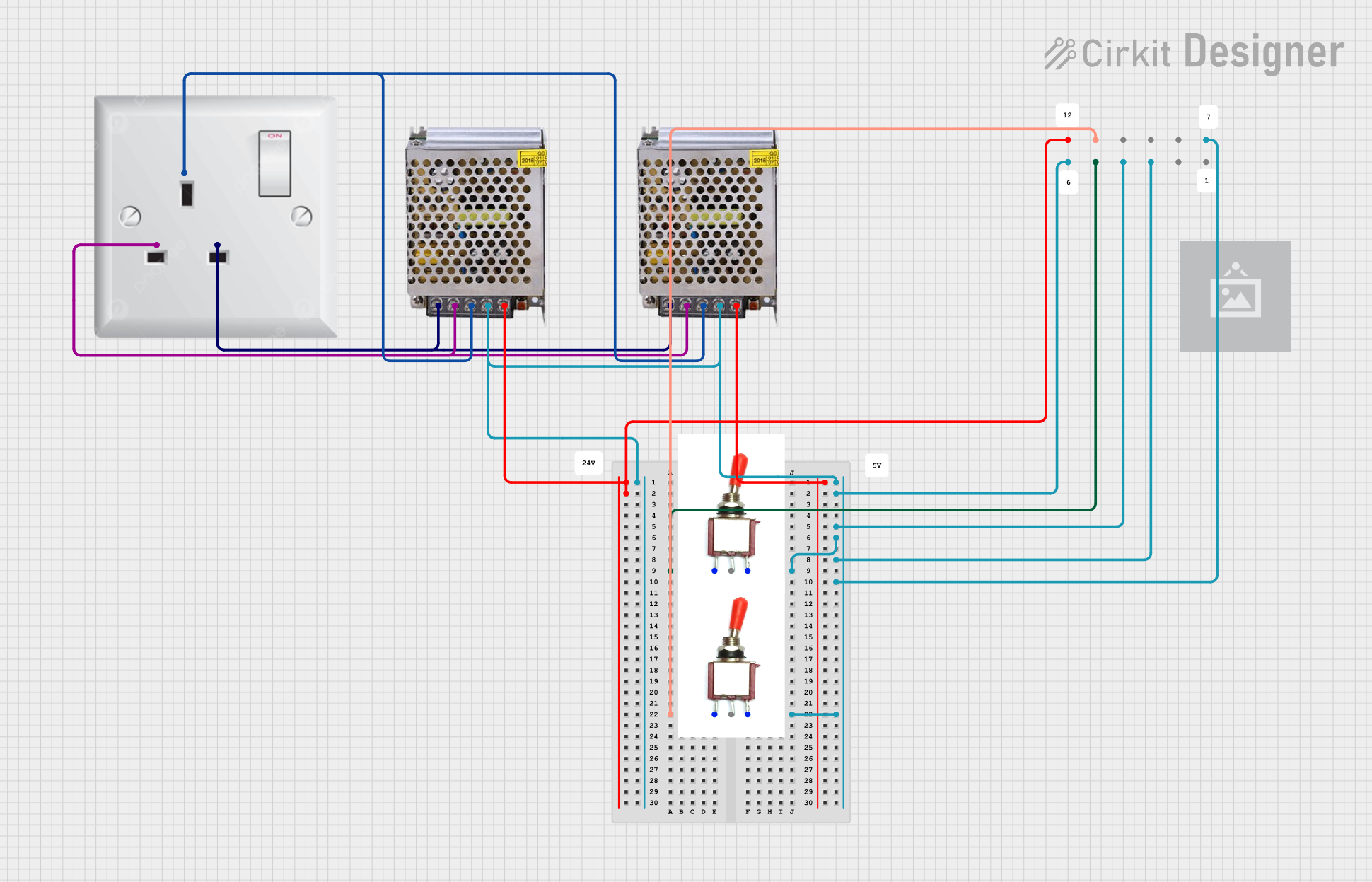
Dual 5V Power Supply Distribution Circuit with Toggle Switch Control
Image of rfdriver: A project utilizing 5V PSU in a practical application
This circuit consists of two 5V 5A power supplies connected to an AC wall plug point, providing DC output through a 12-way connector. The ground connections from both power supplies are interconnected and also connected to the ground pins of two toggle switches. The DC outputs from the power supplies are separately connected to different pins on the 12-way connector, with each power supply output being switchable via one of the toggle switches.
Cirkit Designer LogoOpen Project in Cirkit Designer
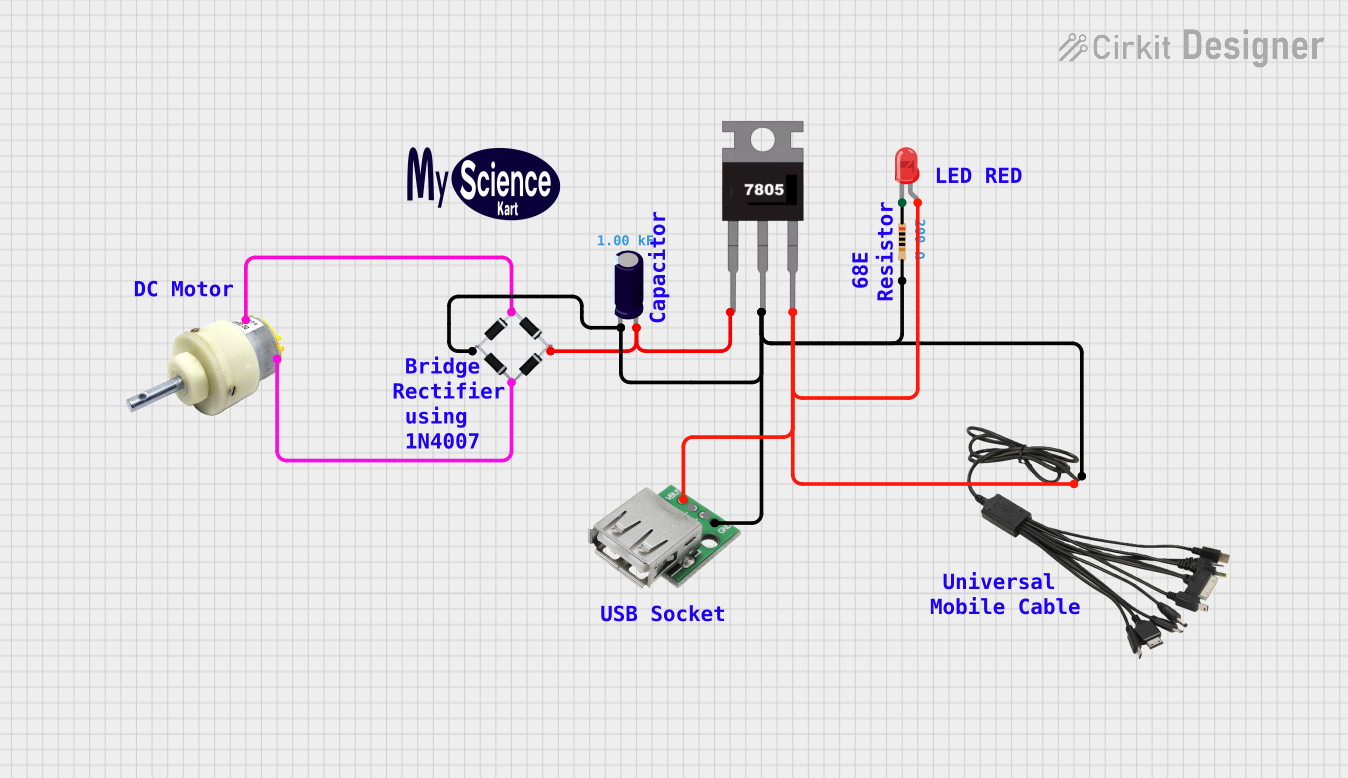
USB-Powered DC Gear Motor with LED Indicator
Image of Hand Crank mobile charger : A project utilizing 5V PSU in a practical application
This circuit appears to be a power supply unit with a bridge rectifier connected to a DC gear motor, indicating it is designed to convert AC to DC power for the motor. An electrolytic capacitor is used for smoothing the DC output, and a 7805 voltage regulator is included to provide a stable 5V output. Additionally, there is an LED with a series resistor, likely serving as a power indicator light.
Cirkit Designer LogoOpen Project in Cirkit Designer

Explore Projects Built with 5V PSU

Use Cirkit Designer to design, explore, and prototype these projects online. Some projects support real-time simulation. Click "Open Project" to start designing instantly!
Image of Power Supply LVCO: A project utilizing 5V PSU in a practical application
12V to 5V Power Supply with LED Indicator and Push Switch
This circuit is a 12V to 5V regulated power supply with an LED indicator. It uses a 5408 diode for reverse polarity protection, an LM340T5 7805 voltage regulator to step down the voltage to 5V, and a push switch to control the LED indicator. The circuit also includes capacitors for filtering and a resistor to limit the current through the LED.
Cirkit Designer LogoOpen Project in Cirkit Designer
Image of Copy of Hand Crank mobile charger : A project utilizing 5V PSU in a practical application
Battery-Powered USB Charger with LED Indicator and DC Motor
This circuit converts AC power to DC using a bridge rectifier and regulates the voltage to 5V with a 7805 voltage regulator. It powers a USB port and indicates power status with an LED, while also providing a charging interface through a multi-charging cable.
Cirkit Designer LogoOpen Project in Cirkit Designer
Image of rfdriver: A project utilizing 5V PSU in a practical application
Dual 5V Power Supply Distribution Circuit with Toggle Switch Control
This circuit consists of two 5V 5A power supplies connected to an AC wall plug point, providing DC output through a 12-way connector. The ground connections from both power supplies are interconnected and also connected to the ground pins of two toggle switches. The DC outputs from the power supplies are separately connected to different pins on the 12-way connector, with each power supply output being switchable via one of the toggle switches.
Cirkit Designer LogoOpen Project in Cirkit Designer
Image of Hand Crank mobile charger : A project utilizing 5V PSU in a practical application
USB-Powered DC Gear Motor with LED Indicator
This circuit appears to be a power supply unit with a bridge rectifier connected to a DC gear motor, indicating it is designed to convert AC to DC power for the motor. An electrolytic capacitor is used for smoothing the DC output, and a 7805 voltage regulator is included to provide a stable 5V output. Additionally, there is an LED with a series resistor, likely serving as a power indicator light.
Cirkit Designer LogoOpen Project in Cirkit Designer

Technical Specifications

  • Input Voltage Range: Typically 100-240V AC (for AC-DC PSUs) or 6-12V DC (for DC-DC converters)
  • Output Voltage: 5V DC ± 5%
  • Output Current: Varies by model, commonly 500mA to 3A
  • Efficiency: Up to 85% (depending on the design)
  • Ripple and Noise: <50mV (peak-to-peak)
  • Protection Features: Overcurrent, overvoltage, and short-circuit protection

Pin Configuration and Descriptions

For a DC Barrel Jack Connector:

Pin Name Description
+V Positive 5V output
GND Ground (0V reference)

For a 3-Pin Screw Terminal PSU:

Pin Name Description
VIN Input voltage (e.g., 6-12V DC)
GND Ground (shared for input and output)
VOUT Regulated 5V output

For USB Output (e.g., USB Type-A):

Pin Name Description
VBUS Positive 5V output
GND Ground (0V reference)

Usage Instructions

  1. Connecting the PSU:

    • For AC-DC PSUs, connect the input to a standard AC power source (100-240V AC).
    • For DC-DC converters, connect the input voltage (e.g., 6-12V DC) to the VIN and GND pins.
    • Ensure the output terminals (VOUT and GND) are connected to the load or circuit requiring 5V.
  2. Important Considerations:

    • Verify the input voltage range before connecting the PSU to avoid damage.
    • Ensure the load does not exceed the PSU's maximum current rating.
    • Use proper heat dissipation methods if the PSU operates at high currents for extended periods.
    • For sensitive circuits, consider adding additional filtering capacitors to reduce noise.
  3. Using with Arduino UNO:

    • The 5V PSU can power an Arduino UNO via the 5V pin or the barrel jack.
    • Example code to blink an LED using the 5V PSU:
// Example: Blink an LED using a 5V PSU and Arduino UNO
// Connect the 5V PSU to the Arduino's 5V and GND pins.
// Connect an LED to pin 13 with a 220-ohm resistor.

void setup() {
  pinMode(13, OUTPUT); // Set pin 13 as an output
}

void loop() {
  digitalWrite(13, HIGH); // Turn the LED on
  delay(1000);            // Wait for 1 second
  digitalWrite(13, LOW);  // Turn the LED off
  delay(1000);            // Wait for 1 second
}

Troubleshooting and FAQs

Common Issues

  1. No Output Voltage:

    • Check if the input voltage is within the specified range.
    • Verify all connections are secure and correct.
    • Inspect for blown fuses or damaged components in the PSU.
  2. Output Voltage is Unstable:

    • Ensure the load does not exceed the PSU's maximum current rating.
    • Check for loose connections or damaged wires.
    • Add filtering capacitors to reduce noise if necessary.
  3. PSU Overheating:

    • Confirm the PSU is not overloaded.
    • Ensure proper ventilation and heat dissipation.

FAQs

  • Can I use a 5V PSU to power multiple devices? Yes, as long as the total current draw of all devices does not exceed the PSU's maximum current rating.

  • What happens if I connect a higher input voltage than specified? This may damage the PSU or cause it to shut down. Always stay within the recommended input voltage range.

  • Can I use a 5V PSU with a battery-powered circuit? Yes, but ensure the PSU's ground is connected to the circuit's ground for proper operation.

  • How do I know if my PSU is working correctly? Use a multimeter to measure the output voltage. It should be close to 5V (±5%).