
How to Use KY-037: Examples, Pinouts, and Specs
 Design with KY-037 in Cirkit Designer
Introduction
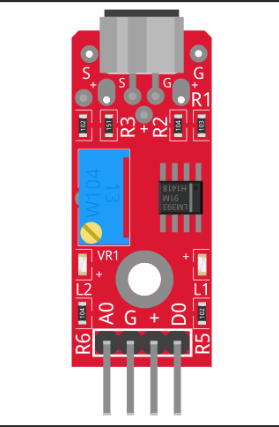
The KY-037 is a high-sensitivity sound sensor module designed to detect sound levels and convert them into an analog voltage output. It features a built-in microphone and an onboard potentiometer for sensitivity adjustment. This module is widely used in sound-activated projects, such as voice-controlled devices, audio level monitoring, and sound-activated switches. Its ease of use and compatibility with microcontrollers like Arduino make it a popular choice for hobbyists and professionals alike.
Explore Projects Built with KY-037
 Open Project in Cirkit Designer
 Open Project in Cirkit Designer
 Open Project in Cirkit Designer
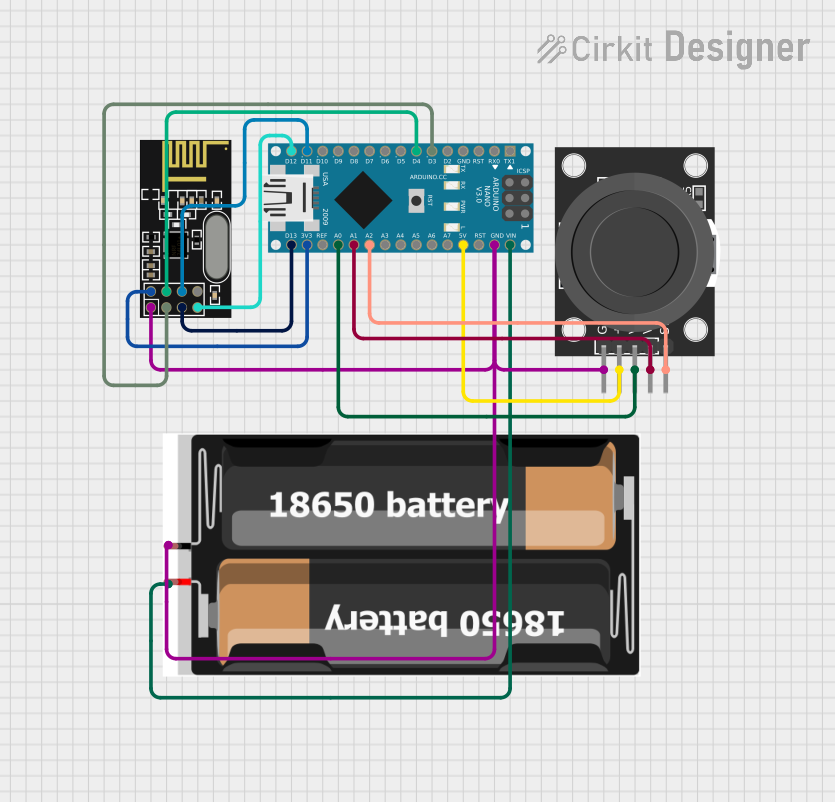 Open Project in Cirkit Designer
Explore Projects Built with KY-037
Open Project in Cirkit DesignerOpen Project in Cirkit DesignerOpen Project in Cirkit DesignerOpen Project in Cirkit DesignerCommon Applications
- Sound-activated lighting systems
- Voice-controlled devices
- Audio level monitoring
- Security systems with sound detection
- DIY electronics projects
Technical Specifications
The KY-037 sound sensor module has the following key specifications:
| Parameter | Value |
|---|---|
| Operating Voltage | 3.3V - 5V |
| Output Type | Analog and Digital |
| Microphone Type | Electret Condenser Microphone |
| Sensitivity Adjustment | Onboard Potentiometer |
| Dimensions | 38mm x 15mm x 13mm |
Pin Configuration
The KY-037 module has four pins, as described in the table below:
| Pin | Name | Description |
|---|---|---|
| 1 | AO | Analog Output: Outputs an analog voltage proportional to the detected sound. |
| 2 | GND | Ground: Connect to the ground of the power supply or microcontroller. |
| 3 | VCC | Power Supply: Connect to a 3.3V or 5V power source. |
| 4 | DO | Digital Output: Outputs a HIGH or LOW signal based on the sound threshold set. |
Usage Instructions
Connecting the KY-037 to a Circuit
- Power the Module: Connect the
VCCpin to a 3.3V or 5V power source and theGNDpin to ground. - Analog Output: Connect the
AOpin to an analog input pin on your microcontroller to read the sound level as a voltage. - Digital Output: Connect the
DOpin to a digital input pin on your microcontroller to detect sound above the threshold set by the potentiometer. - Adjust Sensitivity: Use the onboard potentiometer to adjust the sensitivity of the digital output.
Example: Using KY-037 with Arduino UNO
Below is an example of how to use the KY-037 with an Arduino UNO to read both analog and digital outputs:
// KY-037 Sound Sensor Example with Arduino UNO

// Define pin connections
const int analogPin = A0;  // Connect AO pin to A0 on Arduino
const int digitalPin = 2; // Connect DO pin to digital pin 2 on Arduino
int soundLevel;           // Variable to store analog sound level

void setup() {
  pinMode(digitalPin, INPUT); // Set digital pin as input
  Serial.begin(9600);         // Initialize serial communication
}

void loop() {
  // Read analog sound level
  soundLevel = analogRead(analogPin);

  // Read digital output (HIGH or LOW)
  int soundDetected = digitalRead(digitalPin);

  // Print analog sound level to Serial Monitor
  Serial.print("Analog Sound Level: ");
  Serial.println(soundLevel);

  // Print digital output status to Serial Monitor
  if (soundDetected == HIGH) {
    Serial.println("Sound Detected!");
  } else {
    Serial.println("No Sound Detected.");
  }

  delay(500); // Delay for readability
}
Best Practices
- Power Supply: Ensure the module is powered with a stable voltage (3.3V or 5V) to avoid erratic behavior.
- Sensitivity Adjustment: Fine-tune the potentiometer to set the desired sound detection threshold for the digital output.
- Noise Isolation: Place the module away from sources of electrical noise to improve accuracy.
Troubleshooting and FAQs
Common Issues
No Output from the Module
- Ensure the module is properly powered (check
VCCandGNDconnections). - Verify that the microphone is not obstructed or damaged.
- Check the sensitivity setting on the potentiometer.
- Ensure the module is properly powered (check
Erratic Digital Output
- Reduce sensitivity using the potentiometer to avoid false triggers from background noise.
- Ensure proper grounding to minimize electrical interference.
Analog Output Not Changing
- Confirm that the
AOpin is connected to an analog input pin on the microcontroller. - Test the microphone by exposing it to varying sound levels.
- Confirm that the
FAQs
Q: Can the KY-037 detect specific frequencies?
A: No, the KY-037 is designed to detect general sound levels and does not differentiate between specific frequencies.
Q: How do I increase the detection range?
A: You can increase the sensitivity using the onboard potentiometer, but be cautious of false triggers from background noise.
Q: Is the KY-037 compatible with Raspberry Pi?
A: Yes, the KY-037 can be used with Raspberry Pi. Connect the AO pin to an ADC module (since Raspberry Pi lacks built-in analog inputs) or use the DO pin for digital sound detection.
Q: Can I use the KY-037 outdoors?
A: The KY-037 is not weatherproof. If used outdoors, ensure it is protected from moisture and extreme temperatures.
By following this documentation, you can effectively integrate the KY-037 sound sensor module into your projects for reliable sound detection and monitoring.