
How to Use Panel Surya 100 Wp: Examples, Pinouts, and Specs
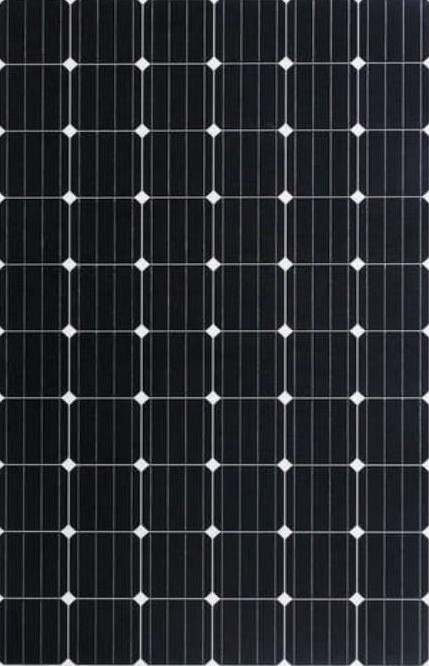
 Design with Panel Surya 100 Wp in Cirkit Designer
Introduction
The Panel Surya 100 Wp is a high-efficiency solar panel designed to convert sunlight into electrical energy. With a peak power output of 100 watts, this panel is ideal for a wide range of applications, including residential, commercial, and off-grid solar power systems. Its durable construction and reliable performance make it a popular choice for sustainable energy solutions.
Explore Projects Built with Panel Surya 100 Wp
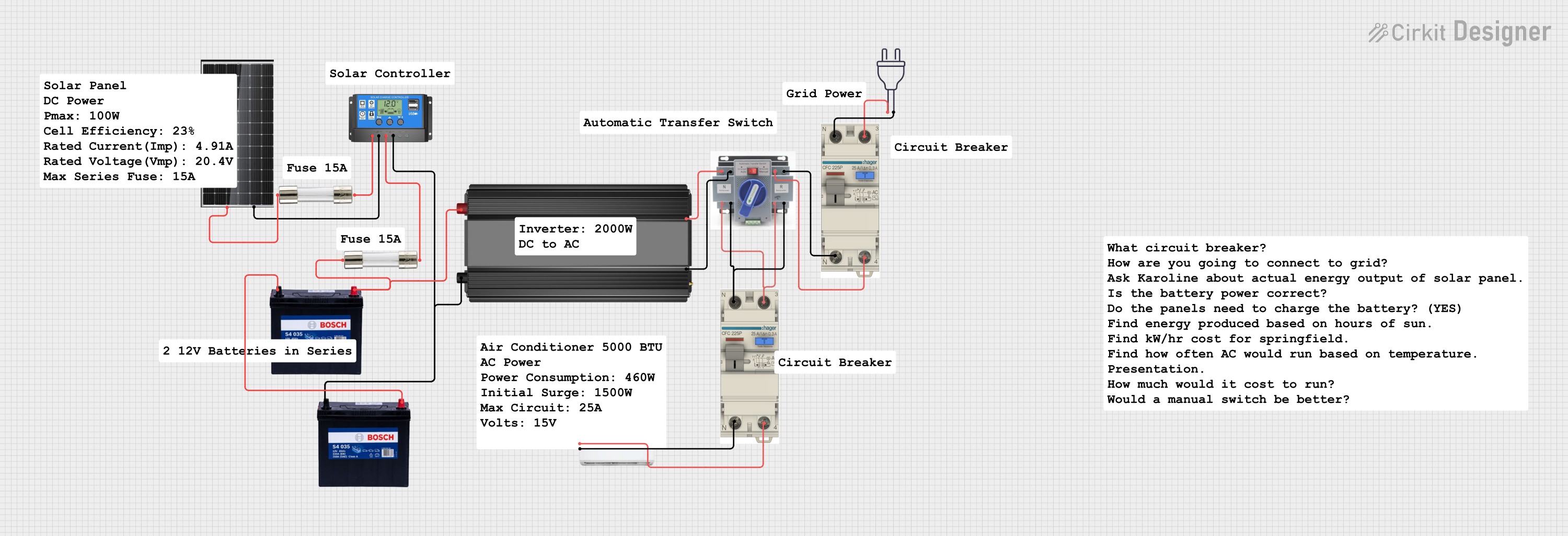 Open Project in Cirkit Designer
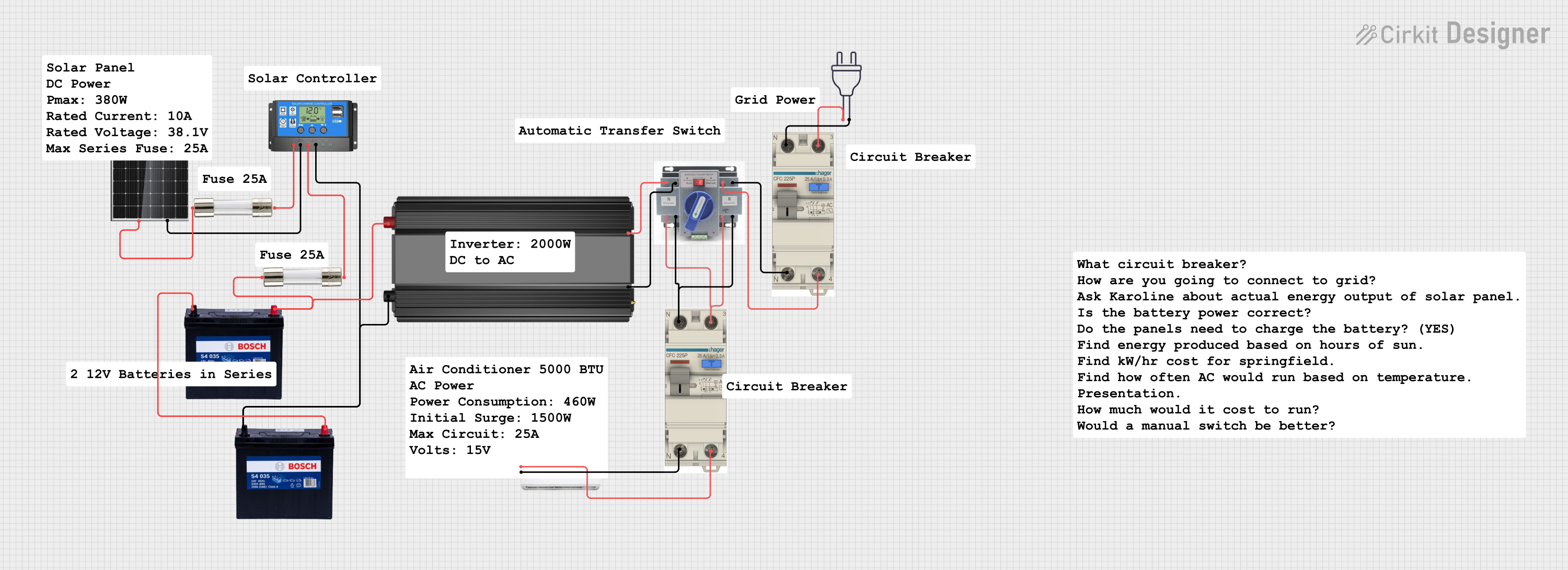 Open Project in Cirkit Designer
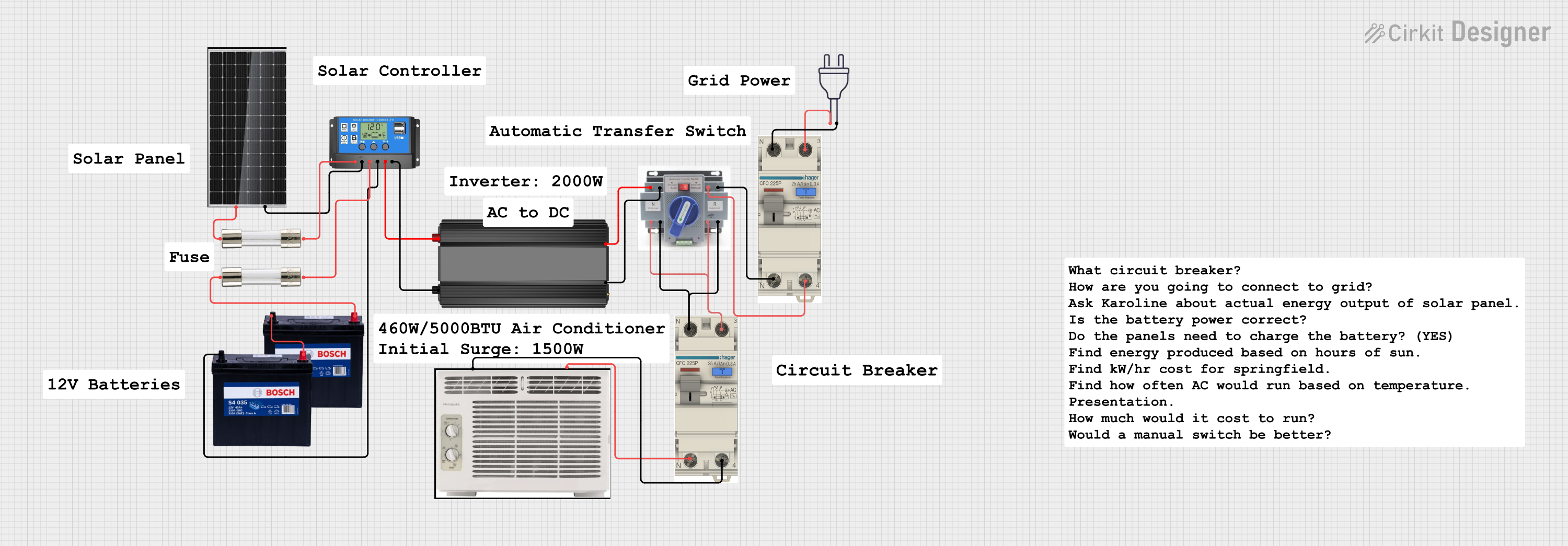 Open Project in Cirkit Designer
 Open Project in Cirkit Designer
Explore Projects Built with Panel Surya 100 Wp
Open Project in Cirkit DesignerOpen Project in Cirkit DesignerOpen Project in Cirkit DesignerOpen Project in Cirkit DesignerCommon Applications
- Residential rooftop solar installations
- Off-grid power systems for cabins, RVs, and boats
- Commercial solar power systems
- Backup power systems with battery storage
- Solar-powered lighting and small appliances
Technical Specifications
Key Specifications
| Parameter | Value |
|---|---|
| Maximum Power (Pmax) | 100 Wp |
| Voltage at Pmax (Vmp) | 18 V |
| Current at Pmax (Imp) | 5.56 A |
| Open Circuit Voltage (Voc) | 21.6 V |
| Short Circuit Current (Isc) | 5.95 A |
| Maximum System Voltage | 1000 V DC |
| Operating Temperature | -40°C to +85°C |
| Dimensions | 1200 mm x 540 mm x 35 mm |
| Weight | 8 kg |
| Cell Type | Monocrystalline Silicon |
| Efficiency | ~18% |
Pin Configuration and Connections
The Panel Surya 100 Wp does not have traditional pins but instead uses standard solar panel connectors (e.g., MC4 connectors) for electrical connections. Below is a description of the connectors:
| Connector Type | Description |
|---|---|
| Positive (+) | Outputs the positive DC voltage |
| Negative (-) | Outputs the negative DC voltage |
Usage Instructions
How to Use the Panel in a Circuit
Positioning the Panel:
- Install the panel in a location with maximum sunlight exposure.
- Ensure the panel is tilted at an angle appropriate for your geographic location to optimize energy generation.
Connecting the Panel:
- Use MC4-compatible connectors to connect the panel to your system.
- Connect the positive (+) terminal of the panel to the positive input of your charge controller or inverter.
- Similarly, connect the negative (-) terminal to the negative input.
Using with a Charge Controller:
- Always connect the solar panel to a charge controller before connecting it to a battery. This prevents overcharging and protects the battery.
- Ensure the charge controller is rated for at least 100 Wp and supports the panel's voltage and current specifications.
Using with an Inverter:
- For AC-powered devices, connect the output of the charge controller or battery to an inverter.
- Ensure the inverter is compatible with the system voltage and power requirements.
Important Considerations and Best Practices
- Avoid Shading: Even partial shading can significantly reduce the panel's output.
- Wiring: Use appropriately rated cables to handle the panel's current and voltage.
- Maintenance: Clean the panel surface regularly to remove dirt and debris for optimal performance.
- Safety: Always disconnect the panel from the system before performing maintenance or wiring changes.
Example: Connecting to an Arduino UNO
The Panel Surya 100 Wp can be used to power an Arduino UNO indirectly by charging a battery and using a voltage regulator. Below is an example setup:
- Connect the solar panel to a 12V battery via a charge controller.
- Use a 5V voltage regulator (e.g., LM7805) to step down the battery voltage to 5V.
- Power the Arduino UNO through its 5V pin.
Sample Arduino Code for Monitoring Battery Voltage
// This code reads the battery voltage using an analog pin on the Arduino UNO.
// Ensure a voltage divider is used to step down the battery voltage to a safe level.

const int batteryPin = A0; // Analog pin connected to the voltage divider
float voltage = 0.0;

void setup() {
  Serial.begin(9600); // Initialize serial communication
}

void loop() {
  int sensorValue = analogRead(batteryPin); // Read the analog value
  voltage = sensorValue * (5.0 / 1023.0) * 2;
  // Multiply by 2 to account for the voltage divider ratio
  Serial.print("Battery Voltage: ");
  Serial.print(voltage);
  Serial.println(" V");
  delay(1000); // Wait for 1 second before the next reading
}
Troubleshooting and FAQs
Common Issues and Solutions
Low Power Output:
- Cause: Shading, dirt, or incorrect panel angle.
- Solution: Clean the panel surface and ensure it is positioned for maximum sunlight exposure.
No Output Voltage:
- Cause: Loose or faulty connections.
- Solution: Check all connections, especially the MC4 connectors, for proper contact.
Overheating:
- Cause: Poor ventilation or excessive ambient temperature.
- Solution: Ensure adequate airflow around the panel and avoid installing it in enclosed spaces.
Battery Not Charging:
- Cause: Faulty charge controller or incorrect wiring.
- Solution: Verify the charge controller's functionality and ensure proper wiring.
FAQs
Q1: Can I connect multiple panels in series or parallel?
A1: Yes, you can connect multiple panels in series to increase voltage or in parallel to increase current. Ensure your charge controller and inverter are rated for the combined output.
Q2: What type of battery is recommended?
A2: A 12V deep-cycle battery is commonly used. Ensure the battery capacity matches your energy storage requirements.
Q3: How do I calculate the energy output of the panel?
A3: Multiply the panel's power (100 Wp) by the number of sunlight hours per day in your location. For example, 100 Wp × 5 hours = 500 Wh/day.
Q4: Is the panel waterproof?
A4: Yes, the panel is designed to withstand outdoor conditions, including rain. However, avoid submerging it in water.
By following this documentation, you can effectively integrate the Panel Surya 100 Wp into your solar power system and maximize its performance.