
How to Use Splicing connector WAGO 221: Examples, Pinouts, and Specs
 Design with Splicing connector WAGO 221 in Cirkit Designer
Introduction
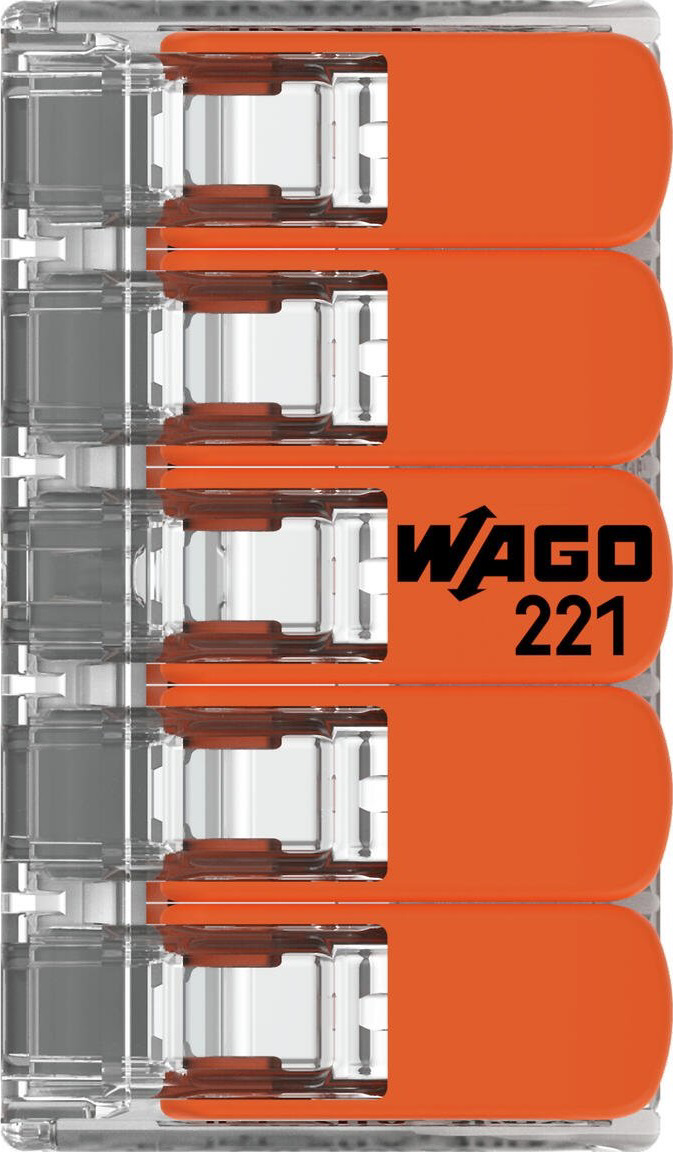
The WAGO 221-415 splicing connector is a compact, user-friendly solution for quick and reliable electrical wire connections. It features a transparent housing that allows for visual inspection of the connection and a lever mechanism for secure and tool-free wire insertion. This connector is designed to accommodate a wide range of wire types and sizes, making it a versatile choice for various electrical applications.
Explore Projects Built with Splicing connector WAGO 221
 Open Project in Cirkit Designer
 Open Project in Cirkit Designer
 Open Project in Cirkit Designer
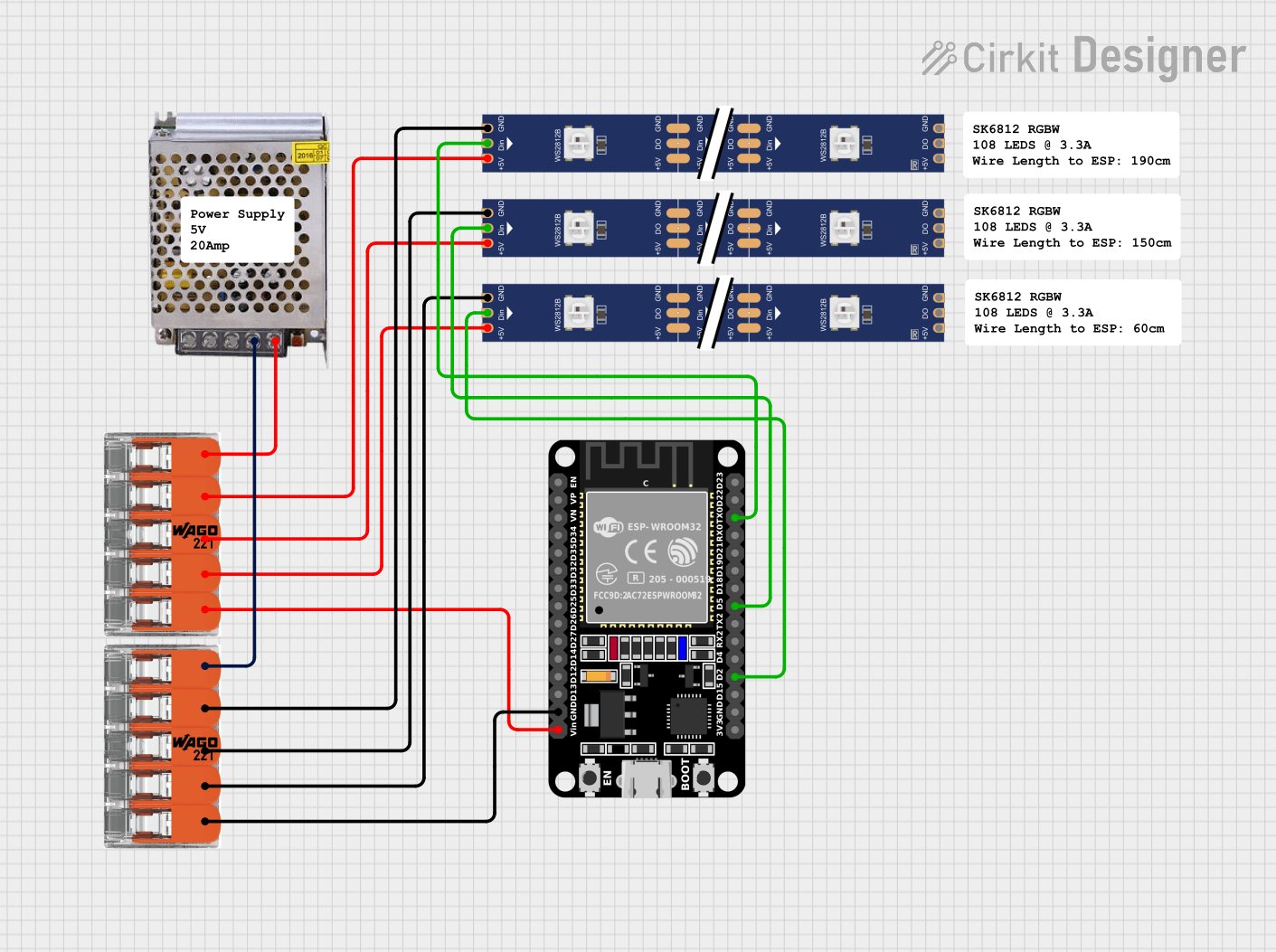 Open Project in Cirkit Designer
Explore Projects Built with Splicing connector WAGO 221
Open Project in Cirkit DesignerOpen Project in Cirkit DesignerOpen Project in Cirkit DesignerOpen Project in Cirkit DesignerCommon Applications and Use Cases
- Electrical wiring in residential, commercial, and industrial installations
- Temporary or permanent wire connections in prototyping and testing
- Connecting solid, stranded, or fine-stranded wires
- Use in junction boxes, lighting systems, and control panels
Technical Specifications
Key Technical Details
| Parameter | Value |
|---|---|
| Manufacturer | WAGO |
| Part Number | 221-415 |
| Wire Type Compatibility | Solid, stranded, and fine-stranded wires |
| Wire Size Range | 0.14 mm² to 4 mm² (24–12 AWG) |
| Voltage Rating | 450 V AC/DC |
| Current Rating | 32 A |
| Operating Temperature | -20°C to +85°C |
| Housing Material | Polycarbonate (transparent) |
| Number of Connections | 5 |
| Dimensions (L x W x H) | 28.3 mm x 13.1 mm x 8.3 mm |
| Certifications | UL, CE, ENEC, and RoHS compliant |
Pin Configuration and Descriptions
The WAGO 221-415 splicing connector does not have traditional pins but instead features five connection points for wires. Each connection point is equipped with a lever mechanism for secure wire insertion. Below is a description of the connection points:
| Connection Point | Description |
|---|---|
| 1–5 | Wire insertion points for solid, stranded, or fine-stranded wires. Each point is independent and can accommodate a single wire. |
Usage Instructions
How to Use the WAGO 221-415 in a Circuit
Prepare the Wires:
- Strip the insulation from the wire ends, leaving approximately 10–12 mm of exposed conductor.
- Ensure the wire ends are clean and free of damage.
Open the Lever:
- Lift the lever on the WAGO 221-415 connector to open the clamping mechanism.
Insert the Wire:
- Insert the stripped end of the wire into the connection point until it reaches the stop.
Close the Lever:
- Push the lever back down to secure the wire in place. The transparent housing allows you to visually confirm the connection.
Repeat for Additional Wires:
- Repeat the process for each wire, using the remaining connection points.
Inspect the Connections:
- Verify that all wires are securely clamped and that no exposed conductor is visible outside the connector.
Important Considerations and Best Practices
- Ensure the wire size is within the specified range (0.14 mm² to 4 mm² or 24–12 AWG).
- Do not exceed the voltage and current ratings of the connector (450 V and 32 A, respectively).
- Avoid using the connector in environments exceeding the specified operating temperature range (-20°C to +85°C).
- Use the connector only with wires that are properly stripped and undamaged.
- For safety, always disconnect power before making or modifying connections.
Example: Connecting to an Arduino UNO
The WAGO 221-415 can be used to connect wires from sensors, actuators, or other components to an Arduino UNO. Below is an example of how to connect a 5V power supply and a sensor to an Arduino using the WAGO 221-415:
// Example Arduino code for reading a sensor connected via WAGO 221-415
// This code assumes a sensor is connected to pin A0 and powered by 5V.

const int sensorPin = A0;  // Analog pin connected to the sensor
int sensorValue = 0;       // Variable to store the sensor reading

void setup() {
  Serial.begin(9600);  // Initialize serial communication at 9600 baud
}

void loop() {
  sensorValue = analogRead(sensorPin);  // Read the sensor value
  Serial.print("Sensor Value: ");       // Print the sensor value to the serial monitor
  Serial.println(sensorValue);
  delay(1000);  // Wait for 1 second before the next reading
}
Connection Steps:
- Use the WAGO 221-415 to connect the sensor's power (5V and GND) and signal wire to the Arduino.
- Ensure the wires are securely clamped in the connector.
- Upload the code to the Arduino and monitor the sensor readings via the serial monitor.
Troubleshooting and FAQs
Common Issues and Solutions
| Issue | Possible Cause | Solution |
|---|---|---|
| Wire slips out of the connector | Lever not fully closed | Ensure the lever is pushed down completely. |
| Poor electrical connection | Wire not stripped properly | Strip the wire to the correct length (10–12 mm). |
| Overheating of the connector | Exceeding current rating (32 A) | Reduce the load current or use a higher-rated connector. |
| Connector does not fit in the space | Limited installation space | Consider using a smaller WAGO connector model. |
FAQs
Q1: Can I reuse the WAGO 221-415 connector?
A1: Yes, the WAGO 221-415 is reusable. Simply lift the lever to release the wire and insert a new one.
Q2: Can I use the connector for aluminum wires?
A2: The WAGO 221-415 is primarily designed for copper wires. If using aluminum wires, consult WAGO's guidelines for compatibility and additional requirements.
Q3: Is the connector suitable for outdoor use?
A3: The WAGO 221-415 is not weatherproof. For outdoor applications, use a weatherproof enclosure to protect the connector.
Q4: Can I connect wires of different sizes in the same connector?
A4: Yes, the WAGO 221-415 can accommodate wires of different sizes within the specified range (0.14 mm² to 4 mm²).