
How to Use DC Power 3,3V: Examples, Pinouts, and Specs
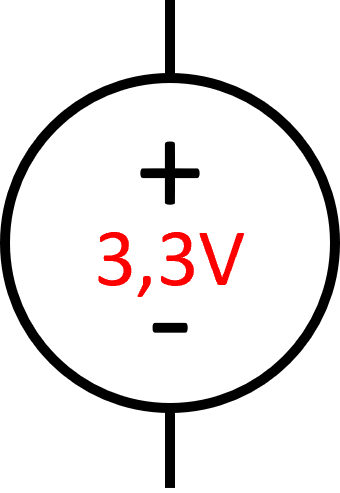
 Design with DC Power 3,3V in Cirkit Designer
Introduction
The DC Power 3.3V is a direct current power supply designed to provide a stable output voltage of 3.3 volts. It is widely used in electronic circuits to power low-voltage devices such as microcontrollers, sensors, and communication modules. Its compact design and reliable performance make it an essential component for prototyping and embedded systems.
Explore Projects Built with DC Power 3,3V
 Open Project in Cirkit Designer
 Open Project in Cirkit Designer
 Open Project in Cirkit Designer
 Open Project in Cirkit Designer
Explore Projects Built with DC Power 3,3V
Open Project in Cirkit DesignerOpen Project in Cirkit DesignerOpen Project in Cirkit DesignerOpen Project in Cirkit DesignerCommon Applications:
- Powering microcontrollers (e.g., ESP32, STM32, Arduino boards with 3.3V logic)
- Supplying voltage to sensors (e.g., temperature, humidity, and pressure sensors)
- Driving low-power communication modules (e.g., Wi-Fi, Bluetooth, and RF modules)
- General-purpose low-voltage DC power supply for small electronic projects
Technical Specifications
The following table outlines the key technical details of the DC Power 3.3V:
| Parameter | Value |
|---|---|
| Output Voltage | 3.3V DC |
| Input Voltage Range | 4.5V to 12V DC |
| Maximum Output Current | 800mA |
| Ripple Voltage | < 50mV |
| Efficiency | Up to 90% (depending on load) |
| Operating Temperature | -20°C to +70°C |
| Dimensions | 25mm x 15mm x 10mm |
Pin Configuration and Descriptions
The DC Power 3.3V module typically has three pins for input and output connections:
| Pin Name | Description |
|---|---|
| VIN | Input voltage (4.5V to 12V DC) |
| GND | Ground (common for input and output) |
| VOUT | Stable 3.3V DC output |
Usage Instructions
How to Use the DC Power 3.3V in a Circuit
Connect the Input Voltage:
- Connect the VIN pin to a DC power source within the range of 4.5V to 12V.
- Ensure the power source can supply sufficient current for your application.
Connect the Ground:
- Connect the GND pin to the ground of your circuit. This serves as the common reference point.
Connect the Output Voltage:
- Use the VOUT pin to power your 3.3V devices. Ensure the total current draw does not exceed 800mA.
Verify Connections:
- Double-check all connections before powering the circuit to avoid damage to the module or connected devices.
Important Considerations and Best Practices
- Input Voltage Range: Ensure the input voltage is within the specified range (4.5V to 12V). Exceeding this range may damage the module.
- Heat Dissipation: If the module operates near its maximum current rating (800mA), ensure proper ventilation or heat dissipation to prevent overheating.
- Ripple Voltage: For sensitive applications, consider adding a capacitor (e.g., 10µF to 100µF) across the output to further reduce ripple voltage.
- Polarity Protection: Verify the polarity of the input voltage to avoid damage. Reverse polarity may permanently damage the module.
Example: Using DC Power 3.3V with Arduino UNO
Although the Arduino UNO operates at 5V logic, you can use the DC Power 3.3V to power 3.3V peripherals connected to the Arduino. Below is an example of powering a 3.3V sensor:
Circuit Connections:
- Connect the VIN pin of the DC Power 3.3V to the Arduino's 5V pin.
- Connect the GND pin of the DC Power 3.3V to the Arduino's GND pin.
- Connect the VOUT pin of the DC Power 3.3V to the VCC pin of the 3.3V sensor.
Arduino Code Example:
// Example code to read data from a 3.3V sensor powered by DC Power 3.3V

const int sensorPin = A0; // Analog pin connected to the sensor output

void setup() {
  Serial.begin(9600); // Initialize serial communication
  pinMode(sensorPin, INPUT); // Set the sensor pin as input
}

void loop() {
  int sensorValue = analogRead(sensorPin); // Read the sensor value
  float voltage = sensorValue * (3.3 / 1023.0);
  // Convert the analog reading to voltage (3.3V reference)

  Serial.print("Sensor Voltage: ");
  Serial.print(voltage);
  Serial.println(" V");

  delay(1000); // Wait for 1 second before the next reading
}
Troubleshooting and FAQs
Common Issues and Solutions
No Output Voltage:
- Cause: Incorrect input voltage or loose connections.
- Solution: Verify that the input voltage is within the specified range (4.5V to 12V) and check all connections.
Overheating:
- Cause: Excessive current draw or poor ventilation.
- Solution: Ensure the total current draw does not exceed 800mA. Improve ventilation or add a heatsink if necessary.
High Ripple Voltage:
- Cause: Insufficient filtering or high load fluctuations.
- Solution: Add a capacitor (10µF to 100µF) across the output to reduce ripple.
Output Voltage Drops Under Load:
- Cause: Input voltage too low or excessive load.
- Solution: Ensure the input voltage is stable and sufficient. Reduce the load if necessary.
FAQs
Q1: Can I use the DC Power 3.3V to power a 5V device?
A1: No, the module is designed to provide a stable 3.3V output. Using it to power a 5V device may result in insufficient voltage and improper operation.
Q2: Is the module protected against reverse polarity?
A2: Most DC Power 3.3V modules do not include reverse polarity protection. Always verify the polarity of the input voltage before connecting.
Q3: Can I use this module with a battery as the input source?
A3: Yes, as long as the battery voltage is within the input range (4.5V to 12V). For example, a 9V battery or a 7.4V Li-ion battery pack would work.
Q4: What happens if I exceed the maximum current rating?
A4: Exceeding the 800mA current rating may cause the module to overheat, shut down, or become permanently damaged. Always ensure the load current is within the specified limit.